WordPress Development Services
Professional WordPress Development for Real Businesses
If you are looking for reliable WordPress development services, you are probably facing one of these situations:
- You need a new website built properly
- Your current site feels limited
- You need custom functionality
- Your online store requires improvements
- Your website has grown and now needs structure
WordPress is flexible, but flexibility without proper development quickly becomes chaos.
Clean architecture, smart planning, and practical implementation make the difference
between a site that works and one that constantly breaks.
As an experienced WordPress developer, I help businesses build stable, scalable websites
that are easy to manage and ready for growth.
Receive a free, no-obligation estimate from experienced industry experts within 24 hours.
Custom WordPress Development That Grows With Your Business
WordPress development is not just about building pages. It is about building a system that supports your business long term.
Some businesses need a simple, clean website that clearly presents their services. Others need more advanced functionality — ecommerce, custom dashboards, integrations, or complex content structures.
The goal is not to overcomplicate things. The goal is to build exactly what your business needs today, while keeping the foundation flexible for tomorrow.
Custom WordPress development means your website is built around your workflow — not forced into someone else’s limitations.
That includes:
- Clean structure and scalable architecture
- SEO-friendly code foundation
- Responsive and accessible layout
- Performance-focused setup
- Easy content management in the backend
Instead of adding dozens of unnecessary plugins, development focuses on stability and long-term maintainability.
For smaller businesses, that may mean a fast, reliable service website that loads quickly and is easy to update.
For growing brands, that may mean a more advanced setup — custom post types, dynamic content, integrations with external systems, or complex user flows.
The important part is balance.
The website should not feel overengineered. But it also should not break when your business grows.
A well-built WordPress site should be:
- Stable
- Fast
- Secure
- Easy to manage
- Ready to scale
Good development is often invisible. Visitors don’t notice it — they just experience a website that works smoothly.
That is the standard every project should meet.
Full Website Development & Redesign
Some projects start from zero. Others begin with an existing website that no longer reflects the business properly. Full WordPress development covers both scenarios.
If you are launching a new website, the first step is structure. What pages do you need? What is the main goal of the site—calls, leads, bookings, sales? When the structure is clear, design and development go much faster, and the site is easier to grow later.
A full website build typically includes:
- Clean WordPress setup and configuration
- Page structure planning (services, about, contact, etc.)
- Theme setup or custom theme development
- Responsive layout (desktop, tablet, mobile)
- Forms and lead capture setup
- Basic performance setup (caching, image handling)
- SEO-friendly URLs and page hierarchy
A new website should feel simple for visitors. They should quickly understand what you do, where you work (if local), and what the next step is.
For redesign projects, the approach is different. A redesign is not just “make it look modern.” It’s often about fixing real issues: slow pages, messy layout, confusing navigation, too many plugins, or broken mobile experience.
A typical redesign process follows a clear order:
- Review what you already have (pages, traffic, SEO, conversions)
- Keep what works and remove what doesn’t
- Improve structure and navigation
- Implement the new layout and design
- Test speed, forms, and key pages before launch
That order matters. If you redesign first and think later, you usually end up with a nice-looking site that performs worse.
Here’s a simple comparison of what changes between a “fresh build” and a redesign:
| Project Type | Main Focus | Biggest Risk |
|---|---|---|
| New website | Clear structure + clean build | Missing key pages / unclear messaging |
| Redesign | Improve UX + fix technical issues | Breaking SEO or losing important content |
Some clients need a small service website with a few strong pages. Others need a larger build with multiple services, locations, blog structure, or advanced content sections. The development approach scales based on your needs, without making the project feel overcomplicated.
The end goal is always the same:
- Stable foundation
- Clean layout that works on mobile
- Easy content editing for you
- Room to grow without rebuilding again
WordPress Theme Customization
Not every project needs a fully custom theme from scratch. In many cases, the right approach is to start with a solid, well-coded theme and customize it properly.
The key word is properly.
Installing a theme and adding random plugins is not development. Real theme customization means adapting the structure, layout, and functionality so the website fits your business — not the demo template.
Theme customization can include:
- Converting a Figma or custom design into WordPress
- Building a child theme for safe modifications
- Creating custom page templates
- Adjusting layout structure and spacing
- Optimizing mobile responsiveness
- Removing unnecessary theme features
Many websites become slow and unstable because themes are overloaded with features that are never used. Cleaning that up improves both performance and long-term stability.
When layouts need to go beyond standard blocks, development becomes more structured.
For example:
- Custom templates are created for specific pages (services, case studies, landing pages).
- Dynamic content sections are built for easier content management.
- Reusable components are structured for consistency.
This approach keeps the backend organized and easier to manage.
Here is a simplified comparison:
| Basic Theme Setup | Structured Theme Customization |
|---|---|
| Uses demo layout | Built around your structure |
| Heavy and generic | Lean and purpose-driven |
| Hard to scale | Easy to extend |
| Plugin-dependent | Cleaner code foundation |
Advanced layout implementation does not mean “complex for no reason.” It means building flexible sections that allow you to update content without breaking the design.
For smaller businesses, this may mean clean service pages and easy content editing.
For growing brands, it may include:
- Custom post types
- Advanced filtering systems
- Dynamic content sections
- Custom archive layouts
The goal is balance. The site should feel custom and professional, but still simple to manage.
Good theme customization makes your website look unique — without turning it into a technical mess behind the scenes.
Custom Functionality & Feature Development
Most businesses don’t just need pages. They need functionality.
Sometimes that means a booking system. Sometimes it’s a custom quote calculator. Sometimes it’s a members-only area or a dashboard for clients.
This is where real WordPress development goes beyond themes and page builders.
Custom functionality means building features around your workflow — not forcing your workflow to match a plugin.
Common types of custom features include:
- Advanced contact forms with conditional logic
- Booking or appointment systems
- Membership areas
- Custom dashboards for users
- Advanced search and filtering
- Custom post types (projects, case studies, team, listings)
- Integration with CRM or external systems
The key is not adding more plugins. The key is building only what is necessary and making sure it works reliably.
For example, if you run a service business with multiple locations, you may need structured service pages connected to location pages. That requires custom content architecture — not just a blog post category.
If you run a platform-style website, you may need:
- Custom user roles
- Controlled access to specific content
- Frontend submission forms
- Approval workflows
That’s not something you solve with a single plugin and hope for the best.
Here’s how standard setup compares to custom feature development:
| Standard Setup | Custom Development |
|---|---|
| Uses general plugins | Built around your exact needs |
| Limited flexibility | Scalable structure |
| Risk of plugin conflicts | Cleaner integration |
| Hard to extend later | Designed for growth |
The goal is not to overengineer your site. Not every website needs advanced architecture.
But when functionality becomes part of your business model, it must be stable.
Custom development ensures:
- Clean backend structure
- Reliable performance
- Long-term maintainability
- Fewer unexpected conflicts
In short, your website should support your operations — not slow them down.
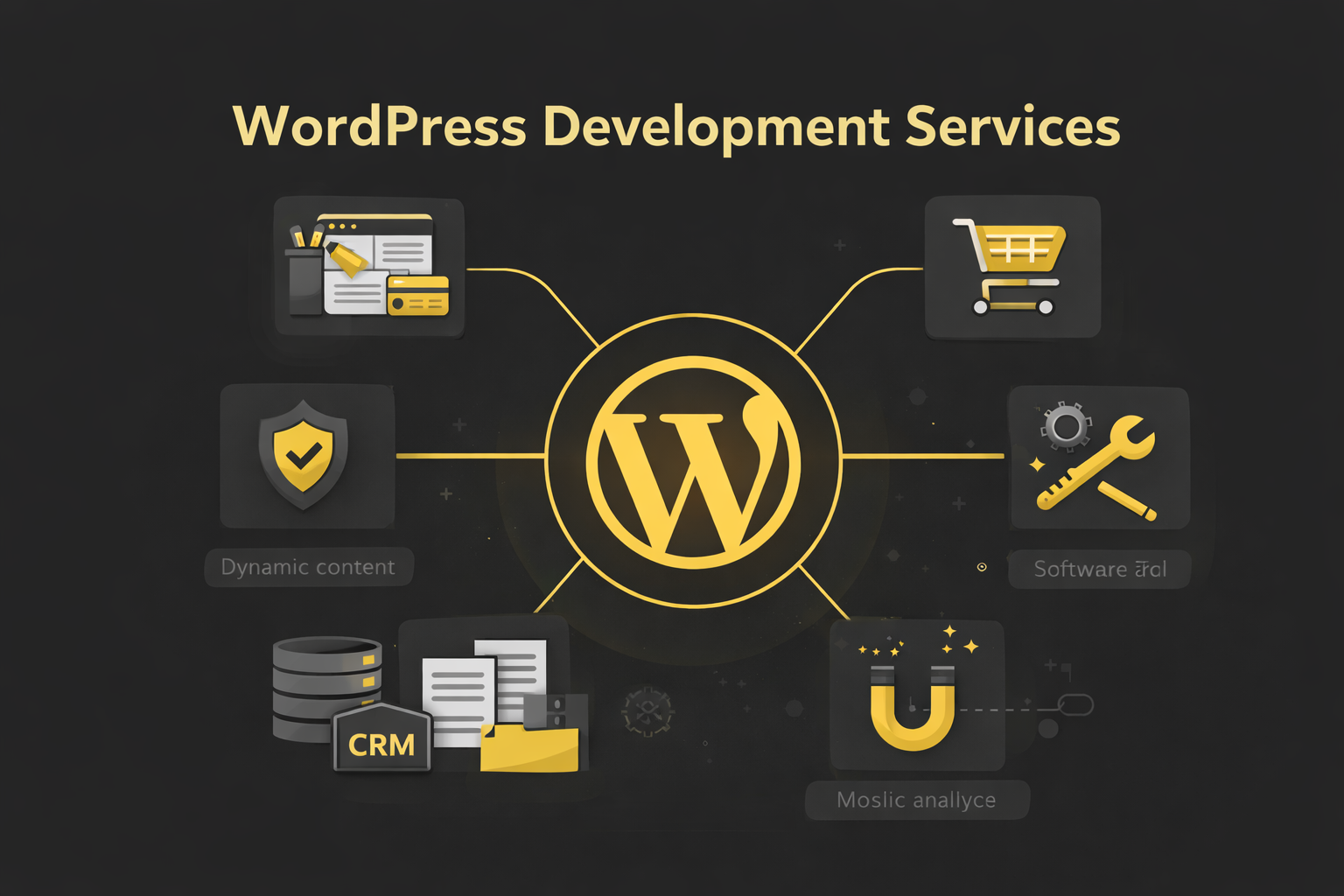
Custom Functionality & Feature Development
Most businesses don’t just need pages. They need functionality.
Sometimes that means a booking system. Sometimes it’s a custom quote calculator. Sometimes it’s a members-only area or a dashboard for clients. This is where real WordPress development goes beyond themes and page builders. Custom functionality means building features around your workflow — not forcing your workflow to match a plugin.
Common types of custom features include:
- Advanced contact forms with conditional logic
- Booking or appointment systems
- Membership areas
- Custom dashboards for users
- Advanced search and filtering
- Custom post types (projects, case studies, team, listings)
- Integration with CRM or external systems
The key is not adding more plugins. The key is building only what is necessary and making sure it works reliably. For example, if you run a service business with multiple locations, you may need structured service pages connected to location pages. That requires custom content architecture — not just a blog post category.
If you run a platform-style website, you may need:
- Custom user roles
- Controlled access to specific content
- Frontend submission forms
- Approval workflows
That’s not something you solve with a single plugin and hope for the best.
Here’s how standard setup compares to custom feature development:
| Standard Setup | Custom Development |
|---|---|
| Uses general plugins | Built around your exact needs |
| Limited flexibility | Scalable structure |
| Risk of plugin conflicts | Cleaner integration |
| Hard to extend later | Designed for growth |
The goal is not to overengineer your site. Not every website needs advanced architecture.
But when functionality becomes part of your business model, it must be stable.
Custom development ensures:
- Clean backend structure
- Reliable performance
- Long-term maintainability
- Fewer unexpected conflicts
In short, your website should support your operations — not slow them down.
Custom Functionality & Feature Development
Most businesses don’t just need pages. They need functionality.
Sometimes that means a booking system. Sometimes it’s a custom quote calculator. Sometimes it’s a members-only area or a dashboard for clients.
This is where real WordPress development goes beyond themes and page builders.
Custom functionality means building features around your workflow — not forcing your workflow to match a plugin.
Common types of custom features include:
- Advanced contact forms with conditional logic
- Booking or appointment systems
- Membership areas
- Custom dashboards for users
- Advanced search and filtering
- Custom post types (projects, case studies, team, listings)
- Integration with CRM or external systems
The key is not adding more plugins. The key is building only what is necessary and making sure it works reliably.
For example, if you run a service business with multiple locations, you may need structured service pages connected to location pages. That requires custom content architecture — not just a blog post category.
If you run a platform-style website, you may need:
- Custom user roles
- Controlled access to specific content
- Frontend submission forms
- Approval workflows
That’s not something you solve with a single plugin and hope for the best.
Here’s how standard setup compares to custom feature development:
| Standard Setup | Custom Development |
|---|---|
| Uses general plugins | Built around your exact needs |
| Limited flexibility | Scalable structure |
| Risk of plugin conflicts | Cleaner integration |
| Hard to extend later | Designed for growth |
The goal is not to overengineer your site. Not every website needs advanced architecture.
But when functionality becomes part of your business model, it must be stable.
Custom development ensures:
- Clean backend structure
- Reliable performance
- Long-term maintainability
- Fewer unexpected conflicts
In short, your website should support your operations — not slow them down.
Performance Optimization & Technical Improvements
A website can look great and still perform poorly.
Slow loading times, heavy scripts, too many plugins, or poor server configuration can make even a well-designed website feel frustrating to use. Visitors rarely wait. If a page loads slowly, they leave.
Performance optimization is not just about “getting a better score” in a testing tool. It is about making the website feel fast and stable in real conditions.
Improving performance usually starts with identifying bottlenecks.
That may include:
- Unoptimized images
- Excessive plugin usage
- Poor database structure
- Inefficient theme code
- Render-blocking scripts
- Outdated PHP versions
Once the issues are identified, improvements follow a clear order.
A typical performance improvement process may look like this:
- Analyze current speed metrics (Core Web Vitals, load time, server response time).
- Optimize images and static assets.
- Clean unused plugins and reduce unnecessary scripts.
- Configure caching properly.
- Optimize database and queries.
- Review hosting performance.
Each step builds on the previous one.
Here’s a simple comparison:
| Unoptimized Website | Optimized Website |
|---|---|
| 4–6s load time | 1–2s load time |
| High bounce rate | Better user retention |
| Heavy plugin stack | Lean and efficient setup |
| Server overload | Stable under traffic spikes |
Performance also impacts SEO. Search engines measure user experience signals. Faster websites often perform better in search results over time.
Technical improvements are not limited to speed.
They can also include:
- Cleaning outdated code
- Updating PHP safely
- Fixing database errors
- Resolving plugin conflicts
- Improving server configuration
- Removing security vulnerabilities
Sometimes small technical adjustments create noticeable improvements.
For smaller business websites, that might mean shaving seconds off load time and improving mobile usability.
For larger projects, it may involve deeper query optimization, cache strategy refinement, or server-level tuning.
The goal is not perfection. The goal is stability and measurable improvement.
A well-optimized WordPress site should:
- Load quickly
- Handle traffic without breaking
- Use resources efficiently
- Remain easy to maintain
Performance is not a one-time fix. It is part of responsible development.
Fixing, Improving & Scaling Existing WordPress Websites
Not every project starts with a brand new build.
In fact, many businesses already have a website. The problem is not that the site exists — the problem is that something isn’t working as it should.
Maybe it’s slow. Maybe certain features are broken. Maybe it feels outdated. Or maybe it simply can’t handle new business requirements.
Improving an existing WordPress website often requires a different mindset than building from scratch.
Instead of replacing everything, the focus is on:
- Identifying weak points
- Fixing structural issues
- Improving performance
- Adding missing functionality
- Removing unnecessary complexity
Sometimes the solution is small. A few technical adjustments can stabilize the entire system.
Other times, scaling is required.
Scaling may include:
- Adding new service pages
- Expanding blog or content structure
- Introducing custom post types
- Improving navigation hierarchy
- Integrating new tools (CRM, email marketing, booking systems)
- Enhancing ecommerce features
Before adding anything new, the existing foundation must be evaluated.
A structured improvement process often looks like this:
- Technical audit of the current setup
- Performance and plugin review
- SEO structure evaluation
- Identification of outdated components
- Implementation of targeted improvements
Here’s a simple difference between patching and structured improvement:
| Quick Fix | Structured Improvement |
|---|---|
| Temporary solution | Long-term stability |
| Adds more plugins | Reduces unnecessary load |
| Fixes visible issue | Fixes root cause |
| Risk of future conflicts | Clean and scalable setup |
Scaling is not about making the site more complicated. It is about preparing it to handle growth without breaking.
For example, a small service website might later need:
- Location-based pages
- Advanced filtering
- User accounts
- Client portal
- Online payments
If the original setup was messy, scaling becomes difficult. If the structure is clean, expansion becomes natural.
Improving an existing WordPress website often delivers faster results than rebuilding from scratch — when done correctly.
The goal is not to rebuild everything.
The goal is to make the current website stronger, faster, and ready for the next stage of growth.
Custom Plugin Development & Advanced Integrations
Not every feature should rely on third-party plugins.
Sometimes a project requires something very specific — functionality that doesn’t exist out of the box, or that existing plugins solve only partially.
In those cases, custom plugin development becomes the cleanest solution.
Custom plugin development allows you to:
- Add specific features without bloating your website
- Avoid conflicts between multiple third-party plugins
- Keep code organized and maintainable
- Control performance and security
Instead of stacking five plugins to achieve one goal, a custom-built solution keeps the website lighter and more stable.
Custom plugin development may include:
- Custom booking logic
- Data processing systems
- API integrations with external platforms
- Custom admin dashboards
- Membership logic
- Automated workflows
- Advanced filtering systems
It can also mean extending existing plugins safely instead of modifying their core files.
Here’s a simple difference:
| Multiple Generic Plugins | Custom Plugin Approach |
|---|---|
| Higher risk of conflicts | Controlled functionality |
| Performance overhead | Lean implementation |
| Limited flexibility | Built around your needs |
| Harder to maintain | Structured and scalable |
Custom plugin development is not necessary for every website.
For small business sites, standard tools are often enough.
But when your website becomes part of your operations — handling data, workflows, or complex logic — custom development ensures long-term stability.
The goal is not complexity.
The goal is control.
Ongoing WordPress Development & Long-Term Support
A website is not a one-time project. After launch, things change. Your business grows. New services are added. Marketing campaigns evolve. Technology updates. Security standards improve. Ongoing WordPress development means your website keeps up.
Some clients need occasional improvements. Others need continuous technical partnership. The level of support depends on your business, not on a fixed package.
Long-term development support can include:
- Adding new features and functionality
- Expanding content structure
- Performance reviews and optimizations
- Security improvements
- Plugin and theme updates (when needed)
- Technical troubleshooting
- UX refinements
- WooCommerce adjustments
- Integration of new tools and systems
Instead of reacting only when something breaks, ongoing development allows proactive improvement.
A structured support workflow often looks like this:
- Identify priorities based on business goals
- Review technical impact before changes
- Implement updates in a controlled way
- Test before publishing
- Monitor after release
This prevents small changes from creating unexpected problems.
Here’s the difference between reactive and structured support:
| Reactive Fixes | Ongoing Development Approach |
|---|---|
| Fix after something breaks | Improve before issues appear |
| Short-term patching | Long-term stability |
| Random changes | Planned improvements |
| Technical debt grows | Technical debt reduced |
Ongoing development does not mean constant rebuilding.
It means maintaining a clean foundation and making smart improvements over time.
For smaller businesses, this may mean occasional updates and feature additions.
For growing brands, it may include structured scaling, performance tuning, and technical roadmap planning.
The goal is stability first, growth second.
A well-maintained WordPress website should feel:
- Reliable
- Fast
- Secure
- Easy to extend
- Ready for future expansion
Long-term support ensures your website evolves with your business — not against it.
Pick one option and we’ll take you to the right next step.
After submitting your request, up to three WordPress developers may review your project and ask a few questions to better understand the issue.
This step helps us define the scope of work and provide an accurate estimate.
Most projects receive a response within 24 hours.
Providing a few key details about your website or the problem will help us respond faster.
There is no obligation to proceed with the project.