Perfect Couple WordPress Theme
by Coffeecream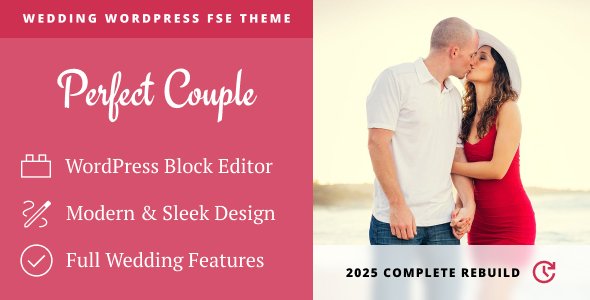
Stuck on your Perfect Couple WordPress theme? Let's fix it.
No endless back-and-forth. Just send us the details and we'll get it done.
No obligation · Replies within 1 hour · Quote within 1 day
Setup · Customization · Bug fixes · WooCommerce integration
About Perfect Couple WP Theme
Perfect Couple is a WordPress theme by Coffeecream designed specifically for wedding websites, engagement announcements, and couple blogs. It ships with a clean, romantic aesthetic built around full-width imagery, countdown timers, RSVP forms, and story timelines.
The theme targets couples who want a polished, photo-forward site without hiring a designer from scratch. It supports WooCommerce for gift registries, includes event schedule sections, and works with popular page builders. The overall layout is clean and minimal, letting photography do the heavy lifting.
If you need a wedding site live quickly and want a theme that covers the standard requirements out of the box, Perfect Couple is a solid starting point. Custom work can take it significantly further.
Get matched with a Perfect Couple developer in under one day
Tell us about your Perfect Couple project. Small fixes, Perfect Couple theme customization, or a full website build, whatever you need, we've got it covered.
We'll connect you to the right Perfect Couple developers, define the scope, and get everything 100% clear.
You'll get one estimate, hire your preferred developer, and start collaborating.
Perfect Couple looks straightforward until you need it to do something specific. Custom RSVP logic, third-party integrations, layout changes that don’t break on mobile, or a registry system tied to WooCommerce all require real WordPress development experience.
Through Codeable, you get access to vetted developers who know WordPress inside out. Work is scoped clearly, estimates are free, and there’s no obligation to proceed. It’s the practical option for couples who want their wedding site done right without spending months learning WordPress themselves.
Pros
- Purpose-built for weddings with countdown timers, RSVP sections, and story timelines included
- Full-width imagery layouts that make strong wedding photography look excellent
- WooCommerce compatibility allows gift registry or ticket functionality without extra plugins
- Clean, minimal design that stays out of the way of the couple's photos
- Works with major page builders, making layout changes accessible without touching code
Cons
- Limited demo variety means many sites built on it look similar without custom work
- Countdown and RSVP features are basic and need plugin support for anything complex
- Mobile responsiveness requires testing and often tweaking on non-standard screen sizes
- Documentation from Coffeecream is thin, making troubleshooting harder without developer help
- Update cadence from the developer is slow, which can create compatibility issues over time
Who is Perfect Couple for?
Wedding Announcement Sites
Perfect Couple works well as a central wedding announcement hub. Couples use it to share ceremony details, display the wedding party, publish schedules, and collect RSVPs. The event timeline section keeps everything organized without requiring visitors to dig through multiple pages.
Destination Wedding Portals
For destination weddings, a dedicated site helps international guests plan ahead. Perfect Couple supports WPML for multilingual content, and the event schedule section handles travel logistics, hotel recommendations, and day-of details cleanly. Adding a map integration rounds it out.
Couple Blogs and Journals
Some couples use Perfect Couple as an ongoing blog documenting their relationship, engagement, and wedding planning journey. The theme’s story timeline section works naturally here. Blog post styling is clean and readable, and the photo-forward design suits lifestyle content well.
Engagement Party Pages
An engagement party page is a common secondary use. A single-page layout with event details, an RSVP form, location map, and photo gallery is achievable quickly with this theme. It’s a low-overhead way to give the party its own dedicated online presence without building from scratch.
Wedding Planner Portfolio Sites
Wedding planners sometimes use Perfect Couple as a portfolio theme, showcasing past weddings with full-width galleries and client testimonials. The romantic aesthetic fits the niche well. Custom work can add inquiry forms, service packages, and pricing sections to make it fully functional as a business site.

Customizing Perfect Couple
Out-of-the-box, Perfect Couple covers the basics well. But most couples want something that reflects their specific style, not a template thousands of others have used. That’s where a Perfect Couple expert makes the real difference.
Common customization requests include custom color palettes tied to wedding branding, bespoke countdown section layouts, integrated RSVP systems connected to email platforms like Mailchimp, custom gallery arrangements, and multilingual setup for international guests.
A developer familiar with the Coffeecream codebase can modify the theme’s PHP templates and CSS without breaking update compatibility, add custom post types for wedding vendors, and extend WooCommerce for registry-specific functionality. The result is a site that looks built for you, not built from a template.
Recommended plugins for Perfect Couple
Perfect Couple pairs well with several tools depending on your requirements. WooCommerce handles gift registry or ticket sales. Gravity Forms or WPForms work cleanly for RSVP collection. WPML adds multilingual support for destination weddings with international guests.
On the performance side, image-heavy wedding sites need careful optimization. Lazy loading, a caching plugin, and a CDN are worth considering early. For visibility in local search, structured data and proper SEO setup matter.
Need help with WordPress performance or SEO optimization for your Perfect Couple site? Both can be handled alongside theme development.
Not sure which plugins to use? This WordPress plugins directory covers the most popular options with reviews and setup guides.
Perfect Couple common issues
Perfect Couple RSVP form not sending emails
This is almost always a hosting-level email issue, not a theme bug. WordPress uses PHP mail by default, which many hosts block. Install an SMTP plugin like WP Mail SMTP and connect it to a transactional email service such as SendGrid or Mailgun. Configure your form plugin to route through SMTP. Test with the plugin’s built-in diagnostic tool. If forms are built using the theme’s native functionality, replacing them with a dedicated form plugin gives you more control and reliability.
Perfect Couple countdown timer not displaying correctly
Countdown display problems typically come from a timezone mismatch. Check that your WordPress timezone setting under Settings > General matches the actual wedding location timezone, not just UTC offset. Some caching plugins also freeze the countdown at a cached timestamp. Exclude the countdown page from caching or use a JavaScript-based countdown widget that calculates time client-side rather than relying on server-rendered output. Clear all caches after making changes. If the issue persists, check for JavaScript conflicts using your browser console.
Perfect Couple theme broken after WordPress update
Theme breaks after a WordPress core update usually point to deprecated PHP functions or JavaScript conflicts introduced in the new version. Check your browser console and PHP error logs first to identify the specific error. If the theme hasn’t been updated recently by Coffeecream, it may be using functions removed in the current WordPress version. A developer can patch the specific issue without waiting for an official update. Our WordPress bug fixing service covers exactly this type of issue.
Perfect Couple mobile layout issues on phones
Mobile layout problems in Perfect Couple most commonly appear in the hero section, countdown block, and gallery grid. These sections use fixed pixel values in some Coffeecream builds that don’t scale correctly on small screens. Open your browser’s developer tools in mobile view to identify which CSS rules are causing the problem. Overriding those in a child theme’s stylesheet is the right fix, not editing the parent theme directly. If you don’t have a child theme set up, do that first to protect your changes from being overwritten.
Perfect Couple FAQ
Coffeecream’s update activity on Perfect Couple has been inconsistent. The theme still functions on current WordPress versions for most users, but support response times can be slow. For anything beyond basic use, working with an independent WordPress developer is a more reliable path than waiting on official support. Always run a child theme to protect customizations from any future updates.
Perfect Couple is compatible with Elementor in most cases, though some theme sections may conflict with builder output. Divi has more template-level conflicts with opinionated themes. The safest approach is to use Elementor for page content while leaving the theme’s header and footer intact. A developer can resolve specific builder conflicts if they arise during setup.
Yes, Perfect Couple supports WooCommerce. You can use it to build a basic gift registry by creating products representing registry items and sharing the shop page with guests. For a more polished registry experience with features like item reservation tracking, a dedicated registry plugin layered on top of WooCommerce works better than WooCommerce alone.
The theme includes a basic contact form that can serve as a simple RSVP form. For anything more functional, such as meal preference collection, guest counts, or attendance confirmation lists, add a dedicated form plugin like Gravity Forms or WPForms. Connect it to a spreadsheet or CRM via Zapier to manage responses without manually checking email.
Yes, migrating a Perfect Couple site to a new host is straightforward with the right process. Export your database and files, set up the new host, import everything, and update your DNS. Plugins like Duplicator or All-in-One WP Migration handle most of this automatically. If you want it done without risk, our WordPress migration service covers the full process.
Hire a Perfect Couple WordPress Developer
Whether you need minor adjustments or a fully custom build on top of Perfect Couple, working with a specialist saves time and avoids costly mistakes. From RSVP integrations to custom gallery layouts and WooCommerce registry setup, an experienced developer handles it properly the first time.
Post your project and get a free estimate with no obligation to hire. Work is matched through Codeable’s vetted developer network, so quality is consistent. Get your free estimate today and get your wedding site live on time.
You'll need a free Codeable account so developers can ask questions and send their quotes.