Rebuilto WordPress Theme
by Opal_WP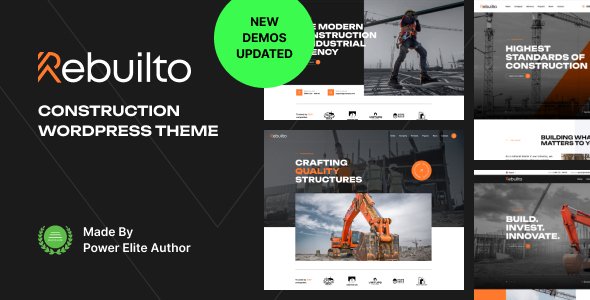
Stuck on your Rebuilto WordPress theme? Let's fix it.
No endless back-and-forth. Just send us the details and we'll get it done.
No obligation · Replies within 1 hour · Quote within 1 day
Setup · Customization · Bug fixes · WooCommerce integration
About Rebuilto WP Theme
Rebuilto is a construction and renovation WordPress theme built by Opal_WP. It targets contractors, builders, architects, and renovation companies that need a professional site without starting from scratch.
The theme ships with Elementor page builder compatibility, a set of pre-built demo pages, and styling suited to trade and construction businesses. You get sections for services, project portfolios, team members, testimonials, and contact forms out of the box.
Opal_WP has a track record of releasing niche-focused themes with solid documentation. Rebuilto follows that pattern. It is designed for businesses that want a credible online presence quickly, without paying for a fully custom build. That said, getting the most from it often requires some configuration and, in some cases, developer input.
Get matched with a Rebuilto developer in under one day
Tell us about your Rebuilto project. Small fixes, Rebuilto theme customization, or a full website build, whatever you need, we've got it covered.
We'll connect you to the right Rebuilto developers, define the scope, and get everything 100% clear.
You'll get one estimate, hire your preferred developer, and start collaborating.
Rebuilto is approachable for non-developers, but the gap between a working install and a polished, fast, conversion-focused site is real. Opal_WP themes have quirks, and construction businesses often need specific functionality that no theme provides out of the box.
Developers on Codeable have worked across the full Opal_WP theme catalog. They know the codebase, the common sticking points, and how to extend Rebuilto without hacking it apart. You get a working result without wasted hours figuring it out yourself.
Pros
- Pre-built construction demo pages reduce initial setup time significantly
- Full Elementor compatibility means layout changes without writing code
- Built-in project portfolio post type suits contractor and renovation use cases
- Opal_WP provides documentation and regular theme updates
- WooCommerce compatible for contractors who sell products or paid consultations
Cons
- Demo import can fail or import incomplete data without manual cleanup
- Some design sections feel generic without meaningful customization effort
- Elementor dependency means slower load times compared to block-based themes
- Support from Opal_WP can be slow for complex or edge-case issues
- No built-in cost estimator or booking system despite the target audience needing both
Who is Rebuilto for?
General Contractors
Rebuilto gives general contractors a portfolio section, services overview, and a contact form setup that works for project inquiries. You can showcase completed builds with before and after images, list service areas, and display team credentials. The layout communicates professionalism without looking like a generic business template.
Home Renovation Companies
Renovation companies need to show their work visually. Rebuilto’s project gallery handles this well. Pair it with a quote request form and a testimonials section and you have a site that converts visitors into leads. The theme handles this use case better than most multipurpose options because it was built specifically for it.
Architects and Design Studios
Architects can use Rebuilto’s portfolio layout to display project photography cleanly. The grid-based project archive works for categorizing work by type or scale. It will need some styling adjustments to feel more design-studio than contractor, but the bones are there and an Elementor-familiar developer can make it work well.
Roofing and Specialty Trade Businesses
Roofing, electrical, plumbing, and other trade businesses benefit from Rebuilto’s service page structure and local-focused layout options. The theme supports the kind of trust signals these businesses need: certifications, team photos, project counts, and direct call-to-action buttons. It suits single-location and multi-location businesses alike.
Construction Material Suppliers
Material suppliers who want to sell online can combine Rebuilto with WooCommerce. The theme handles product categories and a basic shop layout. It is not a purpose-built ecommerce theme, so heavy product catalogs will need additional configuration, but for a supplier with a focused product range it is a workable starting point.

Customizing Rebuilto
Rebuilto works with the WordPress Customizer and Elementor, so most visual changes are drag-and-drop. You can adjust colors, fonts, header layouts, and section order without touching code.
Beyond surface-level changes, customization gets more technical. Custom post types for projects and services, modifying the portfolio archive layout, adding schema markup for local contractors, or integrating a cost estimator plugin all require PHP or CSS work.
A Rebuilto expert knows where the theme hooks into WordPress core, which Elementor widgets are native versus theme-specific, and how to extend the layout without breaking updates. If you need something beyond what the Customizer offers, working with someone who knows Rebuilto specifically saves a lot of trial and error.
Recommended plugins for Rebuilto
Rebuilto pairs well with several plugins common in the construction space. WooCommerce can be added for selling materials or booking services. WPForms or Gravity Forms handle quote request forms. WPML works if you serve multiple language markets.
For site speed, caching plugins like WP Rocket and image optimization tools are worth adding early. A slow portfolio page loses visitors fast. Check our WordPress performance service if load times are already an issue.
If you want organic traffic from local searches, structured SEO work matters more than the theme itself. See our WordPress SEO service for specifics.
Not sure which plugins to use? This WordPress plugins directory covers the most popular options with reviews and setup guides.
Rebuilto common issues
Rebuilto demo content not importing correctly
Demo import failures in Rebuilto usually come down to PHP memory limits, missing required plugins, or a server timeout during the import process. Check that Elementor and any bundled plugins are installed first. Raise your PHP memory limit to at least 256MB in wp-config.php. If the import still fails, importing the XML file manually through the WordPress importer and rebuilding Customizer settings separately is the reliable fallback. A developer can do this cleanly in an hour.
Rebuilto Elementor sections not displaying on mobile
Mobile display issues in Rebuilto are usually Elementor column or spacing settings that were configured only for desktop. Open the affected section in Elementor, switch to mobile view in the editor, and check padding, font sizes, and column stacking settings. Rebuilto’s custom CSS can also conflict with Elementor’s responsive controls. If you see broken layouts on specific devices, check browser dev tools for CSS overrides from the theme stylesheet. Our bug fixing service can isolate this quickly.
Rebuilto portfolio page showing blank or broken layout
A blank or broken Rebuilto portfolio page usually means the portfolio custom post type is not registered correctly, a required plugin is deactivated, or a page template was not assigned properly. Go to the page settings and confirm the Portfolio template is selected under Page Attributes. If the custom post type is missing entirely, deactivate and reactivate the theme or check whether a companion plugin is needed. Clearing any caching plugin after changes is essential before testing again.
Rebuilto theme update broke site layout
Theme updates from Opal_WP occasionally change CSS class names or template structure, which breaks customizations made directly in theme files. If a Rebuilto update broke your layout, first check whether you used a child theme. If not, your custom CSS in the main theme files was overwritten. Going forward, always use a child theme or add CSS through the Customizer or a plugin like Simple Custom CSS. A developer can restore your layout and migrate changes safely. See our maintenance service for ongoing update management.
Rebuilto FAQ
Opal_WP updates Rebuilto periodically to maintain WordPress compatibility. Before updating WordPress core, check the theme changelog for a compatible version. Running an outdated version of Rebuilto on a current WordPress install can cause template errors or broken functionality. Keep both updated together, ideally on a staging site first.
Yes. Rebuilto is WooCommerce compatible. You can add a product shop, category pages, and a cart without major conflicts. The styling will not perfectly match the rest of the theme without some CSS adjustments, particularly on product archive and checkout pages. A developer can align the WooCommerce pages with your Rebuilto design in a few hours.
Rebuilto is built around Elementor. The demo content and page templates rely on it. You can technically use the theme without Elementor, but you would lose the pre-built layouts entirely and be left with a basic WordPress theme. Switching to the block editor for all pages is possible but requires rebuilding every page from scratch.
Rebuilto does not include a built-in cost or quote calculator. You need a plugin for this. Calconic, Cost Calculator Builder, and Gravity Forms with calculation fields are common options. These can be embedded on any Rebuilto page using an Elementor HTML widget or shortcode. Getting the calculator to match your site design usually needs minor CSS work.
Yes, you can migrate an existing site to Rebuilto. The process involves installing the theme, importing your content, and rebuilding or adapting your page layouts in Elementor. If your current site runs a different page builder, content will need manual restructuring. For a smooth move, our WordPress migration service handles the technical side without data loss.
Hire a Rebuilto Developer
Need help setting up, customizing, or fixing your Rebuilto site? Post your project and get matched with a vetted WordPress developer within 24 hours. No obligation, no risk. Developers on Codeable have specific experience with construction and trade themes like Rebuilto and can handle everything from initial setup to complex feature builds.
Get a free estimate and see exactly what your project will cost before committing.
You'll need a free Codeable account so developers can ask questions and send their quotes.