PoliticalWP WordPress Theme
by ThemeSLR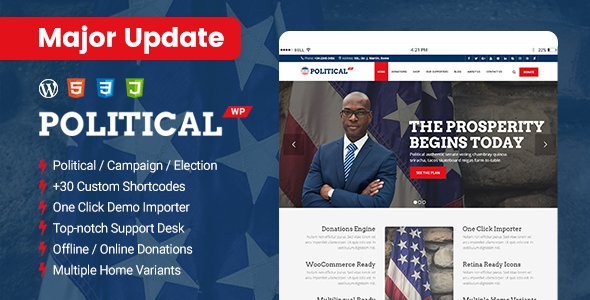
Stuck on your PoliticalWP WordPress theme? Let's fix it.
No endless back-and-forth. Just send us the details and we'll get it done.
No obligation · Replies within 1 hour · Quote within 1 day
Setup · Customization · Bug fixes · WooCommerce integration
About PoliticalWP WP Theme
PoliticalWP is a WordPress theme built by ThemeSLR for political campaigns, candidates, nonprofit advocacy groups, and civic organizations. It ships with pre-built page templates for candidate profiles, donation pages, event listings, volunteer sign-ups, and issue-focused landing pages.
The theme supports WooCommerce for merchandise and donation handling, includes a built-in countdown timer for election day, and comes with widgets for social media feeds and petition forms. The design is intentionally bold, with strong typography and high-contrast color schemes that work well for campaign branding.
PoliticalWP is built on a standard WordPress foundation, so it works with most popular plugins. It requires a child theme for meaningful customization and performs best when paired with a caching plugin and optimized hosting.
Get matched with a PoliticalWP developer in under one day
Tell us about your PoliticalWP project. Small fixes, PoliticalWP theme customization, or a full website build, whatever you need, we've got it covered.
We'll connect you to the right PoliticalWP developers, define the scope, and get everything 100% clear.
You'll get one estimate, hire your preferred developer, and start collaborating.
PoliticalWP has specific quirks that take time to learn. ThemeSLR’s update history has occasionally introduced breaking changes, and the documentation leaves some gaps. Working through Codeable connects you with vetted WordPress developers who have real experience with political and nonprofit themes. You get a fixed estimate before any work starts, no hourly surprises, and a developer accountable for the outcome. For campaigns working against a hard deadline, that reliability matters.
Pros
- Pre-built templates for campaigns reduce initial setup time significantly
- Built-in donation page layout compatible with WooCommerce and payment plugins
- Election countdown timer widget included without needing a separate plugin
- Bold, high-contrast design works well for candidate branding without heavy customization
- Supports standard WordPress plugins, so your existing toolkit still works
Cons
- Documentation is thin in places, especially around widget configuration and custom post types
- Some page builder compatibility issues reported with Elementor's full-width sections
- Theme updates from ThemeSLR have occasionally overwritten custom CSS without notice
- Mobile layout for the header and navigation needs manual tweaking on smaller screens
- No built-in multilingual support, so bilingual campaign sites need additional plugin setup
Who is PoliticalWP for?
Political Campaigns
PoliticalWP is designed for candidate websites. The theme includes a candidate bio section, issue pages, and donation templates that map directly to what a campaign site needs. Paired with ActBlue or a WooCommerce payment gateway, it can handle online fundraising without heavy custom development.
Nonprofit Advocacy Organizations
Advocacy groups use PoliticalWP for petition campaigns, policy issue pages, and event-based organizing. The bold layout and strong call-to-action sections work well for driving email signups and petition submissions. A developer can wire these into CRM or email platforms the organization already uses.
Community Fundraising Initiatives
Community fundraising campaigns, such as ballot initiative funding or local cause drives, benefit from the theme’s built-in donation templates and countdown widget. Adding progress bars or goal trackers requires a plugin, but the base layout handles the fundraising content structure well.
Civic Engagement and Voter Registration
Voter registration drives and civic engagement projects need clear, action-oriented pages. PoliticalWP’s template structure works for this purpose. A developer can add embedded registration tools, multilingual support for diverse districts, and social sharing prompts to maximize reach.
Political Party or PAC Websites
Political parties and PACs use PoliticalWP as a foundation for their web presence. With custom child theme development, the design can be adapted to party branding, multi-candidate directories, and event calendars covering multiple districts or regions.

Customizing PoliticalWP
Out of the box, PoliticalWP gives you color pickers, font options, and basic layout controls through the WordPress Customizer. That covers surface-level changes. Deeper work, like restructuring page templates, building custom donation flows, integrating CRM tools such as NationBuilder or Salesforce, or adding multilingual support for bilingual districts, requires hands-on development.
A PoliticalWP expert can also help you set up proper child theme architecture so your customizations survive theme updates. If you need branded landing pages per district, custom event registration, or integration with ActBlue or PayPal for campaign fundraising, that kind of work goes beyond what the Customizer offers.
Getting a developer who knows the theme saves time. They know where ThemeSLR has built flexibility and where it is better to work around the theme rather than fight it.
Recommended plugins for PoliticalWP
PoliticalWP pairs well with several plugins depending on what your campaign or organization needs. Contact Form 7 or WPForms handle petition and volunteer intake forms. The Events Calendar manages rallies and town halls. WooCommerce covers merchandise stores and donation processing.
For email list growth, Mailchimp for WordPress connects well with the theme’s signup areas. If site speed is a concern, especially during high-traffic election periods, a WordPress performance audit can make a real difference. Campaigns running organic search should also consider dedicated WordPress SEO support to rank for candidate and district-level searches.
Not sure which plugins to use? This WordPress plugins directory covers the most popular options with reviews and setup guides.
PoliticalWP common issues
PoliticalWP donation page not working with payment plugin
Donation page conflicts usually come from payment plugin version mismatches or WooCommerce not being fully configured. First, check that WooCommerce is active and the payment gateway plugin is up to date. If you are using a third-party form plugin like GiveWP or Charitable, confirm it is compatible with the current PoliticalWP version. Persistent conflicts often need a developer to trace hook and script loading order. WordPress bug fixing support can resolve these quickly.
PoliticalWP mobile menu not opening or collapsing correctly
Mobile menu issues in PoliticalWP are usually caused by JavaScript conflicts with other plugins or a theme script not loading correctly. Open your browser console and check for JS errors on mobile. Deactivate plugins one at a time to isolate the conflict. If the menu worked before a recent update, check ThemeSLR’s changelog for known mobile navigation changes and consider reverting to a child theme override for the header template.
PoliticalWP theme update broke custom CSS styles
PoliticalWP updates can overwrite styles added directly to the theme files. If you are not using a child theme, any custom CSS in the parent theme files gets wiped on update. Move your CSS into the Additional CSS section in the Customizer or set up a child theme. Going forward, all customizations should live in the child theme. A developer can migrate your existing changes safely without losing your current design.
PoliticalWP countdown timer showing wrong date or not displaying
The countdown timer in PoliticalWP depends on the date format entered in the widget settings matching what the theme expects. Check that the date is entered in the correct format per ThemeSLR’s documentation. Also verify your WordPress timezone settings match the event timezone under Settings > General. If the widget simply does not appear, check for widget area conflicts or a caching plugin serving a stale version of the page.
PoliticalWP FAQ
PoliticalWP has partial Elementor compatibility. Basic page building works, but full-width sections and some header elements can conflict with the theme’s own layout logic. Using Elementor in a child theme setup reduces these conflicts. Some users stick to the built-in templates for the homepage and use Elementor only for inner pages where theme layout interference is minimal.
Yes, PoliticalWP works well for nonprofit advocacy sites. The petition, donation, and event templates suit most nonprofit use cases. You may need to adjust the political branding defaults to fit a cause-based identity. A developer can customize the color scheme, typography, and page structure to match your organization without rebuilding from scratch.
PoliticalWP does not include built-in multilingual support. For bilingual or multilingual sites, you need a plugin like WPML or Polylang. Both work with the theme, but setup requires careful configuration to avoid layout issues on translated pages. A developer familiar with the theme can handle the integration without breaking existing templates.
PoliticalWP includes a donation page template designed to work with WooCommerce. You can add a donate button by linking to that page or using a plugin like GiveWP for more control over donation forms and reporting. For quick setup, WooCommerce with a payment gateway like Stripe or PayPal is the most common approach used with this theme.
ThemeSLR has released updates for PoliticalWP, though the release frequency is inconsistent. Before purchasing or starting a project on the theme, check the ThemeForest changelog and the last update date. If the theme is not actively maintained, you take on more long-term support responsibility or need a developer to handle compatibility patches as WordPress core updates.
Hire a PoliticalWP Developer
Whether you need a full campaign site built from scratch, a broken feature fixed before election day, or custom integrations added to an existing PoliticalWP installation, a specialist can get it done faster and cleaner than trial and error. Get a free estimate through FoxyConcept and be matched with a developer within 24 hours. No obligation, no risk.
You'll need a free Codeable account so developers can ask questions and send their quotes.