Block Magazine WordPress Theme
by Dannci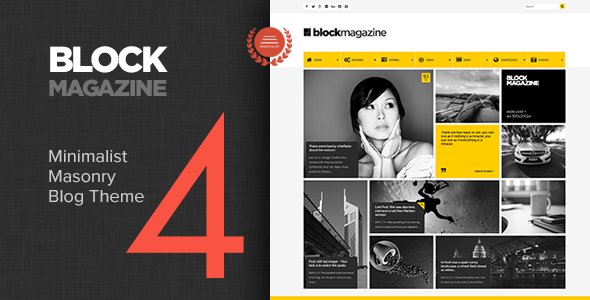
Stuck on your Block Magazine WordPress theme? Let's fix it.
No endless back-and-forth. Just send us the details and we'll get it done.
No obligation · Replies within 1 hour · Quote within 1 day
Setup · Customization · Bug fixes · WooCommerce integration
About Block Magazine WP Theme
Block Magazine is a free WordPress theme developed by Dannci, built specifically for news and magazine-style websites. It uses the WordPress block editor as its primary design tool, meaning layouts are built directly with Gutenberg blocks rather than a separate page builder or theme options panel.
The theme is lightweight and structured around a clean editorial grid. It ships with multiple homepage layout variations, a sticky header, category colors, and widget-ready sidebar areas. Because it follows WordPress coding standards closely, it stays compatible with core updates without breaking layouts.
Block Magazine is a solid starting point for anyone launching a content-heavy site who wants full-site editing features without paying for a premium theme. It works well out of the box and keeps customization inside the native WordPress environment.
Get matched with a Block Magazine developer in under one day
Tell us about your Block Magazine project. Small fixes, Block Magazine theme customization, or a full website build, whatever you need, we've got it covered.
We'll connect you to the right Block Magazine developers, define the scope, and get everything 100% clear.
You'll get one estimate, hire your preferred developer, and start collaborating.
Block Magazine is easy to launch but harder to scale without developer input. When your site grows, you will likely need custom post templates, ad placement logic, membership features, or performance tuning. That work requires someone who knows WordPress at the code level, not just the Customizer.
Codeable connects you with vetted WordPress developers who have worked on editorial and magazine projects. You post your project, get matched within 24 hours, and receive a free estimate before committing. No risk, no obligation. Explore WordPress development services to see what is possible.
Pros
- Free theme with no premium upsell required for core functionality
- Built entirely around Gutenberg, so no dependency on third-party page builders
- Category color coding helps readers navigate content-heavy homepages quickly
- Lightweight codebase keeps initial load times fast without extra optimization
- Follows WordPress coding standards, which means reliable compatibility with core updates
Cons
- Limited layout variety compared to premium magazine themes without custom development
- No built-in mega menu, which is often expected on large editorial sites
- Widget and sidebar options feel dated compared to full-site-editing themes
- Documentation is minimal, making advanced customization harder without developer help
- No native dark mode or advanced typography controls in the Customizer
Who is Block Magazine for?
News and Current Affairs Blog
Block Magazine handles high post volume well. The grid-based homepage keeps recent articles visible without manual curation. Category colors let editors organize politics, sports, and international news at a glance. For a team running daily publishing cycles, the clean editor experience reduces friction and keeps writers focused on content rather than layout decisions.
Tech and Gadget Magazine
Tech audiences expect fast load times and clean typography. Block Magazine delivers both. Product reviews, buying guides, and news posts fit naturally into the existing post templates. Sidebar widgets work for displaying top-rated products or affiliate links. A developer can add a custom review block or star rating system without restructuring the theme.
Lifestyle and Culture Publication
The editorial grid suits lifestyle content where imagery carries the story. Featured image prominence on category pages makes fashion, food, and travel posts visually engaging. Category color coding can mirror brand palette choices. For publications that want a distinct look, a developer can extend the child theme with custom fonts and adjusted spacing to match the brand identity.
Niche Hobbyist Site
Whether the topic is board games, cycling, or home brewing, Block Magazine provides enough structure to publish organized, readable content. The sidebar widget areas work well for glossary links, related resources, or community links. The low overhead means hosting costs stay small, which matters for hobby projects that do not generate revenue immediately.
Local Community News Site
Local news sites need simplicity and reliability above all else. Block Magazine loads quickly on mobile, which is where most local readers arrive. The category system handles sections like events, council news, and sports without needing plugins. For small editorial teams without technical staff, the Gutenberg-first approach means no extra training burden.

Customizing Block Magazine
Block Magazine customization happens through the WordPress Customizer and the block editor. You can adjust site identity, header layout, typography, color schemes per category, and widget areas without touching code. Category colors are a standout feature since they help readers quickly identify content sections.
For deeper changes, like custom post grid styles, modified header structure, or a unique article layout, you will need a child theme and some PHP or CSS work. A Block Magazine expert can build a child theme that preserves your changes through updates and adds functionality the base theme does not include.
If you want the theme tailored to a specific brand, a developer can also inject custom block patterns, adjust spacing, and configure the reading flow to match your editorial goals without bloating the codebase.
Recommended plugins for Block Magazine
Block Magazine pairs well with a few key additions. A caching plugin and image optimization tool are the first things to add since magazine sites carry a heavy image load. For tracking readership and content performance, Jetpack or MonsterInsights integrates without layout conflicts.
WooCommerce can be added if you plan to sell subscriptions or merchandise alongside editorial content. An SEO plugin is essential for any news site and works cleanly alongside this theme. If site speed is a concern, a WordPress performance audit can identify bottlenecks introduced by heavy content or third-party scripts. For organic traffic growth, pairing the theme with a solid WordPress SEO strategy makes a measurable difference.
Not sure which plugins to use? This WordPress plugins directory covers the most popular options with reviews and setup guides.
Block Magazine common issues
Block Magazine homepage layout not displaying correctly
This usually happens when the homepage is set to a static page instead of the latest posts, or when required widgets are missing from the designated widget areas. Go to Settings > Reading and confirm the homepage displays your latest posts. Then check Appearance > Widgets and make sure the homepage widget zones are populated. If the grid still breaks, a plugin conflict or a leftover block pattern may be overriding the template. Deactivate plugins one by one to isolate the cause. If the issue persists, a WordPress bug fixing service can diagnose it quickly.
Block Magazine custom logo not showing in header
Custom logos in Block Magazine are managed through Appearance > Customize > Site Identity. Upload the logo there and confirm the image dimensions meet the theme recommendations. If the logo uploads but does not appear, check whether a caching plugin is serving an old header version. Clear all caches, including any CDN cache, and reload. If you are using a child theme, confirm the child theme is not overriding the header template without the logo conditional. A developer can trace the exact template file responsible if the issue is not obvious.
Block Magazine category colors not working after update
Category colors are stored as term meta. After a theme update, this data should persist, but if the Customizer was reset or the theme was deactivated and reactivated, the values can clear. Go to Appearance > Customize > Category Colors and reassign your colors. If the option panel itself is missing after an update, the update may have introduced a regression. Check the Dannci support forum or changelog for known issues. A WordPress maintenance plan that includes update monitoring can catch these problems before they affect readers.
Block Magazine sidebar disappearing on mobile
Block Magazine uses a standard sidebar that collapses below the main content on smaller screens by default. This is expected behavior in the base theme. If the sidebar disappears entirely rather than stacking, check your browser dev tools for a CSS rule applying display:none at a specific breakpoint. This often comes from a conflicting plugin stylesheet or a custom CSS snippet entered in the Customizer. Remove custom CSS additions one at a time and test. If you need the sidebar visible on mobile for ad or navigation purposes, a developer can adjust the responsive breakpoints in a child theme without affecting the core layout.
Block Magazine FAQ
Yes. Block Magazine is a free WordPress theme available in the official WordPress.org theme directory. There is no paid version or premium upgrade. All features described in the theme documentation are included at no cost. You can install it directly from Appearance > Themes inside your WordPress dashboard by searching for Block Magazine.
Block Magazine was developed by Dannci, an independent WordPress theme developer. Dannci has published several themes in the WordPress.org directory, with a focus on magazine and editorial layouts. Support is provided through the WordPress.org theme support forum. The theme is actively maintained and receives updates when WordPress introduces compatibility changes.
Block Magazine does not include built-in WooCommerce template files, so the default WooCommerce styles will apply. Basic shop functionality works, but the product pages and cart may look inconsistent with the editorial design. A developer can write custom WooCommerce template overrides inside a child theme to bring the shop pages in line with the rest of the site.
Yes. Block Magazine is designed specifically for news and magazine-style content. It handles high post volumes, supports category-based navigation, and provides grid layouts suited to editorial homepages. For larger newspaper operations with multiple authors, custom role management, or advanced ad placement needs, additional development work will be required beyond what the base theme provides.
Create a new folder in wp-content/themes with a name like block-magazine-child. Inside it, add a style.css file with the correct theme header declaring Template: block-magazine, and a functions.php file that enqueues the parent theme stylesheet. Activate the child theme from Appearance > Themes. Any template files or CSS you add there will override the parent without being lost during updates.
Hire a Block Magazine Developer
Need a Block Magazine expert to customize your layout, build a child theme, fix a display issue, or add functionality to your news site? FoxyConcept works through Codeable, where vetted WordPress developers handle exactly this kind of work. Post your project, get matched within 24 hours, and receive a free estimate before any commitment. Get a free estimate today and get your site where it needs to be.
You'll need a free Codeable account so developers can ask questions and send their quotes.