Penumbra WordPress Theme
by Edge-Themes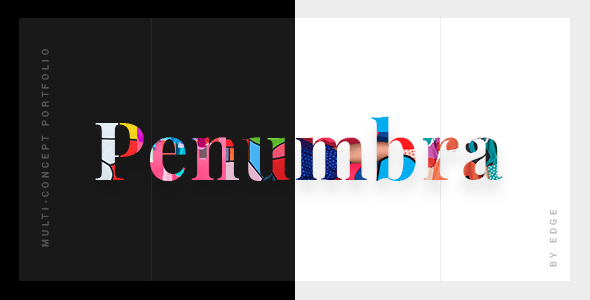
Stuck on your Penumbra WordPress theme? Let's fix it.
No endless back-and-forth. Just send us the details and we'll get it done.
No obligation · Replies within 1 hour · Quote within 1 day
Setup · Customization · Bug fixes · WooCommerce integration
About Penumbra WP Theme
Penumbra is a premium WordPress theme built by Edge-Themes, the team behind popular themes like Bridge and Salient alternatives. It is designed around a dark, atmospheric aesthetic with bold typography and full-screen layouts that suit creative professionals and agencies.
The theme ships with the WPBakery Page Builder and a custom Edge Options panel, giving you detailed control over colours, fonts, headers, and layouts without touching code. It includes multiple demo sites, a one-click import tool, and a collection of shortcodes and widgets specific to the theme. If you need a site that looks sharp out of the box and handles portfolio or agency work, Penumbra is worth a close look.
Get matched with a Penumbra developer in under one day
Tell us about your Penumbra project. Small fixes, Penumbra theme customization, or a full website build, whatever you need, we've got it covered.
We'll connect you to the right Penumbra developers, define the scope, and get everything 100% clear.
You'll get one estimate, hire your preferred developer, and start collaborating.
Edge-Themes builds feature-heavy themes, and Penumbra is no exception. The options are extensive, which means the room for error is also wide. Whether you need a full build, a layout fix, or help customising demo content to fit your brand, working with a vetted developer through Codeable gets you someone who has been in that options panel before. No guesswork, no wasted time.
Pros
- Strong dark and atmospheric visual design that works immediately for creative and agency sites
- Bundled Revolution Slider saves you a separate licence fee
- One-click demo import makes initial setup fast
- Deep Edge Options panel covers header, footer, typography, and colour without custom code
- Multiple pre-built demo sites across different creative niches
Cons
- WPBakery shortcode lock-in makes switching page builders difficult later
- Theme options panel is large and can overwhelm users who are new to Edge-Themes products
- Full-screen image and video sections can hurt page speed scores without optimisation work
- Demo content requires substantial editing to move away from the default dark look
- Limited community resources compared to more widely used themes like Divi or Elementor-based themes
Who is Penumbra for?
Creative Agency
Penumbra suits agencies that want a bold, confident first impression. Full-screen headers, strong typography, and clean service or portfolio layouts let you present case studies and team pages without the site looking like a generic template.
Photography Portfolio
The full-screen image support and gallery layouts make Penumbra a practical choice for photographers. Dark backgrounds let images speak without distraction, and the portfolio post type handles project organisation cleanly.
Music Artist or Band
The atmospheric aesthetic fits music artists well. You can build a site with tour dates, embedded audio or video, merchandise through WooCommerce, and a press section, all within the dark visual language the theme carries naturally.
Architecture Studio
Architecture firms need project portfolios that feel editorial. Penumbra handles large images cleanly, supports detailed project pages, and the typography options are strong enough to give the site a considered, professional character.
Film or Video Production
Video production companies benefit from Penumbra’s full-screen video header support and clean portfolio layouts. Embedding showreels and organising project work by category is straightforward, and the dark theme suits the industry.

Customizing Penumbra
Penumbra gives you a lot to work with through its Edge Options panel. You can control header styles, sticky navigation behaviour, footer layouts, and typography down to individual heading levels. WPBakery handles the page structure, and Penumbra adds its own content elements on top of that.
That said, getting the most out of it takes time. The options panel is deep, demo content does not always match your brand without significant adjustment, and some layout decisions are baked into the theme files. A Penumbra expert can shortcut that process significantly, handling custom layouts, CSS overrides, and plugin conflicts so you get a finished site rather than a half-built one.
Recommended plugins for Penumbra
Penumbra works with WooCommerce if you need a shop, and it integrates cleanly with Contact Form 7 and popular SEO plugins. The theme bundles Revolution Slider, which adds cost savings if you need advanced sliders.
For sites where speed matters, image optimisation and caching plugins are worth adding early since full-screen visual themes carry a performance cost by default. You can read more about that on our WordPress performance page. If organic search matters, pairing Penumbra with a solid SEO setup covered in our WordPress SEO service is a practical next step.
Not sure which plugins to use? This WordPress plugins directory covers the most popular options with reviews and setup guides.
Penumbra common issues
Penumbra theme demo content not importing correctly
Demo import failures in Penumbra usually come down to server memory limits or a PHP timeout during the import process. Check your wp-config.php for memory limits and ask your host to increase max_execution_time. Also confirm that all required plugins, including WPBakery and Revolution Slider, are activated before importing. If the issue persists, our WordPress bug fixing service can resolve it quickly.
Penumbra header not sticking or overlapping page content
Sticky header issues in Penumbra are almost always a configuration problem inside Edge Options rather than a bug. Go to Edge Options, then Header, and check the sticky header settings and scroll amount. If the header overlaps content, check your header height and top padding on the first page section. CSS conflicts with third-party plugins can also cause this, so deactivate plugins one at a time to isolate the source.
WPBakery elements not displaying properly in Penumbra
WPBakery rendering issues inside Penumbra often happen after a WPBakery update that outpaces the theme’s compatibility. First, check whether the element issue is theme-specific by testing on a default WordPress theme. If it only breaks in Penumbra, a CSS conflict or missing theme shortcode registration is likely the cause. Update both the theme and WPBakery to their latest versions and clear all caches before investigating further.
Penumbra theme slow loading on mobile
Penumbra relies heavily on large images and Revolution Slider assets, both of which hit mobile hard. Start by running the site through PageSpeed Insights to identify the biggest offenders. Compress images using a plugin like ShortPixel, enable lazy loading, and consider limiting or disabling Revolution Slider on mobile. For deeper performance work, our WordPress performance service covers full audits and fixes.
Penumbra FAQ
Edge-Themes has kept Penumbra updated alongside WordPress core, and it is compatible with WordPress 6.x. That said, always test updates on a staging environment first. Theme updates from Edge-Themes occasionally change option defaults or element behaviour, so a quick check before pushing to live is good practice.
Penumbra is built around WPBakery, and mixing Elementor into the same site creates conflicts and code bloat. You can technically install Elementor, but it is not supported and not recommended. If you prefer Elementor, a different base theme will serve you better and cause fewer problems long term.
Yes, Penumbra includes WooCommerce support. Shop pages, product pages, and cart and checkout flows inherit the theme styling. You will likely need some CSS adjustments to match your exact brand, but the foundation is solid and the integration works without additional plugins or workarounds.
Customisations made through Edge Options are stored in the database and survive theme updates. Customisations made by editing theme files directly will be overwritten. Use a child theme for any PHP or template changes. Before updating, back up your site fully and review the Edge-Themes changelog for breaking changes.
Moving an existing site to Penumbra means rebuilding your pages inside WPBakery using Penumbra’s elements and layouts. Content migrates fine, but design and structure need to be rebuilt. If you are also moving hosts or domains at the same time, our WordPress migration service can handle the technical side cleanly.
Hire a Penumbra WordPress Developer
If you need a Penumbra developer to build, customise, or fix your site, FoxyConcept delivers through Codeable, a vetted WordPress developer network. You post your project, get a free estimate within 24 hours, and only pay if you decide to go ahead. There is no obligation and no risk. Get your free estimate today and have an experienced developer look at your project.
You'll need a free Codeable account so developers can ask questions and send their quotes.