F7 WordPress Theme
by vamtam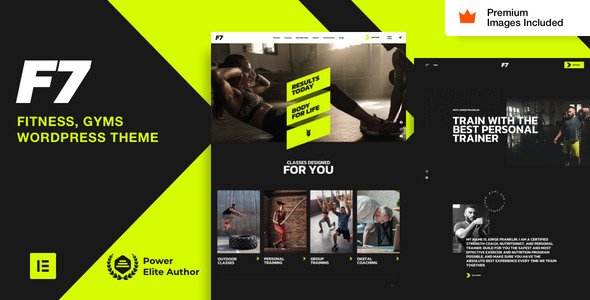
Stuck on your F7 WordPress theme? Let's fix it.
No endless back-and-forth. Just send us the details and we'll get it done.
No obligation · Replies within 1 hour · Quote within 1 day
Setup · Customization · Bug fixes · WooCommerce integration
About F7 WP Theme
F7 is a premium WordPress theme built by Vamtam, a well-regarded theme studio known for clean code and consistent updates. It targets creative agencies, freelancers, and studios that need a polished portfolio-focused site without building everything from scratch.
The theme ships with a drag-and-drop page builder, a solid set of pre-built demo layouts, and WooCommerce support out of the box. Typography controls are detailed, and the demo importer works reliably compared to many competitors.
F7 is built on Vamtam’s own framework, which keeps things consistent but means some standard WordPress conventions work slightly differently. It performs well on mobile and scores reasonably on Core Web Vitals with proper configuration. If you want a professional-looking site with minimal custom development, F7 is a practical starting point.
Get matched with a F7 developer in under one day
Tell us about your F7 project. Small fixes, F7 theme customization, or a full website build, whatever you need, we've got it covered.
We'll connect you to the right F7 developers, define the scope, and get everything 100% clear.
You'll get one estimate, hire your preferred developer, and start collaborating.
F7 is straightforward for basic setups, but custom layouts, plugin conflicts, and WooCommerce work quickly get technical. Vamtam’s framework has its own patterns, and a developer unfamiliar with it will spend time figuring out what an experienced F7 developer already knows.
Through Codeable, you get matched with vetted WordPress developers who have worked with themes like F7. No job boards, no guessing. Post your project, get an estimate, and decide from there. No obligation.
Pros
- Includes multiple polished demo layouts that import reliably
- WooCommerce support is built in with dedicated product page templates
- Detailed typography controls with Google Fonts integration
- Vamtam updates the theme regularly and maintains compatibility with current WordPress versions
- Header and footer builder gives layout flexibility without custom code
Cons
- Built on Vamtam's proprietary framework, which limits portability if you switch themes
- The bundled page builder adds page weight if assets are not carefully managed
- Some advanced layout options are buried in nested settings panels
- Limited third-party documentation outside Vamtam's own knowledge base
- WooCommerce checkout customization requires CSS or developer work beyond the built-in options
Who is F7 for?
Creative Agency Portfolio
F7’s grid-based portfolio layouts and clean typography make it a practical choice for agencies wanting to showcase client work. Project pages support full-width imagery and custom meta fields. The demo layouts are close enough to production-ready that an agency can adapt one quickly without starting from scratch.
Freelance Designer Website
Freelancers benefit from F7’s single-page layout options and contact integrations. The theme handles services, testimonials, and case studies without needing extra plugins. With some customization, a freelancer can build a focused, professional site that reflects their work rather than looking like a generic template.
Photography Studio
Photography studios need full-screen layouts, fast-loading galleries, and minimal visual clutter. F7 supports fullscreen hero sections and portfolio grids that work well for image-heavy sites. Pairing it with a lazy-load plugin and image optimization keeps performance solid even with large photo sets.
WooCommerce Design Shop
F7’s native WooCommerce support means product pages, shop archives, and cart flows inherit the theme’s styling without heavy overrides. For studios selling digital downloads, presets, or templates, the shop setup is straightforward. Custom product layouts may need a developer for anything outside the default WooCommerce templates.
Branding Consultancy
Branding consultancies need a site that looks considered and precise. F7’s spacing controls and typographic hierarchy support that kind of presentation. The theme works well for positioning-focused pages where copy and layout carry the message rather than animation or complex interactivity.

Customizing F7
F7 gives you a reasonable amount of control through the WordPress Customizer and its built-in page builder, but there are limits. Color schemes, fonts, header layouts, and section spacing are all adjustable without touching code. For anything beyond the built-in options, you will need someone who knows the theme’s structure.
Vamtam uses a custom framework, so generic WordPress advice does not always apply directly to F7. An F7 expert will know where custom CSS should live, how the builder stores data, and which child theme approach avoids breaking updates.
Custom post types, advanced WooCommerce layouts, or integrations with third-party plugins often require hands-on development work. Getting this right from the start saves time and avoids layout regressions when the theme updates.
Recommended plugins for F7
F7 works with most major WordPress plugins without conflicts. WooCommerce is supported natively. Contact Form 7, Yoast SEO, and Rank Math all integrate cleanly.
For performance, pairing F7 with a caching plugin and a CDN makes a noticeable difference. The theme loads several assets by default, so selective script loading matters. See our WordPress performance service for details.
If organic traffic is a priority, structured markup and technical SEO configuration on top of F7 can improve results. Our WordPress SEO service covers this end to end.
Not sure which plugins to use? This WordPress plugins directory covers the most popular options with reviews and setup guides.
F7 common issues
F7 theme demo content not importing correctly
Demo import failures in F7 usually come down to server limits. PHP memory, max execution time, and max upload size all need to be set high enough for the import process to complete. Check with your host to raise these values. If the import still stalls, try importing XML content and widgets separately rather than using the one-click option. Clearing cache before and after helps avoid partial render issues.
F7 page builder layout broken after WordPress update
Vamtam’s builder stores layout data in post meta, and WordPress core updates occasionally affect how that data is processed. After an update, clear your cache first. If sections are missing or misaligned, check the Vamtam changelog for patch notes. In most cases, updating F7 to the latest version alongside WordPress resolves the conflict. If it persists, a WordPress bug fix is the fastest way to identify the root cause.
F7 WooCommerce product page not matching theme style
F7 includes WooCommerce template files that override the plugin defaults. If product pages look unstyled after a WooCommerce update, it usually means those template files are outdated. Check the WooCommerce status screen for outdated templates, then update them via a child theme to avoid losing changes on the next F7 update. Never edit parent theme template files directly.
F7 theme slow loading speed on mobile
F7 loads several scripts and styles by default, which can hurt mobile performance. Start by auditing what is loading on each page type. Disable Google Fonts if you are serving them locally. Use a caching plugin and enable CSS minification. Deferring non-critical JavaScript makes a meaningful difference. For a structured fix, our WordPress performance service covers full audits and implementation.
F7 FAQ
Yes, Vamtam actively maintains F7 and releases updates to maintain compatibility with current WordPress and WooCommerce versions. You can check the changelog on ThemeForest where the theme is sold. Vamtam has a longer update track record than many premium theme developers, which matters if you plan to run the site for several years.
F7 is built around Vamtam’s own page builder, not Elementor. Using Elementor alongside it can create conflicts and bloat. It is better to commit to one or the other. If you want an Elementor-first build, F7 is not the right choice. If you are using F7, stick with its native builder for page layouts.
For basic site setup using the provided demos, yes. You can adjust colors, fonts, and content through the Customizer without writing code. For anything custom, like unique layouts, plugin integrations, or WooCommerce changes, you will need developer help. The theme is approachable but has a learning curve beyond the defaults.
Creating an F7 child theme follows the standard WordPress process. Create a new folder in your themes directory, add a style.css file with the correct Template header pointing to F7, and enqueue the parent theme styles in functions.php. Always use a child theme before making any customizations to avoid losing changes when F7 updates.
F7 produces clean HTML output and supports SEO plugins like Yoast and Rank Math without issues. It is not an SEO tool by itself, but it does not create technical problems that hurt rankings. Page speed, which affects SEO, depends on how you configure it. With proper optimization, F7 sites can perform well in search.
Hire an F7 Developer
Whether you need a full F7 site build, a layout fix, or WooCommerce customization, working with someone who knows the theme saves real time. Our developers have hands-on experience with Vamtam themes and WordPress development across dozens of project types.
Get a free estimate and describe what you need. You’ll hear back within 24 hours with no obligation to proceed.
You'll need a free Codeable account so developers can ask questions and send their quotes.