Optico WordPress Theme
by themeStek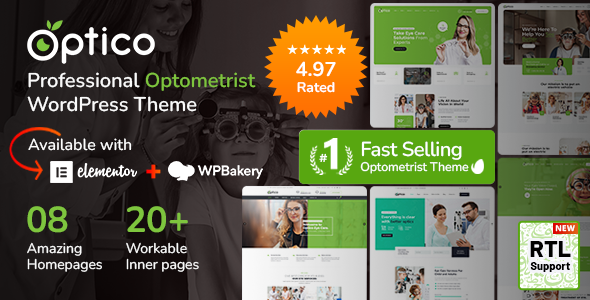
Stuck on your Optico WordPress theme? Let's fix it.
No endless back-and-forth. Just send us the details and we'll get it done.
No obligation · Replies within 1 hour · Quote within 1 day
Setup · Customization · Bug fixes · WooCommerce integration
About Optico WP Theme
Optico is a WordPress theme built by themeStek, designed for optical shops, eyewear stores, and vision care clinics. It ships with WooCommerce support, making it practical for selling frames, lenses, and accessories online.
The theme includes a visual page builder, pre-built demo content, and a layout focused on product presentation. Headers are clean, product grids are well-structured, and the mobile layout holds up without much adjustment.
ThemeStek maintains the theme actively, with updates that track WordPress and WooCommerce version changes. It supports WPML for multilingual stores and integrates with standard SEO plugins. If you run a physical optical practice or an online eyewear brand, Optico gives you a working starting point without building from scratch.
Get matched with a Optico developer in under one day
Tell us about your Optico project. Small fixes, Optico theme customization, or a full website build, whatever you need, we've got it covered.
We'll connect you to the right Optico developers, define the scope, and get everything 100% clear.
You'll get one estimate, hire your preferred developer, and start collaborating.
Optico is a capable theme, but getting it to behave exactly like your business needs takes development knowledge. ThemeStek’s structure has specific patterns, and working against them creates problems down the line.
Through Codeable, you get access to vetted WordPress developers who have worked with WooCommerce themes like Optico before. Post your project, get an estimate within 24 hours, and only move forward if it makes sense. No pressure, no guesswork.
Pros
- Built specifically for optical and eyewear businesses, so the default layout fits the product type without heavy modification
- WooCommerce integration is solid out of the box, with product pages structured for eyewear categories like frames and lenses
- WPML compatible, which matters for optical shops targeting multiple languages or regions
- ThemeStek provides regular updates that keep the theme current with WordPress and WooCommerce core changes
- Demo content imports cleanly, giving you a working storefront to customise rather than starting from a blank canvas
Cons
- The built-in page builder components are proprietary to themeStek, which can make handoff to a new developer slower if they are unfamiliar with the structure
- Deep WooCommerce customisation, like custom checkout fields or prescription upload flows, requires developer work beyond what theme options provide
- Default page speed scores can be average due to bundled scripts and styles that load site-wide even when not needed
- Support from themeStek is limited to the theme itself and does not cover third-party plugin conflicts or custom modifications
- Some design elements feel dated and require custom CSS or a developer to bring them in line with current visual standards
Who is Optico for?
Independent Optical Retail Stores
Optico suits independent optical shops that want a clean retail presence online without a large development budget. The theme handles product listings, category pages for frames and lenses, and a checkout flow that works for small to mid-size inventory. Add a booking plugin and you can cover in-store appointment scheduling from the same site.
Online Eyewear Brands
For eyewear brands selling direct to consumers, Optico provides a product-first layout that keeps frames and lenses front and centre. WooCommerce handles the storefront, and the theme’s visual structure works well for brands that lead with product imagery. Custom colour schemes and typography updates bring it in line with brand identity without rebuilding the layout.
Optometry and Vision Care Clinics
Vision care clinics need more than a product catalogue. Optico can be extended to include appointment request forms, service pages, and staff profiles alongside any retail elements. A developer can restructure the demo layout to prioritise clinic information while keeping the WooCommerce side functional for accessories or lens orders.
Sunglasses and Fashion Eyewear Shops
Sunglasses and fashion eyewear businesses benefit from Optico’s product grid structure, which handles large image assets well. The theme supports product filtering by category, colour, and brand, which matters when customers are browsing by style. WooCommerce variation support covers lens options and frame colours within a single product listing.
Wholesale Optical Suppliers
Wholesale optical suppliers need clear catalogue presentation and sometimes B2B pricing structures. Optico’s WooCommerce base supports plugins that handle wholesale pricing, minimum order quantities, and trade-only login areas. A developer familiar with the theme can implement these without breaking the existing front-end layout.

Customizing Optico
Out of the box, Optico covers the basics. But most businesses need changes that go beyond what the theme options panel allows. Custom prescription form flows, adjusted product filter logic, modified checkout steps, or a layout that matches your brand properly all require hands-on development work.
An Optico expert can dig into the theme’s structure, override templates cleanly without touching core files, and extend WooCommerce functionality where the default setup falls short.
ThemeStek uses their own page builder components alongside Elementor compatibility, so a developer familiar with Optico knows where to work and what to avoid. That saves time and prevents the kind of conflicts that break things after an update.
Recommended plugins for Optico
Optico works with the plugin stack most WooCommerce stores already use. YITH plugins for wishlists, product filters, and order tracking all integrate without issues. Contact Form 7 and WPForms handle appointment booking or contact pages cleanly.
For store speed, combining Optico with proper caching and image optimisation makes a real difference. See our WordPress performance service for specifics. If organic traffic matters to your store, pairing Optico with structured SEO work pays off. Our WordPress SEO service covers that end of things.
Not sure which plugins to use? This WordPress plugins directory covers the most popular options with reviews and setup guides.
Optico common issues
Optico theme mobile menu not working
Mobile menu failures in Optico are usually caused by a JavaScript conflict with another plugin, or a script loading order issue after a theme or WordPress update. Start by deactivating plugins one at a time to isolate the conflict. If that does not resolve it, check your browser console for JS errors. A developer can trace the conflict quickly and fix it without affecting the rest of the site. See our WordPress bug fixing service if you need it handled fast.
Optico WooCommerce product page layout broken after update
WooCommerce template overrides inside Optico can fall out of sync when either the theme or WooCommerce updates. ThemeStek usually patches these, but if your version is behind or you have custom template files in your child theme, they will not automatically update. Compare your overridden templates against the current WooCommerce versions and update them manually, or have a developer review and reconcile the differences properly.
Optico theme slow loading speed
Optico loads several scripts and stylesheets that are not always needed on every page. Slow load times often come from unminified assets, render-blocking scripts, and unoptimised product images. Start with an image compression pass, then look at a caching plugin and script deferral. For a full performance audit and fix, our WordPress performance service covers this end to end.
Optico page builder elements not displaying correctly
ThemeStek’s builder components can display incorrectly when there is a version mismatch between the theme and its bundled plugins, or when a third-party plugin interferes with the editor scripts. Clear your cache first, then check whether the required plugins listed by the theme are all installed and up to date. If the issue persists after that, the problem is likely a script conflict that needs a developer to trace and isolate.
Optico FAQ
ThemeStek updates Optico to maintain WooCommerce compatibility, but there is sometimes a short lag after major WooCommerce releases. Check the theme’s changelog on ThemeForest before updating WooCommerce on a live site. If you are running a heavily customised setup, test updates on a staging environment first. A developer can handle compatibility checks and fixes if something breaks post-update.
Optico has Elementor compatibility, but it also ships with its own page builder components from themeStek. Mixing both can cause conflicts. Most developers working with Optico choose one approach and stick with it. If your priority is Elementor, a developer can set up Optico so that Elementor handles all page layouts while the theme handles WooCommerce templates separately.
Yes, Optico supports WPML, which is the standard for multilingual WordPress sites. You will need a valid WPML licence separately. Translating product catalogues, category pages, and checkout text is all supported. For a clean multilingual setup, having a developer configure WPML properly from the start avoids string duplication and layout issues later.
Optico does not include a built-in prescription form. You can add one using a plugin like WPForms, Gravity Forms, or a WooCommerce-specific product add-ons plugin that attaches form fields to individual product pages. The right approach depends on whether you need the prescription data tied to the order or handled separately. A developer can wire this up cleanly.
Yes, migrating an existing site to Optico is possible. Products, customer data, and orders can all be moved over. The main work involves rebuilding your page layouts to match Optico’s structure and reconfiguring any custom functionality. Our WordPress migration service covers the data transfer side, and a developer can handle the theme setup alongside it.
Hire an Optico Developer
Whether you need a full store setup, a specific feature built out, or something fixed that stopped working, an experienced Optico developer can handle it properly. Work is delivered through Codeable, a vetted network of WordPress professionals. You get a free estimate before anything starts, with no obligation to proceed.
Get your free estimate today and describe what you need. A developer matched to your project will follow up quickly.
You'll need a free Codeable account so developers can ask questions and send their quotes.