Listygo – Directory & Listing WordPress Theme WordPress Theme
by RadiusTheme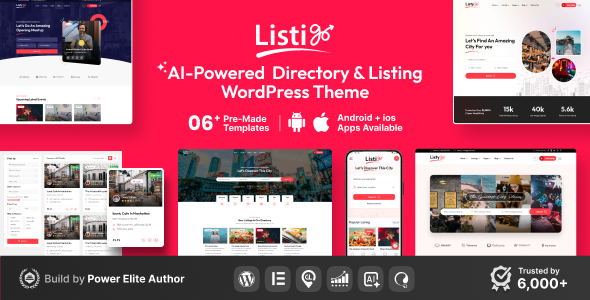
Stuck on your Listygo – Directory & Listing WordPress Theme WordPress theme? Let's fix it.
No endless back-and-forth. Just send us the details and we'll get it done.
No obligation · Replies within 1 hour · Quote within 1 day
Setup · Customization · Bug fixes · WooCommerce integration
About Listygo – Directory & Listing WordPress Theme WP Theme
Listygo is a directory and listing WordPress theme built by RadiusTheme. It covers a wide range of listing site types — local business directories, classified ads, real estate listings, job boards, and more. The theme ships with multiple pre-built demo layouts that can be imported with a single click, cutting setup time significantly.
Built on Elementor, Listygo gives you visual control over page layouts without custom code. It includes a built-in listing submission system, monetization options via paid listing packages, and a Google Maps integration for location-based search. The search and filter system is one of its stronger features — visitors can filter results by category, location, price range, and custom fields. It works with popular plugins like WooCommerce and WPML for payments and multilingual support respectively.
Get matched with a Listygo – Directory & Listing WordPress Theme developer in under one day
Tell us about your Listygo – Directory & Listing WordPress Theme project. Small fixes, Listygo – Directory & Listing WordPress Theme theme customization, or a full website build, whatever you need, we've got it covered.
We'll connect you to the right Listygo – Directory & Listing WordPress Theme developers, define the scope, and get everything 100% clear.
You'll get one estimate, hire your preferred developer, and start collaborating.
Listygo has a lot of built-in features, but directory sites get complex fast. Paid packages, custom listing fields, location-based search tuning, map API configuration, and monetization logic all need careful setup. If something isn’t working right or you want to build beyond the defaults, working with an experienced developer saves time. Through Codeable, you get matched with vetted WordPress professionals who know directory themes inside out — no guesswork, no generic freelancers.
Pros
- Pre-built demo layouts cover multiple directory niches and import quickly
- Built-in listing submission and paid package system without extra plugins
- Google Maps integration with location-based filtering works out of the box
- Elementor compatibility makes front-end layout changes accessible without code
- Custom fields per listing category allow flexible data collection for different site types
Cons
- Initial configuration of pricing packages and payment gateways takes significant time to set up correctly
- Performance can degrade noticeably on directories with hundreds of listings if caching isn't configured
- Some advanced search filter options require code customization beyond what the admin panel exposes
- Google Maps API costs can add up on high-traffic listing sites with heavy map usage
- Documentation covers basics but lacks depth for complex customization scenarios
Who is Listygo – Directory & Listing WordPress Theme for?
Local Business Directory
Listygo works well for city or niche business directories. Businesses can submit their own listings, add hours, contact details, and photos. The category and location filter system makes it easy for visitors to find what they need fast. Paid featured listing packages give you a clear monetization path without needing additional plugins.
Real Estate Listings
Real estate sites benefit from Listygo’s custom field system — you can add bedrooms, bathrooms, square footage, and price range as searchable filters. The map view is particularly useful for property search. Agents or sellers can submit listings directly through the front-end form, reducing admin workload significantly.
Job Board
Job boards need clean filtering by location, job type, and salary range — all manageable within Listygo’s custom fields. Employers can post jobs via the submission form and pay for featured or urgent listing badges. The category structure handles multiple industries without feeling cluttered if set up carefully.
Restaurant & Food Guide
Restaurant guides and food directories are a natural fit. Listygo supports cuisine type filters, location search, opening hours fields, and photo galleries per listing. User reviews can be enabled so visitors leave ratings. Combined with map integration, it delivers the core features a local food guide needs without heavy custom development.
Events Directory
Event directories need date-based filtering and location search — Listygo supports both with custom field configuration. Organisers submit their events through the front-end form. You can charge for featured event placement. For recurring events or ticketing integration, additional development work is needed, but the base is solid.

Customizing Listygo – Directory & Listing WordPress Theme
Listygo offers solid customization depth for a directory theme. You can configure listing fields per category, set up custom search filters, and control map display settings from the admin panel. The Elementor integration means most front-end layout changes are straightforward and don’t require touching code.
That said, deeper customization — such as modifying the listing submission flow, adjusting pricing package logic, or creating custom map marker clusters — often needs a developer. A Listygo – Directory & Listing WordPress Theme expert can extend the theme beyond its default settings, build custom listing types, integrate third-party APIs, or modify the monetization structure to match your specific business model. Child theme setup is strongly recommended before any code-level changes to keep updates safe.
Recommended plugins for Listygo – Directory & Listing WordPress Theme
Listygo pairs well with several plugins that expand its core functionality. WooCommerce handles paid listing packages and payment gateways cleanly. WPML or Polylang work for multilingual directories. For performance on listing-heavy sites, caching plugins like WP Rocket make a measurable difference — see our WordPress performance services for more on that.
If you need stronger search visibility for your directory, structured data and on-page optimisation matter. Our WordPress SEO services can help your listing pages rank for local and category-specific queries. Custom API integrations — such as pulling live property data or job feeds — are also achievable with developer support.
Not sure which plugins to use? This WordPress plugins directory covers the most popular options with reviews and setup guides.
Listygo – Directory & Listing WordPress Theme common issues
Listygo map not showing listings on search results page
This is usually a Google Maps API key issue. Check that your API key is entered correctly under the theme settings and that the Maps JavaScript API and Geocoding API are both enabled in your Google Cloud Console. Also verify billing is active on your Google account — the Maps API requires it even within free tier limits. If the key is valid but the map still fails, a JavaScript conflict with another plugin is likely the cause. Our WordPress bug fixing service can trace and resolve the conflict.
Listygo listing submission form not sending email notifications
Missing listing submission notifications usually trace back to server-level email delivery issues rather than a theme bug. WordPress uses PHP mail by default, which many hosts block. Install an SMTP plugin like WP Mail SMTP and configure it with your email provider’s credentials. Also check Listygo’s notification settings in the admin panel to confirm the correct email address is set and notifications are enabled for the submission events you expect.
Listygo paid packages not working with WooCommerce
WooCommerce integration for paid packages requires Listygo’s listing package settings to be mapped to WooCommerce products correctly. Common issues include mismatched product IDs, WooCommerce currency settings conflicting with the theme configuration, or a caching plugin serving stale checkout data. Clear all caches first, then verify the package-to-product mapping inside the Listygo dashboard. If the checkout flow is broken after a WooCommerce or theme update, a developer review is the fastest resolution path.
Listygo search filter not returning correct results
Incorrect search filter results often come from custom field indexing problems or AJAX search configuration issues. First, re-save your listing field settings in the Listygo admin panel to trigger a reindex. If you recently added new custom fields, existing listings may not have those field values populated. Bulk-editing listings to add missing data often resolves blank results. Persistent filter logic errors usually require code-level investigation — see our bug fixing service for that.
Listygo – Directory & Listing WordPress Theme FAQ
Listygo can handle large directories, but performance requires attention at scale. With thousands of listings, database queries on filtered search pages get heavy. You’ll need a solid caching setup, a good hosting environment, and potentially some database query optimisation. Out of the box, without performance tuning, large listing counts will slow the site down noticeably. See our WordPress performance services for what’s involved.
Yes, Listygo is built with Elementor compatibility in mind. Most page layouts — home page, listing pages, category pages — can be edited through Elementor’s visual editor. However, listing detail templates and some core directory template files sit outside Elementor and require PHP template editing to modify. For standard layout adjustments, Elementor covers most needs without developer involvement.
By default, Listygo requires user registration before listing submission. This is intentional — it ties listings to user accounts for management purposes. You can reduce friction by enabling social login or auto-approval for registrations. Allowing fully anonymous submissions without accounts isn’t a built-in feature and would require custom development to implement cleanly alongside the listing management system.
Paid listing packages in Listygo are configured through the theme’s Pricing Package settings in the WordPress admin. You create packages with limits on listing count, duration, and featured status, then connect them to WooCommerce products for payment processing. WooCommerce must be installed and configured with a payment gateway. The initial setup takes time to get right — package pricing, checkout flow, and post-payment listing activation all need testing.
Listygo states WPML compatibility in its documentation. In practice, translating listing fields, custom search filters, and dynamic map content requires careful configuration inside WPML’s string translation and taxonomy settings. Full multilingual directory functionality — including translated search results and category filters — usually needs developer involvement to set up correctly beyond basic page translation.
Hire a Listygo – Directory & Listing WordPress Theme Developer
Whether you need a full Listygo site built from scratch, custom listing types added, payment packages configured, or a persistent bug fixed, a specialist gets it done right the first time. Post your project and get a free, no-obligation estimate from a vetted Listygo developer. Get your free estimate today — matched within 24 hours, 100% risk-free.
You'll need a free Codeable account so developers can ask questions and send their quotes.