CopyPress WordPress Theme
by ThemeREX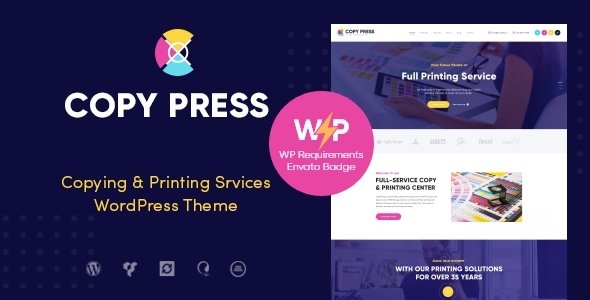
Stuck on your CopyPress WordPress theme? Let's fix it.
No endless back-and-forth. Just send us the details and we'll get it done.
No obligation · Replies within 1 hour · Quote within 1 day
Setup · Customization · Bug fixes · WooCommerce integration
About CopyPress WP Theme
CopyPress is a WordPress theme built by ThemeREX, aimed at content-focused businesses, agencies, and writers who need a clean, professional site without heavy setup. It ships with a drag-and-drop page builder, pre-built demo content, and a layout system that keeps text and visuals balanced.
The theme follows a magazine-style structure but works just as well for single-service landing pages or portfolio sites. Typography controls are detailed, which matters when your content is the product. It supports WooCommerce, custom post types, and integrates with popular plugins without major conflicts.
ThemeREX themes are known for their large option panels. CopyPress is no different. You get fine control over colors, fonts, headers, and footers without touching code. For developers, child theme support and clean markup make customization straightforward.
Get matched with a CopyPress developer in under one day
Tell us about your CopyPress project. Small fixes, CopyPress theme customization, or a full website build, whatever you need, we've got it covered.
We'll connect you to the right CopyPress developers, define the scope, and get everything 100% clear.
You'll get one estimate, hire your preferred developer, and start collaborating.
ThemeREX themes have a lot of options, and CopyPress is no exception. That’s an advantage if you know what you’re doing, and a time sink if you don’t. A developer who has worked with ThemeREX before knows where the options are, how the shortcode system behaves, and where the edge cases hide.
Through Codeable, you get access to vetted WordPress developers who have handled theme customization at this level before. No junior freelancers, no guesswork. Post your project, get an estimate within 24 hours, and decide from there with no obligation to hire.
Pros
- Detailed typography controls suited to content-heavy sites
- Ships with multiple pre-built demo layouts ready to import
- Built-in WooCommerce support with styled product templates
- WPML-compatible for multilingual WordPress sites
- Works with Elementor for visual drag-and-drop page building
Cons
- ThemeREX options panel has a steep learning curve for beginners
- Loads several scripts by default which can slow page speed
- Shortcode-heavy content can cause lock-in if you switch themes later
- Demo import doesn't always replicate exactly without the same plugins
- Limited community support compared to larger themes like Astra or Divi
Who is CopyPress for?
Content Marketing Agencies
CopyPress suits agencies that need to present services, case studies, and blog content in a structured layout. The magazine-style grid works well for showcasing articles and portfolio entries. A developer can configure the post types and custom taxonomies to match how the agency organizes its work and client deliverables.
Freelance Copywriters
Freelance copywriters need a site that makes their writing the focus, not the design. CopyPress keeps layouts clean and text-forward. Portfolio pages, service descriptions, and a contact section are all achievable without custom development, though a developer can refine the details to match a personal brand properly.
Online Magazines and Blogs
The built-in post grid and category layouts make CopyPress a solid starting point for online magazines and multi-author blogs. Editorial teams can manage content through standard WordPress post types. A developer can add custom author templates, category archive designs, and ad placement zones to match publishing requirements.
Digital Publishing Businesses
Digital publishers with subscription products or downloadable content can use CopyPress alongside WooCommerce or MemberPress. The theme’s WooCommerce support keeps the storefront consistent with the editorial design. Custom development adds restricted content areas, paywall logic, and member-only post access with minimal friction.
Creative Service Studios
Design studios, branding agencies, and creative consultancies can adapt CopyPress to display portfolio work alongside service pages. The flexible header and footer options give enough layout control for a branded look. A developer can push further with custom templates for case study posts and project galleries.

Customizing CopyPress
Out of the box, CopyPress gives you a wide customization panel through the WordPress Customizer and ThemeREX’s own options framework. You can adjust header layouts, sticky navigation behavior, sidebar positions, and footer columns without writing a line of code.
For deeper changes, a CopyPress expert can build custom page templates, modify the post grid layouts, or restructure the demo content to match your brand properly. ThemeREX uses its own shortcode system alongside Elementor support, so a developer can work in whichever environment fits the project.
Custom typography pairings, branded color schemes, and WooCommerce template overrides are all common requests. If the built-in options panel isn’t enough for what you need, a CopyPress developer can extend it cleanly through a child theme rather than editing core files.
Recommended plugins for CopyPress
CopyPress works well with standard WordPress plugin stacks. WooCommerce integration is built in for product pages. Elementor is supported for visual page building beyond the default editor.
For SEO, the theme outputs clean semantic HTML that works without conflict alongside tools like Yoast or Rank Math. Pair it with a proper WordPress SEO setup for better search visibility. On the speed side, the theme can get heavy with all options loaded, so a dedicated WordPress performance audit is worth running before launch.
Contact form plugins like WPForms and Gravity Forms integrate without issue. WPML support is included for multilingual builds.
Not sure which plugins to use? This WordPress plugins directory covers the most popular options with reviews and setup guides.
CopyPress common issues
CopyPress theme demo import not working
Demo import failures in CopyPress usually come down to server limits. PHP memory, max execution time, and upload size all need to be high enough to handle the full demo package. Check with your host to raise these limits before retrying. Missing required plugins also cause partial imports. Make sure all plugins listed in the theme’s requirements are installed and activated first. If the import still stalls, a developer can import content manually using the WordPress importer and rebuild widget areas separately. Our WordPress bug fixing service covers exactly this kind of setup issue.
CopyPress page builder layout broken after update
Layout breaks after a theme or plugin update in CopyPress are often caused by shortcode or Elementor widget conflicts. ThemeREX shortcodes rely on specific output structures that can shift between versions. Start by clearing your caching plugin, then check whether the issue persists with plugins disabled one by one. If the break is inside an Elementor template, regenerate the CSS from Elementor’s tools panel. For persistent layout damage, a developer can audit the affected templates and rebuild them against the current version cleanly.
CopyPress theme slow loading speed
CopyPress loads several theme scripts and styles by default, not all of which are needed on every page. Common culprits include Google Fonts loading multiple weights, unused shortcode assets, and unoptimized images from the demo content. Run a speed test through GTmetrix or PageSpeed Insights to identify the specific bottlenecks. Plugin-side fixes like asset minification and lazy loading help, but a proper WordPress performance review addresses the root causes at the theme level rather than masking them.
CopyPress header not displaying correctly on mobile
Mobile header issues in CopyPress usually trace back to custom CSS overriding the responsive breakpoints or a header layout option that doesn’t translate well to smaller screens. Open browser dev tools and check which styles are controlling the header at mobile widths. ThemeREX’s options panel has separate mobile header settings that are easy to miss. If a custom header was built in Elementor, check the responsive visibility settings per section. A developer can audit the header template and correct the CSS properly rather than applying quick patches.
CopyPress FAQ
CopyPress outputs clean semantic HTML, which gives it a solid base for SEO. Headings, structured content areas, and schema-ready markup all help. That said, the theme alone doesn’t handle SEO. You still need a dedicated plugin like Yoast or Rank Math and a proper content strategy. For a full setup, a WordPress SEO service covers both the technical and on-page side alongside the theme.
Yes, CopyPress officially supports Elementor. Most page layouts can be built or modified using the Elementor editor. ThemeREX also includes its own shortcode builder, so some demo content may use that instead. When customizing, it helps to standardize on one approach to keep templates consistent and easier to maintain long term.
CopyPress includes built-in WooCommerce support with styled templates for product pages, cart, and checkout. It handles standard store setups without major conflicts. For complex stores with custom product types, subscriptions, or specific checkout flows, a developer can extend the WooCommerce templates within a child theme to keep customizations update-safe.
Before updating CopyPress, back up your full site including the database. If you have customizations in the parent theme files, those will be overwritten. Working from a child theme prevents this. Test the update on a staging environment first if possible. For ongoing safe updates and backups, a WordPress maintenance plan handles this automatically.
ThemeREX has kept CopyPress updated through recent WordPress releases. For WordPress 6 compatibility, check the theme’s changelog on ThemeForest for the latest version notes. Running an outdated version of the theme is the most common source of compatibility problems. Keep both the theme and its required plugins updated to avoid conflicts with core WordPress changes.
Hire a CopyPress Developer
Need a CopyPress developer to customize your site, fix a layout issue, or build something custom on top of the theme? FoxyConcept delivers WordPress development through Codeable, where every developer is vetted and reviewed.
Post your project and get a free estimate within 24 hours. No commitment required. Get your free estimate here and describe what you need. Whether it’s a small tweak or a full build, the process starts without any risk to you.
You'll need a free Codeable account so developers can ask questions and send their quotes.