Stardust WordPress Theme
by QODE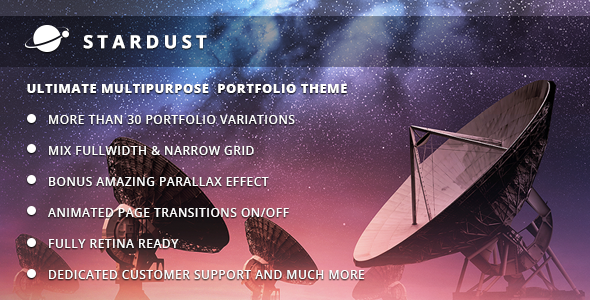
Stuck on your Stardust WordPress theme? Let's fix it.
No endless back-and-forth. Just send us the details and we'll get it done.
No obligation · Replies within 1 hour · Quote within 1 day
Setup · Customization · Bug fixes · WooCommerce integration
About Stardust WP Theme
Stardust is a multi-purpose WordPress theme built by QODE Interactive, the team behind popular themes like Bridge and Kallyas alternatives. It ships with the WPBakery page builder and a library of pre-built demo sites covering portfolios, agencies, restaurants, and more.
The theme follows QODE’s familiar pattern: dense feature sets, polished default styling, and a header/footer builder that handles most layout needs without custom code. It supports WooCommerce, custom post types for portfolios and team members, and WPML for multilingual sites.
If you want a theme that works out of the box and covers a wide range of business types, Stardust is a practical starting point. The learning curve is real, but the output is professional without needing a full custom build.
Get matched with a Stardust developer in under one day
Tell us about your Stardust project. Small fixes, Stardust theme customization, or a full website build, whatever you need, we've got it covered.
We'll connect you to the right Stardust developers, define the scope, and get everything 100% clear.
You'll get one estimate, hire your preferred developer, and start collaborating.
QODE themes have their own ecosystem. Options are nested, shortcodes are proprietary, and child theme structure follows specific conventions. A general WordPress developer can work with Stardust, but someone who knows QODE’s codebase will move faster and make fewer mistakes.
Through Codeable, you get matched with vetted developers who have hands-on experience with themes like Stardust. Post your project, get an estimate within 24 hours, and only pay if you decide to move forward. No risk, no guesswork.
Pros
- Ships with 30+ pre-built demo sites covering a wide range of industries
- Built-in portfolio, team member, and testimonial custom post types
- WooCommerce styling included out of the box, no extra plugin needed
- Detailed header builder with sticky, transparent, and split header options
- WPML compatible for multilingual and multi-regional sites
Cons
- Theme Options panel is large and can be overwhelming for new users
- WPBakery is included but Elementor is not natively supported
- Demo import can bring in bloat that needs manual cleanup
- Proprietary shortcodes create dependency on the theme — hard to migrate content later
- Default page load times are slow without performance tuning
Who is Stardust for?
Creative Agency
Stardust’s portfolio layouts and full-width section options make it a natural fit for creative agencies. You get case study pages, filterable grids, and animated transitions that work well for showing off client work. The header builder handles the kind of minimal, full-screen hero sections that agency sites typically need.
Restaurant or Food Business
QODE included a restaurant demo in Stardust with menu layouts, reservation-friendly sections, and food imagery-focused templates. You’re not starting from scratch. Pair it with a booking plugin like OpenTable or Amelia and the site structure is mostly there from day one.
Freelance Portfolio
For freelancers who want a polished site without a large budget, Stardust’s one-page demos work well. You get a hero section, services block, portfolio grid, and contact area in a single scrolling layout. Customizing colors and fonts is straightforward through the options panel.
WooCommerce Store
Stardust’s WooCommerce integration covers product pages, shop archives, cart, and checkout styling. It’s not a dedicated WooCommerce theme, but for small to mid-size stores it handles the basics cleanly. Combined with a product filter plugin, the shop experience holds up well.
Corporate Business Site
Corporate sites need clean structure, clear navigation, and consistent branding across many pages. Stardust’s global options for typography and color make it easy to maintain consistency. The team member and testimonial post types are directly useful for most business sites without custom development.

Customizing Stardust
Stardust’s options panel covers typography, color schemes, header styles, and footer layouts. Most changes happen inside the Theme Options panel rather than the WordPress Customizer, which is typical for QODE themes and takes some adjustment if you’re used to live preview editing.
WPBakery handles page layouts, but Stardust also includes shortcodes specific to the theme, like pricing tables, carousels, and interactive banners. These work well when you stay within the system but can conflict if you try to mix in third-party plugins.
For anything beyond surface-level changes, like custom post layouts, conditional headers, or bespoke WooCommerce templates, working with a Stardust expert will save significant time. QODE’s codebase has its own conventions, and knowing them matters when things need to be customized properly.
Recommended plugins for Stardust
Stardust works with most major WordPress plugins. WooCommerce integration is built in, covering shop pages, product layouts, and cart styling. Contact Form 7 and Gravity Forms both work without issues.
For performance, the theme loads several scripts by default. Pairing it with proper caching and a CDN helps. WordPress performance optimization can make a measurable difference on Stardust sites, especially those using multiple sliders or heavy demo content.
If organic traffic matters, combining Stardust with solid on-page work through a WordPress SEO service gives you a clean base to build on. The theme’s markup is reasonably structured for SEO purposes.
Not sure which plugins to use? This WordPress plugins directory covers the most popular options with reviews and setup guides.
Stardust common issues
Stardust theme demo import not working
Demo import failures in Stardust usually come down to server limits. The XML files are large and PHP memory limits or max execution time will cut the process short. Raise memory_limit to at least 256MB and max_execution_time to 300 in your php.ini or wp-config.php. If the problem persists, import content in stages: XML first, then widgets, then theme options. If you’re on shared hosting, the limits may be outside your control without a server-level change. A WordPress bug fixing service can handle this quickly.
Stardust header not showing correctly on mobile
Mobile header issues in Stardust are almost always tied to the mobile header breakpoint setting in Theme Options. Check the Appearance > Theme Options > Header section and confirm the mobile menu trigger is set to the right breakpoint. Also check whether a page-level header override is conflicting with the global setting. CSS conflicts with plugins that inject their own styles, like some popup plugins, can also push the header out of alignment on smaller screens.
Stardust WPBakery elements not displaying after update
After updating either Stardust or WPBakery, shortcode output can break if the theme’s bundled version of WPBakery was replaced by the standalone plugin version. These two can conflict. The safest fix is to deactivate the standalone WPBakery plugin and let the theme manage it, or do the opposite and fully migrate to the standalone version. Running both in parallel causes rendering issues. Clear any caching after making the change.
Stardust theme slow loading speed
Stardust loads multiple CSS and JS files by default. Start by auditing what scripts are enqueued using a tool like Query Monitor. Disable sliders or animations on pages where they aren’t needed. Enable script minification and combination through a caching plugin. Also consider whether the demo content imported large uncompressed images that haven’t been resized. Image optimization and proper caching resolve most speed complaints. See our WordPress performance service for a structured fix.
Stardust FAQ
Stardust is built around WPBakery, not Elementor. You can install Elementor alongside it, but the theme’s shortcodes and custom elements won’t transfer. You’d essentially be using Elementor to override the theme’s layout system, which causes conflicts in most cases. If Elementor is a hard requirement, a different theme is a better starting point.
Yes. Stardust includes WooCommerce styling for product pages, shop archives, cart, and checkout. It’s not a dedicated WooCommerce theme, but it handles standard store functionality cleanly. For more complex shop setups, like custom product builders or subscription workflows, additional development is usually needed beyond what the theme provides by default.
Always use a child theme for any code-level changes. That way, updating the parent theme doesn’t overwrite your modifications. For settings inside Theme Options, those are saved to the database and survive updates. Before any update, back up the site fully. Test the update on a staging environment first. QODE occasionally changes option names between versions, which can reset certain settings.
Stardust’s markup is reasonably clean and heading structure is easy to control. It’s not a dedicated SEO theme, but it doesn’t create serious structural problems either. Page speed is the bigger concern since it affects Core Web Vitals. Pairing Stardust with Yoast or Rank Math and a proper SEO setup is the right approach.
Yes. Stardust sites migrate like any standard WordPress installation. Use a migration plugin like Migrate Guru or All-in-One WP Migration to move files and database together. Update the site URL in Settings after the move. QODE-specific elements don’t require any special handling during migration. For a smooth transfer, a WordPress migration service handles the technical steps and post-move checks.
Hire a Stardust WordPress Developer
Whether you need a Stardust site built from scratch, an existing site customized, or a specific feature added, working with someone who knows the theme saves time and avoids rework. Get a free estimate through FoxyConcept. You’ll be matched with a vetted Stardust developer via Codeable within 24 hours. Free estimate, no obligation, fully risk-free.
You'll need a free Codeable account so developers can ask questions and send their quotes.