Javo Home WordPress Theme
by javothemes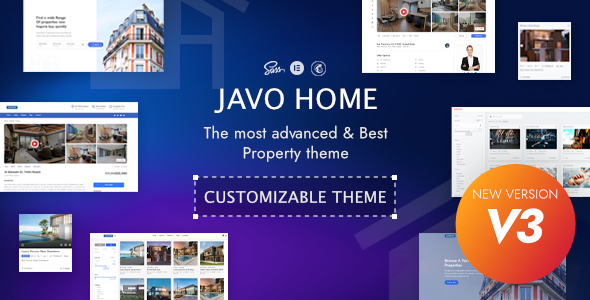
Stuck on your Javo Home WordPress theme? Let's fix it.
No endless back-and-forth. Just send us the details and we'll get it done.
No obligation · Replies within 1 hour · Quote within 1 day
Setup · Customization · Bug fixes · WooCommerce integration
About Javo Home WP Theme
Javo Home is a WordPress real estate theme built by Javothemes. It ships with a property listings directory, advanced search filters, and Google Maps integration out of the box. The theme is designed for agencies, brokers, and property portals that need a structured, searchable directory without building one from scratch.
Key features include front-end property submission, agent profiles, mortgage calculators, and support for the Javo Directory plugin. The design is clean and focused on search — users can filter by location, price, type, and bedroom count. It works with Elementor for page building and WooCommerce for monetising listings. For anyone launching a real estate portal on WordPress, Javo Home covers a lot of ground before you write a single line of custom code.
Get matched with a Javo Home developer in under one day
Tell us about your Javo Home project. Small fixes, Javo Home theme customization, or a full website build, whatever you need, we've got it covered.
We'll connect you to the right Javo Home developers, define the scope, and get everything 100% clear.
You'll get one estimate, hire your preferred developer, and start collaborating.
Javo Home has a specific plugin dependency stack and its own directory framework. A generic WordPress developer can get lost quickly when the listing templates, map hooks, and submission forms all interact. The developers available through Codeable are vetted for exactly this kind of specialised theme work. You get someone who has worked inside Javo Home before, not someone learning it on your project budget.
Pros
- Ships with a full property directory framework including front-end submission and agent profiles
- Google Maps integration with location-based filtering works without extra plugins
- WooCommerce support allows paid listing packages and monetisation out of the box
- Elementor compatibility gives full layout control over non-directory pages
- Mortgage calculator and property comparison are included as built-in features
Cons
- Heavily dependent on the Javo Directory plugin — removing it breaks most core functionality
- Adding custom listing field types requires PHP work in the child theme or plugin overrides
- Theme update history from Javothemes has been inconsistent, with gaps between releases
- No built-in schema markup for property listings, which affects rich results in Google
- Page load speed needs external optimisation work — the theme ships with no built-in performance tooling
Who is Javo Home for?
Real Estate Agency Website
Javo Home fits a single agency or multi-agent office well. Agent profiles, property listings tied to individual agents, and a contact form per listing cover the standard agency workflow. Front-end submission means agents can add properties without accessing the WordPress dashboard directly.
Property Rental Portal
The price filter, availability fields, and map search make Javo Home a reasonable starting point for rental portals. Pair it with WooCommerce for booking deposits or listing upgrades. Custom rental-specific fields like lease length or furnishing status require additional development work on top of the default setup.
Commercial Property Listings
Commercial listings differ from residential — floor area, zoning, and lease terms matter more than bedrooms. Javo Home supports custom field additions through the Javo Directory plugin, so a developer can build out a commercial-specific field set. The map and search filters still apply cleanly to this use case.
Real Estate Franchise Network
A franchise network with multiple offices and agents across regions works well with Javo Home’s agent and agency hierarchy. Each office can have its own profile, and listings can be filtered by location or agent group. This setup does require custom taxonomy work to map cleanly to a franchise structure.
Holiday Let Directory
Holiday lets need availability calendars and booking functionality, which Javo Home does not provide natively. However, the directory and search framework is a solid base. A developer can integrate a booking plugin alongside Javo Home to cover availability and reservations while keeping the listing browse experience intact.

Customizing Javo Home
Out of the box, Javo Home looks like a real estate site. Making it look like your real estate site takes more work. The theme options panel controls colors, fonts, header layouts, and homepage sections, but deeper changes — custom listing fields, modified search filters, branded agent dashboards — require direct work in the theme or child theme files.
A Javo Home expert knows where Javothemes has structured its template hierarchy, how the Javo Directory plugin hooks into the theme, and which filters are safe to override without breaking on updates. If you need a custom property type, a modified submission form, or a unique map interface, hiring someone with hands-on Javo Home experience saves you significant trial and error compared to a general WordPress developer.
Recommended plugins for Javo Home
Javo Home is built around the Javo Directory plugin, which handles listing submission, management, and search. Beyond that, WooCommerce adds paid listing packages, and Elementor unlocks full page-building control over static pages.
For performance, image optimisation and caching are not handled by the theme itself — you will need separate tooling there. SEO structured data for property listings also needs attention since the theme does not output schema markup automatically. Check our WordPress performance service and WordPress SEO service if either is a priority for your portal.
Not sure which plugins to use? This WordPress plugins directory covers the most popular options with reviews and setup guides.
Javo Home common issues
Javo Home map not showing properties
This is usually a Google Maps API key issue. Javo Home requires a valid API key with the Maps JavaScript API and Geocoding API both enabled. Check the theme settings panel under Maps and confirm the key is entered correctly. Also verify the key has no referrer restrictions that block your domain. If the key is valid but pins still don’t appear, a JavaScript console error usually points to the specific conflict. Our bug fixing service can diagnose this quickly.
Javo Home front-end submission form not working
Front-end submission failures in Javo Home are often caused by a WooCommerce conflict, a missing Javo Directory plugin dependency, or a permissions issue with the logged-in user role. First confirm the Javo Directory plugin is active and up to date. Then check that the submission page is assigned correctly in the theme settings. If the form loads but won’t submit, check the browser console for JavaScript errors pointing to a plugin conflict.
Javo Home search filters returning no results
Empty search results usually mean the property custom post type data isn’t indexed correctly or the search query parameters aren’t matching the stored field keys. This often happens after a theme update changes field slugs. Re-saving property listings can force a re-index. If the issue is wider, the database query built by Javo Directory may need inspection. A developer familiar with the Javo Directory plugin can identify mismatched meta keys quickly.
Javo Home slow loading on mobile
Javo Home loads several scripts and stylesheets, and the Google Maps API adds significant weight on mobile. Start by enabling a caching plugin and minifying scripts. Defer non-critical JavaScript where possible. The theme does not lazy-load map tiles by default, so the map loads even when it’s below the fold. Conditional map loading based on viewport can help significantly. See our WordPress performance service for a full audit.
Javo Home FAQ
Javothemes has released updates for Javo Home, but the cadence is not consistent. Before buying or building on the theme, check the ThemeForest changelog and the last update date. If the theme has not been updated in over a year, factor in potential compatibility issues with newer versions of WordPress and WooCommerce before committing to a full build.
Yes. Javo Home supports Elementor for building and editing static pages like the homepage, about page, and contact page. The core directory pages — listing archives, single property pages, search results — use the theme’s own templates and are not fully editable through Elementor without custom work. Elementor Pro with theme builder can extend this, but it requires developer configuration.
Technically you can install Javo Home without Javo Directory, but you lose property listings, front-end submission, agent profiles, and the map search. What remains is essentially a basic WordPress theme without directory functionality. If you don’t want the Javo Directory dependency, Javo Home is the wrong starting point for your project.
Custom fields in Javo Home are added through the Javo Directory plugin’s field manager. You can define field type, label, and search filter behaviour from the admin panel for simpler additions. More complex field logic — conditional display, calculated fields, or fields that affect search queries — requires PHP development in a child theme. A Javo Home developer can build this cleanly without breaking the existing field structure.
Yes, Javo Home listing data is stored in the WordPress database like any custom post type, so it migrates with a standard database and file transfer. The Google Maps API key and any payment gateway credentials need updating after the move. Our WordPress migration service handles this end to end, including testing all directory functionality on the new host before going live.
Hire a Javo Home Developer
Whether you need a custom listing layout, a modified search experience, or a full real estate portal build on Javo Home, the right developer makes the difference. Our experts work exclusively on WordPress and know the Javo Directory ecosystem well. Get a free estimate — no obligation, matched within 24 hours through Codeable’s vetted network. You describe the project, we scope it honestly.
You'll need a free Codeable account so developers can ask questions and send their quotes.