Blank WordPress Theme
by withemes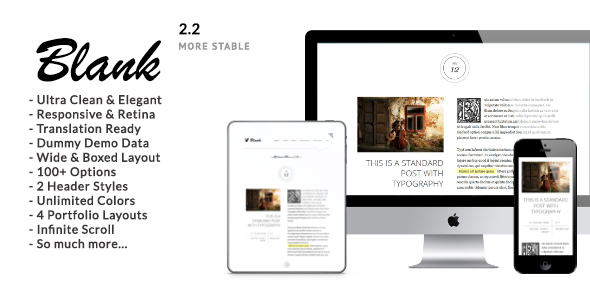
Stuck on your Blank WordPress theme? Let's fix it.
No endless back-and-forth. Just send us the details and we'll get it done.
No obligation · Replies within 1 hour · Quote within 1 day
Setup · Customization · Bug fixes · WooCommerce integration
About Blank WP Theme
Blank is a minimal WordPress starter theme from WiThemes. It ships with almost no styling by default, giving developers a clean foundation to build from without fighting inherited CSS or opinionated markup.
The theme follows standard WordPress template hierarchy and outputs lean, semantic HTML. There are no page builder dependencies, no bundled plugins, and no bloat. You get a functions.php, a handful of template files, and a style.css with basic reset styles.
That simplicity is intentional. Blank is built for developers who want to write their own CSS, define their own layout system, and avoid stripping back someone else’s design decisions. If you know what you are doing in WordPress, Blank gives you a head start without getting in the way.
Get matched with a Blank developer in under one day
Tell us about your Blank project. Small fixes, Blank theme customization, or a full website build, whatever you need, we've got it covered.
We'll connect you to the right Blank developers, define the scope, and get everything 100% clear.
You'll get one estimate, hire your preferred developer, and start collaborating.
Blank is straightforward for an experienced developer but frustrating without that background. There is no documentation for what does not exist yet. A developer on Codeable who has worked with starter themes knows how to scaffold the right structure quickly, avoid common template pitfalls, and deliver something maintainable. Our WordPress development services connect you with that level of expertise.
Pros
- Ships with almost no CSS, so you build without overriding anything
- Clean semantic HTML output that follows WordPress template hierarchy
- No bundled plugins or forced dependencies
- Lightweight page weight from the start, no unused assets to remove
- Works well as a base for both classic and block editor development
Cons
- No design out of the box, so non-developers will see an unstyled site
- Minimal documentation because there is not much theme to document
- No Customizer options, so all changes require code
- WooCommerce and plugin templates need to be added manually
- Not suited for clients who want to manage design themselves
Who is Blank for?
Custom Agency Projects
Agencies building client sites on a tight brief benefit from Blank because there is no preset structure to work against. Developers can implement a design spec directly without stripping inherited styles. The clean starting point means faster builds and fewer CSS specificity issues when the project scales.
Developer Portfolio Sites
A developer building their own portfolio has full control over markup and styling from line one. Blank keeps the WordPress template structure intact while removing visual constraints. You can implement any layout approach, load only the CSS you write, and keep page weight minimal without any cleanup work.
Headless or API-First WordPress
When WordPress is used as a content backend with a decoupled front end, theme presentation matters less. Blank provides valid template output without decorative markup or extra classes, making it a clean base for REST API or GraphQL setups where the theme renders nothing visible.
Lightweight Business Sites
Small business sites that prioritise speed and simplicity do well on Blank when a developer builds the styling. There are no unused scripts or stylesheets to remove. The result tends to score well on Core Web Vitals without extra optimisation work, especially on simple sites with limited dynamic content.
Learning WordPress Theme Development
Blank is frequently recommended as a learning theme because it shows the WordPress template hierarchy without visual noise. Developers new to theme development can see exactly which template file controls each page and add functionality incrementally, making it easier to understand how WordPress renders content.

Customizing Blank
Customizing Blank means building forward, not overriding. Since the theme ships with minimal styling, a Blank expert can implement any design system without inheritance conflicts. Custom post types, taxonomies, and template parts can be added cleanly.
Child themes work well here, but many developers work directly with the theme since there is little base styling to protect. You can integrate a CSS framework, a custom design token system, or write everything from scratch.
Common customization work includes setting up a custom header and footer, building out archive and single templates, adding theme support for features like post thumbnails or custom menus, and wiring in custom block styles if you are working with the block editor.
Recommended plugins for Blank
Blank does not come with plugin integrations built in, so any extensions need deliberate setup. WooCommerce templates can be added manually inside a woocommerce/ folder. Block editor support works but requires registering theme.json to define spacing, typography, and color settings.
For sites that need strong search visibility or fast load times, pairing Blank with proper tooling matters. See our WordPress SEO optimisation service and WordPress performance service for what that looks like in practice.
Not sure which plugins to use? This WordPress plugins directory covers the most popular options with reviews and setup guides.
Blank common issues
Blank theme showing unstyled page after install
This is expected behavior. Blank ships with minimal CSS and no layout styling. After activation, the site will appear mostly unstyled until you add your own stylesheet. Enqueue a custom CSS file via functions.php using wp_enqueue_style(), or add styles directly to the theme. If you were expecting a designed layout on activation, Blank is a developer starter theme, not a ready-made design. Our WordPress bug fixing service can help if something else is broken.
Blank theme sidebar not showing on single posts
Blank does not register a sidebar by default in all configurations. Check whether register_sidebar() is called in functions.php and whether the single.php template includes a get_sidebar() call. If neither is present, you need to add both. The sidebar also needs to be populated in Widgets under the WordPress admin. These are intentional omissions in a starter theme, not bugs.
Custom menu not appearing in Blank theme
Custom menus require two steps in WordPress: registering the menu location and assigning a menu to it. In Blank, check functions.php for a register_nav_menus() call. If it is missing, add it with your desired location. Then go to Appearance > Menus, create a menu, and assign it to that location. Finally, confirm the template file calls wp_nav_menu() with the correct theme location parameter.
Blank theme WooCommerce pages have no layout
WooCommerce template overrides are not included in Blank. When WooCommerce is active and finds no matching template in the theme, it falls back to its own plugin templates, which come with WooCommerce default styling. To control WooCommerce layout from the theme, create a woocommerce/ folder in the theme directory and copy the templates you want to override from the WooCommerce plugin folder. Enqueue WooCommerce styles or write your own to match your site design.
Blank FAQ
Yes, Blank by WiThemes is available for free. It is listed on the WordPress theme directory and can be installed directly from the WordPress admin under Appearance > Themes > Add New. There is no paid version with additional features. The theme is intentionally minimal and targets developers rather than end users.
Not practically. Blank has no Customizer settings, no drag-and-drop options, and no design built in. Without code, you get an unstyled site. It is designed for developers who want a clean starting point. If you need a theme you can configure without writing code, look for a theme with built-in Customizer options or page builder support instead.
Blank works with the block editor but does not have a theme.json file configured out of the box. Block content renders correctly, but you will not get editor-defined color palettes, font sizes, or spacing presets unless you add a theme.json file. Full Site Editing is not supported without significant additional development work.
Blank includes header.php and footer.php template files. You edit these directly to add your site header and footer markup. If you want a widget area in the footer, register a sidebar in functions.php and call it inside footer.php. Nav menus need to be registered and called in the same way. Everything requires direct template editing.
You can switch an existing WordPress site to Blank, but the visual result will be an unstyled site until you rebuild the styling. Theme switching does not transfer CSS or layout from a previous theme. If you are rebuilding a site on Blank, plan for full front-end development work. See our WordPress migration service if you are also moving hosts or changing site structure.
Hire a Blank WordPress Developer
If you need a custom site built on Blank, or you have an existing Blank-based project that needs development work, we can match you with a vetted WordPress developer fast. Projects submitted through Codeable are reviewed and matched within 24 hours. Get a free estimate with no obligation to hire.
You'll need a free Codeable account so developers can ask questions and send their quotes.