Barber WordPress Theme
by Arrow-Theme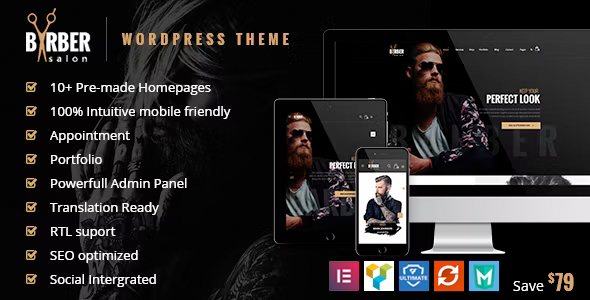
Stuck on your Barber WordPress theme? Let's fix it.
No endless back-and-forth. Just send us the details and we'll get it done.
No obligation · Replies within 1 hour · Quote within 1 day
Setup · Customization · Bug fixes · WooCommerce integration
About Barber WP Theme
Barber is a WordPress theme by Arrow-Theme built specifically for barbershops, hair salons, and men’s grooming businesses. It ships with a clean, masculine design and a set of features that make it practical out of the box: appointment booking integration, service listings, team member profiles, and a gallery section suited to showcasing cuts and styles.
The theme is built on a customizer-based setup, so most visual changes happen without touching code. It supports WooCommerce for selling grooming products and includes multiple homepage demo layouts you can import in one click. If you run a single-chair shop or a multi-location barbershop chain, Barber has enough structure to cover both without requiring a full rebuild.
Arrow-Theme provides documentation and basic support, but many business owners find they need help beyond the defaults to get the site performing exactly as they want.
Get matched with a Barber developer in under one day
Tell us about your Barber project. Small fixes, Barber theme customization, or a full website build, whatever you need, we've got it covered.
We'll connect you to the right Barber developers, define the scope, and get everything 100% clear.
You'll get one estimate, hire your preferred developer, and start collaborating.
Barber is approachable, but getting it to work exactly the way a real business needs takes more than clicking through the customizer. A developer who knows the theme can set up booking flows, fix layout inconsistencies, and extend the site without breaking the design. Through Codeable, you get matched with a vetted WordPress developer who has relevant experience. No generalist freelancers, no guesswork. You post your project, get an estimate, and decide whether to move forward. There’s no obligation and no upfront cost.
Pros
- Purpose-built for barbershops with service listings, team profiles, and gallery sections included
- One-click demo import gets you a working layout without manual setup
- WooCommerce compatible for selling grooming products directly from the site
- Customizer-based design controls make visual changes accessible without code
- Appointment booking plugin support is built into the theme structure from the start
Cons
- Limited layout flexibility compared to page builder themes like Divi or Elementor-based options
- Arrow-Theme support response times can be slow for non-standard customization questions
- Some demo content relies on specific plugins that need separate installation and configuration
- Mobile menu styling can require CSS fixes for multi-item navigation setups
- No built-in booking system — you have to source, install, and configure a compatible plugin yourself
Who is Barber for?
Independent Barbershop
A solo barber or small shop benefits from Barber’s built-in service listings and staff profiles. Add a booking plugin and a gallery of recent cuts, and you have a functional site that converts local search traffic into appointments. The masculine aesthetic suits most independent shop branding without heavy customization work.
Men's Hair Salon Chain
For a multi-location operation, Barber’s homepage layouts and team sections can be expanded to show multiple branches. A developer can build location-specific pages, integrate a booking system that handles multiple staff members, and ensure each location shows up correctly in local search results.
Barber School or Training Academy
Barber academies can use the theme’s service and team sections to list courses, instructors, and enrollment information. A custom registration or inquiry form replaces the standard booking flow. The gallery section works well for showcasing student work and graduation events.
Grooming Product Retailer
With WooCommerce active, Barber becomes a functional shop for selling clippers, pomades, and grooming kits. Product pages sit alongside the service content, keeping the barbershop identity intact. A developer can set up shipping rules, payment gateways, and product filtering without altering the theme’s core design.
Mobile Barber Service
Mobile barbers need a simple site that clearly shows services, pricing, and how to book. Barber’s clean layout works well stripped back to the essentials. A contact form or scheduling plugin replaces the typical in-shop booking system, and a service area map helps customers confirm you cover their location.

Customizing Barber
Out of the box, Barber gives you a solid starting point. But most barbershop owners want something that reflects their specific brand: custom color palettes, adjusted typography, a booking flow that matches how they actually take appointments, and a gallery that does justice to their work.
A Barber expert can configure the theme’s customizer settings properly, connect a booking plugin like Bookly or Simply Schedule Appointments, and make sure the service and pricing pages are structured clearly for customers. They can also handle custom CSS tweaks that the theme options don’t cover natively.
If you want to add a loyalty section, integrate with Square or a POS system, or localize the site for a specific city market, those tasks go beyond standard theme setup. Working with someone who knows the Barber theme means fewer workarounds and a cleaner end result.
Recommended plugins for Barber
Barber pairs well with several plugins depending on what you need. Bookly or Amelia handles appointment scheduling. WooCommerce adds a product shop for grooming supplies. Yoast or Rank Math improves local SEO, which matters a lot for location-based barbershop searches. Contact Form 7 or WPForms covers basic inquiries.
For speed, caching plugins like WP Rocket combined with a CDN make a real difference on image-heavy gallery pages. If you want better performance across the board, see our WordPress performance services. For ranking in local search, our WordPress SEO service covers the technical side.
Not sure which plugins to use? This WordPress plugins directory covers the most popular options with reviews and setup guides.
Barber common issues
Barber theme appointment booking not working
Most booking issues in the Barber theme come down to plugin conflicts or incorrect configuration rather than the theme itself. First, confirm your booking plugin (Bookly, Amelia, or similar) is on a supported version. Check for JavaScript conflicts using browser developer tools. If another plugin is loading a conflicting script, deactivating plugins one by one will isolate it. For persistent issues, our WordPress bug fixing service can diagnose and resolve the problem directly.
Barber theme gallery layout broken on mobile
Gallery layout problems on mobile typically come from image size settings or CSS grid/flexbox conflicts introduced by the theme or a plugin. Start by checking the image dimensions you’re uploading against what the gallery section expects. Then inspect the mobile stylesheet in browser dev tools to spot the breaking rule. A targeted CSS fix in the customizer’s additional CSS field usually resolves it without touching theme files.
Barber theme demo import missing images
When demo images don’t import, it’s usually because the demo uses placeholder images hosted externally that become unavailable, or the import hit a server memory limit mid-process. Increase your PHP memory limit in wp-config.php, then re-run the import. If images still don’t appear, replacing them manually with your own photos is faster than troubleshooting the import further. Your content matters more than the demo images anyway.
Barber theme custom fonts not applying correctly
Custom font issues in Barber usually happen when the Google Fonts API call is blocked, a caching plugin serves a stale stylesheet, or the font stack in the customizer is being overridden by a child theme or plugin style. Clear all caches first. Then check the customizer font settings are saved correctly. If a plugin is injecting its own font styles, add a CSS specificity rule to force your chosen font across the affected elements.
Barber FAQ
Barber by Arrow-Theme is a premium paid theme available through ThemeForest and the Arrow-Theme website. Pricing includes the theme files and typically covers six months of support from the developer. Extended support can be purchased at renewal. There is no free version, though the ThemeForest preview lets you explore the demo before buying.
Barber is not built around Elementor. It uses the WordPress customizer for layout and design controls. You can install Elementor alongside it, but the theme’s pre-built sections and demo layouts are not Elementor-based, so you’d essentially be rebuilding pages inside Elementor rather than extending what the theme already provides.
Yes. The Barber theme doesn’t include a native booking system, but it’s compatible with plugins like Bookly, Amelia, and Simply Schedule Appointments. You install the plugin, configure your services and staff availability, then embed the booking form on a page. Some configuration work is needed to match the form styling to the theme design.
Always use a child theme for any code-level changes. Customizer settings are stored in the database and survive theme updates. Custom CSS added through the customizer’s additional CSS field is also safe. If you’ve edited parent theme files directly, those changes will be overwritten on update. A developer can migrate those changes into a child theme before you update.
The Barber theme’s design leans masculine and is clearly styled for barbershops, but the underlying structure works for any hair-related business. With custom colors, typography, and imagery, it can be adapted for women’s salons or unisex studios. The service listing and booking structure transfers directly. Some CSS work is needed to soften the default aesthetic for broader audiences.
Hire a Barber WordPress Developer
Whether you need a full Barber theme setup, a booking system integrated, or a specific fix that’s been holding you back, we can help. Work is handled through Codeable, so you’re matched with a developer who has real WordPress experience. Post your project, get a free estimate, and only pay if you decide to go ahead. Get your free estimate here and have your barbershop site working the way it should.
You'll need a free Codeable account so developers can ask questions and send their quotes.