Courselog WordPress Theme
by trippleS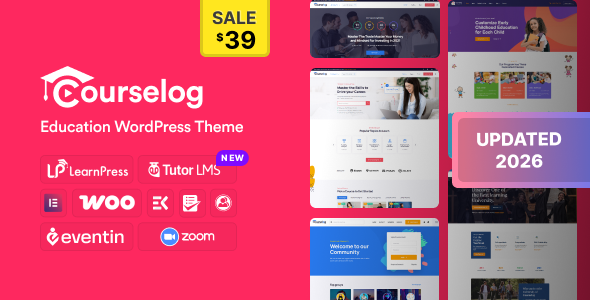
Stuck on your Courselog WordPress theme? Let's fix it.
No endless back-and-forth. Just send us the details and we'll get it done.
No obligation · Replies within 1 hour · Quote within 1 day
Setup · Customization · Bug fixes · WooCommerce integration
About Courselog WP Theme
Courselog is a WordPress LMS theme built by trippleS, designed specifically for online course platforms and educational websites. It pairs cleanly with LearnDash and Tutor LMS, giving instructors a structured layout for presenting courses, lessons, and quizzes without needing to build everything from scratch.
The theme ships with pre-built demo content, a course archive layout, and instructor profile pages. Typography is clean and readable, which matters when students are spending time on lesson content. It supports WooCommerce for course sales, membership integrations, and certificate plugins common in the LMS space.
Courselog is a practical starting point for schools, training companies, or solo instructors who want a focused, education-first design without buying a bloated multi-purpose theme and cutting it down to size.
Get matched with a Courselog developer in under one day
Tell us about your Courselog project. Small fixes, Courselog theme customization, or a full website build, whatever you need, we've got it covered.
We'll connect you to the right Courselog developers, define the scope, and get everything 100% clear.
You'll get one estimate, hire your preferred developer, and start collaborating.
Courselog covers the basics well, but building a real course platform means going further than demo content. You need clean enrollment flows, reliable payment handling, quiz logic that works, and pages that load fast under student traffic.
Developers on Codeable have hands-on experience with LMS themes and the plugin stack around them. They know where Courselog needs support and how to build on it without creating maintenance problems. Every estimate is free and there’s no obligation to proceed.
Pros
- Clean, education-focused design that works out of the box with LearnDash and Tutor LMS
- Includes pre-built demo content with course archive, single lesson, and instructor profile layouts
- WooCommerce compatible for direct course sales without additional bridge plugins
- Elementor support makes layout changes accessible without writing code
- Lightweight compared to multi-purpose themes, which helps with page load on media-heavy course content
Cons
- Limited layout variety in the default package, most sites end up looking similar without custom work
- Advanced quiz and certificate page styling requires CSS or PHP knowledge to modify properly
- BuddyBoss community integration needs manual configuration and can conflict with default header styles
- Documentation from trippleS is thin in areas, particularly around LearnDash shortcode placement
- Not ideal for non-LMS use cases, the structure is purpose-built and doesn't adapt well outside education
Who is Courselog for?
Independent Online Instructors
Solo instructors selling courses directly benefit from Courselog’s clean single-course layout and WooCommerce checkout. You can set up a full course with modules, quizzes, and a checkout page in a day. The instructor profile template adds credibility without extra plugins.
Corporate Training Portals
Companies running internal training programs need a structured course browser and user progress tracking. Courselog’s archive layout handles multiple course categories cleanly, and LearnDash Groups support lets you assign staff to specific training paths by department or role.
Language Schools
Language schools need clear lesson structures, video support, and enrollment management. Courselog handles all three. You can organize courses by language and level, embed video lessons through Vimeo or YouTube, and use Tutor LMS quizzes for comprehension checks after each module.
Fitness and Wellness Coaches
Fitness coaches selling workout programs or nutrition plans online work well with Courselog’s video-forward lesson layout. WooCommerce handles one-time or recurring payments, and the mobile-friendly design means students can follow along from a phone during workouts.
Professional Certification Bodies
Organizations offering certifications need reliable quiz logic, certificate generation, and user account management. Courselog integrates with LearnDash’s certificate builder and quiz engine. You can gate content behind passed assessments and issue branded PDFs on completion.

Customizing Courselog
Courselog works with the WordPress Customizer and supports Elementor, so most layout adjustments are visual. You can change colors, fonts, header styles, and course card layouts without touching code. The demo content imports quickly and gives you a working structure to modify from.
Beyond the basics, customization gets technical fast. Adjusting the course progress bar styling, modifying quiz result pages, or integrating a custom certificate layout all require CSS or PHP work. If you want a unique homepage that goes beyond the default demo, you’ll need more than the drag-and-drop tools.
A Courselog expert can handle these deeper modifications cleanly, whether that means custom instructor dashboards, unique enrollment flows, or branded course pages that match your school’s identity without breaking LMS functionality.
Recommended plugins for Courselog
Courselog is built for the LMS ecosystem, so extensions matter. LearnDash add-ons like Groups, Notifications, and Reports plug in without conflicts. Tutor LMS monetization add-ons and BuddyBoss for community features also work within the theme framework.
For selling courses, WooCommerce handles payments, and you can add subscription plugins for membership access. Want students to find your courses through search? Pair the theme with proper WordPress SEO optimisation. Slow quiz or video pages are common on LMS sites, so WordPress performance tuning is worth considering early.
Not sure which plugins to use? This WordPress plugins directory covers the most popular options with reviews and setup guides.
Courselog common issues
Courselog course page not displaying lessons correctly
This usually comes from a mismatch between the theme’s page template and your LMS plugin’s shortcode output. Check that the course single page is using the correct Courselog template, not a blank or default WordPress template. If you switched LMS plugins recently, re-save the course page settings inside LearnDash or Tutor LMS. If the issue persists, WordPress bug fixing can isolate the conflict quickly.
Courselog WooCommerce checkout not working after enrollment
WooCommerce enrollment failures in Courselog often trace back to the course product not being linked correctly in your LMS plugin settings. Verify the product is assigned to the right course inside LearnDash’s Access Settings or Tutor LMS’s monetization tab. Also check for plugin update conflicts, WooCommerce and LMS plugins both update frequently and sometimes break the handoff. Clear caches after any changes.
Courselog header overlapping content on mobile
The Courselog header uses a fixed position by default, which can push down or overlap content blocks on smaller screens if the menu height isn’t set correctly. Add a CSS rule targeting the body or main content wrapper to add top padding equal to the header height. You can find the header height value in the Customizer. If the issue only appears after a theme update, check if trippleS changed header CSS classes in the changelog.
Courselog Elementor page builder not loading theme sections
If Elementor isn’t loading Courselog’s sections, the most common cause is a version mismatch between the theme and Elementor or Elementor Pro. Check that both are updated. If the sections still don’t appear, regenerate the CSS cache inside Elementor’s Tools panel. Some Courselog widgets also require Elementor Pro, so free-plan users will see placeholders instead of functional blocks.
Courselog FAQ
Yes. Courselog is built with LearnDash compatibility in mind. Course archive pages, single lesson templates, and quiz pages all use LearnDash’s output structure. You can use LearnDash shortcodes inside the theme’s page builder sections, and the default templates match the expected LearnDash page hierarchy without custom coding.
You can use Courselog without Elementor, but you’ll lose access to the visual layout builder for custom pages. The theme’s default templates and the WordPress Customizer cover basic styling. For course and lesson pages driven by your LMS plugin, Elementor isn’t required at all since those pages use the theme’s built-in templates.
Yes. Courselog integrates with WooCommerce for course sales. You create a product in WooCommerce, link it to a course in your LMS plugin, and the checkout flow handles enrollment automatically. It supports one-time payments. For subscriptions, you’ll need WooCommerce Subscriptions as an additional plugin.
Migrating to Courselog means switching your active theme and then adjusting page templates to match Courselog’s layout system. Your LMS course content stays in the database and carries over. Custom styling from your old theme won’t transfer. A WordPress migration specialist can handle the switch without losing enrollments or course progress data.
Courselog works with membership plugins like MemberPress and Restrict Content Pro, but it isn’t built around membership as a primary feature. Course gating and access control work through your LMS plugin. If memberships are central to your model, test the integration before launch since some styling conflicts appear on account and restriction pages.
Hire a Courselog Expert Developer
Whether you’re launching a new course platform or fixing issues on an existing one, working with a specialist saves time. Our Courselog developers have built and customized LMS sites across LearnDash, Tutor LMS, and WooCommerce. From custom course layouts to membership integrations, the work gets done properly.
Get a free estimate with no obligation. You’ll hear back within 24 hours.
You'll need a free Codeable account so developers can ask questions and send their quotes.