Stash WordPress Theme
by HighGrade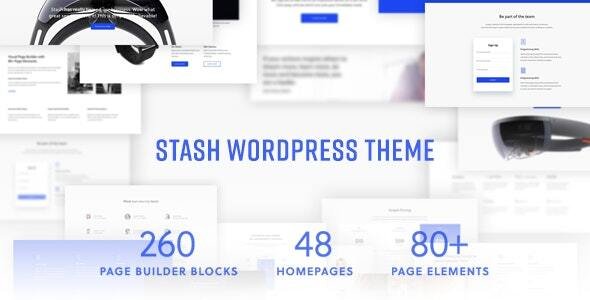
Stuck on your Stash WordPress theme? Let's fix it.
No endless back-and-forth. Just send us the details and we'll get it done.
No obligation · Replies within 1 hour · Quote within 1 day
Setup · Customization · Bug fixes · WooCommerce integration
About Stash WP Theme
Stash is a WordPress theme built by HighGrade, designed primarily for online stores and product-focused websites. It pairs with WooCommerce to deliver a clean, conversion-oriented storefront without requiring a page builder to get something functional up quickly.
The theme is built around a minimal grid layout, fast load times, and product presentation. It supports variable products, filtering, and custom shop archives out of the box. HighGrade has focused on keeping the codebase tight, which helps with performance compared to bloated multipurpose alternatives.
Stash suits small to mid-sized eCommerce businesses that want a professional store without paying for a custom build from scratch. It ships with demo content, multiple header options, and theme panel controls that cover most standard customization needs without touching code.
Get matched with a Stash developer in under one day
Tell us about your Stash project. Small fixes, Stash theme customization, or a full website build, whatever you need, we've got it covered.
We'll connect you to the right Stash developers, define the scope, and get everything 100% clear.
You'll get one estimate, hire your preferred developer, and start collaborating.
Stash is straightforward to set up, but getting it to do exactly what your store needs takes developer knowledge. Whether that’s custom templates, plugin conflicts, checkout customization, or a full child theme build, working with someone who knows WordPress eCommerce properly saves time and avoids mistakes.
Through Codeable, you get matched with vetted WordPress developers who have real experience with themes like Stash. Post your project, get an estimate, and only move forward if you’re happy. No commitment required. Explore our WordPress development services to see what’s possible.
Pros
- Clean minimal design that loads fast without a page builder dependency
- WooCommerce integration is solid out of the box, including variable products and filtering
- Theme panel covers most common customization needs without code
- Compact codebase from HighGrade means fewer performance issues than bloated multipurpose themes
- Demo content makes initial setup quick and gives a clear starting point for store layouts
Cons
- Limited layout variety compared to multipurpose themes, which can restrict non-eCommerce use cases
- Advanced customization requires template overrides and PHP knowledge, not just CSS
- Fewer third-party plugin compatibility guarantees than major commercial themes like Flatsome or Divi
- Update frequency from HighGrade is slower than tier-one theme developers, which can create delays with WooCommerce compatibility
- Documentation is basic, making troubleshooting harder without developer support
Who is Stash for?
Apparel and Fashion Stores
Stash’s grid-first product layout works naturally for clothing and accessories. The clean whitespace lets product photography do the work. Variable product support handles size and color options well, and the minimal header keeps the focus on browsing rather than navigation clutter.
Home Goods and Interior Products
Home goods stores benefit from Stash’s image-heavy layouts. Large product thumbnails and clean category pages suit furniture, decor, and lifestyle products. The theme handles multiple product images and zoom features without extra plugins, which matters when customers need to inspect detail before buying.
Health and Wellness Products
Supplement, skincare, and wellness brands get a professional storefront without an overly clinical feel. Stash’s neutral design adapts well to brand colors and custom typography. The straightforward checkout flow suits customers making repeat purchases, which is common in this category.
Digital Downloads and Software
Digital product sellers can use Stash with WooCommerce’s digital delivery features without needing a complex setup. The theme handles download products cleanly, and the minimal design keeps the page light. Works well for plugins, ebooks, templates, and course-related digital files.
Niche Specialty Retailers
Specialty retailers selling a focused product range get more from Stash than from an overbuilt multipurpose theme. When you have a tight catalog, a clean layout and fast page speed matter more than hundreds of layout options you’ll never use. Stash is sized right for that.

Customizing Stash
Stash gives you a solid starting point, but most store owners end up needing changes that go beyond what the theme panel allows. That might mean custom product layouts, modified checkout flows, unique category page structures, or integrating third-party plugins without breaking the design.
A Stash expert can handle these adjustments cleanly, working directly with the theme’s template files and hooks rather than layering on workarounds. If you need a specific header layout, a custom mega menu, or product page modifications that the default options don’t support, a developer who knows Stash well will get it done faster and more reliably than trial and error.
Custom child themes are also worth doing properly. A Stash developer can build one that preserves your changes through theme updates and keeps your site maintainable long term.
Recommended plugins for Stash
Stash works well with WooCommerce extensions like WooCommerce Subscriptions, Product Bundles, and YITH Wishlist. Adding these can expand what your store does, but they sometimes require template overrides to display correctly within Stash’s layout.
For better site speed, pairing Stash with a caching plugin and an image optimization tool makes a real difference. Check out our WordPress performance services if you want a faster store. If organic search matters to your business, our WordPress SEO services can help you build on what Stash already does well structurally.
Not sure which plugins to use? This WordPress plugins directory covers the most popular options with reviews and setup guides.
Stash common issues
Stash theme product page layout broken after WooCommerce update
WooCommerce updates often change template files, and if Stash’s included templates are outdated, layouts break. Go to WooCommerce > Status > Tools and check for outdated templates. You may need to copy updated WooCommerce templates into your child theme’s woocommerce folder and merge the changes manually. If you don’t have a child theme set up, a developer can resolve this properly. Visit our WordPress bug fixing service for help.
Stash theme cart and checkout not displaying correctly
Cart and checkout display issues in Stash usually come from a plugin conflict or an outdated template override. Disable plugins one by one to isolate the conflict, starting with any checkout or payment plugins. Also check if Stash has its own checkout templates that haven’t been updated to match your current WooCommerce version. Clearing your cache after each change is essential to see accurate results during troubleshooting.
Stash theme header menu not showing on mobile
If the mobile hamburger menu appears but doesn’t open, or the menu doesn’t show at all, check for a JavaScript conflict first. Open your browser console and look for JS errors. A caching plugin serving an old JS file is a common cause. Also verify your menu is assigned to the correct location in Appearance > Menus. If the theme was recently updated, check the changelog for any known mobile navigation changes.
Stash theme custom CSS not applying after update
Custom CSS added through the WordPress Customizer is stored in the database and should survive theme updates. If it’s disappearing, check whether you’re using a child theme or adding CSS directly to the parent. Custom CSS in the parent theme’s stylesheet will be overwritten on update. Move your CSS to Appearance > Customize > Additional CSS or into a properly built child theme to keep it safe through future updates.
Stash FAQ
Yes, Stash is built with WooCommerce as its primary use case. It handles product archives, single product pages, cart, and checkout with a clean layout. Variable products and filtering work without extra configuration. It’s best suited to small to mid-sized stores with a focused product catalog rather than large marketplaces needing heavy customization.
Stash can technically work alongside Elementor, but it’s not built to integrate with page builders the way multipurpose themes are. You may run into styling conflicts, particularly on shop and product pages where Stash has its own template structure. Using Elementor with Stash for standard pages is fine, but modifying WooCommerce templates through it requires care.
To create a child theme for Stash, make a new folder in wp-content/themes/, add a style.css with the correct Template: stash header, and create a functions.php that enqueues the parent stylesheet. Activate the child theme in Appearance > Themes. Any customizations made in the child theme will survive parent theme updates.
Yes, you can migrate an existing WooCommerce store to Stash. Your products, orders, and customer data stay in the database and are unaffected by a theme change. What needs work is rebuilding any custom layouts, widget areas, and page designs to match Stash’s structure. Our WordPress migration service can handle this cleanly with minimal downtime.
HighGrade updates Stash periodically, but the release cadence is slower than major commercial theme providers. It’s worth checking the changelog before updating WooCommerce to confirm template compatibility. If you’re running an active store, having a WordPress maintenance plan in place helps you catch compatibility issues before they affect customers.
Hire a Stash WordPress Developer
Need changes to your Stash store that are beyond the theme options? Whether it’s a layout fix, a WooCommerce customization, or a full child theme build, a developer with hands-on Stash experience will get it right the first time.
Get a free estimate with no obligation. You describe your project, get matched with a vetted developer within 24 hours, and decide if you want to proceed. Completely risk-free.
You'll need a free Codeable account so developers can ask questions and send their quotes.