Hares WordPress Theme
by Wolf-Themes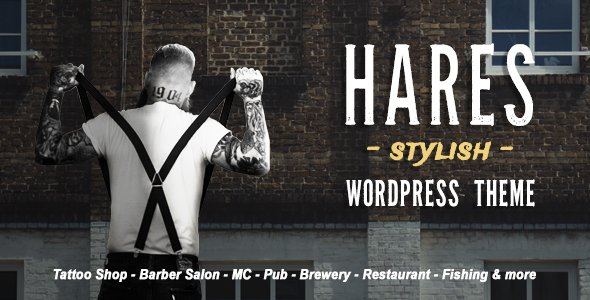
Stuck on your Hares WordPress theme? Let's fix it.
No endless back-and-forth. Just send us the details and we'll get it done.
No obligation · Replies within 1 hour · Quote within 1 day
Setup · Customization · Bug fixes · WooCommerce integration
About Hares WP Theme
Hares is a WordPress theme built by Wolf-Themes, designed primarily for music artists, bands, and creative professionals who need a bold, visually driven online presence. It ships with a range of pre-built demo layouts, a built-in audio player, and tight integration with Wolf-Themes’ own plugin ecosystem.
The theme handles discography pages, event listings, tour dates, and video galleries out of the box. It uses a fullscreen design approach with strong typography and dark-mode-ready aesthetics that suit music and entertainment brands well.
Under the hood, Hares is built on a custom framework from Wolf-Themes rather than a standard page builder, which keeps it lightweight but does require familiarity with their specific admin panel. It supports WooCommerce for merch stores and works with Wolf-Themes plugins like WPAlbum and WPBand.
Get matched with a Hares developer in under one day
Tell us about your Hares project. Small fixes, Hares theme customization, or a full website build, whatever you need, we've got it covered.
We'll connect you to the right Hares developers, define the scope, and get everything 100% clear.
You'll get one estimate, hire your preferred developer, and start collaborating.
Hares is not a generic theme. Its custom framework, proprietary plugins, and music-specific post types mean general WordPress advice often does not apply. Getting it set up correctly, or fixing something that has broken, requires someone who knows the Wolf-Themes ecosystem specifically.
FoxyConcept works through Codeable, a vetted network of WordPress specialists. Every developer on the platform is screened, so you are not hiring a generalist hoping for the best. You get an expert who has worked inside themes like Hares before and knows where the problems tend to hide.
Pros
- Ships with music-specific features built in — discography, tour dates, audio player — without needing third-party plugins
- Clean, fullscreen layouts that suit bands and solo artists visually without heavy customization
- Tight integration with the Wolf-Themes plugin ecosystem keeps everything consistent and reduces compatibility issues
- WooCommerce support is included, so selling merch or tickets works without retrofitting
- Demo content imports are well-structured and close to production-ready for music artist sites
Cons
- Relies heavily on Wolf-Themes' own plugins, which creates dependency and limits flexibility if you want to switch tools
- Not compatible with major page builders like Elementor, which frustrates users expecting drag-and-drop control
- Documentation is limited and community support is smaller than mainstream themes like Divi or Avada
- Template customization requires knowledge of Wolf-Themes' specific file structure, which is not standard WordPress
- Updates can occasionally break compatibility between Hares and its companion plugins, requiring manual fixes
Who is Hares for?
Bands and Music Groups
Hares handles band sites well. You get member profile pages through WPBand, tour date management via WPEvents, and a discography section that actually works like a proper music catalog. For groups releasing albums regularly and touring, this is a practical setup rather than forcing a generic theme to behave like a music site.
Solo Music Artists
Solo artists get a lot of mileage from Hares’ fullscreen hero layouts and audio player integration. The theme is built to keep the focus on the music and the visual brand. A single artist can publish releases, embed streaming links, list upcoming shows, and sell merchandise from one coherent site without stitching together multiple plugins.
Music Labels and Agencies
Labels managing multiple artists can use Hares as a base and extend it with custom post types for roster pages. The Wolf-Themes plugin stack gives enough structure to build out catalog pages and event listings at scale. It takes developer input to set this up properly, but the underlying theme supports the use case without fighting you.
DJs and Electronic Artists
DJs need strong visual presentation, mix or track embeds, and event listings. Hares covers all three. The dark aesthetics and fullscreen video or image headers suit electronic music branding specifically. Booking enquiry forms and social integration round out what a working DJ site typically needs.
Music Bloggers and Reviewers
Music bloggers can use Hares for editorial content, embedding audio and video directly within posts. The theme supports standard blog layouts alongside its music-specific features, so a review site with a personal discography or playlist section is achievable. It is not the most obvious choice for pure blogging, but it works for hybrid music content sites.

Customizing Hares
Hares gives you a customizer panel with controls for colors, fonts, header styles, and layout options. Most visual changes happen through the WordPress Customizer and the Wolf-Themes page builder blocks, rather than a third-party tool like Elementor or Divi.
Demo imports work well and give you a solid starting point. However, getting beyond the defaults, like custom post type layouts, advanced CSS tweaks, or integrating external plugins, typically requires developer knowledge. A Hares expert understands how Wolf-Themes structures its template files and hooks, which saves significant time over trial and error.
If you need a layout that deviates from the included demos, or you want to modify the discography or event templates specifically, working with someone who knows Hares well is the practical route.
Recommended plugins for Hares
Hares is built to work alongside the broader Wolf-Themes plugin suite. Key add-ons include WPAlbum for discographies, WPBand for band member profiles, WPEvents for tour date management, and WPVideos for video galleries. Each integrates directly with Hares’ template system.
For merch or ticket sales, WooCommerce support is built in. If you need better search visibility for your artist pages or events, pairing Hares with a solid WordPress SEO setup is worth doing early. For faster load times on media-heavy pages, a proper WordPress performance configuration makes a real difference.
Not sure which plugins to use? This WordPress plugins directory covers the most popular options with reviews and setup guides.
Hares common issues
Hares theme audio player not working
Audio player failures in Hares are usually caused by a JavaScript conflict with another plugin, a missing or outdated WPAlbum plugin version, or a caching layer serving stale assets. Start by deactivating other plugins one at a time to isolate a conflict. Check that WPAlbum matches the Hares version. Clear all caches including any CDN cache. If the issue persists, check the browser console for specific JS errors pointing to the source. Our WordPress bug fixing service can resolve this quickly.
Hares WordPress theme not loading after update
Post-update failures in Hares typically come from a mismatch between the theme version and one of the Wolf-Themes plugins it depends on. A white screen or broken layout usually means a PHP error is being thrown. Enable WordPress debug mode to read the error log. Roll back to the previous theme version using a backup while you investigate. Check the Wolf-Themes changelog to confirm which plugin versions match the theme version you updated to. If you need help recovering the site, see our WordPress maintenance service.
Hares theme WooCommerce shop page layout broken
WooCommerce layout breaks in Hares usually happen when WooCommerce updates its template files and the theme’s overrides become outdated. Navigate to WooCommerce status and check for outdated template notices. You will need to update the Hares WooCommerce template files manually to match the current WooCommerce versions. This requires editing theme files directly. If you are not comfortable doing this, it is a straightforward fix for a developer familiar with both Hares and WooCommerce template structure.
Hares demo import not working or incomplete
Incomplete demo imports in Hares are most often caused by PHP memory limits, upload file size limits, or a request timeout during the import process. Increase max_execution_time, memory_limit, and upload_max_filesize in your PHP configuration. Try running the import again. If specific content like menus or widgets is missing after import, these often need to be assigned manually in Appearance settings. The Wolf-Themes documentation covers manual assignment steps if the automated import leaves gaps.
Hares FAQ
Hares is built specifically for music and entertainment. You can technically use it for other creative industries like photography or film, but its post types, plugin dependencies, and default layouts are all music-oriented. Using it for a business site, blog, or ecommerce store outside the creative space means working against the theme’s structure rather than with it. A different theme would be a better starting point for unrelated niches.
Hares does not integrate with Elementor or similar page builders. It uses Wolf-Themes’ own block system and the WordPress Customizer for layout and content control. Users who rely on Elementor workflows will find Hares restrictive. If Elementor is a firm requirement, a different theme is the practical choice. Forcing Elementor onto Hares creates conflicts and unpredictable results.
Hares works as a standalone theme for basic WordPress functionality, but most of its value comes from the Wolf-Themes plugins like WPAlbum, WPBand, and WPEvents. Without them, you lose the discography system, band profiles, and tour date management that make Hares worth using. The theme and its plugins are designed as a package, so running them separately defeats the purpose.
Migrating to Hares from another theme involves importing your content, rebuilding your page layouts in the Wolf-Themes system, and setting up the companion plugins for music-specific content. It is not a simple theme swap. Custom post types, menus, and widget areas all need reconfiguring. A proper WordPress migration handled by a developer familiar with Hares avoids losing content or breaking the setup mid-process.
Wolf-Themes continues to release updates for Hares, though the update cadence is slower than larger theme shops. The theme is still actively supported as of recent records. Before purchasing or building on it, check the Wolf-Themes changelog for the last update date. Active maintenance is important given how tightly Hares depends on companion plugins that also need to stay in sync.
Hire a Hares WordPress Developer
Whether you need a fresh Hares setup, customizations beyond the defaults, plugin integration, or something that has stopped working, a dedicated developer gets it done cleanly. No patched workarounds, no guesswork.
FoxyConcept delivers WordPress work through Codeable. Post your project, get matched with a Hares-experienced developer, and receive a free estimate with no obligation to proceed. Get your free estimate today and see exactly what it will take to get your site where it needs to be.
You'll need a free Codeable account so developers can ask questions and send their quotes.