Industroz WordPress Theme
by GridValley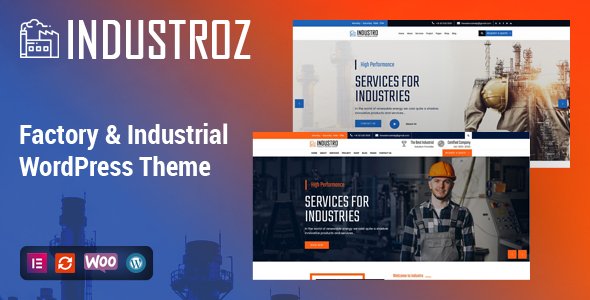
Stuck on your Industroz WordPress theme? Let's fix it.
No endless back-and-forth. Just send us the details and we'll get it done.
No obligation · Replies within 1 hour · Quote within 1 day
Setup · Customization · Bug fixes · WooCommerce integration
About Industroz WP Theme
Industroz is a WordPress theme built by GridValley, aimed at industrial, manufacturing, and construction businesses. It comes with a block-based layout system, pre-built page templates, and a visual customizer that covers most design decisions without touching code.
The theme ships with sections for services, project portfolios, team members, and client testimonials. It supports WooCommerce for businesses that sell parts, tools, or products online. Google Fonts integration, custom header layouts, and widget-ready sidebars give you enough flexibility to match a specific brand identity.
Performance is reasonable out of the box, though like most multi-purpose themes, it can accumulate page weight if every bundled feature gets activated. For standard industrial service sites with modest traffic, Industroz covers the basics well without requiring a custom build from scratch.
Get matched with a Industroz developer in under one day
Tell us about your Industroz project. Small fixes, Industroz theme customization, or a full website build, whatever you need, we've got it covered.
We'll connect you to the right Industroz developers, define the scope, and get everything 100% clear.
You'll get one estimate, hire your preferred developer, and start collaborating.
Industroz gives you a solid starting point, but most business sites need work beyond default settings. Connecting with a vetted developer through Codeable means you get someone who has worked inside themes like this before and can move fast without breaking things.
Whether you need a homepage rebuilt, a custom quote form wired up, or WooCommerce configured properly, an experienced developer handles it cleanly. Check out our WordPress development services to see what that looks like in practice.
Pros
- Pre-built templates cover industrial, construction, and manufacturing niches without needing to start from scratch
- WooCommerce support is baked in, making product or parts catalogues easy to set up
- Customizer-driven design means most visual changes don't require code
- Clean service and portfolio sections suit project-based businesses well
- Compatible with major page builders including Elementor for more complex layouts
Cons
- Theme documentation has gaps, especially around advanced customisation and hook usage
- Default page load weight is higher than lightweight themes due to bundled assets
- Mobile responsiveness on some inner templates needs manual CSS adjustments
- Limited update frequency from GridValley compared to larger theme marketplaces
- Shortcode-heavy layouts create dependency on the theme, making future migrations harder
Who is Industroz for?
Manufacturing Companies
Industroz was built with manufacturing in mind. The service grids, project showcase sections, and company stats counters map directly onto how manufacturers present capabilities to buyers and partners. Adding a WooCommerce catalogue for spare parts or consumables works without any theme conflict.
Construction and Contracting Firms
Construction businesses need a site that communicates scale and reliability fast. Industroz handles this with full-width project galleries, team sections, and testimonial blocks. A developer can extend this with custom project filter taxonomy so visitors can sort work by type or location.
Industrial Equipment Suppliers
Equipment suppliers benefit from Industroz’s WooCommerce compatibility and the ability to display technical specs in structured layouts. Product pages can be customised to show datasheets, certifications, and bulk enquiry forms without plugins fighting each other.
Engineering Consultancies
Engineering consultancies need a professional, information-dense site without looking corporate and generic. Industroz’s service cards, case study layouts, and team bios give consultancies the structure to communicate expertise clearly. Custom fields can be added for project metrics and sector experience.
Logistics and Warehousing Businesses
Logistics companies need straightforward sites that explain services, coverage areas, and how to get a quote. Industroz’s homepage sections can be reorganised to lead with a contact CTA, and custom forms can route quote requests to the right team automatically with a small amount of developer input.

Customizing Industroz
Most Industroz settings live inside the WordPress Customizer. You can switch color schemes, update typography, rearrange header layouts, and toggle sections on or off without writing any CSS. The theme also includes shortcodes and widget areas that let non-technical users build out pages quickly.
That said, deeper changes, like restructuring the homepage template, adding custom post types, or integrating a third-party CRM, require developer involvement. An Industroz expert can go further: modifying the theme’s PHP templates, creating child theme overrides, or building custom Elementor sections that match your exact layout requirements.
If you need functionality beyond what the Customizer exposes, working with someone who knows the theme’s structure saves a lot of trial and error. GridValley’s documentation helps, but it has gaps that only hands-on experience fills.
Recommended plugins for Industroz
Industroz works well with several popular plugins. Contact Form 7 and WPForms both integrate cleanly for lead capture. WooCommerce support is built in, so adding a product catalogue or quote request shop is straightforward.
For SEO, a plugin like Rank Math or Yoast pairs well with the theme’s clean markup. If site speed becomes an issue after adding plugins and images, dedicated WordPress performance optimisation can bring load times back down. For content-heavy industrial sites, pairing Industroz with a solid WordPress SEO strategy helps organic visibility in competitive local markets.
Not sure which plugins to use? This WordPress plugins directory covers the most popular options with reviews and setup guides.
Industroz common issues
Industroz homepage not showing after theme activation
This usually happens because the theme requires a static front page to be set manually. Go to Settings > Reading and set Your homepage displays to A static page, then assign the page you imported or created. If you used the one-click demo importer, check that the import completed without errors. Incomplete imports often leave the homepage template unassigned. If the problem persists, a WordPress bug fixing service can diagnose it quickly.
Industroz slider not working or displaying blank
A blank or broken slider in Industroz is typically caused by a JavaScript conflict with another active plugin. Start by deactivating plugins one at a time to isolate the conflict. Also check that your slider images meet the minimum recommended dimensions in the theme documentation. If you’re using a caching plugin, clear the cache after making changes. Browser console errors will tell you exactly which script is conflicting if you’re comfortable reading them.
Industroz theme styles broken after WordPress update
After a WordPress core update, theme styles sometimes break if the theme hasn’t been updated to match. First, check whether GridValley has released a theme update and apply it. If you’ve made direct edits to theme files rather than using a child theme, those changes may have been overwritten. Going forward, always use a child theme for customisations. If the damage is significant, WordPress bug fixing support can restore the site properly.
Industroz contact form not sending emails
Contact form email failures in WordPress are almost always a mail delivery issue rather than a theme bug. WordPress’s default mail function gets blocked by most hosting providers. Install an SMTP plugin like WP Mail SMTP and connect it to a transactional mail service such as Mailgun or SendGrid. Once configured, test the form again. Also check spam folders before assuming emails aren’t sending at all.
Industroz FAQ
Yes, Industroz works with Elementor. You can use Elementor’s drag-and-drop editor to build or modify page layouts while keeping the theme’s header, footer, and global styles intact. For more complex builds, a developer can combine Elementor with custom PHP templates to get results that the visual editor alone can’t achieve.
Industroz is available as a premium theme through GridValley. There is no fully functional free version. Some theme directories list lite or demo variants, but these are typically stripped down and not suitable for production sites. If budget is a constraint, a developer can assess whether Industroz fits your needs or suggest alternatives with similar functionality.
After activating the theme, look for a notification in your WordPress dashboard offering to install required plugins. Once those are active, navigate to the theme options panel where GridValley provides a one-click demo importer. Run the import, then assign the imported homepage under Settings > Reading. Allow a few minutes for images and content to fully load.
Yes. Industroz includes WooCommerce support, so shop pages, product archives, and cart and checkout pages inherit the theme’s styling. You may need some CSS tweaks for a polished result, particularly on product single pages. If you’re building a larger catalogue or need custom product fields, a developer can extend WooCommerce within the theme cleanly.
GridValley does release updates, but the frequency is slower compared to themes sold through larger marketplaces like ThemeForest. Check the theme’s changelog before purchasing if ongoing compatibility with the latest WordPress versions is a priority. If you’re already using it and concerned about maintenance, a WordPress maintenance plan can keep everything running safely.
Hire an Industroz Developer
Need something specific done with Industroz? Whether it’s a layout change, a broken feature, or a full site build, a vetted developer can handle it. You post your project, get matched within 24 hours, and receive a free estimate with no obligation to proceed.
Get a free estimate and see exactly what your project will take before committing to anything.
You'll need a free Codeable account so developers can ask questions and send their quotes.