Artcore WordPress Theme
by Esmet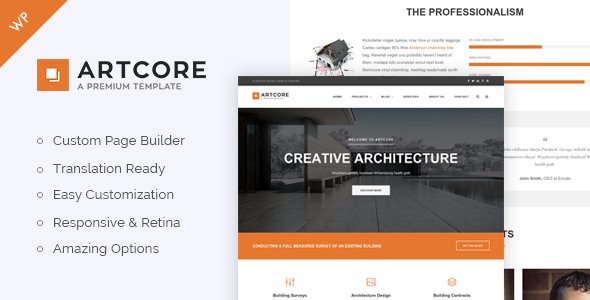
Stuck on your Artcore WordPress theme? Let's fix it.
No endless back-and-forth. Just send us the details and we'll get it done.
No obligation · Replies within 1 hour · Quote within 1 day
Setup · Customization · Bug fixes · WooCommerce integration
About Artcore WP Theme
Artcore is a WordPress theme built by Esmet, designed for creative professionals who want a clean, portfolio-focused layout without the bloat of multi-purpose themes. It suits artists, photographers, illustrators, and designers who need their work front and centre.
The theme ships with a minimal aesthetic, smooth page transitions, and a grid-based portfolio system. It works well with Elementor and supports custom post types for project entries. The codebase is relatively lightweight, which keeps load times manageable out of the box.
Artcore targets a specific audience and does that job well. It is not trying to be everything for everyone. If you run a creative studio or freelance practice and want a theme that lets the visuals do the talking, Artcore is a solid starting point worth evaluating.
Get matched with a Artcore developer in under one day
Tell us about your Artcore project. Small fixes, Artcore theme customization, or a full website build, whatever you need, we've got it covered.
We'll connect you to the right Artcore developers, define the scope, and get everything 100% clear.
You'll get one estimate, hire your preferred developer, and start collaborating.
Most Artcore issues come down to customisation that goes beyond what sliders and colour pickers can handle. Template overrides, custom query modifications, and third-party plugin conflicts all require someone who understands how WordPress themes are actually built.
FoxyConcept works through Codeable, a vetted network where every developer has passed a technical screening. You get a qualified WordPress developer, not a freelancer you found on a job board. Fixed estimates, no hidden costs, and a 100% money-back guarantee if the work is not completed.
Pros
- Lightweight codebase keeps initial load times faster than most multi-purpose themes
- Portfolio CPT with multiple grid display modes built in from the start
- Clean, minimal design that suits visual-led creative work without distraction
- Smooth CSS page transitions that work without requiring additional plugins
- Elementor compatibility gives non-developers reasonable control over page layouts
Cons
- Limited documentation makes self-service customisation harder than it should be
- Fewer built-in demo templates compared to larger commercial themes
- Update frequency from Esmet has been inconsistent, raising long-term support concerns
- WooCommerce styling requires manual CSS work to match the theme aesthetic properly
- Not suitable for content-heavy or news-style sites, the theme is narrowly focused
Who is Artcore for?
Freelance Illustrators
Artcore gives illustrators a clean grid to display project work without the homepage clutter that larger themes add. The masonry layout handles portrait and landscape work without awkward cropping. Adding a contact page and a simple services section rounds out what most freelance illustrators actually need from a website.
Photography Studios
Photography portfolios benefit from Artcore’s fullscreen display mode and minimal UI chrome. Images take up maximum screen space without sidebars or competing elements pulling attention. The theme handles large image files well when paired with a CDN and proper lazy loading, keeping gallery pages fast for potential clients browsing on mobile.
Graphic Design Agencies
Design agencies with a small team can use Artcore’s project CPT to organise work by category, client, or discipline. The grid layout scales to larger portfolios without becoming disorganised. Adding WooCommerce for selling design assets or templates is a straightforward extension that does not require major theme modifications to function correctly.
Fine Art Galleries
Galleries and exhibition spaces suit the Artcore aesthetic well. The theme’s whitespace-heavy design mirrors the neutral wall approach of physical gallery spaces. Building an exhibition archive using the portfolio CPT, with filterable categories for different artists or periods, gives visitors a structured way to browse work without a complicated navigation structure.
Motion and Video Creatives
Video and motion designers can embed Vimeo or YouTube content directly into Artcore project entries. The fullscreen template works for showreel-style presentations. With a small amount of custom development, autoplay background video on the homepage is achievable and consistent with the aesthetic the theme already establishes for other creative disciplines.

Customizing Artcore
Artcore can be customised through the WordPress Customizer, where you control typography, colour palettes, header layout, and footer structure. Portfolio grid settings let you switch between masonry, fixed grid, and fullscreen modes depending on how you want to present your work.
Custom CSS is supported, and the theme plays reasonably well with Elementor for page-level edits. That said, pushing beyond the built-in options takes real theme knowledge. Modifying templates, adjusting the portfolio CPT output, or building out a custom project detail layout is where things get technical fast.
Hiring an Artcore expert means you are not guessing at PHP template files or fighting specificity wars in CSS. A developer who knows the theme structure can implement changes cleanly, without breaking future updates or creating maintenance headaches down the line.
Recommended plugins for Artcore
Artcore pairs with WooCommerce if you want to sell prints, digital downloads, or services directly from your portfolio site. Contact Form 7 and WPForms both integrate without conflict. WPML support makes the theme usable for multilingual creative agencies.
For SEO, the theme outputs clean markup that works well with Yoast or Rank Math. Speed optimisation through caching plugins and image compression tools like Imagify works cleanly with the theme structure. See our WordPress performance service and WordPress SEO service if you want to go further with those areas.
Not sure which plugins to use? This WordPress plugins directory covers the most popular options with reviews and setup guides.
Artcore common issues
Artcore portfolio grid not displaying correctly after update
Grid display issues after an Artcore update usually trace back to a JavaScript conflict or a cached version of the old stylesheet overriding new CSS. Start by clearing all caches and checking the browser console for JS errors. If you use a child theme, compare your modified template files against the updated parent theme files to find structural changes that need to be reflected. See our WordPress bug fixing service if the issue persists.
Artcore theme page transitions broken with caching plugin
Artcore’s page transitions rely on JavaScript that intercepts link clicks before the browser navigates. Aggressive caching plugins that minify or concatenate JS files often break this by altering script load order or removing inline event listeners. Exclude the theme’s transition scripts from minification in your caching plugin settings. WP Rocket, W3 Total Cache, and LiteSpeed Cache all have per-script exclusion options in their JavaScript settings panels.
Artcore custom fonts not loading on mobile devices
Custom font loading failures on mobile are usually caused by incorrect font file paths after a site migration, or a Content Security Policy header blocking external font requests. Check the browser network tab on a mobile emulator to see whether the font files are returning a 404 or being blocked. If you moved the site recently, verify the font paths in your stylesheet match the new domain. Our bug fixing service covers these types of environment-specific issues.
Artcore WooCommerce product pages not matching theme style
WooCommerce generates its own template files that Artcore does not fully override by default. Product pages, cart, and checkout will inherit basic theme styles but rarely match precisely. The fix is to copy WooCommerce template files into a woocommerce folder in your child theme and apply custom CSS targeting WooCommerce classes. This is a known pattern but requires careful implementation to avoid breaking WooCommerce functionality during future updates.
Artcore FAQ
Yes, Artcore is compatible with Elementor for standard page editing. You can build custom page layouts using Elementor’s drag-and-drop interface. However, the portfolio CPT and archive templates are handled by Artcore’s own template files and are not editable inside Elementor without additional configuration. For deep customisation of portfolio templates, direct theme file editing or a developer is usually required.
Artcore supports WooCommerce, and basic shop functionality works without major issues. Product archive and single product pages will render using WooCommerce’s default templates styled with Artcore’s base CSS. The result is functional but not perfectly matched to the theme’s portfolio aesthetic. Getting a consistent visual experience across the shop requires template overrides and targeted CSS work in a child theme.
Artcore includes basic portfolio filtering by category out of the box. Adding custom taxonomy filters beyond the default setup requires modifying the portfolio archive template and enqueueing filter JavaScript, typically using Isotope or MixItUp. This is achievable but involves editing PHP template files. Working in a child theme is essential to avoid losing changes when the theme updates.
Migrating an Artcore site to a new host involves moving the database and files, then updating the site URL in WordPress settings. The theme design itself is stored in the database and theme files, so it travels with the migration. URL serialisation issues in the database are the most common problem after a domain change. Our WordPress migration service handles this process cleanly.
Update activity from Esmet has been sporadic. The theme is available and functional, but users should check the changelog for the current version before purchasing or building a long-term project on it. For active sites, pairing Artcore with a WordPress maintenance plan is sensible practice to catch any compatibility issues with WordPress core updates before they affect a live site.
Hire an Artcore WordPress Developer
If you need changes to your Artcore site that go beyond basic Customizer options, working with a specialist saves time and prevents costly mistakes. Whether it is a layout adjustment, a plugin conflict, or a full site build on the Artcore theme, FoxyConcept can help.
Post your project and get a free estimate within 24 hours. No obligation to hire, no upfront payment. Get your free estimate here and describe what you need in plain language.
You'll need a free Codeable account so developers can ask questions and send their quotes.