Deon WordPress Theme
by Edge-Themes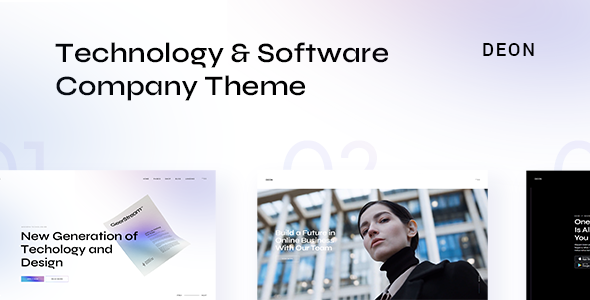
Stuck on your Deon WordPress theme? Let's fix it.
No endless back-and-forth. Just send us the details and we'll get it done.
No obligation · Replies within 1 hour · Quote within 1 day
Setup · Customization · Bug fixes · WooCommerce integration
About Deon WP Theme
Deon is a multipurpose WordPress theme built by Edge-Themes, the same studio behind popular themes like Eldritch and Roneous. It ships with the WPBakery Page Builder and a solid selection of pre-built demo sites, covering portfolios, agencies, and business layouts.
The theme leans heavily on visual presentation. Full-width sections, parallax backgrounds, and animated content blocks are all built in. Edge-Themes includes their custom Edge Core plugin, which adds shortcodes, widgets, and post types that extend the base WordPress functionality without requiring third-party plugins for common tasks.
Deon works well for creative professionals and small agencies who need a polished site without writing code. That said, the theme’s reliance on WPBakery and the Edge Core plugin creates some dependency issues worth understanding before you commit.
Get matched with a Deon developer in under one day
Tell us about your Deon project. Small fixes, Deon theme customization, or a full website build, whatever you need, we've got it covered.
We'll connect you to the right Deon developers, define the scope, and get everything 100% clear.
You'll get one estimate, hire your preferred developer, and start collaborating.
Edge-Themes themes have a specific structure that generic WordPress developers don’t always know well. A developer who has worked with Deon and the Edge Core plugin can move faster, avoid conflicts, and give you accurate estimates. Through Codeable, you get matched with vetted WordPress developers who have relevant theme experience. No job boards, no guessing. You post your project, get an estimate within 24 hours, and only pay if you decide to move forward.
Pros
- Ships with multiple pre-built demos covering portfolios, agencies, and business niches
- WPBakery included in the theme price, no separate purchase needed
- Edge Core plugin adds useful shortcodes and custom post types out of the box
- Strong typography controls with Google Fonts integration in the admin panel
- WooCommerce compatible with styled product and shop page templates
Cons
- Heavy reliance on Edge Core plugin makes switching themes or builders later difficult
- WPBakery shortcode output creates page bloat that needs extra optimization work
- Demo import process can fail or produce incomplete results on some hosting environments
- Limited Gutenberg support, the theme is built around WPBakery as the primary editor
- Documentation is adequate but lacks depth for advanced customization scenarios
Who is Deon for?
Creative Agency
Deon’s agency demos include multi-column service layouts, team member sections, and client logo blocks. These are practical for a small creative team that wants a professional site without a custom build. The header and footer options give enough flexibility to match agency branding without writing CSS from scratch.
Freelance Portfolio
Freelancers doing design, development, or copywriting work will find the portfolio post type and filterable grid useful. Deon’s full-width project pages give individual work a strong visual context. Pair it with a clean single-page demo and you have a solid portfolio site that’s straightforward to maintain.
Photography Studio
The theme supports full-screen image headers and gallery-style portfolio grids that suit photography presentation well. You can configure project pages to show large images with minimal distraction. For photographers selling prints or booking sessions, the WooCommerce integration covers basic shop and service page needs.
Small Business Website
Small businesses that need a homepage, service pages, an about section, and a contact form can set up quickly using Deon’s business demo templates. The Edge Options panel handles most layout decisions without requiring a developer. It’s a practical choice when budget is limited but a clean, structured site is still the goal.
Online Store
Deon’s WooCommerce templates are styled to match the overall theme design, so shop pages don’t look out of place. Basic store setups work well. For more complex needs like custom product layouts or checkout flow changes, a developer familiar with both WooCommerce and the Edge-Themes structure will get better results faster.

Customizing Deon
Deon comes with a detailed admin panel that controls typography, colors, header styles, and layout options globally. Most visual changes can be made without touching code, which suits non-technical users well.
For more specific work like custom post layouts, header modifications, or integrating third-party tools, you need to go deeper. A Deon expert can build child theme customizations that survive updates, add custom CSS without breaking WPBakery output, and configure the Edge Options panel correctly for your site structure.
Edge-Themes themes have their own naming conventions and file structure, which differs from standard WordPress themes. If you’re planning serious modifications, working with someone who knows the Edge-Themes codebase specifically will save you a lot of time and avoid common mistakes.
Recommended plugins for Deon
Deon integrates with WooCommerce for shop pages and supports WPBakery add-ons to expand the block library. The theme also works with Yoast SEO and Rank Math, though you may need a developer to check that schema output isn’t conflicting with Edge Core markup. For speed, caching plugins like WP Rocket work with Deon, but WPBakery’s inline styles can slow load times without proper optimization. Learn more about WordPress performance improvements or WordPress SEO setup if you need help configuring either alongside Deon.
Not sure which plugins to use? This WordPress plugins directory covers the most popular options with reviews and setup guides.
Deon common issues
Deon theme demo import not working
Demo import failures in Deon are usually caused by server timeout limits or insufficient PHP memory. Increase max_execution_time and memory_limit in your php.ini or wp-config.php before retrying. If the import still fails mid-way, try importing content, widgets, and settings separately using the manual import options in the Edge-Themes panel. Some hosting environments block the required XML file size by default.
Deon WordPress theme slow loading speed
Deon’s speed problems generally come from WPBakery’s inline CSS and JavaScript loading on every page regardless of usage. Start by enabling asset concatenation in WPBakery settings. Then configure a caching plugin like WP Rocket to handle CSS and JS minification. Avoid loading all Google Fonts weights globally since the Edge Options panel loads them site-wide by default. Audit which fonts and weights are actually used. Learn more at our WordPress performance service.
Edge Core plugin conflict with Deon theme
Most Edge Core conflicts appear after a WordPress core update or when another plugin registers the same shortcode names. Deactivate plugins one at a time to isolate the conflict. Check the browser console for JavaScript errors first since many Edge Core features depend on custom scripts. If the conflict is between Edge Core and a page builder add-on, you may need a developer to resolve the hook priority or dequeue conflicting scripts.
Deon theme header not displaying correctly
Header display issues in Deon are often caused by a child theme CSS override, a caching plugin serving stale styles, or incorrect settings in the Edge Options header section. Clear all caches first. Check that your header type in Edge Options matches the layout you’re trying to use. If you’re using a sticky or transparent header, verify that the per-page header settings aren’t overriding global ones. If issues persist, our bug fixing service can diagnose it quickly.
Deon FAQ
Edge-Themes has kept Deon updated through recent WordPress versions. As of the latest release, it runs on WordPress 6.x without major issues. That said, always test updates on a staging site first, especially if you have heavy WPBakery customizations. The Edge Core plugin version needs to stay in sync with the theme version to avoid shortcode rendering problems after updates.
Technically yes, but practically it’s difficult. Deon’s demo content and many of its layout features are built around WPBakery shortcodes. Removing WPBakery leaves raw shortcode text visible in your content. If you want to move to a different builder, existing page content needs to be rebuilt. A developer can handle that migration cleanly, but it’s not a simple toggle.
Always use a child theme for any custom CSS or template file changes. Updates to the parent Deon theme won’t overwrite child theme files. Settings saved in the Edge Options panel are stored in the database, so they persist through theme file updates. Before updating, back up your site fully. If you’re not using a child theme currently, set one up before your next update.
Deon is not built for Elementor. The theme’s shortcodes, widgets, and demo layouts are all designed around WPBakery. You can technically install Elementor and use it for new pages, but you won’t get Deon-specific design elements or templates inside Elementor. Mixing both builders on one site also creates performance and style conflicts that are frustrating to manage.
Deon produces clean enough HTML for basic SEO but has some issues worth addressing. WPBakery wraps content in extra div layers that can dilute heading hierarchy. The theme loads several scripts globally that aren’t always needed. Pairing Deon with Yoast or Rank Math handles meta and schema. For deeper technical SEO work, see our WordPress SEO service.
Hire a Deon WordPress Expert
Whether you need a full Deon setup, custom layout work, or fixes to an existing site, working with a specialist makes the difference. Our developers know the Edge-Themes codebase and can handle everything from demo imports to complex customizations. Get a free estimate with no obligation. You’ll hear back within 24 hours and only move forward if it’s the right fit.
You'll need a free Codeable account so developers can ask questions and send their quotes.