Buildbench WordPress Theme
by trippleS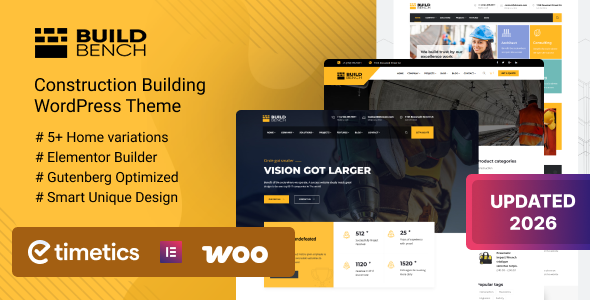
Stuck on your Buildbench WordPress theme? Let's fix it.
No endless back-and-forth. Just send us the details and we'll get it done.
No obligation · Replies within 1 hour · Quote within 1 day
Setup · Customization · Bug fixes · WooCommerce integration
About Buildbench WP Theme
Buildbench is a WordPress theme built by trippleS, designed specifically for construction companies, contractors, and building trade businesses. It ships with a clean, project-focused layout that puts your work front and center without unnecessary clutter.
The theme includes pre-built page templates for services, project portfolios, team profiles, and contact pages. It works with Elementor, making visual editing straightforward for non-developers. Built-in support for project galleries, testimonials, and call-to-action sections means most construction sites can go live without heavy customization.
Performance is reasonable out of the box, and the theme follows standard WordPress coding practices. It suits small to mid-size contractors who need a professional online presence quickly without hiring a full agency.
Get matched with a Buildbench developer in under one day
Tell us about your Buildbench project. Small fixes, Buildbench theme customization, or a full website build, whatever you need, we've got it covered.
We'll connect you to the right Buildbench developers, define the scope, and get everything 100% clear.
You'll get one estimate, hire your preferred developer, and start collaborating.
Buildbench handles the visual side well, but getting a construction site to actually generate leads takes more than a good-looking theme. FoxyConcept works with vetted WordPress specialists through Codeable, matching you with developers who know Buildbench’s structure and the construction industry’s specific needs. Whether it’s a custom project portfolio, a quote calculator, or speed and SEO work, you get a developer who has done it before, not someone learning on your project.
Pros
- Purpose-built for construction and trades, so the default layouts actually fit the industry
- Elementor compatibility makes page editing accessible without touching code
- Includes custom post types for projects and team members out of the box
- Clean, professional design that works well on mobile without heavy configuration
- Reasonable default performance without requiring aggressive optimization from day one
Cons
- Limited to construction and trade niches, making it a poor fit for any other industry
- Advanced customization beyond the Customizer settings requires Elementor or PHP knowledge
- Smaller developer community compared to themes like Astra or Divi, so finding help can take longer
- No built-in estimating or quoting tool, which is a common need for contractors
- Plugin compatibility with lesser-known WordPress plugins is not always tested or documented
Who is Buildbench for?
General Contractors
Buildbench’s project portfolio templates are a natural fit for general contractors who need to showcase completed builds. The layout supports before/after galleries, project descriptions, and client testimonials. Combined with a contact form and clear service area pages, it gives contractors a professional site that actually drives enquiries.
Renovation and Remodeling Companies
Renovation companies benefit from Buildbench’s gallery-heavy layouts and clean service pages. Custom project categories can separate kitchen, bathroom, and whole-home projects so visitors find relevant work quickly. Adding a quote request form with Gravity Forms turns the site into a lead generation tool rather than just a brochure.
Electrical and Plumbing Trades
Electricians and plumbers need simple, fast-loading sites that rank locally. Buildbench’s clean structure supports local SEO work well, and its service page templates make it easy to list specific trade services. Pairing it with proper schema markup and Google Business integration helps smaller trade businesses compete in local search.
Architectural and Design Firms
Architecture and design firms need a portfolio that communicates quality. Buildbench’s project pages support high-resolution imagery and detailed case study layouts. With some customization, firms can organize work by project type, scale, or location, and integrate PDF downloads for brochures or planning documents.
Landscaping and Outdoor Construction
Landscaping businesses can use Buildbench’s project gallery and service templates to display seasonal work, garden designs, and hardscaping projects. The theme’s mobile layout works well for image-heavy content, and service area pages can be built out to target multiple local towns or postcodes effectively.

Customizing Buildbench
Buildbench gives you a solid starting point, but most businesses need adjustments to match their brand, service area, or project types. Changing color schemes, typography, and header layouts is handled through the WordPress Customizer, though deeper structural changes require either Elementor skills or PHP knowledge.
Custom post types for projects and team members are included, but extending them, adding filters, or integrating third-party estimating tools takes developer work. A Buildbench expert can set up custom project category pages, add quote request forms, configure local SEO schema for contractors, and wire up CRM integrations without breaking the theme’s structure.
If you want Buildbench to do more than the defaults allow, working with a specialist saves hours of trial and error.
Recommended plugins for Buildbench
Buildbench pairs well with several plugins that extend its core functionality. WooCommerce can be added for selling materials or taking deposits. Contact Form 7 or Gravity Forms handles quote requests and lead capture. WPML works if you need multilingual project pages.
For site speed, image optimization and caching plugins are worth adding early. See our WordPress performance services for help with that. If you’re targeting local search traffic, combining Buildbench with proper schema markup and on-page optimization is important. We cover that through our WordPress SEO service.
Not sure which plugins to use? This WordPress plugins directory covers the most popular options with reviews and setup guides.
Buildbench common issues
Buildbench theme project images not displaying correctly
Image display problems in Buildbench are usually caused by incorrect image sizes or a conflict with an image optimization plugin. Check that your images meet the theme’s recommended dimensions for project thumbnails. If you recently changed hosting or moved the site, regenerating thumbnails using a plugin like Regenerate Thumbnails often fixes missing or stretched images. Persistent layout breaks usually point to a CSS conflict with Elementor or a third-party plugin. Our WordPress bug fixing service can track down the exact cause.
Buildbench custom post type not showing on front end
If Buildbench’s project or team custom post types aren’t appearing on the front end, the first thing to check is permalink settings. Go to Settings > Permalinks and save without changing anything, which forces WordPress to flush rewrite rules. If the issue persists, a plugin conflict or incomplete theme activation is likely. Deactivate plugins one at a time to isolate the cause. If none of that works, the theme may not have been installed cleanly. Need a faster fix? See our WordPress bug fixing service.
Buildbench theme slow loading after adding plugins
Buildbench is reasonably lean by default, but adding multiple plugins, especially page builders, sliders, or form plugins, can push load times up significantly. Start by running a speed test with GTmetrix or PageSpeed Insights to identify the biggest offenders. Enabling server-side caching, deferring non-critical scripts, and optimizing images are the first steps. If you’re loading Elementor widgets that aren’t being used, disabling them in Elementor’s settings helps too. For a full performance audit and fix, check our WordPress performance service.
Buildbench contact form not sending emails
Contact form email failures in Buildbench are almost always a hosting issue, not a theme issue. WordPress’s default mail function relies on the server’s PHP mail setup, which many shared hosts block or restrict. Install an SMTP plugin like WP Mail SMTP and connect it to a transactional email service such as Mailgun, SendGrid, or even Gmail SMTP. Test using the plugin’s built-in diagnostic tool after setup. If forms are submitting but nothing arrives, check spam folders and email logs before assuming the form is broken. Our bug fixing service covers this quickly.
Buildbench FAQ
Yes. Buildbench is well suited to small and mid-size construction businesses. It includes the templates most contractors need: service pages, project portfolios, team profiles, and contact forms. You don’t need heavy customization to launch a functional site. That said, if you want to rank locally and generate consistent leads, pairing the theme with proper SEO and a well-structured contact strategy makes a real difference.
Yes, Buildbench supports Elementor. Most of its page layouts can be edited using Elementor’s visual builder, which makes it straightforward to adjust sections, add new content blocks, or restructure pages without writing code. Some parts of the theme, like the header and footer, may require the Elementor Pro version or direct theme file edits depending on how deep the customization goes.
Not out of the box. Buildbench doesn’t ship with a quoting or estimating tool, but you can add one using plugins like Calculated Fields Form or Gravity Forms with conditional logic. These allow you to build project scoping questions that produce an estimated price range. A developer can wire these up cleanly within the Buildbench layout without it looking bolted on.
Before updating Buildbench, back up your site completely. If you’ve edited theme files directly, those changes will be overwritten. The right approach is using a child theme for any code customizations so updates don’t erase your work. Elementor-based changes are stored in the database and survive theme updates. Set up a staging environment and test the update there first before applying it to your live site.
Yes, you can migrate content from an existing WordPress site to Buildbench. Pages, posts, and media transfer over using the WordPress importer or a migration plugin. The main work involves rebuilding page layouts to match Buildbench’s templates and custom post types. If you’re moving from a different platform entirely, see our WordPress migration service for a clean, structured transfer.
Hire a Buildbench Developer
Need help setting up, customizing, or fixing your Buildbench site? FoxyConcept connects you with experienced WordPress developers through Codeable’s vetted network. You describe the project, get a free estimate within 24 hours, and decide from there. No commitment required.
From custom project galleries to quote form integrations, a dedicated Buildbench developer can handle it cleanly and quickly. Get your free estimate today and see what’s possible.
You'll need a free Codeable account so developers can ask questions and send their quotes.