Plumbio WordPress Theme
by SmartDataSoft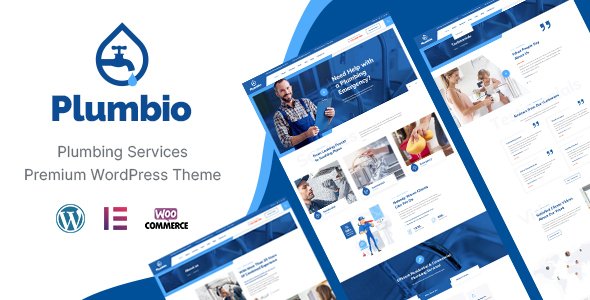
Stuck on your Plumbio WordPress theme? Let's fix it.
No endless back-and-forth. Just send us the details and we'll get it done.
No obligation · Replies within 1 hour · Quote within 1 day
Setup · Customization · Bug fixes · WooCommerce integration
About Plumbio WP Theme
Plumbio is a WordPress theme built by SmartDataSoft, designed specifically for plumbing, HVAC, and home services businesses. It ships with a drag-and-drop page builder, pre-built demo pages, and service-focused layouts that cover the common needs of trade contractors.
The theme includes appointment booking integration, service area pages, team member profiles, and testimonial sections. It supports WooCommerce for selling parts or service packages, and uses Elementor as its primary builder.
SmartDataSoft has a reasonable track record with niche service themes. Plumbio follows a similar pattern to their other vertical themes. It is a practical starting point if you run a plumbing, pipe repair, or drainage company and want a site live quickly without building from scratch.
Get matched with a Plumbio developer in under one day
Tell us about your Plumbio project. Small fixes, Plumbio theme customization, or a full website build, whatever you need, we've got it covered.
We'll connect you to the right Plumbio developers, define the scope, and get everything 100% clear.
You'll get one estimate, hire your preferred developer, and start collaborating.
Most plumbing businesses do not have time to troubleshoot theme conflicts or figure out why their booking form stopped working. That is where a specialist helps.
Through Codeable, you get matched with a vetted WordPress developer who has worked with service-based themes like Plumbio. No generalist freelancers, no bidding wars. You post your project, get a clear estimate, and decide whether to proceed. The work gets done properly the first time.
Pros
- Pre-built plumbing and HVAC demo content saves significant setup time
- Built with Elementor, so page layouts are easy to edit without code
- Includes service, team, and testimonial sections suited to trade contractors
- WooCommerce compatible for selling parts, service plans, or call-out packages
- Appointment booking integration supported via compatible plugins
Cons
- Demo import can be slow and image-heavy, requiring performance work on cheaper hosting
- SmartDataSoft update frequency has been inconsistent on some themes
- Limited built-in options for service area or postcode-based filtering
- Support response times from SmartDataSoft can be slow outside business hours
- Some design elements feel dated compared to current service theme competitors
Who is Plumbio for?
Plumbing Contractors
Plumbio is built with plumbing businesses in mind. The demo includes service pages for common jobs like boiler repairs, pipe fitting, and bathroom installations. With some customisation, a plumber can have a professional site that clearly lists services, shows past work, and captures job enquiries through a contact or quote form.
HVAC and Heating Engineers
HVAC companies benefit from Plumbio’s service page templates and team section. You can list heating, ventilation, and air conditioning services separately, assign team members to specific service types, and use WooCommerce to sell annual maintenance contracts or service agreements directly through the site.
Drainage and Pipe Repair Services
Drainage businesses need a simple, fast site that converts local search traffic. Plumbio’s layout handles this well with clear service listings, a contact form above the fold, and space for customer reviews. Adding local SEO structured data on top of the theme makes it competitive for searches like blocked drain repair in a specific city.
Emergency Callout Services
Emergency callout companies need a site that loads fast and makes the phone number impossible to miss. Plumbio supports this with sticky headers and prominent call-to-action sections. A developer can add click-to-call buttons, reduce page weight for fast mobile loading, and set up a simple form for out-of-hours job requests.
Home Maintenance Companies
Home maintenance firms offering multiple trade services can use Plumbio’s service grid to list each category clearly. The theme handles multiple service types without looking cluttered. Combine it with a booking plugin and a customer review section to build trust with homeowners searching for reliable tradespeople in their area.

Customizing Plumbio
Out of the box, Plumbio covers the basics. But most plumbing businesses need more than a demo import. You might need a custom quote calculator, a dynamic service area map, or booking logic tied to specific technicians or postcodes.
The Customizer lets you adjust colours, fonts, and header layouts without code. Deeper changes, like restructuring the homepage sections, adding conditional service forms, or integrating with a CRM, require proper development work.
A Plumbio expert can get this done without breaking the theme or creating technical debt. They know where SmartDataSoft’s code makes life easy and where it does not. If you want a site that actually converts visitors into booked jobs, custom work pays for itself quickly.
Recommended plugins for Plumbio
Plumbio pairs well with a few key plugins. Contact Form 7 or WPForms handles enquiry and quote forms. WooCommerce adds product or service package sales. Booked or Simply Schedule Appointments handles online booking.
For performance, image optimisation and caching are worth adding early. Plumbio’s demo content can be image-heavy, which slows load times on shared hosting. A proper WordPress performance setup makes a real difference on mobile.
If you want organic traffic from local searches, structured data for services and reviews matters. Pair that with a solid WordPress SEO strategy to compete in local plumber searches.
Not sure which plugins to use? This WordPress plugins directory covers the most popular options with reviews and setup guides.
Plumbio common issues
Plumbio demo import not working in WordPress
Demo import failures in Plumbio are usually caused by server memory limits or timeout settings. The demo package includes large image files and multiple plugin dependencies. Set max_execution_time to 300 and memory_limit to at least 256MB in your PHP settings. Make sure all required plugins listed by SmartDataSoft are installed and activated before running the import. If the issue persists, a developer can import the content manually. See our WordPress bug fixing service for hands-on help.
Plumbio contact form not sending emails
If Plumbio’s contact forms are not sending email, the problem is almost always server-side mail delivery, not the theme itself. Most WordPress hosting does not send mail reliably via PHP mail. Install an SMTP plugin like WP Mail SMTP and connect it to a transactional mail service such as Mailgun, SendGrid, or your Google Workspace account. Set up the form to send to a confirmed inbox, then test with the plugin’s built-in mail tester before going live.
Plumbio Elementor sections not loading correctly
Elementor sections failing to render in Plumbio usually points to a plugin conflict or an outdated version of Elementor. First, update both Elementor and Plumbio to their latest versions. Deactivate other plugins temporarily to isolate a conflict. If you are seeing blank sections or missing widgets, regenerate the Elementor CSS files via Elementor > Tools > Regenerate Files. If the problem continues, check for JavaScript errors in your browser console, which usually identifies the conflicting plugin.
Plumbio theme slow loading on mobile
Plumbio’s demo content uses large images and loads several scripts by default. On mobile, this causes noticeable slowdown. Start by compressing images with a plugin like ShortPixel. Enable lazy loading so images below the fold do not load immediately. Add a caching plugin and consider a CDN for static assets. If you are on shared hosting, that alone can bottleneck load times regardless of optimisation. Our WordPress performance service covers all of this in one setup.
Plumbio FAQ
Plumbio is a practical choice for plumbing businesses that want a professional site without building from scratch. It includes service page layouts, testimonial sections, and team profiles relevant to trade contractors. It works best when customised beyond the demo, particularly for local SEO and lead capture. Out of the box it is a solid starting point, not a finished product.
Yes. Plumbio is built on Elementor, so all page layouts are editable using the Elementor drag-and-drop interface. You can modify existing sections, add new ones, and adjust the overall structure without writing code. Some advanced customisations, like conditional content or dynamic fields, still require developer input.
Plumbio does not include a built-in booking system, but it is compatible with popular WordPress booking plugins. Simply Schedule Appointments, Booked, and Amelia all work well alongside it. A developer can integrate the booking form directly into service pages and configure availability, service types, and confirmation emails to match your workflow.
Before updating Plumbio, back up your site fully. If you have made changes in the theme files directly, those will be overwritten. The safer approach is to use a child theme for all custom code. Changes made through Elementor or the Customizer are stored in the database and survive theme updates. Check SmartDataSoft’s changelog before updating to spot any breaking changes.
Yes, you can move an existing site to Plumbio. The process involves migrating your content, rebuilding your page layouts in Elementor to match Plumbio’s structure, and redirecting any changed URLs to avoid traffic loss. It is more involved than a fresh install. Our WordPress migration service handles this cleanly without losing content or SEO value.
Hire a Plumbio Developer
Need help setting up Plumbio, customising the layout, or fixing something that is not working as expected? A vetted Plumbio developer can handle it.
Post your project through FoxyConcept and get matched with an expert via Codeable within 24 hours. You get a free estimate with no obligation to hire. Get your free estimate today and have your plumbing site working the way you need it.
You'll need a free Codeable account so developers can ask questions and send their quotes.