Cityo WordPress Theme
by ApusTheme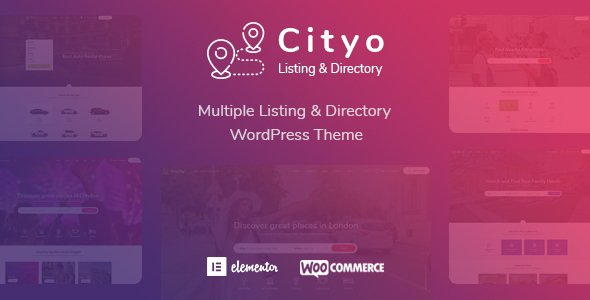
Stuck on your Cityo WordPress theme? Let's fix it.
No endless back-and-forth. Just send us the details and we'll get it done.
No obligation · Replies within 1 hour · Quote within 1 day
Setup · Customization · Bug fixes · WooCommerce integration
About Cityo WP Theme
Cityo is a city portal and directory WordPress theme built by ApusTheme. It targets local government sites, city guides, and community portals that need to present listings, events, and local information in a structured way.
The theme ships with multiple homepage layouts, a listings directory, event management sections, and integration with popular page builders. It supports custom post types for businesses, places, and events out of the box.
ApusTheme built Cityo on a Bootstrap foundation with WPBakery bundled in. The theme also includes a built-in mega menu, Google Maps integration, and RTL language support. It is sold through ThemeForest and receives periodic updates. For teams running a city portal or hyperlocal directory, Cityo covers a lot of ground without requiring heavy plugin stacking.
Get matched with a Cityo developer in under one day
Tell us about your Cityo project. Small fixes, Cityo theme customization, or a full website build, whatever you need, we've got it covered.
We'll connect you to the right Cityo developers, define the scope, and get everything 100% clear.
You'll get one estimate, hire your preferred developer, and start collaborating.
Cityo has enough moving parts — directory listings, map integrations, custom post types, and WPBakery layouts — that small configuration mistakes compound fast. A developer who knows the theme’s structure will set it up correctly from the start.
Through Codeable, you get matched with vetted WordPress developers who have hands-on experience with directory and portal themes. No trial and error, no wasted budget. Just someone who knows what they are doing and can deliver a working Cityo site.
Pros
- Includes multiple homepage layouts targeting different city portal use cases out of the box
- Built-in directory and listings system with Google Maps integration reduces plugin dependency
- RTL language support makes it usable for Arabic and Hebrew city portals
- Mega menu system handles complex navigation structures common in city guide sites
- Bundled WPBakery allows non-technical editors to manage page content without coding
Cons
- WPBakery shortcode lock-in makes switching page builders or themes later very messy
- Page load times suffer on listing-heavy pages without dedicated performance optimization
- Redux Framework options panel is dated and less intuitive than modern Customizer-based setups
- Theme updates have had gaps that leave compatibility issues with newer WordPress versions unresolved for weeks
- Documentation is thin for advanced customizations like custom listing fields or map filter modifications
Who is Cityo for?
City Government Portals
Cityo’s structured layout and department-style page templates work well for municipal websites. You can organize services, news, council information, and contact details without heavy custom development. The built-in mega menu handles multi-department navigation cleanly.
Local Business Directories
The directory system lets you list local businesses with categories, map pins, contact details, and user reviews. Paid listing submissions through WooCommerce turn the site into a revenue-generating platform. Useful for chamber of commerce or hyperlocal discovery sites.
Tourism and City Guides
Cityo’s place listing features and Google Maps integration suit tourism portals. You can categorize attractions, restaurants, hotels, and activities. Each listing supports photos, descriptions, and map locations, giving visitors a practical guide to explore.
Community Event Platforms
The built-in events section lets you publish and organize local events by date and category. Combined with The Events Calendar plugin, you get a more feature-complete event system. Useful for arts councils, sports leagues, or city entertainment guides.
Neighborhood News Sites
Cityo supports a blog-forward layout that works for hyperlocal news outlets covering neighborhoods, councils, or local sports. You can mix news posts with a business directory and event listings, giving readers multiple reasons to return to the site regularly.

Customizing Cityo
Cityo ships with a theme options panel built on Redux Framework, which gives you control over colors, fonts, header styles, and layout widths without touching code. Most visual changes can be made from the admin panel or through WPBakery’s front-end editor.
That said, deeper customization gets technical quickly. Adjusting listing card layouts, modifying map marker behavior, or building custom directory filters requires PHP and CSS knowledge. Child theme setup is strongly recommended before making any template changes.
If you need specific modifications beyond what the theme panel offers, working with a Cityo expert saves time and avoids breaking core functionality. A developer familiar with ApusTheme’s code structure can extend directory features, add custom taxonomies, and integrate third-party APIs cleanly.
Recommended plugins for Cityo
Cityo works well alongside several plugins that extend its core functionality. WooCommerce integration allows you to monetize listings with paid submission plans. The Events Calendar plugin slots in cleanly for advanced event management beyond the built-in system.
For performance, combining Cityo with a caching layer and image optimization is important given the directory and map-heavy page loads. See our WordPress performance service for help there.
On the SEO side, schema markup for local business listings needs careful setup. Our WordPress SEO service covers structured data configuration for directory themes like Cityo.
Not sure which plugins to use? This WordPress plugins directory covers the most popular options with reviews and setup guides.
Cityo common issues
Cityo theme map not showing or Google Maps API error
This usually means the Google Maps API key is missing, restricted, or has the wrong APIs enabled. In the Cityo theme options panel, go to the Maps section and verify the API key is entered correctly. In Google Cloud Console, ensure the Maps JavaScript API and Geocoding API are both enabled for that key. Also check that the key has no HTTP referrer restrictions blocking your domain.
Cityo listing page returning 404 after setup
404 errors on listing pages almost always mean WordPress permalink settings need refreshing. Go to Settings > Permalinks and click Save Changes without changing anything. This rebuilds the rewrite rules. If the issue persists, check that Cityo’s custom post types are registered correctly and that no caching plugin is serving stale rewrite rules. Our bug fixing service can diagnose this quickly.
Cityo WPBakery elements not loading or showing raw shortcodes
Raw shortcodes appearing on the page mean WPBakery is not active or its license is not validated. Check that the WPBakery plugin is installed, activated, and updated to a version compatible with your current WordPress install. If WPBakery was deactivated during an update, reactivating it and refreshing the page usually resolves it. Avoid updating WPBakery independently without checking Cityo’s compatibility notes first.
Cityo theme slow page speed on directory and listing pages
Directory and map pages load a lot of assets. Start by enabling a caching plugin and serving static pages where possible. Lazy load images on listing grids. Defer non-critical JavaScript including WPBakery front-end editor scripts on the front end. Use a CDN for static assets. The Google Maps embed adds significant load time — consider loading it only on user interaction. See our performance service for a full audit.
Cityo FAQ
Cityo is available on ThemeForest and does receive updates, though the update frequency is inconsistent. Before purchasing, check the changelog on the ThemeForest listing page to see the last update date and what was changed. For production sites, test updates on a staging environment first since some updates have broken existing layouts in past versions.
Technically possible, but not straightforward. Cityo’s demo content and templates are built for WPBakery. Switching to Elementor means rebuilding all pages manually. Some theme sections are hard-coded or rely on WPBakery-specific shortcodes. If you prefer Elementor, a different directory theme built natively for Elementor would save significant time and reduce compatibility risk.
Yes. Cityo is compatible with WooCommerce. Many site owners use WooCommerce to create listing packages where businesses pay to get listed or featured. You will need to configure the membership or submission flow separately, often using a plugin like WC Paid Listings or a custom integration. Some configuration work is required to connect payments to listing approval.
Cityo does not include a visual custom fields interface out of the box. You can add custom fields to listing post types using Advanced Custom Fields (ACF) and then display them by editing the listing template files in a child theme. This requires PHP knowledge. A developer can build a proper field registration and display setup cleanly without modifying core theme files.
Migrating an existing directory site to Cityo depends heavily on how your current data is structured. Listing content, categories, and custom fields need to map to Cityo’s post types. This is doable but requires careful data export, import, and cleanup. See our migration service if you need a developer to handle the transition without data loss.
Hire a Cityo Developer
Need help setting up, customizing, or fixing your Cityo site? Our WordPress developers have worked with ApusTheme builds and understand how directory themes behave under real-world conditions.
Post your project and get a free estimate within 24 hours. No commitment required. Get your free estimate here and get matched with a Cityo expert who can start work quickly.
You'll need a free Codeable account so developers can ask questions and send their quotes.