OnSchedule WordPress Theme
by Edge-Themes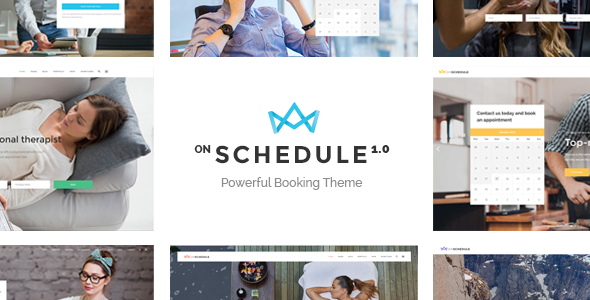
Stuck on your OnSchedule WordPress theme? Let's fix it.
No endless back-and-forth. Just send us the details and we'll get it done.
No obligation · Replies within 1 hour · Quote within 1 day
Setup · Customization · Bug fixes · WooCommerce integration
About OnSchedule WP Theme
OnSchedule is a WordPress theme built by Edge-Themes, designed specifically for scheduling-based businesses. It targets gyms, yoga studios, fitness centers, spas, and similar appointment-driven services. The theme ships with a built-in timetable plugin, visual booking elements, and class schedule layouts that work out of the box.
Edge-Themes has a long track record with premium WordPress themes, and OnSchedule reflects that experience. The design is clean, the default typography is readable, and the layout options are practical rather than decorative. It works with WooCommerce for selling memberships or packages, and supports popular page builders. If your business runs on bookings and schedules, OnSchedule was built with your exact use case in mind.
Get matched with a OnSchedule developer in under one day
Tell us about your OnSchedule project. Small fixes, OnSchedule theme customization, or a full website build, whatever you need, we've got it covered.
We'll connect you to the right OnSchedule developers, define the scope, and get everything 100% clear.
You'll get one estimate, hire your preferred developer, and start collaborating.
OnSchedule has enough moving parts that a misconfiguration can break your booking flow or produce a schedule display that confuses visitors. An experienced developer who has worked with Edge-Themes products knows where the common problems sit and how to fix them fast.
Through Codeable, you get access to vetted WordPress developers with specific theme experience. No guessing, no back-and-forth with generalists. Post your project and get matched with someone who has done this before. Visit our WordPress development services page to learn more.
Pros
- Built-in timetable plugin included at no extra cost
- Clean, minimal design that works well for fitness and wellness brands
- WooCommerce compatible for selling memberships and class packages
- Multiple demo layouts covering gyms, yoga, pilates, and personal training
- Edge-Themes has long-term support history and regular updates
Cons
- Proprietary options panel is not beginner-friendly
- Built-in timetable has limited flexibility compared to dedicated booking plugins
- Page load speed requires optimization due to bundled scripts
- Third-party booking plugin integration often needs developer help
- Child theme setup is necessary before making code-level changes safely
Who is OnSchedule for?
Yoga and Pilates Studios
OnSchedule’s timetable layout maps directly to a weekly class schedule. Studio owners can display classes by instructor, room, or time slot without custom coding. WooCommerce integration handles class pass sales. The clean visual style suits the calm aesthetic most yoga brands want without needing heavy redesign work.
Gyms and Fitness Centers
Gyms with multiple daily sessions across different rooms can use OnSchedule to publish an organized schedule that members can actually read. The theme supports multiple instructors and categories, making it practical for larger facilities. Membership products can be sold directly through WooCommerce on the same site.
Personal Trainers
Solo trainers benefit from OnSchedule’s straightforward availability display and service listing layouts. It keeps things simple without requiring a full booking system. A personal trainer site built on OnSchedule can present packages, show availability, and take inquiries through a clean, professional design with minimal configuration.
Spas and Wellness Centers
Spas with treatment menus and time-based appointments can use OnSchedule’s layout options to present services clearly. The timetable works for appointment slots, and the visual style supports the polished presentation wellness clients expect. WooCommerce handles gift cards or package purchases alongside regular bookings.
Martial Arts Schools
Martial arts schools running classes across belt levels and age groups can organize everything inside OnSchedule’s timetable. Different class categories map to different skill levels. The theme handles both the schedule display and the promotional side, with space for instructor profiles, event pages, and membership sign-up flows.

Customizing OnSchedule
OnSchedule gives you a solid starting point, but most businesses need changes beyond what the theme panel offers. Custom color schemes, adjusted timetable layouts, modified booking flows, and brand-specific typography all require hands-on work inside the theme files or child theme.
The theme uses Edge-Themes’ proprietary options panel, which is powerful but has a learning curve. Connecting third-party booking plugins like Amelia or Bookly alongside the built-in timetable often needs custom integration work. An OnSchedule expert can configure these setups correctly the first time, avoiding conflicts between plugins and theme features. Getting the schedule display to match your actual class structure, staff availability, and pricing tiers is where most DIY setups run into problems.
Recommended plugins for OnSchedule
OnSchedule integrates with WooCommerce for selling class passes and memberships directly on your site. It works alongside booking plugins such as Amelia, Bookly, and WooCommerce Bookings, though some setup is needed to avoid layout conflicts.
For performance, the theme’s bundled scripts and sliders add page weight that needs addressing if speed matters to you. Visit our WordPress performance service for that. If you want to rank for local fitness or wellness searches, pairing OnSchedule with proper on-page work through our WordPress SEO service will make a real difference.
Not sure which plugins to use? This WordPress plugins directory covers the most popular options with reviews and setup guides.
OnSchedule common issues
OnSchedule timetable not displaying correctly
Timetable display problems in OnSchedule usually come from incorrect event category assignment or a caching plugin serving a stale version of the page. Start by clearing all cache layers, including server-side and CDN cache. Then check that each class entry has the correct day, time, and category set. If columns or rows are missing, the issue is often a theme options setting that overrides the default display. If it persists, our WordPress bug fixing service can isolate it quickly.
OnSchedule booking plugin conflict with WooCommerce
WooCommerce and OnSchedule’s built-in timetable can conflict when both are handling appointment or booking logic. The most common symptom is broken checkout pages or missing booking fields. The fix usually involves deactivating conflicting hooks and deciding which system handles bookings. Running both simultaneously without a clean integration layer causes these collisions. A developer familiar with Edge-Themes can structure this properly. See our WordPress bug fixing service if you need help fast.
OnSchedule theme update broke my layout
After a theme update, layout breaks almost always mean the update overwrote customizations made directly in the theme files instead of a child theme. If you were editing the parent theme, those changes are gone. Going forward, all customizations should live in a child theme. Recovery depends on whether you have a backup. If not, the changes need to be rebuilt. Set up proper WordPress maintenance with automated backups so this cannot happen again.
OnSchedule slow page load speed
OnSchedule bundles sliders, animation libraries, and multiple scripts that inflate page weight significantly. Common fixes include disabling unused sliders, switching to a lightweight cache plugin, enabling lazy loading for images, and removing scripts on pages where they are not needed. A CDN also helps. If your hosting is shared and underpowered, that compounds the problem. Our WordPress performance service covers a full audit and implementation for OnSchedule sites specifically.
OnSchedule FAQ
OnSchedule is built around Edge-Themes’ own Visual Composer integration and proprietary page builder elements. Elementor can be installed alongside it, but you may encounter conflicts with certain Edge shortcodes and layouts. Most developers recommend sticking with the bundled builder for OnSchedule-specific elements and using Elementor only for standard content sections if at all.
Yes. The timetable plugin is bundled but not mandatory. If you prefer Amelia, Bookly, or another scheduling solution, you can disable the built-in timetable and use the theme purely for design and layout. You lose some of the pre-built schedule display options, but the rest of the theme functions normally without it.
OnSchedule and Amelia can work together, but they need to be configured carefully to avoid layout conflicts on booking pages. Amelia handles the booking logic while OnSchedule handles the design. The main issues appear in modal windows and checkout forms where Amelia’s styling clashes with Edge-Themes’ CSS. A developer can resolve this with targeted style overrides.
Migrating to OnSchedule means importing your content, rebuilding layouts in the new theme structure, and reconfiguring any booking or scheduling data. If you are switching from another Edge-Themes product, the transition is easier. From an unrelated theme, expect a full rebuild of your page layouts. Our WordPress migration service handles this end to end.
Edge-Themes continues to release updates for OnSchedule, including WordPress compatibility patches. The theme is listed on ThemeForest and receives periodic updates. Support is provided through ThemeForest comments and the Edge-Themes support forum. Response times vary, and complex issues often need a developer rather than theme support to resolve properly.
Hire an OnSchedule Expert Developer
Whether you need OnSchedule set up from scratch, customized to match your brand, or fixed after something broke, a specialist gets it done faster and without the risk of making things worse. Post your project through FoxyConcept and get matched with a vetted OnSchedule developer within 24 hours. Free estimate, no obligation. Get your free estimate now.
You'll need a free Codeable account so developers can ask questions and send their quotes.