BizPro WordPress Theme
by ThemeTor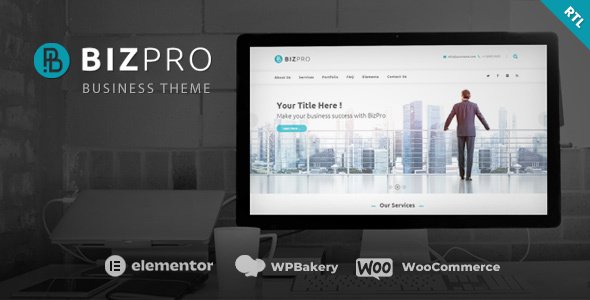
Stuck on your BizPro WordPress theme? Let's fix it.
No endless back-and-forth. Just send us the details and we'll get it done.
No obligation · Replies within 1 hour · Quote within 1 day
Setup · Customization · Bug fixes · WooCommerce integration
About BizPro WP Theme
BizPro is a business-focused WordPress theme built by ThemeTor. It targets small to medium businesses, agencies, and freelancers who need a professional-looking site without starting from scratch.
The theme ships with pre-built page templates, a header builder, and WooCommerce support. It works with Elementor, which makes layout editing accessible to non-developers. ThemeTor keeps the codebase relatively clean, and the theme scores reasonably well on performance tests out of the box.
BizPro suits companies in consulting, finance, legal, marketing, and general corporate services. It is not the most flexible theme on the market, but it delivers a structured foundation that most business sites genuinely need. For straightforward sites, it gets the job done. For more complex builds, you will likely need custom development on top of it.
Get matched with a BizPro developer in under one day
Tell us about your BizPro project. Small fixes, BizPro theme customization, or a full website build, whatever you need, we've got it covered.
We'll connect you to the right BizPro developers, define the scope, and get everything 100% clear.
You'll get one estimate, hire your preferred developer, and start collaborating.
Most BizPro issues come down to one thing: the site was set up by someone learning as they went. That usually means inconsistent spacing, slow load times, plugin conflicts, and a mobile experience that was never properly tested.
Working with a vetted BizPro developer through Codeable means you get someone who has seen these problems before and knows the fastest route to fixing them. No guesswork, no long back-and-forth threads. Just specific solutions from someone who knows WordPress and BizPro well.
Pros
- Ships with multiple pre-built business page templates that reduce initial setup time
- Full Elementor compatibility allows drag-and-drop layout editing without touching code
- WooCommerce ready out of the box, useful for service-based businesses adding a shop
- ThemeTor provides regular updates, keeping the theme compatible with current WordPress versions
- Lightweight header and footer builder with enough layout options for most business sites
Cons
- Advanced customization requires CSS or PHP knowledge the theme customizer cannot replace
- Default typography options are limited, fine-tuning font pairing takes extra work
- Demo content import can be unreliable, sometimes requiring manual cleanup after installation
- Mobile responsiveness on complex layouts occasionally needs manual CSS adjustments
- ThemeTor support response times can be slow, which is frustrating if you hit a blocking issue
Who is BizPro for?
Consulting Firm
BizPro works well for consulting firms that need a credibility-first website. The structured layout templates suit service pages, team bios, and case study sections. A developer can wire in a booking or discovery call form and connect it to a CRM, making the site an active lead generation tool rather than a digital brochure.
Marketing Agency
Marketing agencies need to look sharp, and BizPro’s Elementor compatibility gives designers room to move. Portfolio sections, client logo strips, and service breakdowns all fit within the theme’s structure. Custom animations and scroll effects can be layered in for agencies that want something more visually distinctive than the defaults.
Legal Practice
Legal practices need clean, trustworthy sites with clear navigation and strong calls to action. BizPro handles this well. Practice area pages, attorney profiles, and contact forms all map to the theme’s existing template structure. GDPR-compliant cookie and consent handling can be added with the right plugin setup.
Financial Advisor
Financial advisors need sites that communicate professionalism and compliance. BizPro’s corporate aesthetic fits that requirement. A developer can add disclaimer management, secure contact forms, and structured data markup to improve local search visibility. The theme’s page hierarchy supports the multi-service structure most advisors need.
IT Services Company
IT service companies often need tiered pricing tables, feature comparison sections, and a support or ticketing entry point. BizPro supports these through Elementor widgets and compatible plugins. A developer can customise the services architecture and integrate external helpdesk tools to create a complete client-facing solution.

Customizing BizPro
BizPro gives you a solid starting point, but most business owners need more than the default options offer. The theme customizer covers colors, fonts, and layout basics. Anything beyond that requires code or a skilled developer.
Common customization requests include custom header layouts, unique service section designs, contact form styling, and conditional homepage sections based on user type. A BizPro expert can also wire up custom post types, adjust the mobile menu behavior, and make the theme work with third-party CRMs or booking plugins.
If you have been clicking around the customizer and hitting walls, that is normal. The theme was not built to cover every use case. A BizPro expert will know exactly where the theme’s defaults end and where custom PHP or CSS needs to step in.
Recommended plugins for BizPro
BizPro works well with several popular plugins. WooCommerce adds an online store layer if you need to sell services or products. Contact Form 7 and WPForms both integrate cleanly. Yoast SEO and Rank Math slot in without conflicts in most setups.
For performance, pairing BizPro with a caching plugin like WP Rocket and a CDN makes a noticeable difference. The theme’s Elementor compatibility means you can extend page layouts significantly. If your site is growing, consider reviewing our WordPress performance services and SEO optimisation to get more from your existing setup.
Not sure which plugins to use? This WordPress plugins directory covers the most popular options with reviews and setup guides.
BizPro common issues
BizPro theme mobile menu not working
Mobile menu failures in BizPro usually trace back to a JavaScript conflict with another plugin. Start by deactivating plugins one at a time and reloading the mobile view to isolate the source. A missing or incorrectly enqueued jQuery dependency can also cause this. Check the browser console for JS errors first. If you cannot pinpoint it, a developer can audit the site’s script load order and resolve the conflict quickly. Our WordPress bug fixing service covers exactly this type of issue.
BizPro slow loading after plugin installation
A performance drop after installing a new plugin usually means unoptimised queries, additional CSS and JS files loading on every page, or a conflict with your existing caching setup. Start by clearing the cache and running a fresh speed test. Use the Query Monitor plugin to check for slow database calls. If the problem persists, a developer can audit what the new plugin is loading and configure it to only run where needed.
BizPro demo import not working
BizPro’s demo import can fail due to PHP memory limits, execution time limits, or server-side restrictions on XML file imports. First, increase your PHP memory limit to at least 256MB and set maximum execution time to 300 seconds in your php.ini or wp-config.php. If the import still times out or errors, try importing the content XML file manually through the WordPress importer tool. A developer can complete the import and clean up any missing images or broken references.
BizPro header layout broken after update
Header layout issues after a BizPro update often happen when a theme update resets custom CSS or overwrites header builder settings. If you were using the built-in header builder, check whether your saved header configuration still exists under the Appearance settings. Custom CSS added to the Additional CSS field should survive updates, but CSS in child theme files must be verified. Always use a child theme for BizPro customizations to avoid losing changes on future updates.
BizPro FAQ
Yes, BizPro is built to work with Elementor. Most of the pre-built templates are designed with Elementor in mind, so you can edit sections visually without writing code. That said, some global styles like typography and color palettes are still controlled through the WordPress customizer rather than Elementor’s own system, which can require some coordination between the two.
BizPro includes WooCommerce compatibility out of the box. Basic shop, product, cart, and checkout pages will render with the theme’s styling applied. For more complex store setups, like custom product layouts or filtered catalogs, additional development work is usually needed to make everything look and function the way a business actually needs it to.
To install BizPro demo content, go to Appearance, then click on the theme’s built-in demo importer if ThemeTor includes one. Alternatively, use Tools and Import to upload the demo XML file manually. Make sure your PHP memory limit is set to at least 256MB before starting. Large image files in the demo may not import automatically and will need to be replaced or re-uploaded manually after the process completes.
You can set up a basic BizPro site without coding if you stick to the provided templates and Elementor’s visual editor. Font choices, colors, and simple layout changes are all doable without touching code. However, anything outside those boundaries, like custom functionality, unique layouts, or third-party integrations, will require a developer. Most serious business sites end up needing at least some custom work.
BizPro developer costs vary depending on the scope of work. A small fix or customization might take a few hours. A full site build from demo to launch typically ranges from several hundred to a few thousand dollars depending on complexity. The best way to get an accurate number is to post your project and get a free estimate from a vetted developer through Codeable.
Hire a BizPro Developer
Whether you need a full BizPro build, a specific feature added, or existing issues sorted, a dedicated developer will move faster and make fewer mistakes than trial and error. Post your project and get a free estimate within 24 hours. No obligation to hire, no upfront payment. Get your free estimate here and describe what you need. A vetted BizPro developer will review it and come back with a clear plan and price.
You'll need a free Codeable account so developers can ask questions and send their quotes.