Corgan WordPress Theme
by AncoraThemes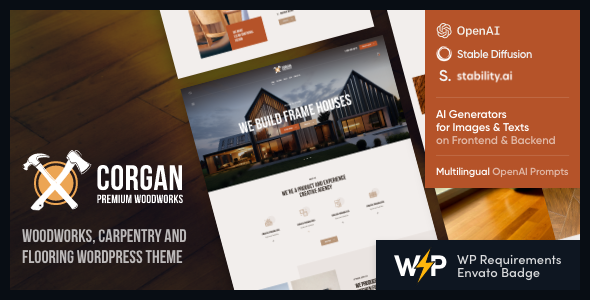
Stuck on your Corgan WordPress theme? Let's fix it.
No endless back-and-forth. Just send us the details and we'll get it done.
No obligation · Replies within 1 hour · Quote within 1 day
Setup · Customization · Bug fixes · WooCommerce integration
About Corgan WP Theme
Corgan is a WordPress theme built by AncoraThemes, designed for music artists, bands, and musicians who need a polished online presence without hiring a developer from day one. It ships with a clean, dark aesthetic that suits live music, album releases, and tour schedules.
The theme includes pre-built sections for discography, upcoming events, video galleries, and artist bios. It runs on Elementor, so layouts are editable through a drag-and-drop interface. WooCommerce compatibility means you can sell merch or digital downloads directly from your site.
AncoraThemes keeps Corgan updated regularly, and it follows standard WordPress coding practices. Performance is reasonable out of the box, though image-heavy music sites will need some tuning to stay fast on mobile.
Get matched with a Corgan developer in under one day
Tell us about your Corgan project. Small fixes, Corgan theme customization, or a full website build, whatever you need, we've got it covered.
We'll connect you to the right Corgan developers, define the scope, and get everything 100% clear.
You'll get one estimate, hire your preferred developer, and start collaborating.
Corgan is straightforward to set up but harder to customise well without breaking things. Elementor gives you control, but it also makes it easy to create bloated page structures that slow your site down. A developer who knows the theme avoids those traps from the start.
Work is placed through Codeable, a vetted platform where only approved WordPress developers take on projects. You get a free estimate before committing to anything, and the developer matched to your project has relevant experience with music and entertainment themes like Corgan.
Pros
- Purpose-built for music artists with discography, tour dates, and video sections included
- Elementor-based layout means pages are editable without touching code
- WooCommerce-ready for selling merch or digital downloads from day one
- Dark, visual-first design works well for bands and solo artists without heavy customisation
- AncoraThemes provides regular updates and support documentation
Cons
- Demo content is image-heavy and requires proper optimisation before going live
- Elementor dependency adds page weight that can hurt mobile performance if not managed
- Limited layout variety beyond the music niche makes it a poor fit for other site types
- Advanced features like fan clubs or gated content require third-party plugins and custom development
- Out-of-box typography and spacing often need adjustment to match a specific artist's brand
Who is Corgan for?
Solo Music Artists
Corgan gives solo artists a clean home base with sections for bio, discography, upcoming shows, and contact. A developer can wire up Spotify or Apple Music embed links, add a press kit download, and connect a mailing list form so fans stay in the loop between releases.
Bands and Music Groups
Bands need a site that handles multiple members, shared tour dates, and group discography cleanly. Corgan’s structure supports this with some configuration. A developer can build custom member profile pages, add a shared photo gallery from shows, and keep the event calendar synced across time zones.
Music Producers and Beatmakers
Producers selling beats need a site that plays audio previews cleanly and handles licensing inquiries. Corgan’s audio embed support and WooCommerce integration make it a workable base. A developer can build a proper beat store with license tiers and instant delivery of digital files after purchase.
Event Promoters and Venues
Venues and promoters running recurring events need more than a static site. Corgan’s event sections give you a starting point. A developer can integrate The Events Calendar with ticket purchase links, add filtering by genre or date, and set up automated email reminders for registered attendees.
Podcasters and Audio Content Creators
Podcasters need clean episode listings, audio players, and subscription links in one place. Corgan’s media-first layout translates reasonably well to audio content. A developer can adapt the discography section into a structured episode archive with show notes, chapter links, and Spotify embed support.

Customizing Corgan
Corgan gives you a solid starting point, but most music sites need work that goes beyond what the theme controls panel can handle. Custom setups like ticketing integrations, Spotify embeds, press kit pages, or member-gated fan content require hands-on development.
A Corgan expert can restructure the homepage flow, build custom post types for releases or tour dates, and adjust Elementor templates so your site looks unique rather than like the demo. Typography, color palettes, and section spacing all need refinement to match an artist’s brand.
If you want custom functionality, such as a mailing list popup tied to a specific album launch or a booking inquiry form that routes to your management, that work needs a developer who knows both Corgan’s structure and WordPress core.
Recommended plugins for Corgan
Corgan pairs well with several plugins that expand what the theme does out of the box. The Events Calendar handles tour dates and ticketing links cleanly. WooCommerce adds a full merch store. For audio, plugins like MP3-jPlayer or WP Audio Player integrate without breaking the theme’s layout.
If your site is growing, look at WordPress performance optimisation to keep load times tight across image-heavy discography pages. For artists building search visibility, WordPress SEO work helps your releases and event pages rank for the right terms.
Not sure which plugins to use? This WordPress plugins directory covers the most popular options with reviews and setup guides.
Corgan common issues
Corgan theme mobile menu not working
Mobile menu issues in Corgan usually come from a JavaScript conflict with another plugin, or from a child theme override that breaks the menu toggle script. Check your browser console for JS errors first. Disabling plugins one at a time helps isolate the conflict. If you’re using a caching plugin, clearing the cache after each change is essential. Persistent issues may need a developer to patch the conflict directly. See our WordPress bug fixing service for help.
Corgan Elementor sections overlapping on mobile
Elementor sections overlapping on mobile in Corgan are almost always caused by fixed height settings applied to columns or sections in the desktop view. Open the affected section in Elementor, switch to mobile preview mode, and set the height to auto rather than a fixed pixel value. Also check for negative margin values applied at the desktop level that aren’t being reset for mobile. These don’t carry over cleanly and need to be set per breakpoint.
Corgan WooCommerce shop page not displaying correctly
When Corgan’s WooCommerce shop page looks broken, it’s usually a template conflict between the theme’s WooCommerce overrides and the plugin version you’re running. AncoraThemes may not have updated those override files after a WooCommerce major release. Check if the theme has a woocommerce folder and compare those templates against the current plugin versions. Deleting outdated overrides often fixes the display immediately. A developer can audit and update these files safely without losing your customisations.
Corgan theme slow loading on mobile
Corgan sites load slowly on mobile mainly due to large unoptimised images in the hero and discography sections, and Elementor’s CSS and JS loading across every page. Start by running images through a compression tool and enabling lazy load. Install a caching plugin and configure it to minify CSS and JS. For deeper gains, visit our WordPress performance service. A developer can also remove unused Elementor widget assets that load by default but aren’t needed on most pages.
Corgan FAQ
Yes, Corgan is specifically built for music artists, bands, and audio-focused sites. It ships with sections for discography, events, video, and artist bios. The dark visual design fits the genre well. That said, sites with heavy custom functionality, like ticketing systems or member areas, will need additional development work on top of what the theme provides out of the box.
Corgan is WooCommerce compatible. You can sell physical merch or digital downloads like albums and beat licenses directly from your site. The basic integration works without extra configuration, but for custom product types, licensing tiers, or a heavily branded store layout, you’ll likely need a developer to extend the default WooCommerce setup within the theme’s design system.
Corgan is built around Elementor. The demo content, page templates, and layout blocks all depend on it. You can technically use the theme without Elementor, but you’d lose all the pre-built page designs and most of the visual flexibility. Without Elementor, you’d be working with a basic WordPress editor experience that doesn’t reflect what the theme is designed to deliver.
Corgan includes a basic events section, but for a proper tour date listing with location, time, and ticketing links, most users install The Events Calendar plugin. It integrates cleanly with the theme. A developer can style the event output to match your site’s design and add filters so fans can browse upcoming shows by city or date range.
Yes, migrating an existing site to Corgan is possible. Content, images, and posts carry over through standard WordPress migration. The bigger job is rebuilding your page layouts inside Elementor to match Corgan’s structure. If your current site has custom post types or plugins, those need to be checked for compatibility too. Our WordPress migration service covers this end to end.
Hire a Corgan Developer
Whether you need the theme set up from scratch, custom functionality added, or an existing Corgan site fixed and improved, we can help. Work is handled by experienced WordPress developers matched to your specific project through Codeable.
There’s no obligation to hire after getting your estimate. Get a free estimate and describe what you need. You’ll hear back within 24 hours with a clear scope and price.
You'll need a free Codeable account so developers can ask questions and send their quotes.