Porto WordPress Theme
by p-themes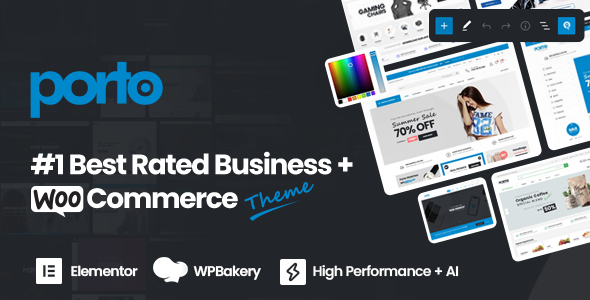
Stuck on your Porto WordPress theme? Let's fix it.
No endless back-and-forth. Just send us the details and we'll get it done.
No obligation · Replies within 1 hour · Quote within 1 day
Setup · Customization · Bug fixes · WooCommerce integration
About Porto WP Theme
Porto is a multipurpose WordPress theme built by p-themes. It has been a consistent seller on ThemeForest for over a decade, with more than 60,000 sales. The theme ships with over 50 pre-built demo sites covering eCommerce, agency, corporate, portfolio, and blog layouts.
Under the hood, Porto runs on a custom framework built around WooCommerce, Elementor, and WPBakery. It supports full RTL, WPML for multilingual sites, and includes a dedicated header and footer builder. Page load optimisation options are baked in, including lazy loading and script management controls.
Porto targets developers and site owners who want a single theme that can handle multiple project types without switching stacks. It is regularly updated and has an active support forum backed by p-themes directly.
Get matched with a Porto developer in under one day
Tell us about your Porto project. Small fixes, Porto theme customization, or a full website build, whatever you need, we've got it covered.
We'll connect you to the right Porto developers, define the scope, and get everything 100% clear.
You'll get one estimate, hire your preferred developer, and start collaborating.
Porto has a lot of moving parts. Between the header builder, WooCommerce templates, Elementor widgets, and the Redux options panel, small changes can break layouts in unexpected ways. A Porto developer who works with the theme regularly knows where the friction points are and can move fast without creating new problems.
Through Codeable, you get matched with vetted Porto specialists who have a track record on exactly this type of project. No generalist freelancers, no guesswork.
Pros
- Over 50 demo sites importable in one click, covering most common business types
- Dedicated header and footer builder with sticky, transparent, and split-menu support
- Deep WooCommerce integration including quick view, wishlist, and product builder
- Regular updates from p-themes with a responsive support forum
- Built-in RTL support and WPML compatibility for multilingual and international sites
Cons
- Options panel is dense and can overwhelm non-technical users without guidance
- Demo imports pull in large amounts of dummy content that needs manual cleanup
- Some Elementor widgets are Porto-specific and will break if you switch themes
- Page builder markup can add significant DOM weight on complex layouts
- WPBakery and Elementor both ship with Porto, which creates redundancy and potential plugin conflicts
Who is Porto for?
WooCommerce Stores
Porto is one of the most capable WooCommerce themes available. It ships with custom product layouts, quick view, wishlist functionality, and a product builder that supports variable and grouped products. A Porto developer can set up a full store with custom category pages, filtered search, and checkout customisation without needing a separate storefront plugin.
Agency and Creative Studios
The theme includes agency-specific demos with animated counters, team grids, case study layouts, and service pages. Porto handles parallax sections and full-width video backgrounds cleanly. A Porto specialist can strip back the demo to a lean agency site and add custom transitions or interactive elements that match your brand without fighting the theme structure.
Corporate and Business Sites
Porto’s corporate demos are structured for lead generation, with feature sections, testimonial sliders, and contact forms built in. The theme’s mega menu and multi-level navigation make it suitable for large sites with deep content hierarchies. A Porto expert can configure the header builder to display different menus per device and enable sticky navigation with a logo swap on scroll.
Portfolio Sites
Porto includes filterable portfolio grids with support for multiple layout styles including masonry, justified, and carousel. Individual project pages support full-width imagery, related project links, and client detail sections. For photographers or designers, a Porto developer can configure the portfolio post type to integrate with a lightbox gallery and category filter without a third-party portfolio plugin.
Membership and Course Sites
Porto integrates with MemberPress, LearnDash, and LifterLMS for membership and course delivery. The theme’s flexible layout system lets you create custom templates for course archives, lesson pages, and member dashboards. A Porto specialist can set up access restrictions, configure drip content, and style the LMS plugin output to match your site design without writing a separate child theme from scratch.

Customizing Porto
Porto gives you a dense set of options through its Theme Options panel, powered by Redux Framework. You can control typography, colour schemes, header layouts, sidebar behaviour, and WooCommerce product display settings without touching code.
For deeper work, a Porto expert will typically extend the theme using child themes, custom hooks via porto_action_ filters, and modular CSS through the built-in custom CSS field. The header builder supports sticky headers, transparent overlays, and split menus, but getting these to behave correctly across breakpoints often needs hands-on tuning.
A Porto specialist can also integrate third-party plugins cleanly, rework the demo import to fit your brand, and strip out demo content that inflates page weight. If you need specific WooCommerce templates modified, that requires direct PHP edits in the theme’s WooCommerce template overrides folder.
Recommended plugins for Porto
Porto works with most major WordPress plugins without conflict. For performance, the theme includes basic caching controls, but pairing it with a proper caching layer and image CDN makes a significant difference. See our WordPress performance optimisation service if your Porto site is running slow.
On the SEO side, Porto outputs clean semantic HTML and supports Yoast SEO and Rank Math without duplicate meta issues. Schema markup for WooCommerce products works out of the box. If you need structured data auditing or deeper on-page SEO work, our WordPress SEO optimisation service covers that.
Not sure which plugins to use? This WordPress plugins directory covers the most popular options with reviews and setup guides.
Porto common issues
Porto demo import fails or gets stuck
Demo import failures in Porto usually come from PHP memory limits, execution time limits, or a conflict with a security plugin blocking the import script. Raise memory_limit to at least 256M and max_execution_time to 300 in your php.ini or wp-config.php. Temporarily deactivate security plugins like Wordfence during import. If the import still fails partway through, use Porto’s individual content import options rather than the full demo package.
Porto header layout breaks on mobile
Porto’s header builder uses separate configurations for desktop and mobile. If your mobile header looks broken, check the Header Builder panel and confirm a mobile header variant is actually set. Common issues include the hamburger menu not triggering because a custom z-index on another element is blocking it, or the logo not resizing because a fixed pixel width is set without a max-width constraint. Clear caching after any header builder changes.
Porto WooCommerce product page not showing correctly
If Porto’s WooCommerce product page layout is off, the likely cause is a template override conflict. Porto ships its own WooCommerce template files in /porto/woocommerce/. After a WooCommerce update, these can become outdated. Go to WooCommerce > Status > System Status and check for outdated templates. Update them manually or through a WordPress bug fixing service if you’re not comfortable editing PHP template files directly.
Porto Elementor widgets not loading after update
Porto bundles a specific version of Elementor widgets tied to its own plugin set. After a Porto or Elementor update, widgets can stop rendering if the bundled plugin versions fall out of sync. Go to Appearance > Install Plugins and update all Porto-bundled plugins. If widgets still fail, deactivate and reactivate the Porto Core plugin. Regenerate the Elementor CSS cache from Elementor > Tools > Regenerate Files.
Porto site is slow after demo import
Porto demo imports load every image, post, and widget from the demo. After import, the media library is full of unused images and multiple plugins are active. Start by deactivating plugins you are not using. Run an image optimisation pass on the media library. Minify CSS and JS through Porto’s built-in script management under Porto Options > Performance. For a full audit, see our WordPress performance service.
Porto mega menu not working on mobile
Porto’s mega menu works through a custom menu walker that requires the Porto Core plugin to be active. On mobile, the mega menu switches to an accordion style, which depends on a JavaScript initialisation tied to the mobile breakpoint set in Theme Options. If the mobile menu is not toggling, check that the breakpoint value in Porto Options matches your actual header switch point and that no JavaScript errors are appearing in the browser console.
Porto theme options not saving
Porto Theme Options are powered by Redux Framework and save to the wp_options table. If changes are not saving, the most common causes are a nonce expiration from a long session, a caching plugin writing over the options on save, or a PHP error silently blocking the AJAX save request. Check your browser’s network tab for a failed AJAX call on save, clear all caches, and disable caching plugins temporarily to confirm. If the issue persists, connect with a WordPress bug fixing specialist.
Porto child theme changes not applying
If your Porto child theme changes are not applying, confirm the child theme’s style.css has the correct Template: porto header and that the child theme is active in the dashboard. Porto uses its own enqueueing method, so simply adding styles to the child theme’s style.css is not enough. You need to enqueue the child stylesheet via functions.php using wp_enqueue_style with a dependency on the parent theme handle.
Porto WPML pages showing wrong language
Porto’s WPML integration uses translation strings and page builders that sometimes cache language slugs aggressively. If the wrong language content is showing, clear WPML’s string translation cache under WPML > Support > Troubleshooting. Check that each translated page is assigned the correct language in the page editor sidebar. If you are using the header builder, note that header layouts need to be duplicated and translated separately for each language.
Porto custom CSS not working
Porto’s custom CSS field is located under Porto Options > General > Custom CSS. CSS added there is enqueued after the main stylesheet, so it should override theme styles. If it is not working, the likely cause is a specificity conflict where the theme’s styles use IDs or inline styles. Use your browser inspector to identify the exact selector and specificity level, then write your rule to match or exceed it. Avoid using !important on multiple rules as it creates cascading specificity issues.
Porto FAQ
Porto is one of the more capable WooCommerce themes on ThemeForest. It includes custom product layouts, quick view, wishlist, and a product builder out of the box. It handles most standard store configurations well and has been updated to support current WooCommerce releases. For complex stores with heavy customisation, working with a Porto specialist saves significant time.
Yes. Porto ships with Elementor support and includes its own set of Porto-specific Elementor widgets through the Porto Core plugin. Most page sections in the demos are built with Elementor. Note that these custom widgets are theme-dependent, so they will not transfer if you move to a different theme later.
Create a folder in /wp-content/themes/ named porto-child. Add a style.css with the header Template: porto and a functions.php that enqueues the parent and child stylesheets using wp_enqueue_style. Activate the child theme from the dashboard. Always do template overrides and custom code in the child theme, never in the parent.
Yes. Porto is actively maintained by p-themes and receives regular updates. It has been on ThemeForest since 2013 and continues to track WordPress and WooCommerce core releases. The support forum is monitored by the p-themes team and has a reasonable response time for a marketplace theme.
Porto is sold under a ThemeForest regular licence, which covers one end product. If you are building sites for multiple clients or running multiple projects, you need a separate licence per site. ThemeForest’s extended licence applies if the site itself is being sold. Check ThemeForest’s licence terms directly for your specific use case.
Yes. Porto officially supports WPML for multilingual sites. The theme’s strings are registered for translation and the header and footer builders can be configured per language. Some areas, like header variants, need to be manually duplicated and translated. A Porto specialist familiar with WPML can set this up cleanly from the start.
Porto ships with both Elementor and WPBakery Page Builder bundled. Most of the included demos now favour Elementor. You can use either, but mixing both on the same site adds unnecessary weight. Pick one and stick to it. Porto’s own shortcodes and widgets are available in both builders through the Porto Core plugin.
Start with Porto’s built-in performance settings under Porto Options. Enable lazy loading for images and limit loaded scripts to pages that need them. After that, add a caching plugin, optimise images in the media library, and consider a CDN. A full audit through our WordPress performance service will identify the specific bottlenecks on your install.
Yes. Porto sites migrate like any standard WordPress installation. Export the database, move the files, update the site URL in the database, and reconfigure any environment-specific settings. If you are also changing domain names or moving from HTTP to HTTPS, additional URL replacement steps are required. Our WordPress migration service handles this end to end.
The most reliable route is through Codeable, a vetted network of WordPress specialists. Post your Porto project, get matched with a developer who has direct experience with the theme, and receive a scoped estimate before committing to anything. You can also get a free estimate here with no obligation.
Hire a Porto Developer
Whether you need a Porto expert to set up a demo, customise your WooCommerce store, fix a layout issue, or build a site from scratch, we can match you with a specialist who knows the theme inside out. Work is scoped clearly, delivered through Codeable, and backed by a satisfaction guarantee. Get a free estimate with no obligation to hire.
You'll need a free Codeable account so developers can ask questions and send their quotes.