TheGem WordPress Theme
by CodexThemes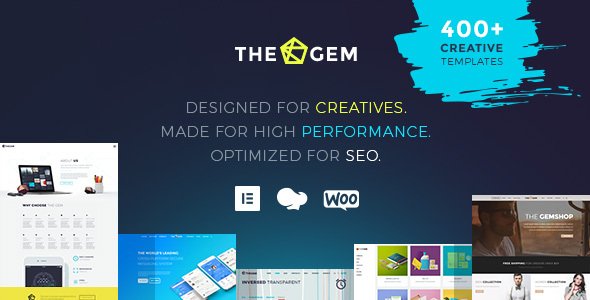
Stuck on your TheGem WordPress theme? Let's fix it.
No endless back-and-forth. Just send us the details and we'll get it done.
No obligation · Replies within 1 hour · Quote within 1 day
Setup · Customization · Bug fixes · WooCommerce integration
About TheGem WP Theme
TheGem is a multipurpose WordPress theme built by CodexThemes. It ships with over 400 pre-built website templates, a deep WPBakery and Elementor integration, and a visual header builder that handles most layout needs without custom code. It consistently ranks among the top-selling themes on ThemeForest.
The theme targets agencies, freelancers, and businesses that want a polished site without starting from scratch. It supports WooCommerce out of the box, includes a built-in mega menu system, and provides granular typography and color controls. Page load performance depends heavily on how many bundled assets you enable, so configuration matters. TheGem suits teams who want design flexibility backed by a mature codebase and regular updates from an active developer team.
Get matched with a TheGem developer in under one day
Tell us about your TheGem project. Small fixes, TheGem theme customization, or a full website build, whatever you need, we've got it covered.
We'll connect you to the right TheGem developers, define the scope, and get everything 100% clear.
You'll get one estimate, hire your preferred developer, and start collaborating.
Finding a reliable TheGem developer is harder than it looks. Many generalist developers know WordPress but not the specific hooks, template hierarchy, and option inheritance patterns CodexThemes uses. Codeable connects you with vetted specialists who have demonstrated WordPress expertise across real projects. You post your project, receive a fixed estimate, and decide whether to proceed. There is no obligation and no bidding war. For TheGem work that goes beyond basic page building, that level of vetting matters.
Pros
- Over 400 pre-built templates covering most business niches, ready to import in one click
- Supports both WPBakery and Elementor, giving teams flexibility in their preferred builder
- Built-in visual header and footer builder eliminates the need for a separate header plugin
- Deep WooCommerce integration with custom shop layouts, product cards, and checkout styling
- Active development from CodexThemes with regular updates and a large ThemeForest support community
Cons
- Default asset bundle is large and requires deliberate optimization to achieve fast page load scores
- Using both WPBakery and Elementor simultaneously causes conflicts and is not recommended
- Theme options panel is extensive but poorly documented, making advanced configuration time-consuming
- Heavy reliance on shortcodes in WPBakery mode creates content lock-in if you switch builders later
- Support response times on ThemeForest can be slow during high-volume periods
Who is TheGem for?
Creative Agency
TheGem includes agency-specific templates with case study layouts, team grids, and service pages. The mega menu and animated section transitions work well for agencies that want a high-motion site without custom development. A TheGem specialist can adapt these templates to match existing brand guidelines quickly.
WooCommerce Store
TheGem’s WooCommerce support covers product archive layouts, custom cart pages, and styled checkout flows. It handles variable products and filtering cleanly. For stores that need performance tuning on top of the design, pairing TheGem with a caching setup managed by a TheGem developer makes a noticeable difference.
Portfolio Site
The portfolio module supports grid, masonry, and carousel layouts with filterable categories. Lightbox and full-screen project views are built in. A TheGem expert can configure custom portfolio post types, add metadata fields, and create project templates that reflect a specific creative direction.
Corporate Website
Corporate templates in TheGem include multi-column service sections, statistics counters, testimonial sliders, and structured team pages. The theme handles multi-page navigation and internal linking well. It suits companies that need a professional appearance delivered on a realistic budget with some developer involvement.
Restaurant or Hospitality
TheGem includes hospitality-focused templates with full-screen image sections, menu display layouts, reservation form integration, and location pages. A TheGem developer can connect booking plugins, style custom menu pages, and ensure the mobile experience matches the desktop design closely.

Customizing TheGem
TheGem gives you a lot of control, but that depth comes with a learning curve. The theme options panel covers layout width, header styles, sticky navigation, footer columns, blog templates, and portfolio grids. WPBakery and Elementor both work, though mixing them on the same site creates conflicts that need careful management.
A TheGem expert can help you get past the configuration overhead quickly. Custom post type layouts, non-standard header builds, and child theme setup all involve undocumented patterns that take time to learn from scratch. If you need a specific look that the presets do not quite deliver, a TheGem developer can modify templates and inject targeted CSS without breaking theme update compatibility. Working with someone who knows the codebase saves significant trial and error.
Recommended plugins for TheGem
TheGem integrates with WooCommerce, WPML, Revolution Slider, and most major form plugins without additional configuration. The built-in icon library, Google Fonts loader, and CSS animation system reduce the need for extra plugins.
That said, adding performance or SEO tooling on top of TheGem requires care. The theme loads a large asset bundle by default. Pairing it with proper caching and image optimization makes a real difference. See our WordPress performance service for help trimming load times. For structured metadata, schema markup, and technical SEO on TheGem sites, our WordPress SEO service covers the specifics.
Not sure which plugins to use? This WordPress plugins directory covers the most popular options with reviews and setup guides.
TheGem common issues
TheGem header not showing on mobile
Mobile header issues in TheGem are usually caused by conflicting sticky header settings or a missing mobile menu assignment. Go to Theme Options > Header > Mobile and confirm the mobile menu is selected. Check that the mobile breakpoint matches your design. If a header builder template is active, verify it has a mobile version configured. Cache clearing resolves display lag after changes.
TheGem page builder content not displaying correctly
Mismatched page builder plugins cause this frequently. TheGem requires a specific version of WPBakery that ships with the theme. Using a separately installed or auto-updated version breaks rendering. Deactivate any standalone WPBakery installation and use only the bundled one. If you are on Elementor, confirm the Elementor compatibility mode is active in Theme Options.
TheGem WooCommerce shop page layout broken
Broken shop layouts usually trace back to a WooCommerce version mismatch or a TheGem WooCommerce skin setting that was reset during an update. Check Theme Options > WooCommerce and reselect your preferred layout. If the archive page template has been customised in a child theme, verify the template still matches the current WooCommerce template structure. Our WordPress bug fixing service can trace layout regressions quickly.
TheGem Revolution Slider not loading
Revolution Slider bundled with TheGem must match the version CodexThemes supports. An auto-update from the Slider Revolution plugin panel can push an incompatible version. Downgrade to the version included in the theme package, or update TheGem first to get a compatible bundle. Clear all caches after reinstalling.
TheGem update broke my homepage layout
Layout breaks after a TheGem update are often caused by changes to CSS class names or updated shortcode parameters. Always test updates on a staging site first. If already live, check the browser console for missing assets and compare your child theme overrides against the updated parent templates. Our WordPress bug fixing service handles post-update regressions efficiently.
TheGem custom fonts not applying
Custom fonts in TheGem are managed through Theme Options > Typography. If a Google Font is not applying, confirm the font is selected at both the global level and for the specific element (headings, body, buttons). For self-hosted fonts, the correct @font-face declaration needs to be added in the custom CSS field or child theme stylesheet. Cache plugins can also serve stale font references.
TheGem mega menu not working
Mega menu functionality in TheGem requires the menu location to be assigned correctly and the mega menu option enabled per menu item. Go to Appearance > Menus, expand the top-level item, and check the TheGem mega menu settings. If columns are not rendering, ensure the WPBakery or Elementor content assigned to the mega menu panel is published and not password protected.
TheGem site slow loading
TheGem loads a significant number of CSS and JS files by default. Use Theme Options > Performance to disable unused features like Font Awesome variants, animation libraries, and Google Maps scripts on pages that do not need them. Combine this with a caching plugin and image compression. For deeper optimization, see our WordPress performance service.
TheGem demo content import fails
Demo imports fail when server memory limits or execution timeouts are too low. TheGem demo packages include large image files and complex widget data. Set php memory_limit to at least 256M and max_execution_time to 300 in your php.ini or wp-config.php. If importing through the admin times out, use the manual import method outlined in the CodexThemes documentation.
TheGem white screen after update
A white screen after a TheGem update usually indicates a PHP fatal error, often from an incompatible plugin or a PHP version the new theme release does not support. Enable WP_DEBUG in wp-config.php to see the specific error. Common culprits include outdated versions of WPBakery, old Revolution Slider installs, or custom child theme functions calling deprecated hooks. Our WordPress bug fixing service can diagnose and resolve this remotely.
TheGem FAQ
Yes. TheGem has supported Elementor since version 5.x and includes Elementor-specific templates. You can build pages with Elementor using TheGem’s header, footer, and global style settings. CodexThemes recommends using one builder consistently rather than mixing Elementor and WPBakery on the same site to avoid conflicts.
Yes. TheGem includes built-in WooCommerce support with custom shop archive layouts, product card styles, cart and checkout page templates, and a dedicated WooCommerce section in Theme Options. It handles variable products, product categories, and sale badges without requiring additional WooCommerce plugins for basic shop functionality.
After activating TheGem, go to Appearance > TheGem Demo Content. Choose a template, click Import, and wait for assets to download. Server memory must be at least 256MB and max execution time at 300 seconds for larger demos. Importing on a fresh WordPress install avoids conflicts with existing content or plugins.
Yes. TheGem can be used with Elementor as the primary page builder. You do not need to activate WPBakery at all. Some older pre-built templates were built in WPBakery, but the majority of current templates have Elementor versions. Check the template library filter before importing to confirm which builder a template uses.
TheGem outputs clean HTML and supports popular SEO plugins like Yoast and Rank Math without conflict. It is not inherently optimised for SEO out of the box since the default asset load can hurt Core Web Vitals scores. Pairing it with proper performance tuning and an SEO plugin gives good results.
Create a new folder in wp-content/themes named thegem-child. Add a style.css with the required header including Template: thegem, and a functions.php that enqueues the parent stylesheet using wp_enqueue_style with get_template_directory_uri(). Activate the child theme from Appearance > Themes. All custom code and template overrides go into the child theme.
Yes. TheGem is WPML-compatible and listed in the WPML theme compatibility directory. String translations, theme options translation, and RTL support are all handled. You will need the WPML Multilingual CMS plugin plus the String Translation and Media Translation add-ons for full site translation coverage.
Start by disabling unused scripts in Theme Options > Performance. Deactivate any sliders or animations on pages that do not use them. Use a caching plugin, enable lazy loading for images, and serve assets through a CDN. Reducing the number of active plugins also helps. A TheGem developer can audit and optimise the full stack.
Yes. A TheGem specialist can handle everything from layout customisation and child theme development to WooCommerce configuration and performance work. Codeable matches you with vetted WordPress developers who know TheGem specifically. Get a Free Estimate to describe your project and receive a scoped proposal.
CodexThemes updates TheGem regularly to maintain WordPress core compatibility. Check the ThemeForest changelog before updating to confirm the release has been tested against the current WordPress version. Running updates on a staging environment first is the safest approach, particularly if you have custom child theme modifications.
Hire a TheGem Expert Developer
Whether you need a full TheGem build, a customization that the theme options cannot handle, or a specific bug resolved, working with a specialist saves time. Our developers know the CodexThemes codebase and can scope your project accurately from day one. Get a Free Estimate and describe what you need. You will hear back within 24 hours with a clear plan and price, no commitment required.
You'll need a free Codeable account so developers can ask questions and send their quotes.