WPLMS Learning Management System for WordPress, WordPress LMS WordPress Theme
by VibeThemes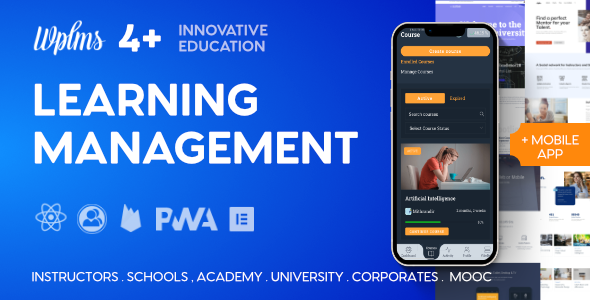
Stuck on your WPLMS Learning Management System for WordPress, WordPress LMS WordPress theme? Let's fix it.
No endless back-and-forth. Just send us the details and we'll get it done.
No obligation · Replies within 1 hour · Quote within 1 day
Setup · Customization · Bug fixes · WooCommerce integration
About WPLMS Learning Management System for WordPress, WordPress LMS WP Theme
WPLMS Learning Management System for WordPress, built by VibeThemes, is one of the most feature-rich LMS themes available. It ships with a full course builder, student dashboards, instructor management, quizzes, assignments, certificates, and front-end course creation. It integrates tightly with WooCommerce for course monetisation and supports both free and paid memberships.
WPLMS has been running since 2014 and has sold over 70,000 copies on ThemeForest. Version 4.0 was a major rewrite that introduced a React-based front end and REST API architecture. That shift improved performance but also introduced a steeper learning curve. The theme suits schools, universities, corporate training platforms, and solo course creators who need a scalable, self-hosted e-learning solution.
Get matched with a WPLMS Learning Management System for WordPress, WordPress LMS developer in under one day
Tell us about your WPLMS Learning Management System for WordPress, WordPress LMS project. Small fixes, WPLMS Learning Management System for WordPress, WordPress LMS theme customization, or a full website build, whatever you need, we've got it covered.
We'll connect you to the right WPLMS Learning Management System for WordPress, WordPress LMS developers, define the scope, and get everything 100% clear.
You'll get one estimate, hire your preferred developer, and start collaborating.
WPLMS has a lot of moving parts. The course builder, quiz engine, payment flows, and user role system all interact. When something breaks or does not work as expected, fixing it without deep theme knowledge takes a long time.
FoxyConcept connects you with vetted WPLMS WordPress LMS developers through Codeable. Every developer on Codeable is screened, so you are not rolling the dice on a generalist. Post your project, get a free estimate within 24 hours, and only proceed if it makes sense. No commitment required.
Pros
- Ships with everything needed to run a full LMS out of the box, including quizzes, certificates, and assignments
- WooCommerce integration handles one-time payments, subscriptions, and course bundles without extra plugins
- Multi-instructor support with configurable commission splits works well for marketplace-style platforms
- Front-end course creation lets instructors build and manage content without WordPress admin access
- Large active community and long development history means most problems have documented solutions
Cons
- Version 4.0 React-based rewrite introduced significant breaking changes and migration complexity from older versions
- Performance can suffer on shared hosting due to the JavaScript-heavy front end and multiple API calls
- Documentation is scattered across multiple sources and does not always reflect the current version accurately
- The settings panel is dense and non-obvious, making initial configuration time-consuming without prior WPLMS experience
- Some advanced features require purchasing separate VIBE add-ons on top of the theme licence cost
Who is WPLMS Learning Management System for WordPress, WordPress LMS for?
Online Course Marketplace
WPLMS suits multi-instructor marketplaces where different educators sell their own courses. The built-in commission system, front-end course builder, and instructor dashboards handle the core marketplace workflow. WooCommerce manages checkout, and you can set global or per-instructor revenue splits without custom development.
Corporate Employee Training Portal
Companies running internal training programmes benefit from WPLMS’s group management and reporting features. You can assign employees to course groups, track completion rates, set mandatory training paths, and issue certificates automatically. BuddyPress integration adds a social layer if collaboration between staff is part of the learning model.
University or School E-Learning Platform
Schools and universities use WPLMS to deliver structured curricula with multiple courses per programme. The gradebook, assignment submission system, and quiz engine cover most academic assessment needs. Bulk student enrolment, cohort management, and role-based access make it practical at institutional scale without custom LMS software.
Solo Course Creator Selling Direct
Independent creators selling a handful of courses benefit from WPLMS’s WooCommerce integration and drip content scheduling. You can gate lessons by purchase, release units on a set schedule, and automatically enrol students after payment. The certificate builder adds a tangible completion reward that improves course perceived value.
Certification and Compliance Training
Organisations that need verifiable proof of training completion use WPLMS for its quiz pass thresholds and certificate generation. You can require a minimum score before a certificate is issued, set retake limits, and log all completion data. This workflow fits health and safety, financial compliance, and professional development programmes.

Customizing WPLMS Learning Management System for WordPress, WordPress LMS
Customising WPLMS Learning Management System for WordPress goes well beyond changing colours and fonts. The theme uses its own VIBE Customiser alongside Elementor compatibility, but the real customisation depth sits in the backend settings for courses, units, quizzes, and user roles. You can configure instructor commissions, front-end dashboards, certificate templates, and email notifications separately.
Translating the theme, adjusting RTL layouts, or building custom course templates requires familiarity with how WPLMS structures its templates and hooks. A WPLMS WordPress LMS expert can shortcut weeks of trial and error. Whether you need a white-labelled academy or a multi-instructor marketplace, working with a specialist ensures the build matches your business logic rather than just the demo.
Recommended plugins for WPLMS Learning Management System for WordPress, WordPress LMS
WPLMS connects with a wide plugin ecosystem. WooCommerce handles payments and subscriptions. bbPress adds community forums to courses. BuddyPress powers social profiles and groups. The VIBE Addons plugin unlocks advanced quiz types, assignments, and front-end management features.
For platform speed, pairing WPLMS with a solid caching and optimisation setup matters a lot given its JavaScript-heavy front end. See our WordPress performance service for specific steps. If you are running a public course catalogue, structured data and search visibility need attention through proper WordPress SEO optimisation to get course listings ranking in search results.
Not sure which plugins to use? This WordPress plugins directory covers the most popular options with reviews and setup guides.
WPLMS Learning Management System for WordPress, WordPress LMS common issues
WPLMS courses not showing on front end after update
Courses disappearing after a WPLMS update usually points to a flushed rewrite rule or a REST API conflict. Go to Settings > Permalinks and re-save without changing anything. If courses still do not appear, check whether the VIBE Addons plugin version matches the current WPLMS version. Mismatched plugin and theme versions after updates are a common cause. Deactivate non-VIBE plugins one by one to rule out conflicts.
WPLMS quiz not saving answers or showing incorrect results
Quiz answer issues in WPLMS often come from a JavaScript conflict or a caching layer returning stale data. Clear all caches including server, plugin, and CDN caches. Check the browser console for JS errors pointing to a conflicting script. If you use a security plugin, verify it is not blocking the REST API endpoints WPLMS uses to submit quiz responses. Our bug fixing service can trace the exact conflict quickly.
WooCommerce enrolment not working in WPLMS after purchase
When WooCommerce purchases do not trigger WPLMS enrolment, the most common cause is the WPLMS WooCommerce integration not being active or configured correctly. Go to WPLMS settings and confirm the WooCommerce connection is enabled. Check that the course product is linked to the correct course ID. Also confirm the order status that triggers enrolment matches your payment gateway behaviour, since some gateways use custom statuses.
WPLMS student dashboard showing blank page or 404
A blank or 404 student dashboard in WPLMS usually means the dashboard page has lost its WPLMS shortcode or the page was deleted and not reassigned in theme settings. Go to WPLMS > Settings > Pages and verify each system page is assigned correctly. If pages exist but show blank, the issue is likely a shortcode rendering failure caused by a PHP error. Enable debug mode to identify the exact error.
WPLMS certificates not generating for completed courses
Certificates not generating typically means the certificate template is not assigned to the course or the completion condition has not been met. In WPLMS, each course needs a certificate template linked explicitly. Also check whether pass marks on quizzes are blocking completion. If the template is assigned and conditions are met but no certificate appears, check PHP error logs for template rendering failures. Get help diagnosing certificate issues here.
WPLMS slow loading and high server resource usage
WPLMS performance problems are common on underpowered hosting. The React front end makes multiple REST API requests on page load. Start by enabling object caching with Redis or Memcached if your host supports it. Reduce external script loads and check whether VIBE Addons features you are not using are still loading assets. See our WordPress performance service for a structured approach to LMS speed optimisation.
WPLMS instructor registration not sending email notifications
Missing instructor notification emails in WPLMS usually point to a broken WordPress mail setup rather than a WPLMS bug. Install WP Mail SMTP and connect it to a transactional email service like Mailgun or SendGrid. Once SMTP is working, test the notification again. If emails still do not fire, check the WPLMS notification settings to confirm instructor registration emails are enabled and the correct email address is set as recipient.
WPLMS units not marking as complete for students
Units not marking as complete in WPLMS is a frequent issue tied to the completion tracking mechanism. By default, WPLMS marks units complete when a student navigates away or clicks complete. If this is not firing, check whether JavaScript errors are interrupting the completion API call. Also verify the course is not set to require a quiz pass before units are marked. Clearing transients and disabling caching plugins temporarily helps isolate the issue.
WPLMS course progress resetting unexpectedly
Course progress resetting in WPLMS points to a database write issue or a caching problem storing incorrect progress data. Check whether your object cache is invalidating progress records too aggressively. Also look at whether a recent plugin update changed how WPLMS stores progress in the database. In some cases, a corrupted user meta entry causes the reset. The WPLMS database tables for progress should be checked directly if the issue persists.
WPLMS migration to new server breaking course data
Migrating WPLMS to a new server can break course data if the database prefix, file paths, or site URL are not updated correctly. Run a search and replace on serialised data using WP-CLI or a tool like Better Search Replace. Verify all WPLMS-specific tables migrated cleanly. Check file permissions on the uploads folder since certificates and assignment files depend on write access. Our bug fixing service covers post-migration recovery.
WPLMS Learning Management System for WordPress, WordPress LMS FAQ
Yes, WPLMS handles large course catalogues and high student volumes, but hosting requirements scale with traffic. You need a VPS or managed WordPress host with PHP 7.4 or higher, object caching, and adequate RAM. Shared hosting struggles with the REST API load WPLMS generates, especially with concurrent users completing quizzes or loading course dashboards.
WPLMS 4 was a major rewrite. It replaced the older shortcode and AJAX architecture with a React front end communicating via the WordPress REST API. This improved the user experience and front-end speed but introduced significant breaking changes. WPLMS 3 data does not migrate automatically and requires manual steps or the VibeThemes migration tool.
Yes, WPLMS integrates with WooCommerce Subscriptions for recurring course access. You can create subscription products linked to courses or membership levels. When a subscription lapses or is cancelled, WPLMS can automatically revoke course access. This makes it suitable for membership-based learning platforms charging monthly or annual fees.
WPLMS does not require Elementor. The core LMS features including course builder, dashboards, and quiz engine work independently of any page builder. Elementor is useful for building landing pages or custom front-end layouts, but the learning management functionality is self-contained through WPLMS shortcodes and its own React-powered pages.
VibeThemes provides a migration tool for moving from WPLMS 3 to WPLMS 4, but it is not a one-click process. Course structures, quiz data, and user progress need careful handling. It is recommended to run the migration on a staging site first, verify all data, and only then deploy to production. Hiring a WPLMS specialist for the migration reduces the risk of data loss.
Yes, WPLMS supports multi-instructor setups. Instructors can create courses from the front end, and the platform handles commission splits on course sales through WooCommerce. You can set a global commission rate or customise it per instructor. Payouts are typically handled manually via the WooCommerce orders data or through an add-on.
Start with a quality host that supports Redis object caching. Minify and defer JavaScript where it does not break the React front end. Use a CDN for static assets. Reduce the number of active VIBE Addons features to only those you use. Avoid heavy general-purpose caching plugins that interfere with REST API responses WPLMS depends on for dynamic content.
Yes, WPLMS includes a certificate builder where you can upload a background image, position text fields, and add dynamic variables like student name, course title, and completion date. More advanced certificate designs may require editing template files or using a compatible certificate plugin. Each certificate template is assigned to a course in the course settings.
WPLMS does not natively support SCORM out of the box. There is a SCORM add-on available from VibeThemes that allows importing SCORM packages as course units. If your organisation requires full SCORM 1.2 or SCORM 2004 compliance with detailed tracking, verify the add-on meets your specific reporting requirements before committing to WPLMS.
WPLMS developer rates on Codeable typically fall between $70 and $120 per hour depending on the complexity of the work. Smaller tasks like fixing a specific bug or configuring a feature may cost a few hundred dollars. Full platform builds or complex customisations range higher. Post your project to get a free estimate with no obligation to proceed.
Hire a WPLMS Learning Management System for WordPress / WordPress LMS Expert Developer
Need a WPLMS WordPress LMS developer to build, fix, or extend your e-learning platform? FoxyConcept works through Codeable, where every developer is vetted and rated. You get a clear estimate before any work starts. No lock-in, no guesswork. Get a Free Estimate and describe your project. A WPLMS specialist will review it and come back to you within 24 hours with a realistic scope and price.
You'll need a free Codeable account so developers can ask questions and send their quotes.