Jevelin WordPress Theme
by Shufflehound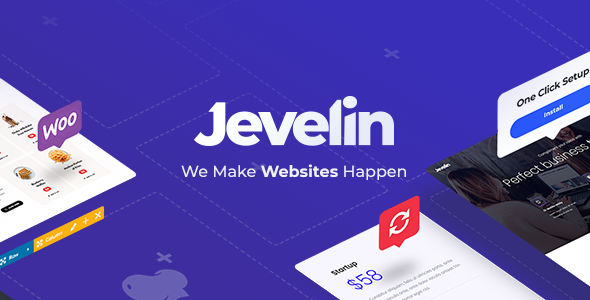
Stuck on your Jevelin WordPress theme? Let's fix it.
No endless back-and-forth. Just send us the details and we'll get it done.
No obligation · Replies within 1 hour · Quote within 1 day
Setup · Customization · Bug fixes · WooCommerce integration
About Jevelin WP Theme
Jevelin is a multipurpose WordPress theme built by Shufflehound. It ships with a drag-and-drop page builder, a library of pre-built demo sites, and support for WooCommerce, making it a practical choice for agencies, freelancers, and small businesses that need a flexible starting point without writing everything from scratch.
The theme leans heavily on Elementor and its own shortcode system, giving site owners multiple ways to build layouts. Header and footer builders are included out of the box, and the demo library covers verticals from portfolios to online shops. Typography, color schemes, and layout options are controlled from the WordPress Customizer, so most visual changes don’t require touching code.
Jevelin has been on ThemeForest for several years and holds a strong sales record. That longevity means a reasonably active support thread and regular compatibility updates for newer versions of WordPress and WooCommerce.
Get matched with a Jevelin developer in under one day
Tell us about your Jevelin project. Small fixes, Jevelin theme customization, or a full website build, whatever you need, we've got it covered.
We'll connect you to the right Jevelin developers, define the scope, and get everything 100% clear.
You'll get one estimate, hire your preferred developer, and start collaborating.
Jevelin’s flexibility is also its learning curve. Between the Customizer, Elementor, the shortcode library, and the header builder, small mistakes compound quickly. A developer who has built production sites with Jevelin knows which combinations work and which create maintenance headaches later.
FoxyConcept connects you with vetted Jevelin specialists through Codeable. You describe the project, get a clear estimate within 24 hours, and only move forward if it makes sense. No retainers, no guesswork.
Pros
- Ships with over 40 pre-built demo sites covering a wide range of industries
- Native Elementor integration with a working header and footer builder included
- WooCommerce support is built in and tested, not an afterthought
- One-time ThemeForest purchase includes 6 months of support and lifetime updates
- Customizer options are well-organised, making global style changes straightforward
Cons
- Page load times are heavy out of the box due to bundled scripts and styles loading sitewide
- Shortcode dependency means some layouts break or look wrong if you ever switch themes
- Support quality on the ThemeForest thread is inconsistent and can be slow for complex issues
- Mixing Elementor widgets with Jevelin's own shortcodes frequently causes styling conflicts
- Demo import doesn't always match the preview screenshots exactly, requiring manual adjustments
Who is Jevelin for?
Creative Agency
Jevelin’s portfolio layouts and project showcase templates are well-suited to creative agencies. A Jevelin developer can configure filterable portfolio grids, custom case study templates, and service pages that reflect the agency’s actual work rather than the demo placeholder content. The mega menu builder handles complex navigation for multi-service agencies cleanly.
WooCommerce Store
WooCommerce integration in Jevelin covers product pages, shop archives, and cart styling without requiring a separate child theme. A Jevelin specialist can extend this with custom category layouts, upsell sections built in Elementor, and performance tuning to keep product pages loading fast for shoppers.
Freelance Portfolio
The portfolio demos translate well to freelancer sites. A Jevelin expert can strip the demo back to a focused single-page layout, configure a contact form, and add a testimonial section that doesn’t look like every other ThemeForest portfolio. The result is a clean site that loads quickly and represents the freelancer’s work honestly.
Restaurant or Hospitality
Jevelin includes restaurant-oriented demo layouts with menu sections, reservation form integration, and image-heavy hero areas. A Jevelin developer can connect a booking plugin, style the menu to match printed materials, and ensure the mobile layout holds up for walk-in customers searching on their phones.
Corporate or B2B Website
For B2B companies that need a credible web presence without a custom build, Jevelin’s corporate demos provide a solid starting point. A Jevelin specialist can configure team pages, service grids, and lead generation forms, then lock down the Customizer so internal staff can update content without breaking the layout.

Customizing Jevelin
Jevelin gives you a lot of knobs to turn, but that breadth can slow things down when you need precise results fast. The Customizer controls global styles, and the Elementor integration handles page-level layout, but the two systems sometimes conflict when you’re trying to override inherited styles or build non-standard sections.
A Jevelin expert can map out which settings take priority, strip out unused shortcodes, and build custom templates that match your brand without the visual inconsistencies that come from mixing builder approaches. Custom post type layouts, mega menu configurations, and WooCommerce template overrides are areas where working with a Jevelin specialist saves significant back-and-forth time.
If you’ve imported a demo and need it rebuilt to fit your actual content structure, an experienced Jevelin developer will know exactly which template parts to modify and which to leave alone to avoid update conflicts.
Recommended plugins for Jevelin
Jevelin works well with a focused plugin stack. Elementor Pro extends the built-in builder with dynamic content and custom conditions. WooCommerce is fully supported and commonly paired with WooCommerce Subscriptions or Wholesale Suite for more complex shop setups.
For site speed, a caching plugin like WP Rocket combined with a CDN makes a measurable difference given Jevelin’s asset weight. See our WordPress performance service for a structured approach to cutting load times on Jevelin builds.
On the SEO side, Rank Math or Yoast both integrate cleanly. Schema output, breadcrumb controls, and sitemap settings all function without conflicts. Our WordPress SEO service covers technical and on-page SEO for Jevelin-powered sites specifically.
Not sure which plugins to use? This WordPress plugins directory covers the most popular options with reviews and setup guides.
Jevelin common issues
Jevelin header not showing on mobile
Mobile header problems in Jevelin usually come from a conflict between the theme’s built-in mobile menu settings and Elementor header templates. Check the Jevelin Theme Options panel under Header and confirm the mobile breakpoint is set correctly. If you’re using an Elementor Pro header, disable the Jevelin header override for mobile viewports. If the issue persists after that, a WordPress bug fixing specialist can trace the exact CSS or JavaScript conflict causing the header to collapse.
Jevelin demo import not working
Jevelin demo imports fail most often due to server memory limits or PHP execution time being too low. Set max_execution_time to 300 and memory_limit to 256M in your php.ini or wp-config.php. Also confirm the One Click Demo Import plugin is active and up to date. If the import stalls partway through, delete all imported content, increase limits, and retry. Large demo packages sometimes need to be imported in segments.
Jevelin Elementor widgets not loading
If Jevelin’s custom Elementor widgets aren’t appearing in the Elementor editor, the most common cause is a mismatch between the theme version and the installed version of Elementor. Update both to their latest releases. If widgets are still missing, navigate to Elementor’s System Info and check for widget registration errors. Deactivating all plugins except Elementor and Jevelin temporarily helps isolate whether a third-party plugin is blocking widget registration.
Jevelin page builder content disappeared after update
Content disappearing after a Jevelin update is usually tied to shortcode stripping or a database conflict when the theme’s built-in page builder data structure changes. Check your post content in the database for truncated shortcodes. Restore from a backup if available. For ongoing prevention, keep Jevelin updated and avoid mixing the native builder with Elementor on the same page. Our WordPress bug fixing service handles data recovery and layout reconstruction after problematic updates.
Jevelin WooCommerce product page layout broken
Broken WooCommerce product pages in Jevelin are often caused by outdated WooCommerce template overrides inside the theme. When WooCommerce releases a major update, any theme that bundles its own templates needs those templates updated too. Check the WooCommerce System Status report for outdated template warnings. Updating the theme to the latest version usually resolves this. If layout issues remain, a child theme override of specific WooCommerce templates is the cleanest fix.
Jevelin slider not showing images
When Jevelin’s slider doesn’t show images, the first thing to check is whether the slider images are assigned correctly in the page or post settings. Also verify that the Slider Revolution plugin, which Jevelin bundles, is activated and updated. Slider Revolution updates are separate from the theme update, and running an outdated version often causes render failures. Clear all caches after updating and test in an incognito window to rule out browser caching.
Jevelin font not changing in Customizer
If changing the font in Jevelin’s Customizer has no visible effect, the most likely cause is a caching layer serving the old stylesheet. Clear your caching plugin, server-side cache, and CDN cache, then reload. If the font still doesn’t change, inspect the element in your browser dev tools to find which CSS rule is overriding the Customizer output. A child theme stylesheet or a leftover inline style from Elementor is often the culprit. Our bug fixing service can trace and resolve persistent styling overrides.
Jevelin footer widgets not displaying correctly
Footer widget display issues in Jevelin usually come from the footer column layout being misconfigured in Theme Options, or a widget area being assigned but left empty. Go to Jevelin Theme Options and verify the footer column count matches the number of widget areas you’ve populated. Also check that the footer is set to visible and not overridden by a page-level template setting in Elementor. Clearing cache after making footer changes is required before the output updates.
Jevelin portfolio filter not working
Portfolio filters in Jevelin stop working when a JavaScript conflict prevents the isotope filtering library from initialising. Open your browser console and look for JS errors on the portfolio page. Common causes are a jQuery version conflict or a plugin loading a duplicate copy of isotope. Deactivate plugins one by one to find the conflict. If you’re using a caching plugin, make sure JS files are not being concatenated in a way that breaks execution order.
Jevelin site loading very slowly
Jevelin loads a significant number of CSS and JavaScript files by default, including bundled plugins like Slider Revolution and icon font libraries that load even on pages that don’t use them. Start by running a GTmetrix or PageSpeed Insights test to identify the largest contributors. Use a caching plugin with asset minification, disable unused Jevelin features in Theme Options, and consider a CDN. For a structured speed improvement plan, see our WordPress performance service.
Jevelin FAQ
Jevelin is a capable theme for businesses and freelancers who need a multi-purpose site without a fully custom build. Its demo library, WooCommerce support, and Elementor integration cover most use cases. The trade-offs are page weight and occasional shortcode lock-in, both manageable with a bit of optimisation work.
Yes. Jevelin is built with Elementor in mind and registers custom Elementor widgets through the theme. Elementor Free works, but most production builds use Elementor Pro for dynamic content and theme builder functionality. Keep both the theme and Elementor updated to avoid compatibility gaps between releases.
Install the One Click Demo Import plugin, then go to Appearance > Import Demo Data in your WordPress dashboard. Select a demo, confirm the import, and wait. Server memory and execution time limits are the most common reason imports fail. Set memory_limit to 256M and max_execution_time to 300 before importing larger demo packages.
Jevelin includes full WooCommerce support with styled shop, product, cart, and checkout pages. It bundles its own WooCommerce template overrides, which need to stay updated when WooCommerce releases major versions. Check for template outdated warnings in WooCommerce’s System Status report after updating either the theme or WooCommerce.
Create a folder in wp-content/themes/ named jevelin-child. Add a style.css file with the standard child theme header declaring Template: jevelin, and a functions.php that enqueues both the parent and child stylesheets. Activate the child theme from Appearance > Themes. All customisations go in the child theme to survive Jevelin updates.
Shufflehound updates Jevelin regularly to maintain WordPress core compatibility. Check the ThemeForest changelog for the latest tested WordPress version. If you’re running a recent WordPress release and an older Jevelin version, update the theme before assuming a compatibility problem. Always test updates on a staging site before applying to production.
A standard ThemeForest Regular License covers one site. If you need to use Jevelin on multiple client sites, you need a separate license per installation or an Extended License depending on use. Check Envato’s licensing terms for specifics. Developers building sites for clients should factor per-site license costs into their project pricing.
Jevelin updates are delivered through the Envato Market plugin. Install it, connect your Envato account API key, and updates appear in the standard WordPress dashboard Themes update area. Always back up your site before updating. If you’re running a child theme, parent theme updates won’t overwrite your customisations.
Out of the box, Jevelin is heavier than minimal themes. It loads scripts and styles for features not used on every page. With a caching plugin, image optimisation, and unused feature disabling in Theme Options, load times improve substantially. A full performance audit typically brings Jevelin sites well within acceptable Core Web Vitals ranges.
FoxyConcept matches you with vetted Jevelin developers through Codeable. Post your project, receive a scoped estimate within 24 hours, and decide whether to proceed with no obligation. All developers on the platform are reviewed and tested, so you’re not sorting through unvetted freelancer profiles. Post a Project on Codeable and Get a Free Estimate.
Hire a Jevelin Expert Developer
Whether you need a full site build, a custom layout added to an existing Jevelin site, or performance and bug fixes, a vetted Jevelin developer can scope and deliver the work cleanly. Post your project, get a free estimate within 24 hours, and decide from there with no obligation.
Get a Free Estimate and tell us what you need built.
You'll need a free Codeable account so developers can ask questions and send their quotes.