Alone – Charity Multipurpose Non-profit WordPress Theme WordPress Theme
by Beplusthemes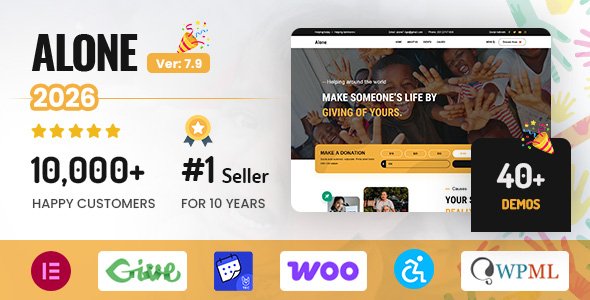
Stuck on your Alone – Charity Multipurpose Non-profit WordPress Theme WordPress theme? Let's fix it.
No endless back-and-forth. Just send us the details and we'll get it done.
No obligation · Replies within 1 hour · Quote within 1 day
Setup · Customization · Bug fixes · WooCommerce integration
About Alone – Charity Multipurpose Non-profit WordPress Theme WP Theme
Alone is a WordPress theme by Beplusthemes built specifically for charities, non-profits, and fundraising organisations. It ships with multiple pre-built demos covering causes, donation campaigns, events, and volunteer management, all designed to reduce setup time for mission-driven sites.
The theme integrates with GiveWP for donation processing and includes campaign goal trackers, donor walls, and event calendars out of the box. Page layouts are built on Elementor, so content teams can update pages without touching code. WooCommerce support means merchandise or charity shops are also an option. It’s a focused tool for organisations that need to collect funds, tell stories, and grow supporter bases without building from scratch.
Get matched with a Alone – Charity Multipurpose Non-profit WordPress Theme developer in under one day
Tell us about your Alone – Charity Multipurpose Non-profit WordPress Theme project. Small fixes, Alone – Charity Multipurpose Non-profit WordPress Theme theme customization, or a full website build, whatever you need, we've got it covered.
We'll connect you to the right Alone – Charity Multipurpose Non-profit WordPress Theme developers, define the scope, and get everything 100% clear.
You'll get one estimate, hire your preferred developer, and start collaborating.
Alone has enough built-in features to launch quickly, but non-profits rarely have a straightforward setup. Payment gateways need compliance checks, donation forms need accessibility work, and campaign data needs to flow into reporting tools. A vetted developer on Codeable can scope exactly what your site needs and deliver it without the trial and error. You get a fixed estimate before any work starts, and every developer on the platform has been screened for WordPress expertise.
Pros
- Deep GiveWP integration with campaign goal trackers and donor management built into the theme structure
- Multiple niche-specific demo sites covering animal rescue, medical aid, children's charities, and environmental causes
- Elementor-based layouts mean non-technical staff can update campaign pages independently
- Built-in event management with ticketing support and volunteer sign-up forms
- WooCommerce compatibility allows charity merchandise stores to sit within the same site
Cons
- Heavy reliance on GiveWP means switching donation plugins later requires significant rework
- Demo import can be slow and sometimes incomplete, requiring manual cleanup before the site is usable
- Default typography and colour options lack granularity without a child theme or custom CSS
- Some bundled plugins are older versions that need manual updates after initial setup
- Limited documentation for advanced configurations like multi-currency or peer-to-peer fundraising
Who is Alone – Charity Multipurpose Non-profit WordPress Theme for?
Humanitarian Aid Organisations
Alone suits large-scale aid organisations that run multiple simultaneous campaigns. The theme handles individual cause pages, donation targets, and donor reporting through GiveWP. Teams can publish emergency appeals quickly using pre-built Elementor sections without waiting on developers for each new campaign.
Animal Rescue and Welfare Charities
Animal welfare charities benefit from the theme’s story-driven layouts. Individual animal profiles, adoption request forms, and foster volunteer sign-ups can all be built using existing page structures. Donation forms can be tied to specific animals or shelter needs, making it clear to donors exactly where funds go.
Children's Education Non-Profits
Education-focused non-profits can use Alone to showcase student impact stories, run scholarship fundraising campaigns, and manage school supply drives. The event calendar handles workshops and fundraising galas, while WooCommerce supports branded merchandise sales that contribute to programme funding.
Environmental and Conservation Campaigns
Conservation groups get strong visual storytelling tools with Alone’s full-width image sections and campaign counter widgets. Recurring donation support through GiveWP add-ons allows organisations to build a stable base of monthly supporters alongside one-off emergency appeal donors.
Community Foundations and Local Fundraisers
Smaller community foundations and local fundraising groups benefit from Alone’s low setup cost and ready-made structures. A single developer can configure a donation-ready site in days rather than weeks. Multiple campaign pages can target different local causes under one branded umbrella site.

Customizing Alone – Charity Multipurpose Non-profit WordPress Theme
Out-of-the-box demos get you started, but most organisations need something more specific. An Alone – Charity Multipurpose Non-profit WordPress Theme expert can tailor donation flows, match your brand identity, and configure campaign pages that convert.
Common customisation work includes building custom Elementor widgets for campaign storytelling, restructuring the GiveWP donation form to match brand guidelines, and connecting third-party CRMs like Salesforce Nonprofit or Mailchimp. Developers also handle multi-currency donation setups, recurring giving programmes, and custom post types for beneficiary stories or impact reports. If the default layout isn’t cutting it or integrations are falling short, working with a specialist saves far more time than trying to patch it yourself.
Recommended plugins for Alone – Charity Multipurpose Non-profit WordPress Theme
Alone pairs well with several plugins that extend its core functionality. GiveWP add-ons like Recurring Donations and Fee Recovery are popular additions. For visibility, proper WordPress SEO optimisation ensures your cause pages and campaigns rank in search when donors are actively looking to give.
Site speed matters too. Donation pages with slow load times see higher drop-off rates. Investing in WordPress performance optimisation can directly affect conversion on campaign pages. Integrating a transactional email service like Postmark or SendGrid also prevents donation receipts ending up in spam.
Not sure which plugins to use? This WordPress plugins directory covers the most popular options with reviews and setup guides.
Alone – Charity Multipurpose Non-profit WordPress Theme common issues
Alone theme donation form not displaying correctly on mobile
Mobile display issues with GiveWP forms in Alone usually trace back to CSS conflicts between the theme’s stylesheet and the plugin’s default form styles. Inspect the form in browser dev tools to identify the conflicting rule. Adding targeted CSS overrides in a child theme stylesheet resolves most cases. If the form is embedded in an Elementor widget, check that the widget container width is set to full and that padding is not collapsing the form field widths.
GiveWP not connecting properly with Alone theme after update
After updates, GiveWP and Alone can fall out of sync if the theme relies on a specific version of the plugin’s template files. Clear all caches first, then check if Alone provides a GiveWP template override folder. If those templates are outdated relative to the current GiveWP version, they need updating manually. If the issue persists after cache clearing, a WordPress bug fixing specialist can audit the template compatibility and apply the correct overrides.
Alone theme demo import failing or stuck at 0%
Demo import failures in Alone are commonly caused by PHP memory limits, execution time limits, or file upload size restrictions on the server. Increase memory_limit to at least 256MB and max_execution_time to 300 in your php.ini or via wp-config.php. If the import tool still stalls, try importing XML content manually via WordPress’s built-in importer and apply the customiser settings separately. Some hosts block bulk imports entirely at the firewall level.
Campaign goal progress bar not updating in Alone theme
The campaign progress bar in Alone pulls live data from GiveWP’s donation totals. If it stops updating, the most common cause is a caching plugin serving a stale version of the page. Exclude campaign pages from full-page caching, or set a very short cache TTL for those URLs. If caching is not the issue, check that the GiveWP form ID referenced in the Elementor widget matches the active campaign. Mismatched IDs will show a static or zero value.
Alone theme Elementor layouts broken after WordPress update
Broken Elementor layouts after a WordPress core update usually indicate a JavaScript conflict or a deprecated function in either the theme or Elementor itself. Start by deactivating all plugins except Elementor and re-checking the layout. Re-save the affected pages using Elementor’s regenerate CSS tool under Elementor > Tools. If layouts remain broken, the issue may require code-level review. A WordPress bug fixing service can isolate the conflict quickly.
Donation confirmation emails not sending from Alone theme site
Missing donation confirmation emails are almost always a mail delivery problem rather than a GiveWP configuration error. WordPress’s default wp_mail() function relies on your server’s mail setup, which many hosts restrict. Install an SMTP plugin such as WP Mail SMTP and connect it to a transactional mail provider like Postmark, SendGrid, or Mailgun. Test the connection using the plugin’s test email tool, then trigger a test donation to confirm receipts are reaching the inbox rather than spam folders.
Alone theme slow to load on campaign pages
Campaign pages in Alone can load slowly due to unoptimised images in cause sections, multiple GiveWP scripts loading simultaneously, and Elementor’s CSS being generated inline. Start by compressing all campaign images and enabling lazy loading. Use a caching plugin with CSS and JS minification enabled. Defer non-critical scripts where possible. For deeper gains, review WordPress performance optimisation options including server-side caching and a CDN for static assets.
Alone theme header not showing correctly on mobile devices
Mobile header problems in Alone are usually tied to the hamburger menu script not initialising or a CSS breakpoint conflict with a plugin adding its own header elements. Check the browser console for JavaScript errors on mobile viewport sizes. In Elementor’s mobile editing view, verify that the header template is not overriding the theme’s responsive breakpoints. If a mega menu plugin is active, temporarily disable it to isolate whether it is injecting conflicting styles into the header markup.
WooCommerce shop page layout broken in Alone theme
WooCommerce shop layout breaks in Alone typically happen when WooCommerce updates its block-based templates and the theme’s WooCommerce template overrides become outdated. Navigate to WooCommerce > Status > System Status and look for outdated template warnings. Copy the updated templates from the WooCommerce plugin folder into your child theme’s woocommerce directory and re-apply any customisations. Avoid editing plugin template files directly as they will be overwritten on the next update.
Alone theme child theme not applying custom CSS changes
If a child theme’s custom CSS is not applying in Alone, first confirm the child theme is actually active under Appearance > Themes. Check that the child theme’s style.css contains the correct Template: header pointing to the parent theme folder name. If the child theme is active but styles are not showing, your CSS rules may be losing specificity to the parent theme. Use more specific selectors or add !important sparingly. Enqueue styles correctly via functions.php if you are loading them there rather than style.css.
Alone – Charity Multipurpose Non-profit WordPress Theme FAQ
Yes, Alone is one of the more purpose-built options for charity websites. It includes donation campaign structures, event management, volunteer forms, and GiveWP integration out of the box. It covers most of what a small to mid-sized non-profit needs without requiring heavy customisation to get a functional site live.
Yes, GiveWP is the primary donation plugin the theme is built around. Alone includes styled templates for GiveWP forms, campaign goal widgets, and donor management layouts. Some GiveWP add-ons like Recurring Donations and Fee Recovery also work within the theme’s design framework with minimal styling adjustments needed.
Technically you can, but the theme’s demo layouts and most of its page structures are built in Elementor. Using the Classic Editor or another page builder will mean starting from scratch on layout. Elementor Free is sufficient for most content updates, though some widgets used in the demos require Elementor Pro.
After installing and activating Alone, navigate to Appearance > Import Demo. Select the demo closest to your use case and run the one-click importer. Make sure your server meets the memory and execution time requirements beforehand. Some hosts limit bulk imports, so you may need to adjust php.ini settings or ask your host to increase limits temporarily.
Recurring donations are not part of GiveWP core but are supported through the GiveWP Recurring Donations add-on, which works with Alone. You will need a compatible payment gateway like Stripe or PayPal that supports subscription billing. The theme does not restrict this functionality, but the add-on is a separate purchase from GiveWP.
Alone is listed as WPML-compatible by Beplusthemes. In practice, you will need to manually register any custom strings the theme outputs that WPML does not pick up automatically. Campaign pages and Elementor-built layouts generally translate well through WPML’s String Translation and Translation Editor tools.
Campaigns in Alone are powered by GiveWP donation forms. Create a new form in GiveWP, set your goal amount and campaign end date, then embed the form shortcode or Elementor widget on a dedicated campaign page. Use Alone’s cause page template to add storytelling content around the form. The progress bar pulls data automatically from GiveWP’s donation records.
Beplusthemes does not distribute an official child theme for Alone, but creating one is straightforward. Create a new folder in your themes directory, add a style.css with the correct Template: header pointing to the Alone parent folder, and add a basic functions.php that enqueues the parent stylesheet. This protects your customisations from being overwritten during theme updates.
Peer-to-peer fundraising requires the GiveWP Peer-to-Peer add-on, which is a premium extension. Alone does not include this natively, but the theme’s visual structure can accommodate P2P campaign pages once the add-on is configured. A developer familiar with both GiveWP and Alone can build out a full P2P programme including individual fundraiser pages and team leaderboards.
Alone is developed and maintained by Beplusthemes, a ThemeForest author. The theme is sold exclusively through ThemeForest under the Envato Market. Beplusthemes provides support through ThemeForest’s comment system, and the theme includes six months of support with purchase, extendable at additional cost.
Hire an Alone – Charity Multipurpose Non-profit WordPress Theme Developer
Whether you need a full site build, a donation flow overhaul, or a specific integration fixed, working with a specialist means the job gets done correctly the first time. Post your project and get matched with an Alone – Charity Multipurpose Non-profit WordPress Theme expert who understands non-profit requirements, GiveWP, and Elementor inside out. Get a Free Estimate with no obligation to hire.
You'll need a free Codeable account so developers can ask questions and send their quotes.