15Zine WordPress Theme
by codetipi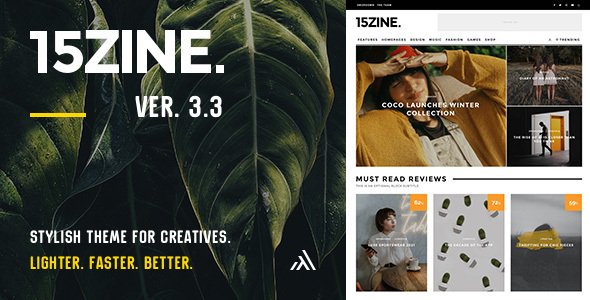
Stuck on your 15Zine WordPress theme? Let's fix it.
No endless back-and-forth. Just send us the details and we'll get it done.
No obligation · Replies within 1 hour · Quote within 1 day
Setup · Customization · Bug fixes · WooCommerce integration
About 15Zine WP Theme
15Zine is a magazine-style WordPress theme built by Codetipi, designed specifically for publishers running high-traffic content sites. It ships with a modular layout system that lets editors control exactly what content appears where, without touching code. The theme handles heavy article volumes well, with structured homepage grids, category feeds, and post formats built in from the start.
Under the hood, 15Zine uses a custom widget-based page builder called HeroGrid, which predates Gutenberg but still works alongside it. It supports WooCommerce for selling digital goods, has solid schema markup for articles, and includes multiple ad placement zones useful for monetised publications. Speed depends on your hosting and image handling, but the theme itself is reasonably lean for its feature set.
Get matched with a 15Zine developer in under one day
Tell us about your 15Zine project. Small fixes, 15Zine theme customization, or a full website build, whatever you need, we've got it covered.
We'll connect you to the right 15Zine developers, define the scope, and get everything 100% clear.
You'll get one estimate, hire your preferred developer, and start collaborating.
Finding a developer who actually knows 15Zine’s HeroGrid system is harder than finding a generic WordPress developer. On Codeable, you post your project and get matched with vetted specialists within 24 hours. Every developer on the platform has passed a technical screening, so you are not gambling on someone learning your theme at your expense. Free estimate, no obligation to hire.
Pros
- HeroGrid widget system gives fine-grained control over homepage and category page layouts without custom code
- Built-in ad zone support with multiple placement options, useful for ad-supported publications
- Ships with multiple post formats including video, gallery, and standard article, each with distinct display styles
- WooCommerce compatibility allows selling memberships or digital downloads alongside editorial content
- Article schema markup is included out of the box, which helps Google understand your content structure
Cons
- HeroGrid is not Gutenberg-native, so the editing experience feels disconnected from the block editor workflow
- Codetipi update cadence has slowed, which means compatibility with newer WordPress and PHP versions needs monitoring
- Out-of-the-box design looks dated compared to more recent magazine themes without significant customisation
- Heavy widget setup with lots of active areas can slow page builds if not paired with proper caching
- Support documentation is limited and the community around 15Zine is smaller than themes like Newspaper or Jannah
Who is 15Zine for?
News and Current Affairs Sites
15Zine handles breaking news workflows well. The HeroGrid lets editors pin featured stories to the top of the homepage and rotate content by category without rebuilding the layout. Multiple authors can publish simultaneously without layout conflicts. A 15Zine specialist can add custom breaking-news tickers or sticky alert bars on top of the existing framework.
Gaming and Tech Review Publications
The theme’s post formats and review-style layouts suit gaming and tech publications that mix long-form articles with quick news posts and scored reviews. A 15Zine developer can extend the native review system with custom score fields, comparison tables, or affiliate product blocks that fit the editorial design without breaking the grid.
Niche Hobby Magazines
15Zine works for focused niche content sites, whether that is cooking, travel, or fitness. The category widget areas let you give each topic its own dedicated front-page zone. A 15Zine expert can build out custom taxonomy templates and branded section headers so each niche feels distinct without running separate sites.
Sports Content Platforms
Sports sites need match results, league tables, and high-frequency posting. 15Zine handles the volume, and its grid layouts display score summaries or team news in structured blocks. A 15Zine developer can integrate custom post types for match data or player profiles alongside standard editorial content.
Ad-Monetised Multi-Author Blogs
For sites running display ads through networks like Google AdSense or AdThrive, 15Zine’s built-in ad zones remove the need for a separate ad management plugin in many cases. A 15Zine specialist can fine-tune placement, add sticky sidebar ads, or integrate a full ad server setup to maximise revenue per page view.

Customizing 15Zine
15Zine has a lot of moving parts. The HeroGrid system gives you real control over front-page layouts, but it has a learning curve. You can build multi-column hero sections, sticky sidebars, and category-specific widget areas without code. Typography, colours, and header styles are all handled through the WordPress Customizer.
Beyond the basics, a 15Zine expert can take the theme further: custom post templates, deeper WooCommerce integration, membership paywalls, custom ad logic, or a fully branded design that moves away from the out-of-the-box look. If you want the theme to behave in ways its settings panel does not support natively, you need someone who understands both the HeroGrid framework and how Codetipi structured the codebase. A 15Zine specialist saves you hours of trial and error.
Recommended plugins for 15Zine
15Zine works well with a focused plugin stack. For performance, pairing it with a caching plugin and a CDN makes a real difference on image-heavy article pages. See our WordPress performance services if your site is running slow under content load.
For search visibility, the theme has built-in schema for articles, but you still need a proper SEO plugin for sitemaps, meta control, and structured data depth. Our WordPress SEO optimisation service covers the full setup. 15Zine also integrates with Mailchimp, bbPress, and most major ad management plugins without major conflicts.
Not sure which plugins to use? This WordPress plugins directory covers the most popular options with reviews and setup guides.
15Zine common issues
15Zine HeroGrid widgets not saving after update
This usually happens when a WordPress core update changes how widget data is serialised. Check your browser console for JavaScript errors on the Widgets screen first. If HeroGrid widgets appear but settings reset, the issue is often a conflict with a caching plugin storing old widget output. Clear all caches, deactivate caching temporarily, and re-save. If the problem persists after that, the widget registration hook may need a patch.
15Zine homepage layout broken after WordPress update
Homepage layout breaks after WordPress updates are common with widget-driven themes like 15Zine. Start by checking if HeroGrid widgets are still assigned in Appearance > Widgets. A core update can occasionally reset widget areas. If the structure is intact but rendering is wrong, a theme file may be overriding template hierarchy incorrectly. Check your WordPress bug fixing service options if you need fast resolution.
15Zine featured image not showing in grid
If featured images are not appearing in 15Zine grids, first confirm the image is set on the post and meets the minimum dimensions the theme expects. 15Zine uses custom image sizes registered on activation. If those sizes were never generated, run a thumbnail regeneration plugin. Also check that your media settings have not been changed and that the correct image size is selected in the relevant HeroGrid widget settings.
15Zine slow loading on mobile
15Zine can be image-heavy, which hurts mobile load times. Start by enabling lazy loading on images if it is not already active. Audit your active plugins and disable any not needed on the front end. Use a caching plugin with mobile-specific cache settings. If the theme is loading large desktop-sized images on mobile, you may need custom srcset handling or a CDN with image resizing. See our WordPress performance services for a full audit.
15Zine custom logo not displaying correctly
Custom logo display issues in 15Zine are often tied to the logo dimensions set in the Customizer versus what the theme’s header template actually renders. Check Appearance > Customize > Site Identity and confirm the logo is uploaded at the correct size. If the logo appears blurry or misaligned, the header.php template may have hardcoded width constraints that need a CSS override in your child theme.
15Zine WooCommerce shop page layout broken
WooCommerce layout breaks with 15Zine usually occur after WooCommerce template updates that override the theme’s shop templates. Check WooCommerce > Status > System Info for outdated template warnings. You may need to copy updated WooCommerce templates into your child theme’s woocommerce folder. If you are not running a child theme, any manual fixes will be lost on the next 15Zine update. Visit our WordPress bug fixing service for hands-on help.
15Zine ads not showing in widget zones
If ads are not displaying in 15Zine widget zones, first check that the ad code is correctly pasted in the widget field without extra line breaks or encoding issues. Some security plugins strip script tags from widget areas. Temporarily deactivate your security plugin to test. If the widget area itself is not rendering, check that it is registered correctly in functions.php and assigned in Appearance > Widgets.
15Zine child theme not inheriting styles
A 15Zine child theme that does not inherit styles is usually missing the correct enqueue setup in its functions.php. The child theme must enqueue the parent stylesheet explicitly rather than relying on @import in style.css. Check that the parent theme handle used in wp_enqueue_style matches what 15Zine registers. Also confirm the child theme’s Template header in style.css matches the parent theme folder name exactly.
15Zine related posts showing wrong category
15Zine’s related posts feature pulls content based on category by default. If it is showing posts from the wrong category, check whether the related posts logic uses the first category assigned or the primary category. Plugins like Yoast SEO allow setting a primary category, which some theme functions do not respect. You may need a small code snippet in your child theme to filter the related posts query to use the primary category field.
15Zine PHP 8 compatibility errors
15Zine and PHP 8 have known compatibility issues, mostly around deprecated function calls and changes to how PHP handles string-to-number comparisons. Common errors include warnings in HeroGrid widget constructors and deprecated wpdb query patterns. Codetipi has not released regular updates recently, so fixes often need to be applied manually in a child theme or via a small plugin. Check your error log for specific function names before patching.
15Zine FAQ
Codetipi has significantly slowed its update schedule for 15Zine. The theme still works on current WordPress versions but compatibility with PHP 8.1 and newer requires manual fixes in some cases. If you are starting a new project, weigh this against more actively maintained magazine themes. For existing 15Zine sites, a developer can patch compatibility issues as they arise.
15Zine predates Gutenberg and its core editing experience is built around the HeroGrid widget system. You can write post content in the block editor, but homepage and layout control happens through the classic Widgets screen. There is no native Gutenberg block integration for HeroGrid, which can feel disjointed if you prefer a block-based workflow throughout.
Yes, 15Zine is compatible with WooCommerce. It handles standard shop pages, product pages, and checkout without major conflicts. Layout adjustments are often needed to make the shop match your editorial design, and some WooCommerce template updates can break compatibility, requiring template files to be updated in a child theme.
Create a new folder in wp-content/themes with a style.css file that includes the Template header pointing to the 15Zine folder name. Add a functions.php that enqueues the parent stylesheet using wp_enqueue_style with the correct parent handle. Activate the child theme in Appearance > Themes. Any customisations go into the child theme to survive parent theme updates.
15Zine includes article schema markup and supports standard SEO plugins like Yoast and Rank Math. It is not an SEO liability, but it is not a standout performer either. Pair it with a proper SEO plugin, configure your sitemap, and handle your meta titles and descriptions through the plugin rather than relying on theme defaults.
15Zine licensing depends on where you purchased it. If bought through ThemeForest, a regular licence covers one end product. For multiple sites you need multiple licences or an extended licence. Check your original purchase terms on ThemeForest. Some developers running multiple client sites purchase separate licences per installation.
Yes. A 15Zine specialist can handle custom layouts, child theme development, plugin integration, and design modifications. Work can be posted through Codeable, where vetted WordPress developers who know the theme are matched to your project within 24 hours. Get a free estimate to start.
15Zine uses its own HeroGrid system for layout control rather than a third-party page builder. Elementor and WPBakery can be installed alongside it, but HeroGrid handles the homepage and widget areas. Mixing builders can create conflicts and slow the site down. Most 15Zine customisation is best done through HeroGrid and child theme code rather than adding another page builder.
Start with a caching plugin, optimise and compress images, and use a CDN. 15Zine loads several scripts for its slider and widget areas, so audit and defer any non-critical scripts. Disable unused post format styles. If you are on shared hosting, the server itself is often the bottleneck more than the theme. Check our WordPress performance service for a full site audit.
Migrating away from 15Zine means rebuilding your homepage layouts, as HeroGrid widget configurations do not transfer to other themes. Post content, categories, and media stay intact. The effort is comparable to rebuilding any custom-widgetised homepage. Plan for at least a few hours of layout rebuild work per key page template. A developer can handle the WordPress migration process cleanly.
Hire a 15Zine Expert Developer
Whether you need a full custom build on 15Zine or specific fixes to an existing magazine site, we can match you with a vetted 15Zine developer fast. Work is handled through Codeable, which means transparent pricing, no bidding wars, and developers who have proven their skills. Get a free estimate and describe your project. You will hear back within 24 hours with no obligation to proceed.
You'll need a free Codeable account so developers can ask questions and send their quotes.