Mr. Tailor WordPress Theme
by getbowtied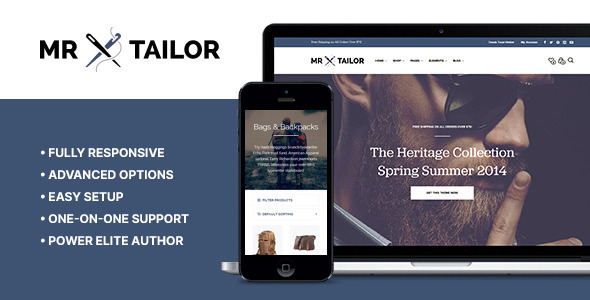
Stuck on your Mr. Tailor WordPress theme? Let's fix it.
No endless back-and-forth. Just send us the details and we'll get it done.
No obligation · Replies within 1 hour · Quote within 1 day
Setup · Customization · Bug fixes · WooCommerce integration
About Mr. Tailor WP Theme
Mr. Tailor is a WooCommerce theme built by GetBowtied, a developer studio focused exclusively on eCommerce for WordPress. It ships with a visual drag-and-drop builder, a polished set of demo stores, and tight WooCommerce integration out of the box.
The theme targets fashion, apparel, and lifestyle brands that need a professional storefront without hiring a designer from scratch. It supports variable products, lookbooks, mega menus, and AJAX cart functionality. GetBowtied maintains the theme actively, with regular updates for WooCommerce compatibility.
If you need a fast-loading, visually focused shop, Mr. Tailor gives you a solid starting point. That said, getting the most out of it usually means understanding how its builder and WooCommerce settings interact, which is where things can get technical.
Get matched with a Mr. Tailor developer in under one day
Tell us about your Mr. Tailor project. Small fixes, Mr. Tailor theme customization, or a full website build, whatever you need, we've got it covered.
We'll connect you to the right Mr. Tailor developers, define the scope, and get everything 100% clear.
You'll get one estimate, hire your preferred developer, and start collaborating.
Most Mr. Tailor issues come down to conflicts between WPBakery, WooCommerce updates, and custom code added over time. Diagnosing those correctly takes someone who knows the theme internals, not just WordPress in general.
Through Codeable, you get matched with a vetted Mr. Tailor developer who has handled these exact scenarios. No bidding, no junior freelancers. You post a project, get an estimate within 24 hours, and only move forward if you want to. It is a straightforward way to get qualified help without the usual hiring risk.
Pros
- Built specifically for WooCommerce fashion and apparel stores with relevant demo content included
- WPBakery drag-and-drop builder included in the theme price, no separate license needed
- Multiple pre-built demo skins that can be imported and swapped without rebuilding layouts
- AJAX add-to-cart, wishlist support, and quickview work out of the box with minimal setup
- GetBowtied maintains active updates and WooCommerce compatibility patches on a regular basis
Cons
- WPBakery shortcode lock-in makes switching to block editor or another builder very difficult later
- Heavy reliance on shortcodes means exported content does not transfer cleanly to other themes
- Default demo imports can be slow without manual performance optimization after setup
- Limited flexibility for non-apparel product types without significant custom development
- Some advanced layout options require purchasing additional WPBakery add-ons not included in the theme
Who is Mr. Tailor for?
Fashion and Clothing Boutiques
Mr. Tailor was designed with clothing retail in mind. The lookbook feature, variable product support, and grid-based catalog layouts make it practical for boutiques selling seasonal collections. A Mr. Tailor developer can set up size guides, filterable archives by color and category, and a checkout flow that reduces drop-off for first-time buyers.
Accessories and Jewelry Stores
Jewelry and accessories stores benefit from Mr. Tailor’s large image support and product zoom functionality. The quickview feature works well for impulse-purchase items where customers want detail without leaving the catalog. A Mr. Tailor specialist can configure product galleries and cross-sell sections to increase average order value.
Swimwear and Activewear Brands
Activewear brands often sell across multiple categories with size and color variants. Mr. Tailor handles variable products cleanly and supports sticky add-to-cart bars on product pages. A Mr. Tailor expert can also set up collection landing pages using the built-in page builder without additional plugins.
Sustainable and Ethical Fashion Brands
Sustainable fashion brands typically need content-heavy product pages that explain materials, sourcing, and brand values alongside the product itself. Mr. Tailor’s flexible product page layout supports this. A Mr. Tailor developer can build custom product templates that balance storytelling with conversion-focused design.
Multi-Brand Fashion Marketplaces
Stores featuring multiple brands need clear filtering, brand archive pages, and a structured catalog. Mr. Tailor supports this through WooCommerce taxonomy structures. A Mr. Tailor specialist can set up brand-level pages, custom filters, and header navigation that helps customers find specific labels quickly.

Customizing Mr. Tailor
Mr. Tailor uses a combination of the WPBakery Page Builder and its own theme options panel. Customization covers typography, color schemes, header layouts, product page structure, and homepage sections. You can switch between pre-built demo skins without rebuilding from scratch.
Where it gets more involved is when you need layout changes beyond what the panel exposes. Custom product templates, modified checkout flows, or non-standard catalog layouts require working directly with the theme files or child theme. A Mr. Tailor expert can make those changes cleanly without breaking updates.
Child theme setup is strongly recommended before any code-level changes. A Mr. Tailor specialist will also help you migrate customizations safely when major updates drop, keeping your store functional and your edits intact across WooCommerce version changes.
Recommended plugins for Mr. Tailor
Mr. Tailor works well with most major WooCommerce extensions including wishlist plugins, product filter tools, and currency switchers. For stores targeting international customers, WPML compatibility is built in.
Performance is worth prioritizing early. Image-heavy fashion stores can slow down quickly without proper caching, lazy loading, and image optimization in place. Our WordPress performance service covers the full stack for WooCommerce stores.
For stores relying on organic traffic, structured data and crawlability matter. Our WordPress SEO service handles technical SEO specific to WooCommerce product pages, which Mr. Tailor does not configure for you automatically.
Not sure which plugins to use? This WordPress plugins directory covers the most popular options with reviews and setup guides.
Mr. Tailor common issues
Mr. Tailor demo import not working
Demo import failures in Mr. Tailor are almost always caused by PHP memory or execution time limits on the server. Increase memory_limit to at least 256MB and max_execution_time to 300 in your php.ini or wp-config.php. Also confirm that required plugins listed in the theme documentation are installed before importing. If the import still stalls, try importing XML content and widgets separately rather than as a single package.
Mr. Tailor WooCommerce product page layout broken after update
Product page layout breaks after a WooCommerce update are common with Mr. Tailor because the theme overrides core WooCommerce templates. Check the GetBowtied changelog for your theme version and compare overridden templates in the /woocommerce/ folder of your child theme against the updated WooCommerce templates. Outdated overrides are the most frequent cause. Our WordPress bug fixing service can audit and update these template files safely.
Mr. Tailor header not showing on mobile
If the Mr. Tailor header disappears or collapses incorrectly on mobile, check for CSS conflicts introduced by a plugin or child theme. Use browser dev tools to inspect which styles are overriding the header container on smaller viewports. Also confirm that the mobile menu is enabled in the theme options panel under Header settings. If a recent plugin added global CSS, temporarily deactivate it to isolate the conflict.
Mr. Tailor AJAX cart not working
AJAX cart issues in Mr. Tailor are usually caused by a JavaScript conflict. Open your browser console and look for JS errors when clicking add-to-cart. Common culprits are outdated jQuery versions, plugin conflicts, or caching plugins serving stale JS files. Clear all caches first, then deactivate plugins one by one to isolate the conflict. If using a CDN, verify it is not caching WooCommerce cart fragments.
Mr. Tailor WPBakery elements not loading on frontend
When WPBakery elements render as shortcode text on the frontend rather than as styled content, it usually means WPBakery is not activated or is conflicting with another plugin. Confirm WPBakery is active and its license is valid. If elements were working before, check whether a recent plugin update introduced a conflict. Deactivating all non-essential plugins and re-testing will confirm whether it is an activation issue or a conflict. Our WordPress bug fixing service handles these conflicts regularly.
Mr. Tailor checkout page showing wrong layout
Checkout layout problems in Mr. Tailor often stem from a WooCommerce template override that has not been updated to match the current WooCommerce version. Navigate to WooCommerce > Status > System Status and scroll to the template overrides section. Any templates flagged as outdated should be reviewed and updated. If you have custom checkout fields or a plugin like WooCommerce Checkout Field Editor installed, test with it deactivated to rule out conflicts.
Mr. Tailor mega menu not displaying correctly
Mr. Tailor mega menus are configured through the WordPress menu editor using custom CSS classes and the theme’s menu settings. If the mega menu is not displaying, confirm the correct menu is assigned to the primary navigation location in Appearance > Menus. Also check that the mega menu option is enabled per menu item in the advanced settings. On mobile, mega menus collapse to a standard accordion, so a mobile-only issue may be a separate CSS problem rather than a menu configuration one.
Mr. Tailor homepage slider not showing images
Homepage slider images not showing in Mr. Tailor typically point to one of three issues: images were not assigned in the slider settings, a lazy loading plugin is preventing the slider script from initializing, or the slider plugin bundled with the theme needs updating. Check the slider settings inside WPBakery or the theme panel first. If images are assigned correctly, temporarily disable lazy loading plugins and test. Also confirm that the slider script is loading without errors in the browser console.
Mr. Tailor theme options not saving
Theme options not saving in Mr. Tailor usually indicates a PHP session or nonce issue, often caused by aggressive caching or a security plugin blocking the save request. Try saving options with all caching plugins disabled. If using a security plugin like Wordfence, check its blocked requests log for failed POST requests to the theme options page. In some cases, increasing PHP memory resolves this if the options panel hits a memory limit during the save process. Our WordPress bug fixing service can trace these failures quickly.
Mr. Tailor product filter not working with AJAX
AJAX product filters not working in Mr. Tailor are frequently caused by a conflict between the filtering plugin and WooCommerce’s cart fragment scripts. Plugins like WOOF or FacetWP require correct permalink settings and sometimes specific configurations in the theme. First confirm that pretty permalinks are enabled and re-saved. Then check the filter plugin’s settings for theme compatibility mode options. If the filter returns no results on AJAX load, the issue is often a missing or incorrect WooCommerce loop template in the theme’s archive files.
Mr. Tailor FAQ
Yes. Mr. Tailor is built specifically for WooCommerce and supports variable products, product galleries, AJAX cart, quickview, and wishlist functionality out of the box. It is maintained by GetBowtied, a studio focused on WooCommerce themes, so compatibility updates follow WooCommerce releases closely. It is best suited to fashion and lifestyle stores rather than general merchandise.
Mr. Tailor was built around WPBakery, not Elementor. Elementor can technically be installed alongside Mr. Tailor, but the theme’s templates and demo content are designed for WPBakery. Using Elementor will require rebuilding layouts from scratch and may cause conflicts with the theme’s built-in styling. A Mr. Tailor developer can advise on the best approach for your specific requirements.
Go to Appearance > Import Demo Data after activating Mr. Tailor. Select the demo skin you want and click import. Make sure required plugins are installed first. Your server needs at least 256MB PHP memory and a 300-second execution time limit. Large demo imports can time out on shared hosting with default settings, so increasing those limits before importing is recommended.
Yes. Mr. Tailor includes a bundled license for WPBakery Page Builder as part of the theme purchase. You do not need to buy WPBakery separately. However, the bundled version may not always be the latest release. Updates to WPBakery within Mr. Tailor come through GetBowtied’s theme updates rather than directly from the WPBakery plugin page.
Yes. GetBowtied continues to release updates for Mr. Tailor, including WooCommerce compatibility patches. You can check the changelog on ThemeForest or the GetBowtied website. Staying current with updates is important because WooCommerce releases can break template overrides in older theme versions.
Create a new folder in /wp-content/themes/ named mr-tailor-child, add a style.css with the correct Template: mr-tailor header, and a functions.php that enqueues the parent theme’s stylesheet. Activate the child theme from Appearance > Themes. All custom code and template overrides should go in the child theme to survive future updates.
Mr. Tailor can technically be used for other product types, but its demo content, default layouts, and feature set are built around apparel and fashion. Adapting it for electronics, food, or digital products requires significant customization. For non-clothing stores, a more general WooCommerce theme may be a better starting point than trying to repurpose Mr. Tailor’s fashion-specific defaults.
Start with a caching plugin like WP Rocket or LiteSpeed Cache, enable image lazy loading, and use a CDN for static assets. Mr. Tailor’s homepage sliders and full-width images can be heavy. Compress images before uploading and set WooCommerce product image sizes to what you actually use. Our WordPress performance service covers the full optimization stack for WooCommerce stores built on Mr. Tailor.
Mr. Tailor uses WPBakery Page Builder, which is included with the theme. WPBakery is a front-end and back-end drag-and-drop editor that works through shortcodes embedded in post content. This gives you flexible layouts but creates shortcode dependency, meaning content built in WPBakery does not transfer cleanly if you switch themes or builders later.
Yes. Migrating a Mr. Tailor store involves moving the database, files, and configuring the new host correctly. After migration, update site URLs in the database and clear any cached data. Check WooCommerce settings and permalink structure after the move. Our WordPress migration service handles WooCommerce store migrations including Mr. Tailor setups, with testing before the DNS cutover.
Hire a Mr. Tailor Expert Developer
Whether you need a full store build, a specific layout change, or a bug fixed before a product launch, a Mr. Tailor developer can handle it. Work is scoped clearly upfront so you know what you are getting before any work starts.
Get a Free Estimate and describe your project. You will hear back within 24 hours with a clear scope and price, no obligation to proceed.
You'll need a free Codeable account so developers can ask questions and send their quotes.