Hazel WordPress Theme
by Select-Themes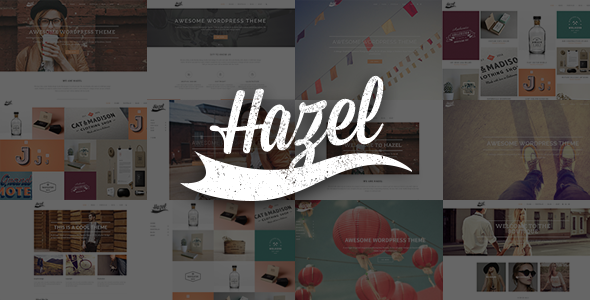
Stuck on your Hazel WordPress theme? Let's fix it.
No endless back-and-forth. Just send us the details and we'll get it done.
No obligation · Replies within 1 hour · Quote within 1 day
Setup · Customization · Bug fixes · WooCommerce integration
About Hazel WP Theme
Hazel is a WordPress theme by Select-Themes built around a clean, minimal aesthetic with a focus on portfolio and creative agency use cases. It ships with a drag-and-drop page builder, multiple demo layouts, and a shortcode library that covers most front-end needs without requiring additional plugins.
The theme uses a fullscreen intro slider, smooth scroll transitions, and CSS animations to create a polished first impression. Typography controls are solid, and the built-in color scheme options give designers enough flexibility without overcomplicating the admin panel.
Under the hood, Hazel is built on the Select Framework, which means updates and support come through Select-Themes directly. It targets creative professionals, studios, and agencies who want a visually distinctive site without building from scratch.
Get matched with a Hazel developer in under one day
Tell us about your Hazel project. Small fixes, Hazel theme customization, or a full website build, whatever you need, we've got it covered.
We'll connect you to the right Hazel developers, define the scope, and get everything 100% clear.
You'll get one estimate, hire your preferred developer, and start collaborating.
Hazel has enough moving parts, the Select Framework, custom shortcodes, animation layers, portfolio post types, that generic WordPress help often falls short. You need someone who has worked inside this theme before.
Through Codeable, you get matched with vetted WordPress developers who know Select-Themes builds. Post your project, get a free estimate within 24 hours, and only proceed if the scope and price make sense. No retainers, no risk.
Pros
- Clean, minimal aesthetic that works well for portfolios and creative agencies without heavy customization
- Built-in page builder with a wide shortcode library reduces dependency on third-party page builder plugins
- Multiple pre-built demo layouts that can be imported with one click, giving a realistic starting point
- Fullscreen intro sections and CSS scroll animations are handled natively without extra plugins
- WooCommerce and WPML compatibility built in, which keeps plugin stacking to a minimum
Cons
- The Select Framework admin panel has a steep learning curve compared to themes using the native WordPress Customizer
- Page load times on demo-imported sites can be heavy without dedicated performance optimization work
- Select-Themes updates sometimes introduce breaking changes that require child theme adjustments
- Limited third-party documentation makes troubleshooting harder without direct Select-Themes support access
- The shortcode-heavy structure can create content lock-in if you ever migrate to a different theme
Who is Hazel for?
Creative Portfolio
Hazel’s portfolio post type and filterable grid layouts make it a strong fit for creatives displaying case studies, illustrations, or photography. A Hazel developer can extend the portfolio taxonomy, add custom meta fields, and adjust grid behavior to match how you actually want your work presented.
Digital Agency
Agencies benefit from Hazel’s multi-section landing pages and team member layouts. The theme handles service listings and client showcases cleanly. A Hazel specialist can wire up lead capture forms, integrate CRM tools, and build out service pages that go beyond what the demo layouts provide.
Freelance Designer or Photographer
Solo creatives get a professional-looking site quickly using Hazel’s demo content. Customizing fonts, gallery behavior, and contact flow to match a personal brand is straightforward with developer help, especially when you want the result to feel unique rather than template-standard.
Architecture or Interior Design Studio
The fullscreen image sections and minimal UI make Hazel a natural fit for architecture and interiors studios. A Hazel expert can configure high-resolution image handling, set up project-based filtering, and optimize the site for the large image files these industries typically work with.
Product Launch or Single-Page Promo Site
Single-product or event launch pages benefit from Hazel’s fullscreen sections and scroll animations. A developer can strip the theme down to a focused one-page structure, integrate payment or registration tools, and make sure the page performs well under traffic without relying on the full theme stack.

Customizing Hazel
Customizing Hazel goes beyond swapping colors. The theme’s admin panel, built on the Select Framework, gives you section-by-section control over layout, spacing, header behavior, and font pairing. Most visual changes can be made without writing a line of code.
That said, deeper customizations, like modifying the portfolio grid logic, overriding animation timing, or restructuring the demo layouts to fit a specific brand, usually require a developer who knows the Select Framework well. A Hazel expert can work inside the child theme to make changes that survive updates without breaking anything.
If you need custom post type integrations, unique landing page structures, or modified shortcode output, working with a Hazel specialist saves a significant amount of trial and error.
Recommended plugins for Hazel
Hazel works well with WooCommerce for simple product showcases and supports Contact Form 7 and Gravity Forms out of the box. Adding WPML makes multilingual builds straightforward given the theme’s translation-ready structure.
For agencies running client sites on Hazel, pairing the theme with a caching layer and image optimization setup makes a measurable difference. See our WordPress performance service for specifics. If your Hazel site targets organic traffic, structured data and on-page optimization handled through our WordPress SEO service will help close the gap between a good-looking site and one that actually ranks.
Not sure which plugins to use? This WordPress plugins directory covers the most popular options with reviews and setup guides.
Hazel common issues
Hazel theme portfolio grid not showing correctly after update
Portfolio grid display issues after an update usually trace back to a Select Framework JavaScript conflict or a CSS override that the update reset. Open your browser console and check for JS errors tied to isotope or masonry scripts. If your child theme has custom grid CSS, re-check that the selectors still match the updated markup. If the issue persists across browsers, it likely needs a code-level fix.
Hazel fullscreen slider not loading on mobile
The fullscreen slider in Hazel relies on JavaScript that can fail on mobile when combined with certain caching or minification setups. Disable JS minification temporarily and test. Also check that your slider images meet the minimum size requirements in the theme settings. If the slider container renders but images are blank, it is usually an image size registration issue that a developer can resolve quickly.
Select-Themes Hazel page builder elements missing after WordPress update
Missing page builder elements after a WordPress core update usually mean a script dependency failed to load. Check for plugin conflicts by deactivating non-essential plugins and retesting. If the Select Framework shortcodes render as plain text, the visual editor integration may have broken. This is a known compatibility issue and often needs direct code-level repair. Our WordPress bug fixing service handles this type of problem regularly.
Hazel theme fonts not loading or defaulting to system font
Font loading failures in Hazel usually come down to a Google Fonts API change or an incorrect font name entered in the theme options. Go to Select-Themes Options, find the typography section, and confirm font names match the current Google Fonts library exactly. If you are using a custom font via @font-face in your child theme, check that file paths are correct relative to your stylesheet. Clearing cache after any font change is essential.
Hazel WooCommerce shop page layout broken
WooCommerce layout issues in Hazel are often triggered by a WooCommerce major version update that changes template structure. Hazel includes bundled WooCommerce templates that can go out of date. In WooCommerce under Status, check for outdated templates and update them. If the shop grid or single product page looks broken, a Hazel developer can update the bundled templates to match the current WooCommerce version without breaking theme styling. See our WordPress bug fixing service for help.
Hazel theme demo import fails or gets stuck
Demo import failures in Hazel are almost always caused by PHP memory limits or execution time limits on the server. Set memory_limit to at least 256M and max_execution_time to 300 in your php.ini or wp-config.php. Also check that the required plugins listed in the import wizard are all active before starting. If the import stalls mid-way, reset the site to a fresh install rather than importing over partial content.
Hazel contact form not sending emails
Contact form email failures on Hazel sites are typically a server mail configuration issue rather than a theme problem. Install an SMTP plugin like WP Mail SMTP and route outgoing mail through an authenticated email service such as SendGrid or Gmail SMTP. Test the form after configuring SMTP. If emails still fail, check that your form plugin’s notification settings point to the correct address and that spam filters are not silently discarding messages.
Hazel smooth scroll not working on anchor links
Hazel’s smooth scroll is handled by a JavaScript function tied to anchor links. If it stops working, check whether a plugin update has introduced a conflicting scroll library. Open the browser console on the affected page and look for duplicate scroll handler errors. Also verify that anchor IDs on the destination sections match the href values exactly, including case sensitivity. Disabling plugins one by one will isolate a conflict quickly.
Hazel theme slow page speed despite caching plugin
Hazel demo sites load heavy due to large bundled images, multiple Google Fonts requests, and unoptimized scripts from the Select Framework. A caching plugin alone rarely solves it. You need image compression, lazy loading, font subsetting, and ideally a CDN. The Select Framework also loads several JavaScript files that can be deferred. Our WordPress bug fixing service includes performance audits that identify the specific bottlenecks on your Hazel install.
Hazel child theme customizations disappearing after theme update
If your customizations are disappearing after a Hazel theme update, you are likely editing the parent theme files directly rather than through a child theme. All custom CSS and PHP modifications must live in a child theme. Create a child theme that references Hazel as the parent, move your changes there, and future updates will not overwrite them. If you have already lost customizations, a developer can often recover them from hosting backups.
Hazel FAQ
Select-Themes continues to release updates for Hazel as of the latest check. Support is available through the ThemeForest comments section and the Select-Themes support forum. Response times vary, and complex issues often require a developer familiar with the Select Framework rather than standard support tickets.
Hazel was built before Gutenberg became the default editor and primarily relies on its own shortcode-based system. Basic blocks work in the editor, but the theme’s layout sections and custom shortcodes are not block-based. Most Hazel sites still use the classic editor plugin for full theme feature access.
Yes. Hazel includes WooCommerce support with bundled templates for shop, product, and cart pages. The styling integrates with the theme’s aesthetic reasonably well. For complex stores, a Hazel developer can extend the WooCommerce templates and align them more closely with your specific layout requirements.
Go to Select-Themes Options in your WordPress admin, find the Import section, and follow the one-click demo import wizard. Make sure required plugins are installed first. Increase your PHP memory limit to at least 256M before starting to avoid timeouts during the import process.
Hazel is responsive and adapts to mobile and tablet viewports. That said, the fullscreen intro sections and animation-heavy layouts can have display quirks on smaller screens depending on your content setup. A Hazel specialist can fine-tune breakpoint behavior and fix mobile-specific layout issues.
Hazel is sold under a regular ThemeForest license, which covers one end product. If you build sites for clients, each site technically requires its own license. Select-Themes does not offer a multi-site or agency license for Hazel specifically. Check the ThemeForest license terms before deploying across multiple client projects.
Hazel uses the Select Framework’s built-in page builder, which is proprietary to Select-Themes. It is not WPBakery or Elementor. The builder works through a custom interface in the post editor and outputs shortcodes. This means the layout structure is tied to the theme and does not transfer if you switch themes later.
Start with image compression and lazy loading, then defer non-critical JavaScript from the Select Framework. Reduce Google Fonts requests by limiting font variants. Use a caching plugin and consider a CDN for static assets. For a full breakdown, our WordPress performance service covers Hazel-specific optimizations in detail.
Hazel sites migrate cleanly as long as database prefixes, file paths, and URL references are updated correctly. The theme design is stored in the database via theme options, so a proper database migration preserves it. Use a migration plugin or hire a developer to handle it. See our WordPress migration service for a risk-free move.
Through Codeable, you can post your Hazel project and get matched with vetted WordPress developers who have Select-Themes experience. You receive a free estimate within 24 hours with no obligation. It is faster and more reliable than searching freelance marketplaces for someone who claims theme knowledge.
Hire a Hazel WordPress Expert
Whether you need a full Hazel build, targeted fixes, or performance work on an existing site, working with a developer who knows the Select Framework cuts the project time considerably. Our experts handle everything from demo imports and layout customization to plugin conflicts and speed optimization.
Get a Free Estimate and describe your project. You’ll hear back within 24 hours with a clear scope and no obligation to hire.
You'll need a free Codeable account so developers can ask questions and send their quotes.