Efor WordPress Theme
by pixelwars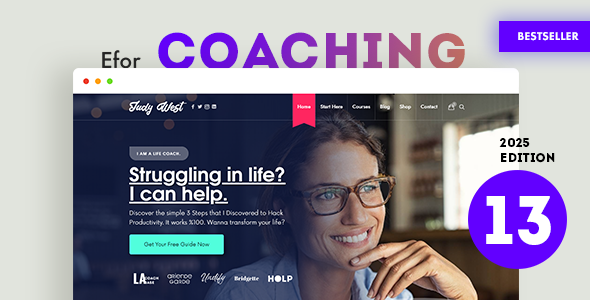
Stuck on your Efor WordPress theme? Let's fix it.
No endless back-and-forth. Just send us the details and we'll get it done.
No obligation · Replies within 1 hour · Quote within 1 day
Setup · Customization · Bug fixes · WooCommerce integration
About Efor WP Theme
Efor is a WordPress theme developed by Pixelwars, built for online education platforms and eLearning websites. It integrates tightly with LearnDash and LifterLMS, giving course creators a structured layout without needing to bolt on a separate page builder theme afterward.
The theme ships with course listing pages, instructor profiles, a clean checkout flow, and a frontend dashboard for students. Typography and spacing are tuned for readability, which matters when users are reading course content for extended sessions.
Pixelwars has focused Efor specifically on the eLearning niche rather than trying to cover everything. That focus shows in how the demo content is structured and how predictably the theme behaves with learning management plugins. It is a solid starting point for anyone building a course marketplace or membership-based training site on WordPress.
Get matched with a Efor developer in under one day
Tell us about your Efor project. Small fixes, Efor theme customization, or a full website build, whatever you need, we've got it covered.
We'll connect you to the right Efor developers, define the scope, and get everything 100% clear.
You'll get one estimate, hire your preferred developer, and start collaborating.
Efor is purpose-built for eLearning, but every course platform has its own structure, audience, and integration requirements. When the theme does not behave the way you need it to, or when you are stacking LearnDash, WooCommerce, and a membership plugin together, small conflicts compound quickly.
Codeable connects you with vetted WordPress developers who have real experience with themes like Efor and the plugins that surround it. You get a free estimate before any work begins, and you only move forward if the plan makes sense for your project.
Pros
- Designed specifically for eLearning, so course layouts and student dashboards work out of the box
- Native integration with LearnDash and LifterLMS reduces plugin conflict risk
- Elementor compatibility gives flexibility to redesign pages without custom coding
- Student dashboard and instructor profile templates are included in the theme
- Clean typography and readable content layouts suited for long-form course material
Cons
- Primarily optimized for LearnDash and LifterLMS, so other LMS plugins may not display correctly
- Demo content import can be slow and occasionally incomplete depending on server configuration
- Deep customization outside the Customizer requires a child theme and developer involvement
- Limited third-party documentation makes troubleshooting harder without direct Pixelwars support
- Mobile responsiveness on course quiz pages can need manual adjustment for complex layouts
Who is Efor for?
Online Course Marketplaces
Efor suits multi-instructor course marketplaces well. Instructor profile pages, course listing archives, and category filtering are all built into the theme. Pair it with LearnDash and WooCommerce and you have a functional marketplace structure without heavy custom development to get the basics working.
Corporate Training Portals
Companies building internal training platforms benefit from Efor’s clean dashboard layout and student progress tracking integration. Combined with a membership plugin for employee access control, the theme handles gated content and course completion flows in a way that feels professional and easy for non-technical staff to navigate.
Coaching and Mentorship Platforms
Coaches selling one-on-one programs or group cohorts can use Efor to present course packages clearly. The theme’s single course page layout works well for detailed program breakdowns, testimonials, and enrollment CTAs. Adding a booking plugin alongside LifterLMS extends functionality without fighting the theme’s structure.
Academic and University Course Sites
University departments or academic institutions creating supplementary course content online find Efor’s structured layout familiar for students. Course modules, lesson sequences, and assignment sections display in a logical hierarchy. The theme can be branded to match institutional colors with modest Customizer work.
Certification and Professional Development Sites
Professional associations or training companies issuing certificates after course completion can use Efor alongside LearnDash’s certificate add-on. The theme presents course requirements and prerequisites clearly, which is important when learners need to understand exactly what they are enrolling in before purchasing access.

Customizing Efor
Efor supports customization through the WordPress Customizer, giving you control over colors, fonts, header layout, and homepage sections without touching code. The theme also works with Elementor, so you can rebuild key pages visually if the default templates feel too rigid.
For anything beyond surface-level changes, an Efor expert can restructure course archive pages, build custom instructor profile templates, or modify the student dashboard to match your brand. Custom CSS and child theme development are the right approach for changes that need to survive updates cleanly.
Hiring an Efor specialist also makes sense when you need to connect the theme with payment gateways, membership plugins like MemberPress, or custom post types that fall outside what Pixelwars has built in by default. Getting those integrations right early saves significant rework later.
Recommended plugins for Efor
Efor pairs well with WooCommerce for course sales and Stripe or PayPal for payment processing. For membership access control, MemberPress and Restrict Content Pro both work alongside the theme without layout conflicts.
If your eLearning site needs to rank in search, pairing Efor with Rank Math or Yoast and a proper WordPress SEO setup is worth doing from day one. Course pages benefit from structured data markup, which needs to be configured deliberately.
Page speed is a real concern for video-heavy course sites. A WordPress performance audit can identify where Efor and your hosting stack are creating bottlenecks before they affect student experience.
Not sure which plugins to use? This WordPress plugins directory covers the most popular options with reviews and setup guides.
Efor common issues
Efor theme course page not displaying LearnDash content correctly
This usually happens when LearnDash is installed after the theme and the course template assignment is not set correctly. Go to LearnDash settings and confirm the course display mode matches what Efor expects. If the theme has a dedicated LearnDash template file, verify it has not been overridden by a plugin. Clearing your cache after changes is necessary before testing output again.
Efor homepage sections not showing after import
Failed demo imports are often caused by server timeout limits or insufficient PHP memory. Increase max_execution_time and memory_limit in your PHP configuration, then retry the import. If sections still do not appear, import the XML manually through Tools > Import and configure Customizer settings separately. Check the Pixelwars documentation for section-specific Customizer keys.
Efor theme header logo not updating in Customizer
If your logo update is not saving in the Customizer, the most common cause is a caching plugin holding the old image. Purge all caches including any CDN layers after saving. If the issue persists, check file permissions on the uploads folder. In some cases a JavaScript error in the Customizer preview panel blocks the save action, which you can identify in the browser console.
Efor student dashboard showing blank page
A blank student dashboard is almost always a permalink conflict. Go to Settings > Permalinks and save without changes to flush rewrite rules. Also confirm that the dashboard page is assigned correctly inside your LMS plugin settings. If you are using a caching plugin, exclude all LMS account and dashboard URLs from caching entirely. If the problem persists, a WordPress bug fixing service can isolate the conflict quickly.
Efor theme WooCommerce checkout page broken layout
Efor’s WooCommerce templates can conflict with certain WooCommerce versions after updates. Check if Efor has outdated template files by going to WooCommerce > Status > System Status and looking for template override warnings. Updating the theme’s WooCommerce templates to match the current WooCommerce version resolves most layout breaks. If you are not comfortable editing template files, a developer should handle this to avoid checkout data errors.
Efor mobile menu not opening on iOS
Mobile menu failures on iOS typically stem from a touch event JavaScript conflict. Check your browser console for JS errors when tapping the menu trigger. Plugins adding their own jQuery or script libraries can block the menu toggle. Deactivate plugins one by one to identify the conflict. If using a caching plugin, make sure JavaScript minification is not combining scripts in a way that breaks execution order.
Efor theme slow loading on course archive pages
Course archive pages load slowly when every course thumbnail loads without lazy loading and no caching is applied to archive queries. Enable lazy loading for images site-wide, install a caching plugin, and consider paginating course archives if you have more than 20 courses. A WordPress bug fixing specialist can also audit which database queries are running on archive pages and whether any are unindexed or redundant.
Efor instructor profile page returning 404 error
A 404 on instructor profile pages means the custom rewrite rules for that post type are not registered. Go to Settings > Permalinks and save to flush rules. If profiles still 404, check whether the theme’s custom post type for instructors is being registered correctly, which can break if a plugin conflict or incomplete update interrupted the registration hook during a recent change.
Efor theme not compatible with Elementor after update
After a theme or Elementor update, widget areas and template assignments can break if Elementor’s database records reference deprecated theme locations. Go to Elementor > Tools > Regenerate CSS and flush styles. If specific Efor sections no longer render inside Elementor, the theme may need a compatibility patch. Check whether Pixelwars has released an update addressing the specific Elementor version you are running.
Efor course category filter not working
If the course category filter produces no results or does not update the listing, the issue is usually in how the AJAX request is formed or how taxonomy terms are registered. Confirm that course categories are using the taxonomy slug Efor expects. Some filter implementations also require permalink settings to allow pretty filter URLs. Clearing transients and object cache after taxonomy changes resolves stale filter results in many cases.
Efor FAQ
Yes. Efor is built with LearnDash compatibility as a core feature. Course pages, lesson layouts, and the student dashboard are designed around how LearnDash structures its content. You should still confirm that your specific LearnDash version matches Efor’s tested version range, as major LearnDash updates occasionally require a corresponding theme update from Pixelwars.
Efor supports Elementor, and most page-level layouts can be rebuilt or extended using Elementor’s visual editor. The core course and dashboard templates remain PHP-based, so Elementor works best for landing pages, the homepage, and static content sections rather than the LMS-specific template files Efor controls directly.
Yes. Efor integrates with WooCommerce for handling course purchases. You can set up product pages for individual courses or bundles and process payments through standard WooCommerce payment gateways. Keep WooCommerce and Efor’s template files in sync after updates to avoid checkout layout issues.
Always use a child theme for any code-level customizations. Customizer settings are stored in the database and survive theme updates, but modified template files in the parent theme will be overwritten. A child theme keeps your changes safe. Back up your site before every theme update regardless.
Efor includes instructor profile templates and supports multi-instructor setups, particularly when paired with LearnDash’s instructor features or a plugin like Instructor Role for LearnDash. For large marketplaces with complex revenue sharing, additional plugin configuration beyond what the theme provides will be needed.
Efor lists LifterLMS compatibility alongside LearnDash. Course layouts and membership access features work with LifterLMS, though LearnDash tends to have tighter integration in Pixelwars’ own testing. Test your specific LifterLMS add-ons with the theme in a staging environment before going live.
Yes. An Efor developer can handle layout changes, plugin integrations, custom templates, and anything the Customizer does not cover. FoxyConcept delivers this work through Codeable, where you get a free estimate before any commitment. Describe your project and get matched with a qualified specialist quickly.
Efor’s demo import is available through the theme’s onboarding wizard after activation. Go to Appearance > Efor Options or the theme’s setup page and follow the one-click import steps. Make sure your server’s PHP memory limit is at least 256MB and max execution time is set to 300 seconds or higher to avoid incomplete imports.
Pixelwars maintains Efor and releases updates to address compatibility with WordPress core, LearnDash, and WooCommerce. Update frequency varies, so check the theme’s changelog on ThemeForest or Envato to confirm recent activity before purchasing or committing to it for a long-term project.
Yes, Efor migrates cleanly between hosts like any standard WordPress theme. The main considerations are updating site URLs in the database after migration and ensuring your LMS plugin licenses are reactivated on the new domain. A proper WordPress migration process covers these steps and avoids broken links or missing assets after the move.
Hire an Efor Developer for Your eLearning Site
Whether you need an Efor expert to set up your course platform from scratch, fix a layout issue, or integrate a third-party plugin cleanly, working with a specialist saves time and avoids costly mistakes. FoxyConcept delivers WordPress development through Codeable, a vetted network where you receive a free estimate before committing to anything. Get a Free Estimate and describe your project today.
You'll need a free Codeable account so developers can ask questions and send their quotes.