Superio – Job Board WordPress Theme WordPress Theme
by ApusTheme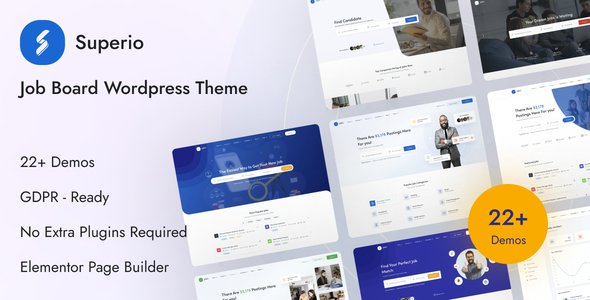
Stuck on your Superio – Job Board WordPress Theme WordPress theme? Let's fix it.
No endless back-and-forth. Just send us the details and we'll get it done.
No obligation · Replies within 1 hour · Quote within 1 day
Setup · Customization · Bug fixes · WooCommerce integration
About Superio – Job Board WordPress Theme WP Theme
Superio is a job board WordPress theme built by ApusTheme. It ships with a full-featured job listing system, employer and candidate dashboards, resume management, and a clean front-end submission flow. The theme integrates tightly with WP Job Manager and its premium add-ons, giving you a ready-made foundation for a niche job board or a general employment marketplace.
Out of the box, Superio includes multiple homepage layouts, filterable job listings, company profile pages, and a membership or pricing table section. It supports both free and paid listings through WooCommerce. ApusTheme built it with Elementor compatibility, so page layouts are editable without touching code. If you need a job board live quickly, Superio covers most of the core requirements without heavy custom development.
Get matched with a Superio – Job Board WordPress Theme developer in under one day
Tell us about your Superio – Job Board WordPress Theme project. Small fixes, Superio – Job Board WordPress Theme theme customization, or a full website build, whatever you need, we've got it covered.
We'll connect you to the right Superio – Job Board WordPress Theme developers, define the scope, and get everything 100% clear.
You'll get one estimate, hire your preferred developer, and start collaborating.
Superio is not a simple blog theme. Its job board logic involves user roles, payment flows, application tracking, and real-time search. When something breaks or a feature needs extending, you need a developer who has worked inside WP Job Manager and ApusTheme’s codebase before. Codeable connects you with vetted WordPress specialists who have that specific experience. You post the project, get a clear estimate, and only proceed if the scope fits your budget. No guesswork, no generic freelancers.
Pros
- Deep WP Job Manager integration with support for most official add-ons out of the box
- Elementor-compatible page builder with job-specific widgets for listings and filters
- Separate employer and candidate dashboards with front-end job and resume submission
- WooCommerce integration for paid listing packages and membership plans
- Multiple pre-built homepage and listing page demos covering different job board niches
Cons
- Relies heavily on WP Job Manager, so core functionality breaks if that plugin is updated incompatibly
- Demo import does not always complete cleanly, requiring manual cleanup of missing images and broken widgets
- Mobile styling on dashboard pages needs additional CSS work to look polished on small screens
- Built-in search filters are limited without purchasing extra WP Job Manager add-ons
- ApusTheme support response times can be slow for complex or code-level questions
Who is Superio – Job Board WordPress Theme for?
Tech & Developer Job Boards
Superio handles multi-category listing structures well, making it practical for tech job boards that need to separate roles by stack, seniority, or contract type. A Superio developer can add custom taxonomy filters for technologies or certifications, and integrate with GitHub or LinkedIn profile imports on the candidate side.
Remote Work Marketplaces
Remote job boards need location-agnostic filters and timezone fields. Superio’s WP Job Manager base supports remote job type flags, and a specialist can extend the search to filter by overlap hours, salary currency, or contractor versus employee status. Paid listing packages via WooCommerce handle employer monetization cleanly.
Healthcare & Medical Staffing
Healthcare staffing requires credential fields, license verification flags, and compliance-aware application flows. A Superio – Job Board WordPress Theme expert can add custom resume fields for certifications, restrict certain listing types to verified employers, and build notification workflows tied to application status changes.
Creative & Freelance Talent Platforms
Creative platforms need portfolio display on candidate profiles. Superio’s resume system can be extended to support image galleries, Behance links, or embedded video reels. A developer can restructure the candidate profile template to prioritize portfolio content over standard CV fields, giving it a look appropriate for design or media roles.
Regional or Local Employment Boards
Local job boards benefit from map-based search and postcode radius filtering. Superio supports Google Maps integration, and a developer can configure proximity search with WP Job Manager’s geolocation add-on. Custom employer verification for local businesses and simplified free listing submission flows help drive adoption in specific cities or regions.

Customizing Superio – Job Board WordPress Theme
Superio ships with demo content and Elementor widgets, but most serious job boards need customization beyond what the theme controls panel offers. A Superio – Job Board WordPress Theme expert can restructure the candidate and employer dashboards, add custom job fields, build role-based access rules, and connect the listing system to external HR tools or APIs.
Common customization requests include custom search filters by salary range or remote status, branded email notifications, custom resume templates, and Stripe or PayPal integration for paid listings. ApusTheme’s code is reasonably structured, but extending WP Job Manager hooks requires WordPress development knowledge. A developer can also optimize the database queries that power job search, which become slow as listing volume grows.
Recommended plugins for Superio – Job Board WordPress Theme
Superio works with the WP Job Manager add-on ecosystem, including Resume Manager, Applications, Bookmarks, and WooCommerce Paid Listings. Adding these increases site complexity and page weight. A developer can audit and streamline asset loading across listing and dashboard pages.
For boards expecting organic traffic, pairing Superio with structured data markup for job postings and a solid technical SEO setup via WordPress SEO optimisation improves Google Jobs visibility. For faster page loads on listing archives, a targeted WordPress performance audit addresses caching, query optimization, and image handling across the job listing templates.
Not sure which plugins to use? This WordPress plugins directory covers the most popular options with reviews and setup guides.
Superio – Job Board WordPress Theme common issues
Superio job listings not showing on front end after publish
This usually means the WP Job Manager pages are not assigned correctly in the plugin settings, or the listing status is set to pending rather than published. Go to WP Job Manager settings and confirm the job listings page is assigned. Also check whether your user role has permission to publish directly. If the problem persists after checking these, a permalink flush under Settings > Permalinks often resolves it.
WP Job Manager add-on conflict with Superio theme causing white screen
Plugin conflicts in Superio most often involve WP Job Manager add-ons that are out of sync with each other or with the theme version. Deactivate add-ons one by one in a staging environment to isolate the conflict. Check that WP Job Manager core, all add-ons, and Superio are all on their latest compatible versions. If the conflict is code-level, the WordPress bug fixing service can identify and patch the source.
Superio employer dashboard showing blank page after login
A blank employer dashboard is almost always a page assignment issue or a session conflict. Confirm that the dashboard page is correctly assigned in WP Job Manager settings. Try disabling caching plugins temporarily, as some object cache configurations store unauthenticated page states. If the page loads but the dashboard widgets are empty, a JavaScript console error in the browser inspector will point to the broken script.
Job search filter not working in Superio
Job search filters in Superio depend on JavaScript initialization tied to specific element IDs. If a page builder update or theme customization has changed the markup structure, the filter scripts may no longer bind correctly. Open the browser console and look for JS errors on the listing page. Also confirm that the AJAX URL is correctly set in the localized script variables. A developer can re-hook the filter logic if the template has diverged from the expected structure.
Superio theme demo import failing or incomplete
Superio’s demo import requires sufficient PHP memory, execution time, and a clean WordPress install. Set memory_limit to at least 256M and max_execution_time to 300 in your PHP configuration before importing. If the import stalls, try importing XML content and widgets separately rather than using the one-click importer. Missing images after import are normal and need to be replaced with your own media.
Paid listing package not redirecting correctly after WooCommerce checkout in Superio
After WooCommerce checkout for a paid listing package, Superio relies on a thank-you page redirect tied to the order status. If the redirect lands on a generic WooCommerce page instead of the job submission form, check the WP Job Manager WooCommerce Paid Listings settings and confirm the product is assigned the correct listing package. Also verify that the WooCommerce order status transitions to completed, not just processing. See the WordPress bug fixing service for payment flow debugging.
Superio candidate profile page returning 404 error
A 404 on candidate profile pages is a permalink issue. Go to Settings > Permalinks and save without changes to flush rewrite rules. If the 404 persists, check whether the WP Job Manager Resume Manager add-on has its own permalink base set under its settings. Theme updates occasionally overwrite custom rewrite rules, so this flush should be the first step after any update to Superio or its dependent plugins.
Email notifications not sending for new job applications in Superio
Email notification failures in Superio are usually caused by the server’s default PHP mail function being blocked. Install an SMTP plugin such as WP Mail SMTP and configure it with a transactional email service like Mailgun or Postmark. Also check WP Job Manager’s email notification settings to confirm which events trigger emails and that the recipient addresses are correct. Test using the WP Mail SMTP diagnostic tool before assuming the issue is theme-related.
Superio theme slow loading on job listing archive pages
Slow job listing archives in Superio are typically caused by unoptimized meta queries, multiple add-on scripts loading on every page, or large uncompressed images in listing thumbnails. Use Query Monitor to identify slow database queries, then implement server-side caching for listing pages. A full WordPress performance audit will identify the heaviest bottlenecks and apply targeted fixes without breaking the job search functionality.
Superio map not loading on job listing pages
If the map on Superio job listing pages is blank or not rendering, the most common cause is a missing or incorrectly restricted Google Maps API key. Check the API key under WP Job Manager settings and confirm it has the Maps JavaScript API and Geocoding API enabled in the Google Cloud Console. Also check browser console errors for API key refusal messages. If you are using a different geolocation add-on, confirm its API credentials are current.
Superio – Job Board WordPress Theme FAQ
Yes. Superio is built specifically around WP Job Manager and requires it as a core dependency. The theme’s listing pages, dashboards, and application flows are all tied to WP Job Manager’s shortcodes and templates. Most official WP Job Manager add-ons are also supported, though compatibility should be verified for each add-on version before activating on a live site.
Yes, Superio ships with Elementor compatibility and includes custom widgets for job listings, search forms, and category grids. Page layouts built with Elementor work on standard pages, but the job listing templates themselves are controlled by WP Job Manager’s template files, not the page builder. A developer is needed to modify those inner templates beyond what the theme customizer allows.
Paid listings in Superio use WooCommerce combined with the WP Job Manager WooCommerce Paid Listings add-on. You create listing packages as WooCommerce products and assign them inside the add-on settings. Employers select a package during submission and are directed through the WooCommerce checkout. Both one-time and subscription-based packages are supported depending on which extensions you install.
Superio’s base code is reasonably clean, but job board SEO requires more than a well-coded theme. Job posting structured data, proper canonical handling for filtered listing URLs, and fast page loads all matter for Google Jobs visibility. A dedicated WordPress SEO optimisation setup alongside Superio will make a meaningful difference in organic traffic to your listings.
Yes. Superio supports separate registration flows for employers and candidates, each with their own front-end dashboard. Employers manage job postings and review applications. Candidates manage resumes and track application status. Role assignment at registration is handled through WP Job Manager. Custom registration fields or approval workflows require additional development beyond the theme defaults.
Demo import failures in Superio are most often caused by insufficient PHP memory or execution time limits set by your host. Increase memory_limit to 256M and max_execution_time to 300 before retrying. If the importer still fails, import the XML file manually through WordPress’s built-in importer and import widgets separately. Contact your host if server limits cannot be changed from within WordPress.
Superio supports resume management through the WP Job Manager Resume Manager add-on, which must be purchased separately. Once active, candidates can upload resume files, fill structured resume fields, and make their profiles searchable by employers. The theme includes styled resume listing and single resume templates. Custom resume fields or PDF generation require additional development work.
Superio is built primarily with Elementor. The theme includes custom Elementor widgets for job-related content blocks. It also ships with WPBakery on some older demo configurations, but Elementor is the recommended builder for new installations. The core job listing templates, however, are standard PHP template files controlled by WP Job Manager, not the page builder.
Yes. The dashboards are built with WP Job Manager template files that can be overridden by placing copies in your child theme’s job_manager folder. A Superio developer can restructure dashboard layouts, add custom data fields, build notification panels, or integrate third-party tools like CRMs or calendar systems. Always use a child theme so updates do not overwrite customizations.
Superio is not officially tested or marketed for WordPress multisite setups. WP Job Manager itself has limited multisite support, and running a job board network would require custom development to handle per-site listing isolation, shared taxonomy management, and payment flows. If multisite is a requirement, discuss the architecture with a specialist before committing to Superio as the theme.
Hire a Superio – Job Board WordPress Theme Developer
Whether you need a custom job alert system, a paid listing upgrade, or a full redesign of the candidate dashboard, a Superio specialist can scope and deliver it properly. Work is matched through Codeable’s vetted developer network, so you get someone with relevant experience, not a generalist. Get a Free Estimate and describe what your job board needs. There’s no obligation to hire and no upfront cost.
You'll need a free Codeable account so developers can ask questions and send their quotes.