Consultio WordPress Theme
by Case-Themes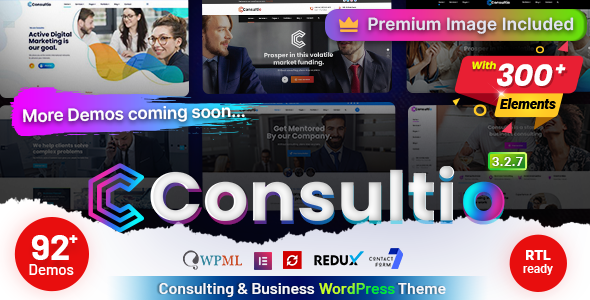
Stuck on your Consultio WordPress theme? Let's fix it.
No endless back-and-forth. Just send us the details and we'll get it done.
No obligation · Replies within 1 hour · Quote within 1 day
Setup · Customization · Bug fixes · WooCommerce integration
About Consultio WP Theme
Consultio is a premium WordPress theme built by Case-Themes, designed specifically for consulting firms, business coaches, financial advisors, and professional service providers. It ships with a clean, corporate aesthetic, multiple pre-built demo layouts, and deep integration with Elementor for drag-and-drop page building.
The theme includes dedicated sections for services, team members, case studies, testimonials, and appointment booking. It supports WooCommerce for selling courses or digital products and integrates with popular form plugins for lead capture. Built on a well-structured codebase, Consultio loads fast out of the box and follows current WordPress coding standards. For agencies managing client sites, it supports child theme development without breaking updates.
Get matched with a Consultio developer in under one day
Tell us about your Consultio project. Small fixes, Consultio theme customization, or a full website build, whatever you need, we've got it covered.
We'll connect you to the right Consultio developers, define the scope, and get everything 100% clear.
You'll get one estimate, hire your preferred developer, and start collaborating.
Getting Consultio set up correctly takes more than importing a demo. Fonts, layouts, and integrations all need to match how your business actually works. Codeable connects you with vetted WordPress developers who have hands-on experience with themes like Consultio. You post your project, get matched within 24 hours, and receive a free estimate before committing to anything. No bidding wars, no offshore guesswork. Just a qualified developer who knows what they’re doing.
Pros
- Purpose-built for consulting and professional services with relevant demo layouts included
- Deep Elementor integration makes page building straightforward without custom code
- Includes dedicated post types for services, team members, and case studies
- WooCommerce compatible for selling digital products, courses, or consultations
- Actively maintained by Case-Themes with regular updates and support documentation
Cons
- Demo import can be slow and sometimes requires manual cleanup of placeholder content
- Heavy reliance on Elementor means switching page builders later is painful
- Some advanced layout options require Elementor Pro, adding to the total cost
- Theme options panel is not always intuitive for first-time WordPress users
- Mobile header behavior needs manual adjustments on certain screen sizes
Who is Consultio for?
Management Consulting Firms
Consultio’s case study layouts and service pages work well for management consulting firms that need to showcase client results and methodology. The team section supports bios and credentials. A Consultio developer can connect the contact forms to a CRM and set up conversion-focused landing pages for specific service lines.
Business and Life Coaches
Coaches need a site that builds trust quickly. Consultio’s testimonial blocks, video sections, and booking integrations are a natural fit. A Consultio specialist can configure appointment scheduling, set up a course sales page via WooCommerce, and make sure the layout reflects the coach’s personal brand rather than the default demo.
Financial Advisors and Wealth Managers
Financial services firms require clean, credible design and fast load times. Consultio delivers both, with sections for services, credentials, and regulatory disclaimers. A Consultio expert can add custom compliance text, configure contact forms to route leads correctly, and optimize the site for local SEO searches like “financial advisor near me.”
HR and Recruitment Agencies
Recruitment agencies benefit from Consultio’s clean layout for listing services, team members, and client testimonials. A Consultio developer can integrate job board plugins, set up application forms, and build separate landing pages targeting different candidate or employer audiences without duplicating theme template files.
Marketing and Branding Agencies
Agencies need a portfolio-forward site that also converts visitors into leads. Consultio supports case studies and service breakdowns that work well for this. A Consultio developer can build out custom project showcase layouts, wire up a proposal request form, and set up tracking to measure which service pages drive the most inquiries.

Customizing Consultio
Consultio gives you a solid starting point, but most businesses need adjustments that go beyond what the live customizer offers. Typography, color schemes, and layout spacing are configurable through the theme options panel, but anything structural requires custom CSS or Elementor overrides.
A Consultio expert can handle the things that take non-developers hours: setting up custom post types for services or case studies, wiring up booking forms to CRM tools, adjusting the header and footer outside the default templates, and making the demo content match your actual brand. If you need a specific layout that the pre-built demos don’t cover, a Consultio developer can build it cleanly without hacking core files or creating update conflicts.
Recommended plugins for Consultio
Consultio pairs well with several plugins that extend its default functionality. Elementor Pro unlocks global widgets and popups. WPForms or Gravity Forms handle lead capture and appointment requests. For client sites that depend on organic traffic, proper technical setup matters as much as design. A developer can configure WordPress SEO correctly from day one, including schema markup for local businesses and service pages.
Site speed is also worth addressing early. Consultio’s demo content can bloat page weight if left unconfigured. A dedicated WordPress performance setup ensures Core Web Vitals stay in range even after adding plugins.
Not sure which plugins to use? This WordPress plugins directory covers the most popular options with reviews and setup guides.
Consultio common issues
Consultio demo import not working
Demo import failures in Consultio are usually caused by memory limits, execution timeouts, or missing required plugins. Increase upload_max_filesize and max_execution_time in your php.ini or via your host’s control panel. Make sure Elementor, WPForms, and other required plugins are installed first. If the import still stalls, try importing XML content manually through Tools > Import. A WordPress bug fixing service can handle persistent import issues quickly.
Consultio header not displaying correctly on mobile
Consultio’s mobile header often breaks when custom CSS conflicts with the theme’s responsive breakpoints or when a non-standard menu depth is used. Open browser DevTools and inspect which CSS rule is overriding the mobile header container. In most cases, a targeted media query fix resolves it. If you’ve added a custom header via Elementor Pro, check that the display conditions are set correctly and not conflicting with the theme’s default header template.
Consultio Elementor sections showing blank after update
Blank Elementor sections after a Consultio update typically point to a widget compatibility break or a missing Elementor library entry. Go to Elementor > Tools > Regenerate CSS and clear your cache. If sections remain blank, open the affected page in Elementor, check the console for JS errors, and look for deprecated widget notices. Rolling back to the previous theme version temporarily while Case-Themes releases a patch is a reliable short-term fix.
Consultio contact form not sending emails
When Consultio’s contact form stops sending emails, the problem is almost always server-level email delivery rather than the form plugin itself. WordPress uses PHP mail by default, which most shared hosts block. Install an SMTP plugin like WP Mail SMTP and connect it to a transactional email service such as Mailgun, SendGrid, or Gmail SMTP. Test using the plugin’s built-in email test tool. If the form never submits at all, check for JS console errors blocking form validation.
Consultio theme update broke my layout
Consultio updates can overwrite template file customizations if you edited the parent theme directly. The fix going forward is to use a child theme. For the immediate problem, compare the current template files against your backup using a diff tool, identify what changed, and reapply only the necessary customizations. If you don’t have a backup, a WordPress bug fixing specialist can reconstruct the layout from browser cache or staging copies.
Consultio slow page load speed
Consultio page speed issues usually come from unoptimized images, loading all Elementor assets site-wide, or too many third-party scripts running on every page. Start by running the page through GTmetrix to identify the largest contributors to load time. Compress images, enable lazy loading, and configure a caching plugin. For Elementor specifically, enable the “Improved Asset Loading” experiment in Elementor > Settings > Experiments to reduce per-page CSS output.
Consultio footer widgets not showing
If Consultio footer widgets aren’t showing, the first thing to check is whether the footer widget areas are enabled in the theme options panel. Some Consultio layouts use a custom footer built in Elementor that bypasses the standard widget areas entirely. If you’re using the default footer, go to Appearance > Widgets and confirm widgets are assigned to the correct footer sidebar. Also check that the footer layout setting in the customizer matches the number of columns you’re populating.
Consultio Google Fonts not loading
Consultio loads Google Fonts via a standard enqueue in functions.php. If fonts aren’t rendering, the request may be blocked by a privacy plugin, a CSP header, or a caching tool that combined and cached a broken CSS file. Check the browser network tab for a 404 or blocked request on the fonts URL. If you’re running a cookie consent plugin, add fonts.googleapis.com to the allowed domains list. Alternatively, host Google Fonts locally using a plugin like OMGF.
Consultio WooCommerce pages not styled correctly
Consultio includes WooCommerce template overrides, but after a WooCommerce major version update, those overrides can become outdated and produce unstyled or broken shop pages. Go to WooCommerce > Status > Tools and check for outdated templates. Update the overrides either manually by copying the new WooCommerce templates into the Consultio child theme’s woocommerce/ folder or by using a bug fixing service to handle the merge correctly.
Consultio child theme not inheriting styles
A Consultio child theme that isn’t inheriting parent styles is almost always caused by an incorrect style.css header or a missing wp_enqueue_scripts function in functions.php. Make sure the Template: field in the child theme’s stylesheet matches the exact folder name of the Consultio parent theme. In functions.php, enqueue the parent stylesheet using get_template_directory_uri() and the child stylesheet using get_stylesheet_directory_uri().
Consultio FAQ
Yes. Consultio is built specifically for consulting businesses, coaches, and professional service providers. It includes service pages, case study layouts, team sections, and testimonial blocks. The pre-built demos cover the most common consulting website structures. A Consultio specialist can adapt any of these layouts to match your specific service offering and brand.
Consultio is built around Elementor as its primary page builder. The theme’s demo layouts use Elementor templates, and most layout customization is done through the Elementor editor. The free version of Elementor covers most use cases, though some advanced features like popups, global widgets, and form styling require Elementor Pro.
After activating Consultio, a setup wizard or demo import page should appear under Appearance or the theme’s admin menu. Install all required plugins first, then import the demo of your choice. Make sure your PHP memory limit is at least 256MB. Large demo imports can time out on slower hosting plans, so check your host’s PHP execution limits before starting.
Yes, Consultio works with the free version of Elementor for most layout and content editing tasks. Elementor Pro adds popups, theme builder features, and advanced form styling. If you only need standard pages with service descriptions, team bios, and contact forms, the free Elementor plugin is sufficient to build and maintain a Consultio site.
Create a new folder inside /wp-content/themes/ named something like consultio-child. Add a style.css with a header that includes Template: consultio matching the parent folder name exactly. Add a functions.php that enqueues both parent and child stylesheets. Activate the child theme from Appearance > Themes. All customizations should go into the child theme to survive updates.
Yes, Consultio includes WooCommerce compatibility. You can sell services, digital products, or online courses directly from your Consultio site. The theme includes styled WooCommerce templates for shop, product, and cart pages. After major WooCommerce updates, check for outdated template overrides under WooCommerce > Status to avoid display issues.
Start by optimizing images and enabling a caching plugin. In Elementor settings, enable the “Improved Asset Loading” experiment to reduce CSS output on pages that don’t use all widgets. Use a CDN for static assets and defer non-critical JavaScript. For a thorough audit and fix, a dedicated WordPress performance service will identify and resolve the specific bottlenecks on your Consultio site.
Yes. A Consultio developer can handle the full setup: demo import, content customization, plugin configuration, and any custom features your business needs. Post your project on Codeable to get matched with a vetted Consultio specialist within 24 hours. You receive a free estimate before committing to anything, making it completely risk-free to get started.
Yes, Consultio is mobile responsive and includes breakpoint-specific styling for tablets and phones. That said, some layouts may need adjustments depending on your content. Header menus, hero sections, and Elementor columns occasionally need manual tweaks at specific breakpoints. Testing across real devices after setup is recommended before launching.
Consultio is compatible with WPML for building multilingual consulting websites. You’ll need WPML and the String Translation and Multilingual CMS add-ons to translate theme strings, Elementor content, and custom post types. A Consultio expert familiar with WPML can set up the language switcher and ensure all translated pages use the correct Elementor templates without duplication issues.
Hire a Consultio Developer
Whether you need a full Consultio setup from scratch, a specific feature added, or something broken fixed, working with a specialist saves time and avoids costly mistakes. Describe your project, get matched with a vetted Consultio expert, and receive a free estimate with no obligation to hire. Get a Free Estimate and have a developer ready within 24 hours.
You'll need a free Codeable account so developers can ask questions and send their quotes.