RT-Theme 19 WordPress Theme
by stmcan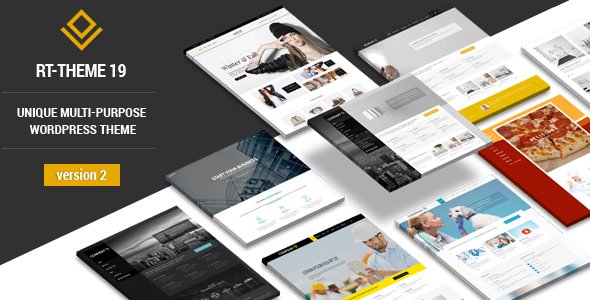
Stuck on your RT-Theme 19 WordPress theme? Let's fix it.
No endless back-and-forth. Just send us the details and we'll get it done.
No obligation · Replies within 1 hour · Quote within 1 day
Setup · Customization · Bug fixes · WooCommerce integration
About RT-Theme 19 WP Theme
RT-Theme 19 is a multipurpose WordPress theme built by stmcan, designed to handle a wide range of site types from business portfolios to e-commerce stores. It ships with a drag-and-drop page builder, multiple header layouts, and a shortcode library that covers most common content patterns.
The theme supports WooCommerce out of the box, includes RTL language support, and provides a custom theme options panel built on the Options Framework. It targets agencies and freelancers who need a flexible base without building from scratch.
RT-Theme 19 has been around long enough to accumulate a substantial user base, but that also means some of its underlying code patterns predate modern WordPress standards. Sites built on it often need targeted work to stay fast, secure, and compatible with current plugins and PHP versions.
Get matched with a RT-Theme 19 developer in under one day
Tell us about your RT-Theme 19 project. Small fixes, RT-Theme 19 theme customization, or a full website build, whatever you need, we've got it covered.
We'll connect you to the right RT-Theme 19 developers, define the scope, and get everything 100% clear.
You'll get one estimate, hire your preferred developer, and start collaborating.
Finding a developer who actually knows RT-Theme 19’s template structure and options panel saves a lot of back-and-forth. Through Codeable, you get matched with vetted WordPress specialists who have worked with complex multipurpose themes like this one. Post a project, get a clear estimate within 24 hours, and only move forward if the scope and price make sense. No obligation, no guessing.
Pros
- Ships with a large shortcode library that covers grids, tabs, toggles, and pricing tables without extra plugins
- Built-in WooCommerce support with custom product page templates included in the theme package
- RTL language support makes it usable for Arabic, Hebrew, and other right-to-left markets
- Multiple header layout presets reduce the time needed to set up navigation structure
- Custom theme options panel gives non-technical users control over colors, fonts, and layout without touching code
Cons
- Code architecture predates Gutenberg and can conflict with block editor features and modern FSE plugins
- Shortcode dependency means content is tightly coupled to the theme, making future migrations painful
- Page load times suffer without additional optimization work due to how scripts and styles are enqueued
- Documentation is sparse for edge cases, and the support forum has gaps for less common configurations
- PHP 8.x compatibility is not guaranteed without manual patches, which can cause fatal errors on modern hosting
Who is RT-Theme 19 for?
Creative Agency Portfolio
RT-Theme 19’s portfolio post type and filterable grid layouts make it a practical base for agencies displaying case studies or creative work. A developer can extend the portfolio taxonomy, customize single project templates, and wire up AJAX filtering without replacing the theme’s core structure.
WooCommerce Online Store
The theme’s WooCommerce integration covers product pages, cart, and checkout templates. An RT-Theme 19 specialist can override specific WooCommerce templates through the child theme, add custom product fields, and integrate payment gateways or product configurator plugins within the existing design system.
Corporate Business Site
Multi-section landing pages built with RT-Theme 19 shortcodes work well for corporate sites that need service listings, team sections, and contact forms on a single scrollable page. Custom header configurations and sticky navigation are already part of the theme’s options without requiring extra plugins.
Freelancer or Consultant Site
Solo consultants and freelancers benefit from the theme’s built-in pricing tables, testimonial shortcodes, and simple blog layout options. An RT-Theme 19 developer can strip the theme down to a focused one-page layout, remove unused shortcodes, and tune performance for a leaner result.
Membership or Community Site
RT-Theme 19 can be paired with MemberPress, Restrict Content Pro, or similar membership plugins. The theme’s flexible page templates and custom login page options give a reasonable starting point. A developer is usually needed to handle the template overrides and access restriction logic correctly.

Customizing RT-Theme 19
Customizing RT-Theme 19 goes well beyond toggling options in the theme panel. The built-in shortcode system is powerful but fragile if you start mixing it with Gutenberg blocks or third-party page builders. Layout adjustments often require a working knowledge of the theme’s custom CSS hooks and how stmcan structured its template hierarchy.
An RT-Theme 19 expert can rebuild or extend the theme options panel, create child theme overrides for specific page templates, and integrate custom post types without breaking the existing shortcode output. If you need WooCommerce template customization, custom header logic, or a redesigned mega menu, those tasks require direct PHP and CSS work inside the theme’s architecture, not just point-and-click configuration.
Recommended plugins for RT-Theme 19
RT-Theme 19 works with several plugin categories that can meaningfully expand what the theme does. WooCommerce extensions for product filtering, subscriptions, or bookings slot in cleanly when the WooCommerce templates are properly overridden in a child theme.
Performance is a real concern with older multipurpose themes. A proper caching setup, image optimization pipeline, and script loading strategy can make a significant difference. See the WordPress performance service for specifics. For sites targeting organic traffic, pairing RT-Theme 19 with a solid schema and on-page structure is covered under WordPress SEO optimisation.
Not sure which plugins to use? This WordPress plugins directory covers the most popular options with reviews and setup guides.
RT-Theme 19 common issues
RT-Theme 19 not compatible with PHP 8
PHP 8.0 and 8.1 introduced stricter handling of deprecated functions and removed several patterns RT-Theme 19 relies on. Common errors include fatal crashes from create_function() calls and undefined array key notices. The fix requires patching the theme’s core functions file and custom shortcode registration code. A child theme cannot resolve PHP-level errors in the parent. This is a code-level fix that needs a developer familiar with the theme’s file structure.
RT-Theme 19 shortcodes showing as plain text after update
If RT-Theme 19 shortcodes appear as raw text like [rt_one_half] after a WordPress update, the shortcode registration hook is likely failing. This can happen when a plugin conflict prevents the theme’s functions.php from loading fully, or when a PHP error earlier in the load order stops execution. Check your PHP error log first. If the log shows a fatal error, that’s the root cause. Deactivate plugins one at a time to isolate the conflict. If you need faster resolution, the WordPress bug fixing service can diagnose and patch this directly.
RT-Theme 19 mega menu not working on mobile
RT-Theme 19’s mega menu uses JavaScript that often conflicts with mobile touch event handling, especially after jQuery version updates in WordPress core. The dropdown may open on the first tap but not close, or may not open at all on touch devices. Check the browser console for JS errors tied to the theme’s rt-scripts.js file. The fix usually involves patching the touch event listener or replacing the mobile menu trigger logic in a child theme’s custom JS file.
RT-Theme 19 WooCommerce product page layout broken
When WooCommerce updates its template files, RT-Theme 19’s bundled WooCommerce templates become outdated. This causes layout breaks on product pages, cart, or checkout. WooCommerce flags outdated templates in Appearance > Status. The fix is to update those specific template files in your child theme to match the current WooCommerce version while preserving any RT-Theme 19 customizations. This is a manual diff-and-merge process, not an automatic update. See the WordPress bug fixing service if this is blocking your store.
RT-Theme 19 theme options not saving
RT-Theme 19 uses the Options Framework to save theme settings. If options stop saving, the most common causes are a nonce mismatch, a caching layer intercepting the POST request, or a PHP memory limit being hit during the save operation. Flush all server and plugin caches first. If the issue persists, increase PHP memory in wp-config.php and check whether a security plugin is blocking the admin-post action. Database permission issues on the wp_options table can also cause silent save failures.
RT-Theme 19 slider not displaying on homepage
The RT-Theme 19 homepage slider depends on specific page template assignments and shortcode configuration in the theme options panel. If the slider is blank, check that the correct page is set as the static front page in Settings > Reading, and that the slider shortcode or theme option is pointing to an existing slider ID. JavaScript console errors from conflicting slider libraries are another common cause. Deactivate plugins that load their own slider scripts to test for conflicts.
RT-Theme 19 child theme not inheriting parent styles
RT-Theme 19 child themes must enqueue the parent stylesheet explicitly in the child theme’s functions.php using wp_enqueue_style with a dependency on the parent handle. Simply using @import in the child stylesheet is unreliable and causes load order issues. If styles from the parent are missing, check the child theme’s enqueue function. Also confirm the child theme’s style.css header includes the correct Template: rt-theme-19 declaration matching the parent theme folder name exactly.
RT-Theme 19 contact form not sending emails
Contact form email failures on RT-Theme 19 sites are almost always a server mail configuration issue, not a theme bug. Most shared hosts block PHP’s mail() function or restrict the sender address. Install an SMTP plugin like WP Mail SMTP and connect it to a transactional email provider such as Mailgun, SendGrid, or Amazon SES. Set the from address to a domain email matching your hosting account. Use the plugin’s test email tool to confirm delivery before concluding the form itself is broken. Check WordPress maintenance options if recurring issues need ongoing monitoring.
RT-Theme 19 portfolio filter not working
The RT-Theme 19 portfolio filter uses Isotope.js triggered by category data attributes on grid items. Filter buttons stop working when a JavaScript conflict prevents Isotope from initializing, or when portfolio items aren’t assigned to the correct custom taxonomy terms. Open the browser console and look for Isotope-related errors. Also check that portfolio items have taxonomy terms assigned and that the shortcode parameters reference the correct taxonomy slug. A plugin loading a conflicting version of jQuery or Isotope is the most common culprit.
RT-Theme 19 slow loading speed
RT-Theme 19 loads multiple CSS and JS files by default, including libraries for sliders, shortcodes, and icon fonts that may not all be used on every page. Start by running a PageSpeed or GTmetrix audit to identify the largest contributors to load time. The practical fixes are: enable a caching plugin, serve images in WebP format, and conditionally load shortcode scripts only on pages that use them. For a thorough approach, the WordPress performance service covers script optimization, caching configuration, and server-level tuning.
RT-Theme 19 FAQ
RT-Theme 19 was built before Gutenberg became the default editor. It works alongside the block editor for basic content, but its shortcode-based layout system does not integrate with blocks natively. Using the Classic Editor plugin restores full compatibility with the theme’s page builder approach. Mixing Gutenberg blocks and RT-Theme 19 shortcodes in the same page often produces layout inconsistencies.
Yes. RT-Theme 19 includes WooCommerce template files for product pages, shop archive, cart, and checkout. These templates need to be updated manually whenever WooCommerce releases a major version, since the theme does not auto-update its bundled templates. An outdated template will cause layout issues or PHP notices on the storefront. A child theme is the right place to maintain updated WooCommerce template overrides.
Create a new folder in wp-content/themes/, add a style.css with the correct header including Template: rt-theme-19, and add a functions.php that enqueues the parent stylesheet using wp_enqueue_style. The parent theme folder must be named rt-theme-19 exactly. Activate the child theme from Appearance > Themes. All customizations go into the child theme to survive parent theme updates.
RT-Theme 19 was not built with PHP 8 compatibility in mind. Running it on PHP 8.0 or higher often triggers fatal errors from deprecated functions used in the theme’s core files. Some hosts allow you to pin your site to PHP 7.4 as a temporary workaround, but that version is end-of-life. The proper fix is patching the theme’s PHP code directly, which requires a developer.
stmcan has not released frequent updates to RT-Theme 19 in recent years. The theme is available through ThemeForest and may still receive occasional patches, but it should not be treated as actively maintained software. Before building a new project on it, verify the current version’s compatibility with your target PHP version and WordPress version. For existing sites, prioritize having a developer audit compatibility before each major WordPress or PHP upgrade.
RT-Theme 19’s theme options panel includes a Google Fonts selector for body and heading fonts. For custom or self-hosted fonts not in the Google Fonts list, you need to enqueue the font files in your child theme’s functions.php and override the relevant CSS selectors in the child theme’s stylesheet. The theme does not have a built-in custom font upload field, so this requires manual CSS work.
Migrating away from RT-Theme 19 is possible but not straightforward. The theme’s shortcodes are proprietary, meaning content built with them will display as raw shortcode text on any other theme. A migration involves converting shortcode-based layouts to blocks or the new theme’s page builder, which is a manual content rebuild process. For a structured approach, the WordPress migration service can handle the technical side of the switch.
The most common reasons are: the front page is not set as a static page in Settings > Reading, the slider ID in theme options does not match an existing slider, or a JavaScript conflict is preventing the slider library from initializing. Check the browser console for JS errors, confirm the page template is set to the homepage template, and verify the slider configuration in the theme options panel.
WordPress updates can break RT-Theme 19 layouts when deprecated functions are removed from WordPress core or when a jQuery version change affects the theme’s scripts. Check your PHP error log immediately after an update. If shortcodes are rendering as text or page templates are broken, a PHP-level conflict is likely. Roll back to a backup if available while the fix is applied. The WordPress bug fixing service handles post-update breakage of this type.
Codeable is the most reliable option for finding a vetted RT-Theme 19 developer. Post a project description, receive estimates from specialists within 24 hours, and review them before committing. FoxyConcept delivers RT-Theme 19 work through Codeable. Get a Free Estimate to describe your project and get matched with the right person.
Hire an RT-Theme 19 Developer
Whether you need layout fixes, WooCommerce integration, plugin conflicts resolved, or a full child theme built on top of RT-Theme 19, a specialist can scope and deliver the work cleanly. Work is handled through Codeable, so you get a vetted developer, a fixed estimate, and no risk if it’s not the right fit. Get a Free Estimate and describe what you need.
You'll need a free Codeable account so developers can ask questions and send their quotes.