Newave WordPress Theme
by ClaPat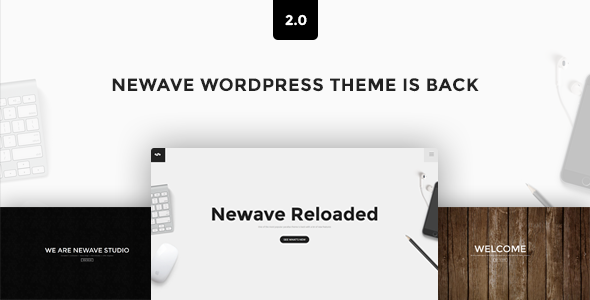
Stuck on your Newave WordPress theme? Let's fix it.
No endless back-and-forth. Just send us the details and we'll get it done.
No obligation · Replies within 1 hour · Quote within 1 day
Setup · Customization · Bug fixes · WooCommerce integration
About Newave WP Theme
Newave is a WordPress theme built by ClaPat, designed for creative agencies, portfolios, and digital studios. It leans heavily on full-screen visuals, smooth scroll effects, and a dark-first aesthetic that works well for brands that want to make an impression fast.
The theme ships with a drag-and-drop page builder, pre-built demo pages, and support for popular plugins like WooCommerce and Contact Form 7. Layout options are varied enough to cover landing pages, multi-page sites, and one-pagers without much friction.
Newave targets designers and developers who want a polished starting point without building from scratch. That said, getting the most from it often requires hands-on configuration, especially when adapting demos to a real client project with specific content requirements.
Get matched with a Newave developer in under one day
Tell us about your Newave project. Small fixes, Newave theme customization, or a full website build, whatever you need, we've got it covered.
We'll connect you to the right Newave developers, define the scope, and get everything 100% clear.
You'll get one estimate, hire your preferred developer, and start collaborating.
Finding a reliable Newave developer takes more than a quick search. Codeable connects you with vetted WordPress specialists who know the theme inside out. Every developer on the platform has passed a thorough review process, so you are not gambling on quality.
Post your project, get a clear estimate, and decide whether to move forward. No commitment required upfront. Whether you need a full site build, a specific fix, or ongoing work, a Newave expert on Codeable can deliver it properly.
Pros
- Dark-first aesthetic suits creative agencies and digital studios out of the box
- Smooth scroll animations and full-screen sections are built into core theme options
- Multiple pre-built demo layouts cover portfolios, agencies, and one-pagers
- WooCommerce and WPML support included without additional compatibility plugins
- Active ClaPat support with documentation covering most common setup scenarios
Cons
- Page builder markup can bloat load times on image-heavy demo layouts
- Animation-heavy defaults require manual disabling for clients who want a minimal feel
- Some demo sections rely on shortcodes that become orphaned if the builder plugin is swapped
- Custom header configurations beyond the preset options require PHP-level edits
- Heading hierarchy in demo content is inconsistent and needs manual SEO correction
Who is Newave for?
Creative Agencies
Newave suits agencies that need a site with visual weight. The full-screen sections, dark layouts, and smooth transitions match what most creative studios want to present to potential clients. Pre-built agency demo pages reduce initial setup time, and a Newave developer can adapt them to match your actual service offering and branding quickly.
Freelance Designers
Freelancers benefit from Newave’s portfolio-focused layouts. Case study pages, project grids, and a one-page scroll structure let work speak without heavy content writing. A Newave specialist can strip unnecessary demo sections and build a focused, fast-loading portfolio that presents your actual projects rather than placeholder content.
Photography Studios
Full-screen image support and minimal UI chrome make Newave a practical choice for photography studios. Gallery layouts are built into the theme, and the dark background option lets images stand out without extra CSS work. A Newave expert can configure lazy loading and image optimization to keep gallery pages performant at scale.
Digital Product Sellers
WooCommerce integration in Newave handles digital product sales cleanly. Download pages, product grids, and checkout styling all work within the theme’s visual system. A Newave developer can extend this further with custom product layouts, upsell sections, and checkout flow adjustments that the default WooCommerce templates do not provide.
Music and Entertainment Brands
Music artists and entertainment brands need sites that create atmosphere fast. Newave’s full-screen video backgrounds, animated sections, and bold typography serve that purpose well. A Newave specialist can configure event listings, embedded audio, and social feed integrations to build a complete artist presence rather than just a static landing page.

Customizing Newave
Newave gives you a solid set of customization controls through the WordPress Customizer and its own theme options panel. You can adjust typography, color schemes, header styles, and footer layouts without touching code. Animations and scroll effects have toggle settings, which is useful when clients want something less flashy.
For deeper work, a Newave expert can extend the theme well beyond its defaults. Custom post types, modified demo layouts, conditional header behavior, and WooCommerce styling all require direct PHP and CSS work that the options panel does not cover.
A Newave specialist can also clean up builder-generated markup, reduce render-blocking assets, and make the theme perform reliably across devices. If your project has specific design requirements that push past what the demos offer, working with an experienced developer saves significant time.
Recommended plugins for Newave
Newave works with a range of plugins that extend its core functionality. WooCommerce integration is built in, and the theme handles product pages cleanly with minimal extra styling needed. WPML support is included for multilingual builds.
For performance, pairing Newave with a caching plugin and a CDN makes a measurable difference, especially on image-heavy portfolio pages. See our WordPress performance services for optimization options tailored to visual-heavy themes.
On the SEO side, Newave is compatible with Yoast and Rank Math. Schema markup and proper heading structure still need manual attention. Our WordPress SEO services cover that end to end.
Not sure which plugins to use? This WordPress plugins directory covers the most popular options with reviews and setup guides.
Newave common issues
Newave theme animations not working after update
Animation issues after a Newave update usually come from a JavaScript conflict with a newly updated plugin or a cached version of old scripts. Start by clearing your site cache and any server-side caching layers. If animations still fail, deactivate plugins one at a time to isolate the conflict. Check the browser console for JS errors pointing to the specific file causing the problem.
Newave portfolio grid not displaying correctly on mobile
Portfolio grid display problems on mobile typically trace back to custom column settings that do not have responsive overrides. Check the grid module settings for mobile column counts. If the issue persists, inspect the element in browser dev tools to find conflicting CSS rules. A custom stylesheet fix targeting the grid wrapper at the correct breakpoint usually resolves it. Our WordPress bug fixing service can handle this efficiently.
Newave theme slow loading on first page visit
Slow initial load on Newave is usually caused by unoptimized images in full-screen sections, render-blocking scripts, or Google Fonts loading synchronously. Use a performance plugin to defer non-critical JS, enable lazy loading for below-the-fold images, and host fonts locally. Also check whether the theme is loading all demo stylesheets regardless of which page templates are active.
Newave custom header not saving in Customizer
If Newave’s custom header settings are not saving, the most common causes are a nonce timeout during a long editing session or a plugin conflicting with the Customizer’s save request. Try saving immediately after making changes without navigating away. Disable security plugins temporarily to test whether they are blocking the AJAX save call. Clearing object cache can also resolve persistent save failures.
Newave WooCommerce shop page layout broken
WooCommerce layout breaks in Newave often happen after a WooCommerce major update changes template file structures. Newave’s bundled WooCommerce templates can become outdated. Check the WooCommerce system status page for outdated template warnings. Updating or replacing those templates to match the current WooCommerce version is the fix. Our WordPress bug fixing service covers WooCommerce template conflicts specifically.
Newave full-screen slider showing wrong image ratio
Incorrect image ratios in Newave’s full-screen slider are usually caused by images not meeting the recommended dimensions or by object-fit settings being overridden by a plugin stylesheet. Check the slider settings for forced aspect ratio options. If images still crop incorrectly, add object-fit: cover directly to the slider image container via a custom CSS rule in the Customizer.
Newave contact form not sending emails
Contact form email failures in Newave are almost always a mail delivery issue rather than a theme problem. WordPress’s default mail function is blocked by most hosting providers. Install an SMTP plugin such as WP Mail SMTP and configure it with your mail provider’s credentials. Test delivery using the plugin’s built-in test tool. If the form submits but shows no confirmation, check Contact Form 7’s AJAX settings and ensure jQuery is loading correctly.
Newave demo content import failing or incomplete
Newave demo import failures usually result from PHP memory limits, execution time limits, or file upload size restrictions set too low on your server. Increase max_execution_time, memory_limit, and upload_max_filesize in your php.ini or wp-config.php. If the import partially completes, run it again as Newave’s importer is typically idempotent. Contact your host if server limits cannot be adjusted from your end.
Newave menu not showing on mobile devices
Mobile menu issues in Newave are often caused by a JavaScript error preventing the toggle script from initializing, or by a z-index conflict hiding the menu behind another element. Check the browser console on mobile or using responsive mode in dev tools. If the hamburger icon appears but the menu does not open, look for JS errors. If the menu opens but appears behind content, increase its z-index via custom CSS. Our WordPress bug fixing service can diagnose this quickly.
Newave theme update broke site layout
When a Newave update breaks the site layout, the first step is checking whether the update changed template files that you had customized via a child theme. Compare your child theme overrides against the updated parent theme files. If you are not using a child theme, direct edits to parent files would have been overwritten. Restore from a backup and rebuild changes in a child theme before re-applying the update.
Newave FAQ
Yes. Newave’s full-screen layouts, project grid templates, and dark aesthetic make it a practical choice for creative portfolios. It works best for designers, photographers, and agencies. That said, demo content needs significant adaptation to fit real projects, and performance tuning is worthwhile on image-heavy portfolio pages.
Newave includes built-in WooCommerce support. Product pages, shop grids, and cart styling integrate with the theme’s visual system. For heavily customized stores, a Newave developer can extend the WooCommerce templates beyond what the default integration provides, including custom product layouts and checkout page styling.
Newave includes a one-click demo importer accessible from the theme options panel. You need to install required plugins first, as the importer will prompt you. Server PHP limits sometimes cause partial imports. Increase max_execution_time and memory_limit in your server config if the import fails or stalls before completing.
Newave ships with its own bundled page builder rather than native Elementor or WPBakery support. Some users run Elementor alongside it, but conflicts can occur. A Newave specialist can assess whether your specific use case allows for third-party builder integration or whether working within the bundled builder is the more stable approach.
Post your project on Codeable to get matched with a vetted Newave developer within 24 hours. You receive a clear estimate before committing to anything. For ongoing work or a full site build, this is a faster and more reliable route than searching freelance marketplaces where vetting is minimal.
Yes, Newave is WPML compatible. Basic multilingual setups work without extra configuration. For complex sites with multiple languages, translated custom post types, and language-specific menus, a Newave developer familiar with WPML can set up the structure correctly from the start and avoid common translation plugin conflicts.
Start with lazy loading images, deferring non-critical JavaScript, and serving assets from a CDN. Newave’s animation scripts add weight, so disabling effects you are not using helps. Local font hosting instead of Google Fonts reduces external requests. For a full audit and implementation, see our WordPress performance services.
Newave is built around its bundled page builder, and most demo layouts depend on it. Removing it leaves shortcode remnants and broken sections. Switching to a different builder mid-project requires rebuilding all affected pages. It is possible but not straightforward, and a Newave developer can advise on the cleanest migration path for your specific setup.
ClaPat pushes updates to Newave on ThemeForest. Update frequency depends on WordPress core changes and reported issues. Always check the changelog before updating a live site, and test updates on a staging environment first. Major updates occasionally change template structures that affect customized layouts.
Create a folder in wp-content/themes/ named newave-child. Add a style.css with the correct header declaring Template: newave and a functions.php that enqueues the parent stylesheet. Activate the child theme from the WordPress dashboard. All customizations then go into the child theme, protecting your changes from parent theme updates.
Hire a Newave Expert Developer
If your Newave site needs a custom build, a layout that goes beyond the demo, or fixes that have been sitting unresolved, a dedicated developer is the fastest path forward. Our team works through Codeable, where every WordPress specialist is pre-vetted and reviewed.
Get a Free Estimate and describe what you need. You will hear back within 24 hours with a clear scope and price, no obligation to proceed.
You'll need a free Codeable account so developers can ask questions and send their quotes.