Gillion WordPress Theme
by Shufflehound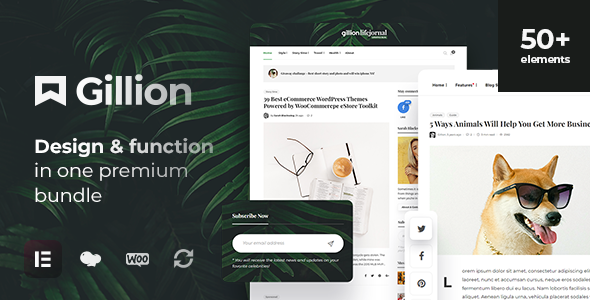
Stuck on your Gillion WordPress theme? Let's fix it.
No endless back-and-forth. Just send us the details and we'll get it done.
No obligation · Replies within 1 hour · Quote within 1 day
Setup · Customization · Bug fixes · WooCommerce integration
About Gillion WP Theme
Gillion is a multi-concept blog and magazine theme built by Shufflehound. It ships with over 30 demo layouts covering lifestyle, travel, food, fashion, and tech niches. The theme leans heavily on visual presentation, with full-width featured sections, sticky sidebars, and a clean reading experience that works well for content-heavy sites.
Under the hood, Gillion integrates with Elementor and WPBakery for layout building, and supports WooCommerce for shops. It uses a custom Mega Menu, multiple header styles, and a built-in dark mode. The options panel is detailed but manageable once you understand the structure. For publications that need flexibility without a full custom build, Gillion covers a lot of ground out of the box.
Get matched with a Gillion developer in under one day
Tell us about your Gillion project. Small fixes, Gillion theme customization, or a full website build, whatever you need, we've got it covered.
We'll connect you to the right Gillion developers, define the scope, and get everything 100% clear.
You'll get one estimate, hire your preferred developer, and start collaborating.
Gillion has enough moving parts that small mistakes can compound quickly. A misconfigured header, a broken demo import, or a layout that falls apart on mobile can cost you real time to untangle. Codeable connects you with vetted WordPress developers who have hands-on experience with themes like Gillion. You describe the work, get a fixed-price estimate, and only move forward if the scope makes sense. No guesswork, no hiring risk.
Pros
- 30+ pre-built demo layouts that import reliably and cover most content niches
- Built-in dark mode toggle that works across all theme sections without extra plugins
- Solid WooCommerce integration for blogs that also need a shop section
- Mega Menu system included, which most themes charge extra for via plugins
- Active development from Shufflehound with regular compatibility updates for WordPress and Elementor
Cons
- Theme options panel is large and not always logically organized, making first-time setup slow
- Demo import can fail or produce layout gaps if server memory limits are below 256MB
- Relies on bundled page builder plugins, so switching builders later means rebuilding layouts
- JavaScript-heavy front end adds page weight that needs manual optimization for good Core Web Vitals scores
- Some post format options are underdocumented, requiring trial and error or developer help to use correctly
Who is Gillion for?
Lifestyle Blog
Gillion’s editorial layouts and flexible homepage sections make it a strong fit for lifestyle blogs. You can feature hero posts, display category grids, and build a distinct visual identity without custom development. A Gillion specialist can configure the layout to match your content cadence and audience expectations.
Food and Recipe Magazine
The theme handles recipe content well, especially when paired with a dedicated recipe plugin. Featured image-heavy post formats, category filtering, and clean single post layouts keep recipe content scannable. A Gillion developer can set up structured recipe cards and category archives that perform well in search.
Travel Publication
Full-width imagery and multiple grid styles make Gillion a natural choice for travel publications. Destination category pages, photo-rich hero sections, and sticky sidebars for related content all work without heavy customization. A Gillion expert can configure the site to load fast even with large travel photography.
Fashion and Beauty Site
Fashion sites need strong visual hierarchy and product-adjacent content. Gillion’s layout flexibility supports lookbooks, trend roundups, and shop integration through WooCommerce. A Gillion specialist can align the theme styling with brand guidelines and configure shoppable post formats for affiliate or direct product links.
Tech News Site
For tech news and review sites, Gillion supports high-volume publishing with category-based homepage sections and breaking news tickers. Post ratings, comparison layouts, and ad placement zones are configurable without custom code. A Gillion developer can set up the architecture to handle frequent publishing without performance degradation.

Customizing Gillion
Gillion gives you a lot of controls in the theme options panel, but getting everything to behave the way you want takes time. Typography settings, color schemes, header layouts, and homepage section ordering all live in different places. Without a clear plan, you can spend hours clicking between panels.
A Gillion expert can map out your customization goals upfront, apply changes efficiently, and avoid the common trap of overriding theme files in ways that break on updates. Whether you need a custom homepage layout, a branded color scheme, or a modified post format, working with a Gillion specialist means the result is clean, maintainable, and consistent across devices. Custom CSS work, child theme setup, and layout adjustments are all standard tasks for an experienced developer.
Recommended plugins for Gillion
Gillion works well with plugins that extend its core functionality. WooCommerce adds shop capability without major conflicts. For speed, pairing Gillion with a caching plugin and optimizing its bundled scripts makes a real difference. If your site is image-heavy, a CDN and lazy loading setup is worth doing early.
You can also improve your site’s search visibility through proper schema markup, structured headings, and meta configuration. See our WordPress performance service for speed improvements, or our WordPress SEO service if you want to optimize how Gillion-powered content ranks.
Not sure which plugins to use? This WordPress plugins directory covers the most popular options with reviews and setup guides.
Gillion common issues
Gillion demo import fails or gets stuck
Demo import failures in Gillion are usually caused by low PHP memory limits or execution timeouts. Set memory_limit to at least 256MB and max_execution_time to 300 in your php.ini or wp-config.php. Also confirm that the required plugins (Elementor, Revolution Slider) are installed before importing. If the import still stalls, try importing XML content and theme options separately rather than using the one-click option.
Gillion homepage layout broken after update
Homepage layout breaks after a Gillion update are typically caused by changes to the theme’s custom widget areas or section shortcodes. Check the Gillion changelog for any deprecated layout components. Rebuild affected sections in the page builder and re-save your homepage template. If you modified core theme files directly, those changes will have been overwritten. Use a child theme going forward to protect your customizations. For persistent issues, our WordPress bug fixing service can help.
Gillion mobile menu not opening or overlapping
Mobile menu issues in Gillion usually come from JavaScript conflicts with other plugins or a custom CSS rule hiding the menu toggle. Open your browser console and look for JS errors on mobile viewport. Temporarily disable plugins to isolate the conflict. Also check the theme’s Header settings panel to confirm the mobile breakpoint is set correctly. If the hamburger icon appears but the menu doesn’t open, the issue is almost always a JS conflict with a caching or optimization plugin.
Gillion dark mode not working on all pages
Gillion’s dark mode toggle saves a user preference via localStorage. If it fails on certain pages, the likely cause is a caching plugin serving a cached light-mode version before the script runs. Check your caching plugin’s exclusion settings and make sure the dark mode cookie or localStorage key isn’t being stripped. Also verify the dark mode option is enabled globally in the Gillion theme panel, not just on the homepage.
Gillion featured image not showing in post grid
If featured images aren’t showing in Gillion post grids, first regenerate thumbnails using a plugin like Regenerate Thumbnails. Gillion registers custom image sizes, and if images were uploaded before theme activation, they won’t match the required dimensions. Also check the specific grid widget or shortcode settings to confirm the image display option is toggled on. Some post formats in Gillion intentionally hide featured images, so verify the post format assigned to the affected posts.
Gillion WooCommerce shop page layout broken
WooCommerce layout issues in Gillion often appear after a WooCommerce major version update. Gillion includes custom WooCommerce templates in a /woocommerce/ folder inside the theme. When WooCommerce updates its template files, outdated theme templates can break the shop, cart, or checkout pages. Compare your theme’s WooCommerce templates against the updated plugin versions and apply the necessary changes. A WordPress bug fixing specialist can handle this quickly if you’re not comfortable with template diffs.
Gillion mega menu not displaying correctly
Gillion’s Mega Menu requires specific menu location assignment and a custom walker class that the theme loads. If the Mega Menu isn’t displaying, confirm it’s assigned to the correct header menu location in Appearance > Menus. Then check that the Mega Menu option is enabled per menu item in the menu editor. Conflicts with third-party menu plugins can override Gillion’s walker, so disable any external menu plugins before testing.
Gillion page builder content missing after import
Missing page builder content after a Gillion import usually means the required page builder plugin wasn’t active during import, or the import timed out partway through. Re-import with the correct plugins active, or manually recreate the missing pages using Gillion’s provided shortcodes and Elementor widgets. If you used WPBakery for the original build, confirm you’re importing into a site with WPBakery active, not Elementor, as shortcode syntax differs between builders.
Gillion slow loading speed on mobile
Gillion loads several CSS files, a slider library, and custom fonts that add up quickly on mobile connections. Start by identifying the heaviest requests using PageSpeed Insights or GTmetrix. Defer non-critical JavaScript, preload fonts, and enable a caching layer. Revolution Slider, if included, often loads assets site-wide even on pages without a slider. Configure it to load only where used. For a structured speed improvement process, see our WordPress performance service.
Gillion custom CSS not applying after child theme setup
If custom CSS added to a Gillion child theme isn’t applying, check that the child theme’s style.css has the correct Template: header pointing to the parent theme’s folder name exactly as it appears in wp-content/themes/. Also confirm the child theme is active in Appearance > Themes. If using the Additional CSS section in the Customizer, those styles apply regardless of child theme, so test there first to confirm your CSS is valid before moving it to the child theme stylesheet.
Gillion FAQ
Gillion has clean heading structure and fast-loading templates that are friendly to SEO basics. It doesn’t include built-in schema markup, so you’ll want an SEO plugin like Yoast or Rank Math for structured data. Pairing it with proper on-page optimization gives solid results. The theme itself doesn’t block good SEO, but it also doesn’t handle it automatically.
Yes. Gillion officially supports Elementor and ships with Elementor-compatible demo layouts. Most of the homepage and inner page templates are built using Elementor widgets. You can use the free version of Elementor for basic edits, but some Gillion demo layouts use features that require Elementor Pro.
Gillion includes WooCommerce support with styled shop, product, cart, and checkout pages. It works best for blogs with a secondary shop section rather than large-scale stores. Custom WooCommerce template files are included in the theme, which means you’ll need to keep them updated when WooCommerce releases major version changes.
Go to Appearance > Import Demo Data after installing the required plugins listed in the theme setup wizard. Select your preferred demo layout and click import. Before importing, set PHP memory to at least 256MB and ensure Revolution Slider and your preferred page builder are active. Import can take several minutes depending on server speed.
As of the latest available information, Shufflehound continues to release updates for Gillion on ThemeForest. The theme receives compatibility updates for new WordPress versions and major plugin releases. Check the Gillion changelog on ThemeForest for the most recent update history before purchasing or upgrading.
Yes. Gillion integrates with Google Fonts and allows you to set custom fonts for headings, body text, and specific UI elements through the theme options panel. You can also load a self-hosted font by adding the font-face declaration in your child theme stylesheet and selecting it from the custom font field in the panel.
Go to Appearance > Menus, assign your menu to the Primary Header location, and edit individual menu items. Each item has a Mega Menu tab in the menu editor where you can enable the mega layout and assign columns or widgets. The mega menu only works in the main header location and requires the correct header style to be selected in theme settings.
Yes. A Gillion specialist can handle layout customization, bug fixes, child theme setup, or a full site build. Codeable is a good option for finding vetted Gillion developers who can give you a fixed-price estimate before any work begins. You can also get a free project estimate directly through FoxyConcept.
Gillion officially supports both Elementor and WPBakery Page Builder. Demo layouts are available for both. Mixing builders on the same site is not recommended and can cause conflicts. Choose one builder during setup and stick with it. Elementor is the more actively developed option and has better long-term support from the WordPress ecosystem.
Start by deferring JavaScript, enabling caching, and configuring Revolution Slider to load only on pages where it’s used. Use a CDN for images and enable lazy loading. Gillion loads several CSS files that can be combined. Running a performance audit with GTmetrix will show you the biggest wins. For a full optimization, see our WordPress performance service.
Hire a Gillion Expert Developer
If you need a Gillion developer who can handle customization, bug fixes, or a full site build, the fastest path is a free estimate. Describe what you need, get matched with a vetted developer through Codeable, and review a clear scope before committing. Visit our get a free estimate page to get started. No obligation, no upfront cost.
You'll need a free Codeable account so developers can ask questions and send their quotes.