Aardvark WordPress Theme
by GhostPool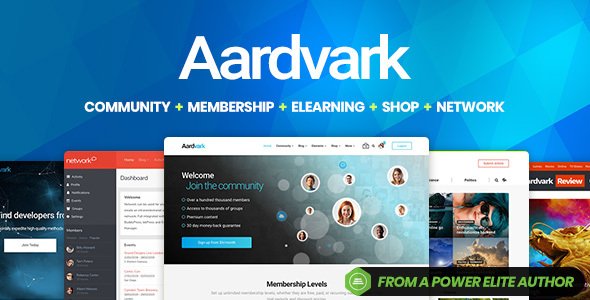
Stuck on your Aardvark WordPress theme? Let's fix it.
No endless back-and-forth. Just send us the details and we'll get it done.
No obligation · Replies within 1 hour · Quote within 1 day
Setup · Customization · Bug fixes · WooCommerce integration
About Aardvark WP Theme
Aardvark is a community and membership WordPress theme built by GhostPool. It pairs tightly with BuddyPress and BuddyBoss to create social networks, member directories, and online communities without starting from scratch. The theme ships with a drag-and-drop page builder, pre-built demo layouts, a WooCommerce integration for paid memberships, and a frontend profile editor that lets members manage their own accounts. It handles activity feeds, group pages, forums, and messaging out of the box. GhostPool updates Aardvark regularly and the documentation covers most setup scenarios. For straightforward installs it works well. For projects with custom membership logic, third-party plugin stacks, or specific design requirements, you will likely need an Aardvark developer to get the most out of it.
Get matched with a Aardvark developer in under one day
Tell us about your Aardvark project. Small fixes, Aardvark theme customization, or a full website build, whatever you need, we've got it covered.
We'll connect you to the right Aardvark developers, define the scope, and get everything 100% clear.
You'll get one estimate, hire your preferred developer, and start collaborating.
Aardvark sits at the intersection of theme, BuddyPress, and WooCommerce, which means problems are rarely isolated to one layer. A developer who knows the theme well can identify whether an issue lives in the template, a plugin conflict, or the server configuration. Through Codeable, you get access to vetted WordPress specialists who have worked on Aardvark-based communities. You post your project, receive a clear estimate within 24 hours, and only proceed if the scope and price work for you. No retainers, no guesswork.
Pros
- Purpose-built for BuddyPress communities, not a generic theme retrofitted for social features
- WooCommerce and Paid Memberships Pro integration works reliably for paid membership tiers
- Frontend profile editor lets members update their own info without going near the admin dashboard
- GhostPool maintains active development with regular compatibility updates for BuddyPress and WordPress core
- Includes multiple pre-built demo layouts for different community types, reducing initial setup time
Cons
- Performance can degrade on sites with large member databases if caching is not configured carefully
- Customising BuddyPress templates beyond the theme options requires PHP knowledge and template file work
- The built-in page builder is functional but less flexible than Elementor or Gutenberg for complex layouts
- BuddyBoss compatibility requires the BuddyBoss Platform plugin, adding another dependency to manage
- Documentation covers standard use cases well but gaps appear when combining multiple membership plugins
Who is Aardvark for?
Online Membership Communities
Aardvark handles paid membership tiers through WooCommerce or Paid Memberships Pro, restricting content and groups based on subscription level. It suits associations, clubs, and communities that need registration flows, member dashboards, and gated content without custom development from scratch. An Aardvark developer can wire up the access rules to match your exact membership structure.
Niche Social Networks
For founders building a community around a specific topic, hobby, or profession, Aardvark provides the activity feeds, group pages, messaging, and profile fields needed to replicate core social network features. It runs on WordPress, so you own the data and control the stack. A specialist can configure the BuddyPress components to match your community’s interaction model.
E-Learning Platforms with Community
Aardvark pairs with LearnDash or LifterLMS to add course access alongside community features. Students can join groups, discuss lessons in forums, and track peers through activity feeds. The membership layer controls which courses a user can access based on their subscription. This combination is popular for coaching programmes and professional development platforms.
Professional Member Directories
Member directories with searchable profiles, category filters, and user-submitted listings are a core Aardvark use case. BuddyPress profile fields power the directory data. WooCommerce handles paid listings or premium profile badges. An Aardvark specialist can build custom search filters based on any profile field combination your directory requires.
Subscription-Based Content Sites
Content sites that want to move readers from free articles to a paid subscription benefit from Aardvark’s access control layer. Free members see teaser content, paid tiers unlock full archives, and community features like forums and direct messaging add retention value. The WooCommerce integration handles recurring billing with standard payment gateways.

Customizing Aardvark
Aardvark gives you a live customizer with controls for typography, colours, header layout, and sidebar placement. The built-in page builder handles most landing page work. But the real customization depth is in how BuddyPress components are styled and extended. An Aardvark expert can build custom profile fields that feed into member searches, create private group structures with role-based access, and connect WooCommerce membership tiers to BuddyPress group permissions. Frontend tweaks like custom activity feed filters or branded notification emails require template overrides. Child theme setup is straightforward but knowing which template files govern which BuddyPress output saves a lot of trial and error. For anything beyond the theme options panel, working with an Aardvark specialist means faster delivery and fewer conflicts with future updates.
Recommended plugins for Aardvark
Aardvark is built to work with BuddyPress, bbPress, WooCommerce, and Paid Memberships Pro. Adding a learning management system like LearnDash or LifterLMS on top of the BuddyPress layer is a common request. Each additional plugin needs testing against Aardvark’s templates. Site speed suffers quickly on community sites with high query loads, so pairing Aardvark with a solid caching and optimisation setup is important. See our WordPress performance service for that. If your community relies on organic search for member acquisition, structured SEO configuration matters from day one. Our WordPress SEO service covers Aardvark-specific setup including BuddyPress profile indexing decisions.
Not sure which plugins to use? This WordPress plugins directory covers the most popular options with reviews and setup guides.
Aardvark common issues
Aardvark BuddyPress activity feed not loading
Activity feed failures in Aardvark usually come from a BuddyPress component being disabled or a JavaScript conflict with another plugin. First, check that the Activity component is active under Settings > BuddyPress > Components. Then open your browser console and look for JS errors. Deactivate plugins one at a time to isolate a conflict. If the feed loads after deactivating a plugin, you have found the source. A caching plugin serving stale AJAX responses can also block the feed from updating.
Aardvark member registration form not sending emails
Missing registration emails from Aardvark are almost always an SMTP configuration issue, not a theme bug. WordPress sends email through PHP mail by default, which most hosts block or route to spam. Install an SMTP plugin like WP Mail SMTP, connect it to a transactional mail service, and test using the plugin’s built-in send test. Also check that BuddyPress email templates under Appearance > Emails are published and not in draft status.
Aardvark WooCommerce membership access not working after payment
When a WooCommerce payment completes but membership access does not activate, the problem is usually in the Paid Memberships Pro or WooCommerce Memberships plugin configuration. Verify the membership plan is linked to the correct product. Check the order status after payment as some gateways return a pending status that blocks access triggers. Clear object cache and test with a direct bank transfer order to rule out gateway-specific delays. If the issue persists, our WordPress bug fixing service can diagnose the exact handoff point.
Aardvark profile avatar not updating on frontend
Avatar upload failures on the Aardvark frontend editor usually point to a file permissions problem or a conflict with a media plugin. Check that the uploads folder is writable by the server. If BuddyPress avatar cropping is involved, confirm GD or ImageMagick is available on your server. Some security plugins block frontend file uploads by default. Temporarily disable your security plugin and test to see if that is the cause before adjusting its settings.
Aardvark group pages showing 404 error
Group page 404 errors in Aardvark typically appear after a migration or permalink change. Go to Settings > Permalinks and click Save Changes without altering anything to flush rewrite rules. If BuddyPress groups still return 404, confirm the Groups component is active and check that the Groups page is assigned correctly under Settings > BuddyPress > Pages. On multisite installs, network-level permalink settings can override site-level rules and cause the same symptom.
Aardvark theme customizer changes not saving
Customizer settings that do not save in Aardvark are often caused by a REST API block or a caching layer writing over the saved data. Check your browser console for failed REST API requests and confirm your site URL in Settings > General is not mismatched with the actual URL. Some security plugins block the REST API for non-admin users, which breaks the customizer save endpoint. Clear all caches after saving and confirm changes persist. If the issue is database-level, our WordPress bug fixing service can investigate.
Aardvark bbPress forum styling broken
When bbPress forum pages lose Aardvark’s styling, the cause is usually a template override conflict or a CSS file loading in the wrong order. Check whether you have bbPress template files in your child theme that are outdated compared to the current theme version. Deleting outdated override files forces bbPress to fall back to its own templates, which Aardvark then styles correctly. Also check for a plugin that loads its own bbPress CSS and overrides Aardvark’s forum styles.
Aardvark mobile menu not opening
A non-functional mobile menu in Aardvark is almost always a JavaScript conflict. Open your browser’s developer tools on a mobile viewport and check the console for errors. The most common cause is a plugin loading a version of jQuery that conflicts with Aardvark’s menu script. Try switching to the default WordPress jQuery version by deactivating any plugin that loads its own. Also check that no caching plugin is serving a minified JS file that has concatenated scripts in the wrong order.
Aardvark search not returning member results
If Aardvark’s search returns posts but not members, BuddyPress member search may not be integrated with the main WordPress search. BuddyPress has its own member search that operates separately. Use the BuddyPress member search widget or shortcode rather than relying on the WordPress core search bar. If you need a unified search experience across posts and members, plugins like SearchWP support BuddyPress indexing. An Aardvark specialist can configure this without disrupting existing search behaviour.
Aardvark slow loading on member profile pages
Slow profile pages in Aardvark usually result from unoptimised BuddyPress queries loading activity, friends, and group data simultaneously. Start by enabling a caching plugin and confirming object caching is active. Profile pages are user-specific so full-page caching may not apply, making object caching more important. Disable BuddyPress components you are not using to reduce query load. If performance is still poor, a server-level review of database queries is the next step. See our WordPress performance service for a full audit.
Aardvark FAQ
Yes, Aardvark is compatible with BuddyBoss Platform. GhostPool has tested and confirmed compatibility. BuddyBoss Platform replaces the standard BuddyPress plugin and adds extended features. When using BuddyBoss, you also need the BuddyBoss Platform plugin active. Some BuddyBoss-specific components may need minor style adjustments in Aardvark, depending on your configuration.
Technically Aardvark installs without BuddyPress, but the theme is built around BuddyPress functionality. Without it, you lose member profiles, activity feeds, groups, and messaging. The remaining feature set is a standard WordPress theme with a page builder and WooCommerce support. For non-community sites, there are better-suited themes. Aardvark’s value is specifically in its BuddyPress integration.
Aardvark includes its own page builder and does not officially bundle Elementor. Elementor can be installed alongside Aardvark and used for post and page layouts, but BuddyPress template pages are not controlled through Elementor. Mixing both builders on the same site can create CSS conflicts that need manual resolution. Most developers recommend sticking to one page builder per project.
Aardvark supports paid memberships through WooCommerce combined with either Paid Memberships Pro or WooCommerce Memberships. You create membership products in WooCommerce, assign access rules to BuddyPress groups or site content, then configure the registration flow. GhostPool’s documentation covers the basic setup. Complex tier structures or custom access logic usually require an Aardvark developer to configure correctly.
Yes, GhostPool actively maintains Aardvark. Updates are released on ThemeForest and cover compatibility with new WordPress and BuddyPress versions. The theme has been sold and updated for several years. Checking the changelog on the ThemeForest listing page gives you a clear picture of update frequency and what each release addresses.
Aardvark can handle large member counts but performance depends heavily on your hosting, caching configuration, and which BuddyPress components are active. Sites with tens of thousands of members need object caching, query optimisation, and possibly a dedicated database server. The theme itself is not the bottleneck at scale. Infrastructure and configuration are the variables that determine how well it performs.
Create a child theme folder in wp-content/themes, add a style.css file with the correct Template header pointing to Aardvark, and create a functions.php that enqueues the parent stylesheet. GhostPool’s documentation includes a child theme starter. Always use a child theme before making any template or style changes so your modifications survive theme updates.
Aardvark supports WordPress multisite, and BuddyPress can run in network mode across a multisite install. This setup is more complex to configure than a single-site install. Membership plugins have varying levels of multisite support, so checking compatibility before committing to a multisite architecture is important. An Aardvark developer familiar with multisite can map out the right setup for your specific requirements.
Paid Memberships Pro and WooCommerce Memberships are the most commonly used and best-tested options with Aardvark. Both have documented integration patterns with BuddyPress. MemberPress also works but requires more manual configuration to connect with BuddyPress groups. Restrict Content Pro is another option. Plugin choice should depend on your billing model and the specific access rules you need.
Yes, migrating an existing BuddyPress site to Aardvark is possible. The BuddyPress data stays in your database, so member profiles, groups, and activity are not affected by switching themes. The migration work involves applying Aardvark’s templates, configuring the theme settings, and checking that your active plugins are compatible. Template customisations from your previous theme need to be rebuilt. See our WordPress migration service if you need help with the process.
Hire an Aardvark Developer
Whether you need an Aardvark expert to build a membership community from scratch, extend an existing BuddyPress setup, or fix a specific issue, we can match you with the right developer. Projects are handled through Codeable, so every developer is vetted and your money is protected. Get a free estimate and describe what you need. No obligation to hire.
You'll need a free Codeable account so developers can ask questions and send their quotes.