Baby Kids WordPress Theme
by nicdark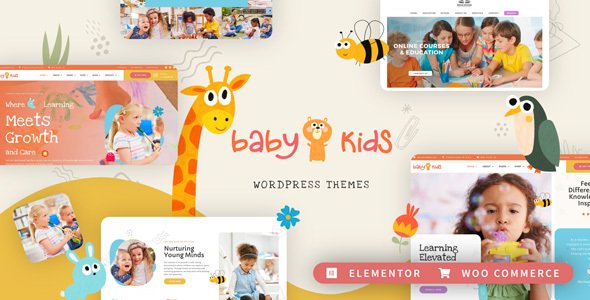
Stuck on your Baby Kids WordPress theme? Let's fix it.
No endless back-and-forth. Just send us the details and we'll get it done.
No obligation · Replies within 1 hour · Quote within 1 day
Setup · Customization · Bug fixes · WooCommerce integration
About Baby Kids WP Theme
Baby Kids is a WordPress theme by nicdark built for children’s shops, baby product stores, and family-oriented service businesses. It ships with a WooCommerce-ready layout, pre-built demo pages, and a drag-and-drop page builder integration that makes it straightforward to set up a store without writing code.
The theme covers product pages, blog layouts, and service pages out of the box. Color schemes lean toward soft pastels with playful typography, which suits the target audience. It supports multiple header styles, custom widgets, and a built-in mega menu. nicdark themes are known for detailed documentation and regular updates, so compatibility with current WordPress and WooCommerce versions is generally maintained. That said, any theme with this much built-in functionality carries some customization overhead once you move beyond the demo content.
Get matched with a Baby Kids developer in under one day
Tell us about your Baby Kids project. Small fixes, Baby Kids theme customization, or a full website build, whatever you need, we've got it covered.
We'll connect you to the right Baby Kids developers, define the scope, and get everything 100% clear.
You'll get one estimate, hire your preferred developer, and start collaborating.
Baby Kids has enough built-in complexity that small problems can take a long time to debug without theme-specific experience. Codeable connects you with vetted WordPress developers who have hands-on experience with nicdark themes and WooCommerce stores. Every project starts with a free estimate, and you only hire if the scope and price work for you. There are no bidding wars or unvetted freelancers. Just experienced developers matched to your project within 24 hours.
Pros
- Ships with WooCommerce integration built in, including product page templates and shop layouts suited to baby and children's product categories.
- Multiple pre-built demo pages covering shop, blog, services, and contact layouts reduce the time needed to get a working site up.
- Drag-and-drop page builder compatibility means non-technical users can adjust page layouts without touching code.
- nicdark provides detailed documentation and has a track record of maintaining theme updates for WordPress and WooCommerce compatibility.
- Built-in mega menu, custom widgets, and multiple header styles give you layout flexibility without needing additional plugins for navigation.
Cons
- Importing the full demo content can be slow and sometimes incomplete, requiring manual cleanup before the site looks like the preview.
- The theme bundles several premium plugins whose licenses need separate renewal, which adds ongoing cost beyond the theme price.
- Deep customizations that go beyond the options panel require familiarity with nicdark's custom template structure, which is not standard WordPress.
- Default page load times can be heavier than leaner themes due to bundled scripts and stylesheets loading site-wide.
- Support responses from nicdark can be slow during peak periods, and complex issues sometimes get closed without full resolution.
Who is Baby Kids for?
Baby & Toddler Clothing Store
Baby Kids works well for clothing retailers selling newborn to toddler sizes. The WooCommerce product grid supports variable products with size and color attributes, and the soft visual style matches what parents expect from a children’s apparel brand. A Baby Kids developer can extend the filters and add size guides without breaking the theme structure.
Children's Toy Shop
The theme’s product layouts handle toy categories cleanly, with space for product imagery, descriptions, and age ratings. WooCommerce integrations for upsells and product bundles are straightforward to add. A Baby Kids specialist can configure the shop to handle seasonal promotions and gift-focused purchasing flows that toy retailers commonly need.
Nursery & Furniture Retailer
Nursery furniture retailers benefit from Baby Kids’ support for large product images and detailed product pages. Room set photography displays well in the theme’s gallery blocks. For stores selling high-value items, a Baby Kids developer can integrate finance options or enquiry forms that sit cleanly within the existing product page template.
Parenting Blog with Shop
For content creators who also sell products or digital downloads, Baby Kids handles both the blog and shop sides of the site. The blog layouts support featured images, categories, and author bios. A Baby Kids expert can wire up affiliate product blocks and email list integrations without the site feeling split between two different design directions.
Childcare or Nursery Service
Nurseries and childcare providers can use Baby Kids for a service-focused site with booking functionality. The theme’s service page templates work for presenting room tours, staff profiles, and curriculum outlines. A Baby Kids developer can integrate a booking plugin and custom enquiry form to handle registration inquiries directly through the site.

Customizing Baby Kids
Getting Baby Kids to match your brand means working through the theme options panel, the Customizer, and in some cases the bundled page builder. Color adjustments, font swaps, and header layout changes are all doable without code. More specific changes, like restructuring the shop grid, modifying the checkout flow, or adding custom product filters, typically require a Baby Kids expert who knows the theme’s template hierarchy and CSS structure.
nicdark builds its themes with a fair amount of custom functionality baked in, which speeds up initial setup but can complicate deeper modifications. If you need custom post types, third-party plugin integrations, or a layout that diverges significantly from the demo, working with a Baby Kids developer will save you a lot of trial and error. A developer familiar with nicdark’s codebase can also ensure your changes survive theme updates cleanly using child theme best practices.
Recommended plugins for Baby Kids
Baby Kids pairs well with several plugin categories. WooCommerce extensions for wishlist functionality, product bundles, and subscription billing are common additions for children’s product stores. For content-heavy sites targeting parents, an SEO plugin combined with structured data for products is worth setting up properly. See our WordPress SEO optimisation service for help with that.
Page speed matters for e-commerce conversion rates. Baby Kids loads a reasonable amount of assets by default, but adding caching, image optimisation, and a CDN makes a measurable difference. Our WordPress performance service covers the full stack. Contact form plugins, multilingual support via WPML, and booking plugins for in-person services also integrate cleanly with this theme.
Not sure which plugins to use? This WordPress plugins directory covers the most popular options with reviews and setup guides.
Baby Kids common issues
Baby Kids demo import not working
Demo import failures in Baby Kids usually come down to PHP memory limits, file upload size restrictions, or a timeout during the XML import. Start by increasing memory_limit to at least 256MB and max_execution_time to 300 in your php.ini or via a plugin. Make sure all required plugins are active before importing. If the importer stalls, try importing the XML file manually through Tools > Import rather than using the one-click demo importer.
Baby Kids WooCommerce shop page showing wrong layout
A broken WooCommerce shop layout in Baby Kids is often caused by a WooCommerce update that changed template hooks the theme relies on. Go to WooCommerce > Status > Tools and run the page setup to regenerate shop pages. If the layout is still off, check whether your active template files in the theme’s woocommerce folder are outdated. Updating or removing overridden templates usually fixes the display. If you need reliable help, our WordPress bug fixing service can track this down fast.
Baby Kids header menu not displaying on mobile
Mobile menu issues in Baby Kids are commonly caused by a JavaScript conflict with another active plugin, or a cached version of the site serving outdated scripts. Clear your caching plugin and CDN cache first. Then open the browser console on mobile and look for JS errors. If a plugin is triggering a conflict, deactivate plugins one by one to isolate the cause. If the issue appeared after a theme update, check the changelog for any changes to the navigation scripts.
Baby Kids page builder content not saving
If the Baby Kids page builder is not saving changes, the most common causes are a nonce expiration due to a long idle session, a security plugin blocking the save request, or a PHP error interrupting the AJAX call. Check your browser’s network tab for a failed POST request and look at the server error log. Disable your security plugin temporarily to test. If it is the culprit, whitelist the page builder’s AJAX actions in the plugin settings rather than disabling it entirely.
Baby Kids product images not loading on shop page
Missing product images on the Baby Kids shop page are usually a thumbnail regeneration issue after a theme or WooCommerce change. Run a thumbnail regeneration using the Regenerate Thumbnails plugin to create the correct image sizes the theme expects. Also check WooCommerce > Settings > Products > Display to confirm the image dimensions match what Baby Kids is configured to use. If images are missing entirely, check file permissions on your uploads folder.
Baby Kids theme update broke site layout
Layout breaks after a Baby Kids update almost always mean a child theme CSS rule or a template override is conflicting with changes in the parent theme. Compare your child theme’s overridden files against the updated parent versions and merge the differences carefully. If you are not using a child theme and made direct edits to the theme files, those changes will have been overwritten. A WordPress bug fixing specialist can audit and restore your customizations safely.
Baby Kids checkout page missing styling
A checkout page with missing styles in Baby Kids is often caused by the WooCommerce checkout template not being recognized, or a CSS file failing to load. Check that your checkout page still has the
Baby Kids blog page showing only one column
The Baby Kids blog reverting to a single column layout is typically a template or query issue. Go to the Customizer and confirm the blog layout setting is still set to your preferred column count. If it is correct there, check whether a page template has been changed on the posts page itself. Some page builders can overwrite the template assignment. Switching the page template back to Default or Blog template in the Page Attributes panel usually resolves it.
Baby Kids custom fonts not applying
Custom fonts not applying in Baby Kids can have a few causes. If you added fonts via the Customizer, check that the font stack is being output in the correct CSS selectors. If using a Google Fonts plugin, confirm there is no conflict with fonts already enqueued by the theme. For hand-coded font rules in a child theme stylesheet, confirm the stylesheet is loading by checking the source code. A missing wp_enqueue_style call in your child theme’s functions.php is the most common reason fonts added this way do not appear.
Baby Kids slider not showing on homepage
If the Baby Kids homepage slider is not displaying, first check whether the slider plugin it depends on (often Revolution Slider or a bundled equivalent) is active and up to date. A version mismatch between the slider plugin and the theme is a frequent cause. Also check the homepage template assigned to your front page and confirm the slider section is enabled in the theme options. Clear all caches after making changes. If the slider area is blank with no error, check the browser console for JavaScript load failures. Our WordPress bug fixing service handles this type of issue regularly.
Baby Kids FAQ
Yes. Baby Kids is built with WooCommerce in mind and includes custom shop, product, cart, and checkout page templates. It handles variable products, product categories, and sale badges out of the box. For more complex store setups, a Baby Kids specialist can extend WooCommerce functionality without conflicts.
Baby Kids is primarily designed around its own bundled page builder, but it can work alongside Elementor for individual page layouts. Full compatibility is not guaranteed for every element, and some theme-specific sections may not behave predictably. A Baby Kids developer can assess what is possible before you commit to rebuilding pages in Elementor.
After activating Baby Kids, go to Appearance > Import Demo Data (or a similar menu item added by the theme). Make sure all required plugins are installed and activated first. Your server needs adequate PHP memory and execution time limits. If the one-click import fails, you can import the XML file manually via Tools > Import using the WordPress Importer plugin.
Some bundled plugins are required for the theme to function correctly, particularly those powering sliders, page layouts, and custom shortcodes. Others are optional. Deactivating required plugins will break parts of the theme. Check nicdark’s documentation to confirm which plugins are mandatory before removing anything.
Create a new folder in wp-content/themes/ with a name like baby-kids-child. Add a style.css file with the required header declaring the parent theme as Template: baby-kids. Add a functions.php that enqueues the parent stylesheet. Activate the child theme from Appearance > Themes. All your customizations go in the child theme.
Baby Kids is compatible with WPML, which is the standard for multilingual WordPress sites. You will need a paid WPML license. Some theme strings may need to be registered manually for translation. A Baby Kids specialist familiar with WPML can handle the full multilingual setup including WooCommerce product translations.
Rates vary depending on the scope and the developer’s experience. Simple customizations on Codeable typically start from a few hundred dollars, while full builds or complex integrations cost more. You can get a free estimate for your specific project with no obligation to hire.
Yes, Baby Kids is built to be responsive across mobile, tablet, and desktop. However, responsive behavior for heavily customized layouts or custom CSS additions may need testing and adjustment. Run your site through Google’s Mobile-Friendly Test after any significant layout changes to catch issues early.
Start by enabling caching, compressing images, and deferring non-critical scripts. Baby Kids loads several assets by default, so removing unused plugin scripts on specific pages helps. A CDN reduces load times for global visitors. For a full audit and implementation, see our WordPress performance service for detailed guidance.
Yes, Baby Kids can be migrated to a new host like any standard WordPress site. Export your database and files, import them on the new server, and update the site URL in the database. Theme functionality is tied to the WordPress install, not the host. For a smooth transfer with zero downtime, our WordPress migration service handles the full process.
Hire a Baby Kids Developer
Whether you need a full store build, a specific customization, or a bug tracked down fast, a Baby Kids specialist can handle it without the back-and-forth of explaining the theme from scratch. Describe your project and get a free estimate with no obligation to hire. Get a Free Estimate and get matched with a vetted Baby Kids developer within 24 hours.
You'll need a free Codeable account so developers can ask questions and send their quotes.