Sailing WordPress Theme
by ThimPress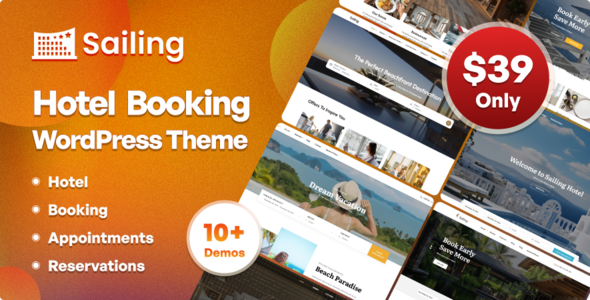
Stuck on your Sailing WordPress theme? Let's fix it.
No endless back-and-forth. Just send us the details and we'll get it done.
No obligation · Replies within 1 hour · Quote within 1 day
Setup · Customization · Bug fixes · WooCommerce integration
About Sailing WP Theme
Sailing is a WordPress theme built by ThimPress, designed primarily for maritime businesses, boat rental agencies, yacht clubs, and water sports operators. It ships with a purpose-built booking system, making it one of the few themes that handles reservation workflows out of the box without requiring a third-party plugin stack.
The theme uses Elementor for page building and includes pre-built demo content you can import in one click. It supports WooCommerce for selling tours or equipment, integrates with ThimPress’s own LearnPress plugin if needed, and includes custom post types for boat listings. Responsive on mobile, retina-ready, and built on a clean codebase. It’s a specific tool for a specific industry, which is both its strength and its limitation.
Get matched with a Sailing developer in under one day
Tell us about your Sailing project. Small fixes, Sailing theme customization, or a full website build, whatever you need, we've got it covered.
We'll connect you to the right Sailing developers, define the scope, and get everything 100% clear.
You'll get one estimate, hire your preferred developer, and start collaborating.
ThimPress themes have their own conventions and plugin dependencies. A general WordPress developer can work with Sailing, but someone who knows the ThimPress booking module and Elementor together will move faster and make fewer mistakes. On Codeable, you get matched with vetted WordPress specialists, not generalists bidding low to learn on your project. Post your project, get a free estimate within 24 hours, and only hire if you’re satisfied with the proposal.
Pros
- Built-in boat rental and tour booking system without needing extra plugins
- One-click demo import gets a working site up quickly
- Elementor integration means non-technical users can handle most layout edits
- WooCommerce compatibility handles payments and booking deposits natively
- Custom post type for boat listings keeps fleet management organized
Cons
- Heavy page weight when Elementor widgets and the booking system load together
- ThimPress support quality varies and response times can be slow
- Booking module customization requires PHP knowledge and ThimPress hook familiarity
- Limited layout variety compared to general-purpose themes
- Updates sometimes break custom child theme modifications without warning
Who is Sailing for?
Boat Rental Companies
Sailing’s booking system handles date-based availability, fleet display, and deposit collection through WooCommerce. Boat rental operators can list each vessel as a custom post type with specifications, photos, and pricing. A Sailing developer can extend this with seasonal rates, capacity limits, and customer account history for repeat renters.
Yacht Clubs
Yacht clubs need membership management, event calendars, and regatta schedules alongside basic booking. Sailing’s structure supports this with some customization. A Sailing specialist can add member login areas, restrict certain pages to registered members, and integrate event plugins without breaking the theme’s existing booking functionality.
Water Sports Schools
Sailing works well for kitesurfing, windsurfing, or sailing lesson providers who need course booking with instructor assignment. The booking module can be adapted for time-slot scheduling. A Sailing expert can configure class sizes, waitlists, and automated confirmation emails for each lesson type through the existing ThimPress framework.
Sailing Tour Operators
Day trip and multi-day sailing tour operators need itinerary pages, group booking options, and clear availability calendars. Sailing’s tour listing structure fits this use case. A Sailing developer can add departure point fields, passenger manifests, and integration with payment gateways that handle multi-currency transactions for international customers.
Marina and Dock Services
Marinas offering berth rental, dry storage, or maintenance services can use Sailing’s booking infrastructure for reservation management. The theme’s clean nautical aesthetic fits the industry. A Sailing specialist can add service-specific booking forms, invoice generation, and customer account dashboards for long-term berth holders.

Customizing Sailing
Out of the box, Sailing gives you color controls, font settings via Google Fonts, and header layout options through the WordPress Customizer. Elementor handles most visual customization, so you can rearrange sections, swap images, and adjust spacing without touching code.
Beyond that, things get technical. Custom booking flows, conditional availability logic, payment gateway integration, or restructuring the boat listing post type all require proper development work. A Sailing expert can help you modify the ThimPress booking module, add custom fields to listings, integrate third-party payment processors, or build out seasonal pricing rules. If you want the theme to behave differently from its defaults, working with a Sailing specialist saves significant time over trial and error.
Recommended plugins for Sailing
Sailing works with WooCommerce for payment processing, WPML for multilingual sites, and ThimPress’s own plugin ecosystem. For performance, the theme can become heavy if you stack multiple Elementor widgets alongside the booking system. A developer can configure caching, optimize database queries from the booking tables, and reduce page weight significantly. See our WordPress performance optimization service for details.
On the SEO side, Sailing’s boat listing pages and booking confirmation pages need structured data and proper meta handling. Our WordPress SEO service covers schema markup for local businesses and tour operators specifically.
Not sure which plugins to use? This WordPress plugins directory covers the most popular options with reviews and setup guides.
Sailing common issues
Sailing theme booking system not sending confirmation emails
Confirmation emails failing usually points to a server mail configuration problem rather than the theme itself. Check that WordPress can send mail at all using a plugin like WP Mail SMTP. Configure it to send through an SMTP provider like SendGrid or Mailgun. Also verify the ThimPress booking email templates haven’t been accidentally deleted from the plugin settings. If the issue persists after fixing SMTP, the booking hooks may need inspection. Our WordPress bug fixing service can trace the exact failure point.
Sailing theme Elementor widgets not loading on frontend
Elementor widgets not loading usually means a plugin conflict or a failed Elementor regeneration after a theme or plugin update. Go to Elementor > Tools > Regenerate CSS and clear the cache. If widgets show in the editor but not on the frontend, check for JavaScript errors in the browser console. A caching plugin serving stale assets is the most common cause. Disable caching temporarily to confirm. If the problem only appeared after a Sailing theme update, the child theme may need its scripts re-enqueued.
Sailing theme demo import fails or gets stuck
Demo import failures in Sailing usually happen due to PHP memory limits or execution time limits set too low on the server. Set memory_limit to at least 256MB and max_execution_time to 300 in your php.ini or wp-config.php. Also check that the ThimPress importer plugin is active and updated. If the import completes but images are missing, run the import again or use the WordPress media regeneration tool. Large demo files sometimes require importing in stages rather than all at once.
Sailing theme boat listings not showing on archive page
If boat listings aren’t showing on the archive page, first check that the custom post type is set to public and has an archive enabled. Go to Settings > Permalinks and save to flush rewrite rules. If you’re using a custom query, verify the post type slug matches exactly. A common issue is a page assigned as the listings archive conflicting with the post type archive. Check the Reading settings and the Sailing theme’s page assignments under theme options. Our bug fixing team handles post type conflicts regularly.
Sailing theme WooCommerce checkout page broken layout
Broken WooCommerce checkout layouts in Sailing are typically caused by a CSS conflict between the theme’s stylesheets and WooCommerce’s own styles. After a WooCommerce update, run the WooCommerce system status check and update any outdated template files flagged there. Sailing’s child theme may have overridden checkout templates that are now out of sync. Replacing those templates with current WooCommerce versions and reapplying your styling fixes the layout in most cases.
Sailing theme mobile menu not working
Mobile menu problems in Sailing are usually JavaScript-related. Open browser dev tools on mobile or using responsive mode and check the console for JS errors. A plugin loading a conflicting jQuery version is a frequent cause. Try disabling plugins one by one to isolate it. Also check that the mobile menu is properly assigned in Appearance > Menus. If the hamburger icon appears but clicking does nothing, the toggle event listener may not be binding due to a script loading order issue in the child theme.
Sailing theme booking calendar not displaying availability correctly
Booking calendar availability issues in Sailing’s ThimPress booking module usually come from timezone mismatches between the server, WordPress, and the booking plugin settings. Set your WordPress timezone correctly under Settings > General. Also check that bookings marked as confirmed are actually being excluded from available slots. If the calendar shows all dates as available despite existing bookings, the availability query may need a database repair. Our WordPress bug fixing service covers ThimPress booking module issues specifically.
Sailing theme slow loading on homepage
Slow homepage loading with Sailing almost always comes from Elementor rendering large sections, unoptimized images, and the booking system scripts all loading simultaneously. Start by compressing images and enabling lazy loading. Then configure a caching plugin and exclude booking-related pages from cache. Defer non-critical JavaScript using a performance plugin. Consider loading the booking calendar widget only when needed rather than on page load. These steps typically cut homepage load time by 40 to 60 percent without any theme modifications.
Sailing theme child theme not inheriting parent styles
If a Sailing child theme isn’t inheriting parent styles, the most common cause is missing or incorrect enqueue code in the child theme’s functions.php. Make sure you’re loading the parent stylesheet using wp_enqueue_style with the correct parent theme handle, not a direct @import in the child CSS. Also confirm the child theme’s style.css has the correct Template: sailing header line matching the parent theme’s folder name exactly. A typo here causes WordPress to treat the child theme as a standalone theme.
Sailing theme after update CSS broken
CSS breaking after a Sailing theme update usually means the parent theme’s stylesheet structure changed and your child theme’s CSS is overriding things it shouldn’t, or references that no longer exist. Open the browser inspector and identify which styles are missing or conflicting. Check the Sailing changelog for any class renames. Update your child theme’s CSS selectors to match the new structure. Going forward, use more specific selectors tied to content rather than structural theme classes to reduce breakage on future updates.
Sailing FAQ
Yes. Sailing is one of the few WordPress themes built specifically for boat rental with an integrated booking system. It handles availability calendars, fleet listings, and payment collection through WooCommerce. For straightforward rental operations, it works well out of the box. More complex setups, like multi-location fleets or dynamic pricing, need a Sailing developer to extend the booking module.
Yes. Sailing uses Elementor as its primary page builder. Most sections in the demo content are built with Elementor widgets, including the homepage hero, service listings, and team sections. The booking components are ThimPress’s own shortcodes rather than Elementor widgets, so those are placed via shortcode blocks inside Elementor layouts.
Technically yes, but the theme loses most of its differentiation. The booking system is the core reason to choose Sailing over a general maritime theme. Without it, you’re left with an Elementor-based nautical theme that competes with many cheaper or free options. If you don’t need booking functionality, a more flexible general-purpose theme is likely a better fit.
Sailing supports WPML and Polylang for multilingual setups. The theme itself is translation-ready with a .pot file included. The ThimPress booking module strings are also translatable. A Sailing specialist can configure WPML so that boat listings, booking forms, and confirmation emails all display correctly in each active language without breaking the booking flow.
Always run Sailing with a child theme. If you’ve customized the parent theme directly, your changes get overwritten on every update. With a child theme in place, update the parent freely. Before any major update, back up your site and check the ThimPress changelog for template changes that might affect your child theme overrides. Our WordPress maintenance service handles this process regularly.
Yes. Sailing uses WooCommerce to handle booking payments and deposits. Product pages, cart, and checkout work within the theme’s styling. After major WooCommerce updates, template files used by Sailing may need updating. Run the WooCommerce system status check after updates and replace any outdated templates in your child theme to keep the checkout layout intact.
Not natively. The default ThimPress booking module has basic pricing controls but doesn’t include seasonal or date-range pricing out of the box. A Sailing developer can implement this by extending the booking plugin’s pricing hooks, adding custom fields to the booking form, or integrating a WooCommerce dynamic pricing plugin alongside the existing booking flow.
Rates depend on the scope. A single bug fix or small customization typically falls between $100 and $300. A full site build using Sailing with custom booking configuration, payment integration, and content migration runs higher, usually $1,500 to $5,000 depending on complexity. Post your project on Codeable for a free, specific estimate based on exactly what you need.
Yes, but migration to a new theme requires rebuilding your pages in Elementor using Sailing’s structure. Content like posts and pages transfers over, but your old theme’s layouts won’t carry across. If you’re also moving hosting providers at the same time, our WordPress migration service handles the technical transfer so you can focus on the theme rebuild separately.
It can. Sailing loads Elementor assets, ThimPress booking scripts, and WooCommerce scripts together, which adds significant page weight. Without optimization, homepage load times over 4 seconds are common. Proper caching, image optimization, script deferral, and a CDN bring this down considerably. A Sailing developer familiar with ThimPress’s script loading can target the heaviest assets specifically.
Hire a Sailing WordPress Developer
Whether you need booking system modifications, custom boat listing fields, performance fixes, or a full site build on the Sailing theme, we match you with a developer who has done this before. No discovery time wasted. Get a free estimate and describe your project. You’ll hear back within 24 hours with a clear scope and price. No obligation to proceed.
You'll need a free Codeable account so developers can ask questions and send their quotes.