Photo Nexus WordPress Theme
by imaginem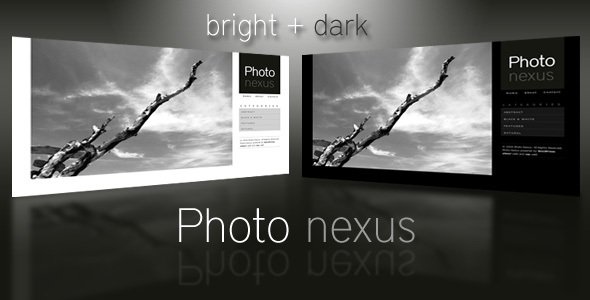
Stuck on your Photo Nexus WordPress theme? Let's fix it.
No endless back-and-forth. Just send us the details and we'll get it done.
No obligation · Replies within 1 hour · Quote within 1 day
Setup · Customization · Bug fixes · WooCommerce integration
About Photo Nexus WP Theme
Photo Nexus is a photography-focused WordPress theme developed by imaginem, the studio behind several well-regarded portfolio and agency themes. It is built for photographers, visual artists, and creative studios who need a clean, image-first layout with minimal distractions.
The theme ships with fullscreen galleries, smooth transitions, and a grid-based portfolio system that adapts to different screen sizes. It supports WooCommerce for print sales, has built-in AJAX navigation, and integrates with popular page builders. The typography is restrained, keeping attention on the images rather than the interface.
Photo Nexus targets professionals who want a polished online presence without spending weeks on setup. It includes demo content, multiple homepage layouts, and enough flexibility to cover wedding photography, commercial work, editorial, and fine art portfolios.
Get matched with a Photo Nexus developer in under one day
Tell us about your Photo Nexus project. Small fixes, Photo Nexus theme customization, or a full website build, whatever you need, we've got it covered.
We'll connect you to the right Photo Nexus developers, define the scope, and get everything 100% clear.
You'll get one estimate, hire your preferred developer, and start collaborating.
Photo Nexus is well-built, but every photographer’s site has specific requirements the theme does not cover by default. Whether you need a structural change, a new feature, or a performance overhaul, working with a vetted developer saves time and avoids breaking things.
Through Codeable, you get matched with WordPress developers who have real experience with photography themes and imaginem’s codebase. You post your project, receive a clear estimate, and only move forward if it makes sense. No risk, no guesswork.
Pros
- Fullscreen image presentation with clean, distraction-free layouts suited to professional photography portfolios
- AJAX-powered navigation keeps page transitions smooth without full reloads, which helps with user experience on gallery-heavy sites
- WooCommerce compatibility built in, making it practical for photographers who sell prints or digital downloads directly from their site
- Multiple homepage layout options included, so you can match the structure to your specific genre of photography without starting from scratch
- Developed by imaginem, a studio with a track record of maintaining and updating their themes over time
Cons
- Customizer options are limited for advanced layout changes, requiring CSS or PHP work for anything beyond surface-level adjustments
- The lightbox and gallery system can conflict with third-party gallery plugins, requiring manual fixes to resolve display issues
- Page builder compatibility is inconsistent across versions, and some blocks or elements may not render correctly after updates
- Out-of-the-box performance is average because the theme loads several scripts globally rather than only where they are needed
- Documentation is sparse in places, particularly around the more advanced portfolio and filtering features
Who is Photo Nexus for?
Wedding and Portrait Photography Studios
Photo Nexus handles the visual weight of wedding and portrait galleries well. The fullscreen layouts let images carry the page, and the filtering system works cleanly for separating weddings, portraits, and engagements into distinct portfolio sections. A Photo Nexus developer can add booking integration or client gallery access to complete the workflow.
Commercial and Advertising Photographers
Commercial photographers often need a tightly curated portfolio that communicates professionalism quickly. Photo Nexus supports grid and masonry layouts that work well for product, fashion, and advertising work. A specialist can strip the theme back to a minimal presentation and add password-protected client proof galleries on top.
Fine Art and Gallery Artists
Fine art photographers need a site that feels like a gallery space rather than a blog. Photo Nexus delivers that through its whitespace-heavy design and smooth transitions. WooCommerce integration means limited edition prints can be sold directly. A Photo Nexus expert can configure edition tracking and custom product pages to support this use case properly.
Photojournalism and Editorial Portfolios
Photojournalists and editorial photographers need a portfolio that moves fast and organizes work by story or publication. Photo Nexus handles categorized project pages well. A developer can restructure the archive and add publication credits, embedded captions, and press kit downloads without changing the core visual style of the theme.
Photography Schools and Workshop Businesses
Photography educators need more than a portfolio. They need course listings, booking forms, and payment collection. Photo Nexus provides the visual foundation, and a Photo Nexus specialist can layer in LMS plugins, workshop booking systems, and structured content pages that convert visitors into paying students effectively.

Customizing Photo Nexus
Photo Nexus gives you a solid starting point, but most photographers need changes that go beyond the built-in Customizer options. A Photo Nexus expert can adjust gallery grid spacing, modify hover effects, rework the portfolio filtering logic, or strip out layout sections you simply do not need.
Common customization requests include custom color schemes tied to a brand identity, changes to the lightbox behavior, adding client proofing functionality, or restructuring the homepage to lead with a specific type of work. Some studios also want the contact and booking sections rebuilt around a specific workflow.
If your site needs to look and work differently from the demo, a Photo Nexus specialist can handle that through child theme development, targeted CSS, and PHP modifications that stay update-safe and maintainable long term.
Recommended plugins for Photo Nexus
Photo Nexus works with several plugins that extend what it can do out of the box. WooCommerce adds print and digital download sales. Envira Gallery or FooGallery can replace the native gallery system if you need more control. Yoast SEO or Rank Math handle metadata and schema, and pairing either with proper setup through a WordPress SEO service makes a real difference for search visibility.
On the technical side, caching plugins, image optimization tools like ShortPixel, and a CDN can significantly reduce load times. A photographer site lives or dies on image delivery speed, so it is worth investing in proper configuration through a WordPress performance service.
Not sure which plugins to use? This WordPress plugins directory covers the most popular options with reviews and setup guides.
Photo Nexus common issues
Photo Nexus portfolio grid not displaying correctly after update
Portfolio grid display problems after an update are usually caused by a CSS conflict between the updated theme files and a child theme or plugin stylesheet. Open browser dev tools, inspect the broken grid element, and identify which rule is overriding the layout. If you updated without a child theme in place, some customizations may have been wiped. Rebuild custom styles in a child theme and test across browsers before going live again.
Photo Nexus lightbox not opening on mobile devices
Lightbox failures on mobile are often tied to touch event conflicts with the theme’s JavaScript or a plugin that intercepts tap events. Check the browser console for JS errors. Disable plugins one by one to isolate the conflict. If the lightbox uses a library like Magnific Popup, make sure no other plugin is loading a different version of the same script. If this is persistent, a WordPress bug fixing service can trace the conflict cleanly.
AJAX navigation broken in Photo Nexus after plugin conflict
AJAX navigation breaks when a plugin enqueues scripts that do not reinitialize after a partial page load. The fix requires either deferring the conflicting script or reinitializing it via a custom JS callback triggered after each AJAX navigation event. Identify the conflicting plugin through the console, then add a reinit hook. If you are not comfortable editing JavaScript, get a developer to handle this properly rather than disabling AJAX navigation entirely.
Photo Nexus images loading slowly on gallery pages
Slow gallery pages in Photo Nexus almost always come down to unoptimized image files and no lazy loading. Install ShortPixel or Imagify to compress existing images, enable lazy loading via a plugin or WordPress core settings, and configure a caching plugin to serve static assets efficiently. If the server itself is the bottleneck, switching to a faster host or adding a CDN will have the biggest impact on load times for image-heavy pages.
Photo Nexus WooCommerce shop page layout broken
WooCommerce layout breaks in Photo Nexus typically happen after a WooCommerce update that changes template structure. Photo Nexus may include overridden WooCommerce templates in a woocommerce folder inside the theme. If those templates are outdated, WooCommerce will flag them and display incorrectly. Update or regenerate the overridden templates to match the current WooCommerce version. A WordPress bug fixing service can handle template reconciliation quickly.
Photo Nexus contact form not sending emails
Contact form email failures in Photo Nexus are rarely a theme issue. The problem is almost always WordPress’s default wp_mail function failing because the hosting server is not configured to send mail reliably. Install WP Mail SMTP and connect it to a transactional email provider like Mailgun, SendGrid, or Postmark. Once SMTP is configured correctly, test with the built-in diagnostic tool to confirm delivery before considering the problem resolved.
Photo Nexus portfolio filter buttons not working
Portfolio filter buttons that stop working are usually caused by a JavaScript error elsewhere on the page preventing the filter script from initializing. Open the browser console and look for uncaught errors above the filter click event. Also check whether Isotope or the theme’s filtering library is being loaded multiple times due to a plugin conflict. Dequeue duplicate script registrations and make sure the filter container has the correct CSS classes the script is targeting.
Photo Nexus fullscreen slider showing white space or blank slides
White space or blank slides in the fullscreen slider usually mean images are missing, improperly sized, or the slider script is timing out before images load. Check that all slider images are uploaded and attached correctly in the theme settings or page builder. Set explicit image dimensions and use lazy loading only after the first slide. If the slider uses a JavaScript timeout to detect image load, increase the delay value or switch to an event-based load detection approach.
Photo Nexus menu not appearing on mobile or hamburger icon missing
A missing mobile menu in Photo Nexus is often caused by a JavaScript conflict that prevents the hamburger toggle from binding correctly, or a CSS rule hiding the menu icon at a breakpoint it should not. Check the console for errors on mobile viewport. Inspect the hamburger icon element to confirm it exists in the DOM and is not set to display none by a conflicting stylesheet. If a plugin added custom scripts that interfere with the nav toggle, dequeue them conditionally on front-end pages.
Photo Nexus custom logo not showing in header
If a custom logo uploaded via the WordPress Customizer is not appearing in the Photo Nexus header, confirm the theme supports add_theme_support(‘custom-logo’) in its functions.php. If it does, check whether a plugin or custom CSS is hiding the logo element. Also verify the image dimensions match what the theme expects. Some imaginem themes have separate logo settings inside their own options panel that override the Customizer, so check the theme settings panel as a second location.
Photo Nexus FAQ
Yes. Photo Nexus is designed specifically for photographers, with fullscreen layouts, portfolio filtering, and clean gallery presentation. It works well for wedding, commercial, editorial, and fine art photographers. For anything beyond the default setup, a Photo Nexus specialist can extend the theme to match your specific workflow and client expectations.
Photo Nexus includes WooCommerce compatibility. You can sell print packages, digital downloads, or other products directly from your site. The default shop templates follow the theme’s visual style, though a developer may need to adjust the product page layout to match your branding more closely, especially for multi-variant print listings.
Photo Nexus has some compatibility with page builders, but it is primarily designed to work through its own theme options and shortcodes. Elementor works in most cases, but some theme-specific sections may not transfer cleanly into the Elementor editor. Testing on a staging site before committing to a full page builder integration is strongly recommended.
Portfolio categories in Photo Nexus are managed through the custom taxonomy attached to the portfolio post type. Go to Portfolio in the WordPress admin, then find the category or type taxonomy, and add your new category there. Assign it to posts and the filter bar on your portfolio page will update automatically, assuming the filter is enabled in your theme settings.
Yes, Photo Nexus is responsive and adapts to mobile and tablet screen sizes. However, fullscreen sliders and masonry grids sometimes need manual adjustments to look correct on smaller screens. A Photo Nexus developer can fine-tune breakpoints and touch behavior if the default responsive behavior does not meet your needs.
The biggest gains come from image compression, lazy loading, and caching. Use a tool like ShortPixel to compress existing uploads, enable lazy loading in WordPress settings, and add a caching plugin like WP Rocket. For more significant improvements, consider a CDN and server-side optimizations. A dedicated WordPress performance service can handle this end to end.
Yes. A Photo Nexus developer can handle layout changes, feature additions, bug fixes, and full custom builds on top of the theme. Through Codeable, you can post your project, get matched with a vetted developer, and receive a free estimate before committing to anything. It is a straightforward way to get expert help without the risk.
Photo Nexus supports video backgrounds in some layout sections, and you can embed video portfolios using standard WordPress video blocks or third-party plugins. For a more structured video portfolio with filtering and custom player controls, a Photo Nexus specialist would need to build that functionality on top of the theme rather than relying on built-in options alone.
Photo Nexus is built with its own layout system, so it works best with its native options rather than page builders. If you need a page builder, Elementor is the most compatible option. WPBakery can work but introduces more conflicts. For photographers who want maximum visual control, working with a developer on child theme customizations often produces cleaner results than a page builder.
Always use a child theme before making any code changes to Photo Nexus. Customizations made in the parent theme files are overwritten when the theme updates. If you have not used a child theme, document your changes before updating and reapply them afterward. A developer can migrate existing customizations into a child theme so future updates do not cause data loss.
Hire a Photo Nexus Developer for Your Project
If your Photo Nexus site needs customization, a bug fixed, or a feature built from scratch, working with a specialist is the fastest path to a result that actually holds up. Post your project and get a free estimate from a developer who knows WordPress photography themes inside out. No obligation, no upfront cost.
Get a Free Estimate and describe what you need. You will hear back within 24 hours.
You'll need a free Codeable account so developers can ask questions and send their quotes.