HomePress WordPress Theme
by StylemixThemes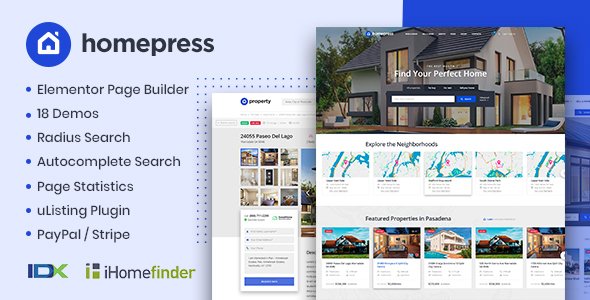
Stuck on your HomePress WordPress theme? Let's fix it.
No endless back-and-forth. Just send us the details and we'll get it done.
No obligation · Replies within 1 hour · Quote within 1 day
Setup · Customization · Bug fixes · WooCommerce integration
About HomePress WP Theme
HomePress is a real estate WordPress theme built by StylemixThemes. It ships with a dedicated property listing system, advanced search filters, Google Maps integration, and mortgage calculator — all without requiring a separate real estate plugin.
The theme supports IDX integration, agent profiles, property comparison, and a front-end submission form for listing properties directly from the site. It works with Elementor, so pages can be edited visually without touching code.
StylemixThemes maintains HomePress actively, with updates covering compatibility with newer versions of WordPress and WooCommerce. It is suited for agencies, solo agents, and property developers who need a functional listing site without building everything from scratch.
Get matched with a HomePress developer in under one day
Tell us about your HomePress project. Small fixes, HomePress theme customization, or a full website build, whatever you need, we've got it covered.
We'll connect you to the right HomePress developers, define the scope, and get everything 100% clear.
You'll get one estimate, hire your preferred developer, and start collaborating.
HomePress has a lot of moving parts — maps, custom post types, front-end submission, agent roles, and payment gates. Out of the box it works, but fitting it to a real business usually requires custom development.
On Codeable, HomePress developers go through a vetting process before they take on projects. You post your project, get a fixed estimate within 24 hours, and decide whether to proceed. No obligation. If you need a HomePress specialist who has worked with the theme before, that is the fastest way to find one.
Pros
- Built-in property listing system with no dependency on a separate real estate plugin
- Advanced search filters including price range, property type, location radius, and custom fields
- Front-end property submission form with agent role management built in
- Google Maps and OpenStreetMap support with clustering for high-volume listing pages
- Elementor compatibility allows full visual page building without touching theme files
Cons
- The built-in listing system creates vendor lock-in — migrating to a different theme means rebuilding the property data structure
- Demo import can fail or produce incomplete results on some hosting environments, requiring manual setup
- Some advanced features like IDX sync require third-party plugins that add cost and complexity
- The theme's custom Elementor widgets do not always behave predictably after major Elementor updates
- Property search AJAX can slow down significantly on shared hosting once a listing directory grows beyond a few hundred entries
Who is HomePress for?
Real Estate Agency Website
HomePress works well for full-service agencies that need to display sales listings, assign them to agents, and let visitors search by location, type, and price. A HomePress expert can add CRM sync and automate lead routing from property inquiry forms to the right agent.
Property Rental Portal
Rental portals need availability filters, short-term booking options, and recurring listing management. HomePress handles the base structure, and a HomePress developer can bolt on booking calendars, WooCommerce payments for reservation fees, and tenant inquiry tracking.
Real Estate Agent Personal Site
Individual agents use HomePress to showcase their active listings, sold properties, and client testimonials. Setup is straightforward, though a HomePress specialist can refine the agent profile layout, connect a personal CRM, and improve local SEO for name and area searches.
Commercial Property Listings
Commercial real estate listings have different data requirements — floor space, zoning, lease terms, and unit breakdowns. A HomePress developer can extend the custom fields system to handle these specifics and build search filters that match how commercial buyers actually search.
Real Estate Franchise Network
Franchise networks need multiple agent logins, restricted listing management, and shared branding. HomePress supports multi-agent setups, and a HomePress expert can build out role-based dashboards, territory controls, and a central admin view across the full network.

Customizing HomePress
HomePress comes with a range of pre-built demo layouts that cover rental agencies, luxury real estate, and commercial property portals. Each demo can be imported in one click and then adjusted through the WordPress Customizer or Elementor.
A HomePress expert can take the theme further — custom property fields, restructured search filters, tailored agent dashboards, and integrations with third-party CRMs or IDX providers. The built-in options cover most basics, but agencies with specific workflows typically need custom work to match their process.
Things like restricting agent access to their own listings, adding custom property statuses, or building a subscription-gated listing area require code-level changes. That is where hiring a HomePress specialist makes the difference between a generic site and one that actually fits the business.
Recommended plugins for HomePress
HomePress pairs well with several plugin additions. WooCommerce powers paid listing packages. WPML handles multilingual property portals. Contact Form 7 or Gravity Forms extend the inquiry system.
For agencies focused on organic traffic, a HomePress developer can connect the theme with an SEO optimisation workflow that includes schema markup for individual property listings. On the performance side, image-heavy listing pages benefit from caching, lazy loading, and CDN setup covered in a proper WordPress performance audit. Both areas matter when a portal scales to hundreds of listings.
Not sure which plugins to use? This WordPress plugins directory covers the most popular options with reviews and setup guides.
HomePress common issues
HomePress property search not working after update
This usually comes down to a JavaScript conflict or a broken AJAX handler after a theme or plugin update. Start by disabling all non-essential plugins and switching to the default WordPress REST API. If the search returns results after that, re-enable plugins one by one to find the conflict. If the issue persists across a clean environment, the theme’s search query may need rebuilding. A WordPress bug fixing specialist can isolate and patch it without disrupting live listings.
HomePress Google Maps not showing on listing pages
A missing or incorrect Google Maps API key is the most common cause. Go to HomePress settings and verify the API key is entered correctly and has the Maps JavaScript API, Places API, and Geocoding API all enabled in the Google Cloud Console. Also check that billing is active on the Google account — the Maps API requires it even for low-volume usage. If the key is correct but maps still fail, check the browser console for specific API errors and resolve those individually.
HomePress front-end submission form not sending email notifications
Check that your server’s mail function is working first by sending a test email through a plugin like WP Mail SMTP. HomePress submission notifications rely on wp_mail(), which fails silently on many shared hosts. Connect an SMTP service such as SendGrid or Mailgun, configure it through WP Mail SMTP, and then re-test the submission form. Also verify the notification email address in HomePress settings is not landing in spam. If the form itself is broken, visit our WordPress bug fixing service for a full diagnosis.
HomePress demo import fails or stops halfway
Demo import failures in HomePress are usually caused by PHP memory limits, execution time limits, or missing XML importer support. Set memory_limit to at least 256M and max_execution_time to 300 in your php.ini or wp-config.php. Also confirm the WordPress Importer plugin is active. If the import stalls on media files, try importing content without media first, then manually import the demo images. Some hosts block large file imports — switching to a staging environment with fewer restrictions often resolves it cleanly.
HomePress property listings not showing in search results
HomePress properties use a custom post type called ‘property’. By default, WordPress excludes custom post types from the main search index. Go to HomePress settings and confirm the post type is set to be searchable. If it is, the issue may be that individual listings are set to a draft or pending status. Also check that your permalink structure is not excluding the property post type. Flushing permalinks by visiting Settings > Permalinks and saving often resolves indexing gaps after updates.
HomePress Elementor widgets missing or broken after update
After a major Elementor or HomePress update, custom widgets sometimes lose registration due to changed class names or deprecated hooks. Clear all caches first, including object cache, server-side cache, and Elementor’s own CSS cache under Elementor > Tools. If widgets still show as missing, deactivate and reactivate the HomePress Core plugin if it is installed separately. If the widgets appear but render incorrectly, the widget template may need updating to match the new Elementor structure. A WordPress bug fixing expert can handle this efficiently.
HomePress mortgage calculator not calculating correctly
The HomePress mortgage calculator uses JavaScript to compute monthly payments based on the values entered in theme settings. If it outputs wrong figures, first verify the interest rate and loan term defaults in HomePress > Settings > Mortgage Calculator. The formula used is a standard amortization calculation — if the output is consistently off by a fixed factor, it may be a decimal separator conflict caused by a locale setting. Check your WordPress site language and ensure it matches the expected numeric format for your target audience.
HomePress agent listings not displaying on agent profile page
Agent listings display relies on a relationship between the agent user account and the property post type. If listings are not showing on the agent page, confirm the property posts are assigned to that agent in the property editor. Also check that the agent’s user role is set correctly in HomePress settings. If the agent page template is pulling a blank loop, there may be a query argument mismatch — particularly if the agent’s user ID changed during a migration or user role reconfiguration. Resaving the affected property posts usually re-establishes the link.
HomePress property images not loading or showing broken thumbnails
Missing or broken property thumbnails usually indicate an incomplete image regeneration after a theme change or a failed media upload. Run the Regenerate Thumbnails plugin to rebuild all image sizes registered by HomePress. If new uploads still break, check your uploads folder permissions — they should be set to 755. Also verify the file size and type limits in your PHP configuration. Large property images above 5MB can fail silently on hosts with restrictive upload limits. Adjusting upload_max_filesize and post_max_size in php.ini resolves most of these cases.
HomePress WooCommerce paid listings not processing payments
HomePress integrates with WooCommerce for paid listing packages. If payments are not processing, check that WooCommerce is up to date and your payment gateway plugin is configured correctly with valid API credentials. Test with WooCommerce’s built-in order system independent of HomePress to isolate whether the issue is in the gateway or the theme integration. Also confirm that the HomePress listing product in WooCommerce is published and assigned to the correct listing package in HomePress settings. Incompatible WooCommerce version mismatches cause the most payment failures here.
HomePress FAQ
HomePress is a solid choice if you need a listing-ready site without assembling multiple plugins. It handles property search, agent management, and front-end submissions out of the box. For straightforward agency and portal sites, it covers most requirements. Complex IDX syncs or heavily customised workflows will need developer input.
Yes. HomePress includes a set of custom Elementor widgets for property listings, search forms, and agent grids. Full page layout control is available through Elementor’s visual editor. Keep both the theme and Elementor updated in sync — widget breaks are most common when one updates significantly ahead of the other.
HomePress does not include native IDX sync. It works with third-party IDX plugins such as Showcase IDX or iHomefinder, which pull MLS data into WordPress. A HomePress developer can connect one of these plugins and map the imported listing data to HomePress property fields for a unified display.
Yes. HomePress has built-in agent role management. Each agent gets a profile page and can manage their own listings from the front-end dashboard. Admin users control what agents can publish, edit, or delete. For larger teams or franchise setups, a HomePress specialist can extend the permission system further.
HomePress developer rates on Codeable typically range based on project scope. Small fixes and configuration work come in at the lower end. Custom integrations, IDX connections, or full portal builds are priced by scope. Post your project on Codeable to get a fixed estimate with no obligation to proceed.
Yes. HomePress supports rental listings with fields for availability, rental period, and pricing. It does not include a native booking calendar, but it integrates with plugins that do. A HomePress developer can connect a booking system and adjust the listing fields to match short-term or long-term rental workflows.
HomePress is listed as WPML compatible. Property listings, custom fields, and search filters can be translated. Some HomePress-specific strings may need manual addition to the WPML string translation panel. Test thoroughly after any theme update since new strings are sometimes added without automatic WPML registration.
HomePress has a custom fields manager in its settings panel. You can add text, number, select, and checkbox fields and assign them to property types. These fields appear in the listing editor and optionally in the search form. For more complex field logic or conditional display, a HomePress expert can extend this with code.
StylemixThemes updates HomePress regularly. Updates typically cover WordPress core compatibility, security patches, and bug fixes. Major feature additions are less frequent. Check the changelog on ThemeForest before updating on a live site, as some updates have required manual database adjustments to existing listing data.
Migrating away from HomePress is not trivial. Properties are stored in a custom post type with HomePress-specific meta fields. Moving to another theme means either rebuilding the listing structure or mapping the existing data to the new theme’s format. A WordPress migration specialist can handle the data transfer and minimise listing downtime.
Hire a HomePress Developer
Whether you need a full portal built from a demo, custom property fields added, or an IDX integration sorted, a vetted HomePress expert can scope and deliver it cleanly. Work is handled through Codeable, where every developer is screened before joining.
Get a Free Estimate and describe your project. You will have a quote within 24 hours and no obligation to hire.
You'll need a free Codeable account so developers can ask questions and send their quotes.