Transcargo WordPress Theme
by StylemixThemes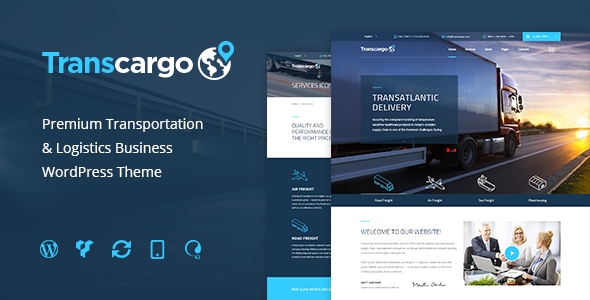
Stuck on your Transcargo WordPress theme? Let's fix it.
No endless back-and-forth. Just send us the details and we'll get it done.
No obligation · Replies within 1 hour · Quote within 1 day
Setup · Customization · Bug fixes · WooCommerce integration
About Transcargo WP Theme
Transcargo is a WordPress theme built by StylemixThemes specifically for freight, logistics, and transportation businesses. It ships with a drag-and-drop page builder, pre-built demo content for trucking and cargo companies, and a built-in quote request system that replaces the need for a separate plugin.
The theme uses the MotoPress Content Editor and includes dedicated sections for services, fleet showcases, team profiles, and testimonials. WooCommerce compatibility is included for companies that sell logistics-related products or services online.
Transcargo is a solid starting point for any transport business that needs a professional site fast. The demo content is realistic and industry-specific, which cuts down setup time considerably. That said, deeper customization typically requires developer input to get right.
Get matched with a Transcargo developer in under one day
Tell us about your Transcargo project. Small fixes, Transcargo theme customization, or a full website build, whatever you need, we've got it covered.
We'll connect you to the right Transcargo developers, define the scope, and get everything 100% clear.
You'll get one estimate, hire your preferred developer, and start collaborating.
StylemixThemes builds solid themes, but every logistics business has specific operational needs that theme options alone cannot solve. A vetted Transcargo developer on Codeable can handle quote form integrations, fleet management customizations, third-party API connections, and layout changes that go beyond what the built-in customizer offers. Projects are estimated for free with no obligation to hire, and every developer on Codeable has been through a strict vetting process. You get someone who knows WordPress deeply, not a generalist who learned it last month.
Pros
- Purpose-built for freight and logistics with realistic demo content that mirrors actual trucking company sites
- Built-in quote request form removes the need for a separate form plugin for basic lead generation
- WooCommerce compatible for businesses that sell products or paid service bookings online
- Fleet showcase and services post types are already structured for transport industry content
- StylemixThemes has an active support team and maintains the theme with regular updates
Cons
- Uses MotoPress Content Editor which locks page layouts to that specific builder ecosystem
- Heavy demo imports with sliders and parallax sections can hurt Core Web Vitals scores out of the box
- Quote form customization beyond basic fields requires PHP or plugin-level intervention
- Limited flexibility for multi-location businesses needing branch-specific pages or routing logic
- Documentation covers basic setup but goes thin on advanced customization or developer-level hooks
Who is Transcargo for?
Freight and Cargo Companies
Transcargo was designed with freight companies in mind. The services section, quote request form, and industry-specific demo content mean a cargo business can launch a credible site quickly. A Transcargo specialist can extend it with shipment tracking integrations or custom service area pages for regional freight operators.
Truck Fleet Operators
The fleet showcase post type lets operators list vehicles with specs, images, and load capacities. For companies managing large fleets, a Transcargo developer can build custom filtering, dynamic availability displays, or connect the fleet section to an external vehicle management system.
Courier and Last-Mile Delivery Services
Courier businesses need fast quote requests and clear service area communication. Transcargo handles the visual side well. With custom development, the built-in form can be extended to calculate delivery costs by postcode zone, integrate with booking APIs, or feed directly into dispatch software.
Logistics Consultants
Logistics consultants selling advisory services benefit from Transcargo’s clean service layout and testimonial sections. A Transcargo expert can restructure the homepage to lead with consulting credentials, add a case study section, and connect the contact form to a CRM for proper lead management.
Moving and Relocation Companies
Moving companies need pricing calculators, service checklists, and strong local SEO signals. Transcargo provides the visual framework. A developer can add a cost estimator form, structured data for local business schema, and location-specific landing pages for each city or region served.

Customizing Transcargo
Out of the box, Transcargo gives you color controls, font options, and a customizer panel that handles most surface-level changes. But logistics businesses rarely have standard requirements. Custom route calculators, dynamic fleet pages, multi-branch contact forms, and integration with dispatch or freight management systems all require custom development work.
A Transcargo expert can modify the quote request form to connect with your CRM, restructure the homepage layout without breaking the demo design, and add custom post types for vehicle or service listings that scale as your business grows.
StylemixThemes provides basic documentation, but when you need something the theme options panel simply does not support, working with a Transcargo specialist saves significant time and avoids breaking changes during trial-and-error edits.
Recommended plugins for Transcargo
Transcargo works with the standard WordPress plugin ecosystem. For performance, the theme’s bundled sliders and image-heavy fleet sections can slow load times without proper optimization. Pairing it with a caching plugin and a CDN makes a real difference. See our WordPress performance optimization service for help.
On the SEO side, the theme structure is reasonably clean but does not handle schema markup, meta optimization, or structured data for local logistics businesses automatically. Our WordPress SEO service can handle that layer properly.
Not sure which plugins to use? This WordPress plugins directory covers the most popular options with reviews and setup guides.
Transcargo common issues
Transcargo quote form not sending emails
When the Transcargo quote form stops sending emails, the problem is almost always server-level mail delivery, not the form itself. WordPress uses PHP mail by default, which most hosts block or route to spam. Install an SMTP plugin like WP Mail SMTP and connect it to a transactional mail service such as SendGrid or Mailgun. Test delivery after configuring. If the form still fails, check that the form plugin bundled with Transcargo is active and up to date.
Transcargo demo content not importing correctly
Demo import failures in Transcargo usually happen because of server memory limits or PHP execution time settings. Before importing, set max_execution_time to 300, memory_limit to 256M, and upload_max_filesize to 64M in your php.ini or via a plugin like WP-Optimize. Also make sure all required plugins listed in the theme documentation are installed first. Importing without them active causes partial or broken demo setups.
Transcargo page builder content not showing after update
If Transcargo page content disappears or shows raw shortcode after an update, the MotoPress Content Editor plugin may have been deactivated or updated to an incompatible version. Check the Plugins screen and ensure the bundled builder plugin is active. If content is still missing, restore from a pre-update backup and test the update on a staging site first. Need help sorting it out? Our WordPress bug fixing service can diagnose and resolve it.
Transcargo site slow loading on mobile
Transcargo’s demo includes large hero images, sliders, and video backgrounds that hit mobile performance hard. Start by running the site through Google PageSpeed Insights to identify the heaviest assets. Compress images with a tool like ShortPixel, disable autoplay on video sections on mobile, and activate lazy loading. Removing unused demo sections that are not part of your live site also reduces render-blocking resources significantly.
Transcargo header not displaying correctly on small screens
Header display issues on mobile in Transcargo are often tied to the mobile menu breakpoint setting or a CSS conflict with a plugin adding its own styles. Open the customizer and check the mobile menu settings. If the issue is visual rather than functional, inspect the header element in browser dev tools and identify which CSS rule is causing the problem. Override it in a child theme stylesheet rather than editing the main theme files directly.
Transcargo WooCommerce shop page layout broken
WooCommerce layout breaks in Transcargo typically occur after a WooCommerce major version update that changes template file structure. Transcargo may use overridden WooCommerce templates in its /woocommerce/ folder that no longer match the current version. Use the WooCommerce System Status screen to identify outdated template files, then update them manually or ask a Transcargo developer to reconcile the differences without losing your customizations.
Transcargo contact form submissions not reaching inbox
Contact form emails not arriving is a delivery problem, not a WordPress problem. Check your spam folder first. If nothing is there, the host is silently dropping PHP mail output. Configure SMTP using WP Mail SMTP and a reliable sending service. Set the from address to a domain-matched email address rather than a generic WordPress default. After setup, use the plugin’s test email function to confirm delivery before assuming the fix is working.
Transcargo slider images not loading
Slider images failing to load in Transcargo usually point to a broken attachment URL or a missing image file in the media library. Check the slider settings and verify each image is still attached. If images were moved during a migration or the site URL changed, run a search-replace on the database using WP-CLI or a plugin like Better Search Replace to update old URLs. For persistent issues, our WordPress bug fixing service can trace the source quickly.
Transcargo child theme not applying styles
If a Transcargo child theme is active but styles are not applying, check that the child theme’s style.css includes the correct Template: transcargo header and that the child theme is enqueuing its stylesheet properly in functions.php. A common mistake is relying on the CSS @import method in the stylesheet header instead of using wp_enqueue_style in the child theme’s functions file, which loads styles in the right order.
Transcargo plugin required but causing conflicts
Transcargo bundles required plugins like MotoPress Content Editor that must stay active for the theme to function correctly. If you see plugin conflict warnings, isolate the issue by deactivating non-bundled plugins one at a time and testing after each. If the conflict is between a bundled plugin and a third-party plugin you need, a Transcargo specialist can usually resolve it with a targeted code fix. See our WordPress bug fixing service for complex conflicts.
Transcargo FAQ
StylemixThemes continues to maintain Transcargo with updates on ThemeForest. It is an older theme in their catalog, so update frequency is slower than their newer releases. Always check the ThemeForest changelog before purchasing to confirm the last update date aligns with your project timeline.
Transcargo was built around the MotoPress Content Editor, not Elementor. You can technically install Elementor alongside it, but page templates built with MotoPress will not transfer. Switching builders mid-project requires rebuilding pages. If you prefer Elementor, a logistics theme built natively for it may be a better fit.
Technically yes, but it is not a practical choice outside transport and logistics. The demo content, built-in post types, and layout assumptions are all industry-specific. Repurposing it for an unrelated business requires stripping out most of what makes it useful in the first place.
Go to Appearance, then Import Demo Data after installing the theme and all required plugins. The importer is bundled via the One Click Demo Import plugin. Make sure PHP memory and execution time limits are set correctly on your server beforehand to avoid a partial import.
No. Transcargo does not include native shipment or freight tracking functionality. You can add this with a third-party tracking plugin or a custom integration built by a Transcargo developer, but it is not part of the theme out of the box.
Transcargo does not include built-in GDPR tools. You need a dedicated consent plugin such as Cookiebot or Complianz, and you should audit any contact forms and third-party scripts the theme loads. A developer can help identify and address compliance gaps specific to your configuration.
Content stored in standard WordPress post types like pages and posts will survive a theme switch. Anything built with MotoPress shortcodes will appear as raw code in another theme. Before switching, export critical content to a portable format or rebuild key pages in the new theme. See our WordPress migration service for help.
Transcargo is compatible with WPML and Polylang for multilingual setups. Translation is not built in, so you need one of those plugins installed and configured. RTL language support is basic. Test thoroughly in a staging environment before going live with a multilingual configuration.
Transcargo requires the MotoPress Content Editor for page building and typically includes Revolution Slider or a similar slider plugin. Additional recommended plugins for full functionality include WooCommerce if you use the shop features and a contact form plugin. All required plugins are listed in the theme documentation.
Cost depends on scope. A simple setup or bug fix typically runs a few hundred dollars. Custom integrations, CRM connections, or full site builds cost more. On Codeable, you post your project and get a free, specific estimate with no obligation. Rates reflect vetted expertise, not marketplace guesswork.
Hire a Transcargo Expert Developer
Whether you need a Transcargo developer to set up your site from a demo, customize the quote request system, or fix something that stopped working after an update, we can match you with the right person fast. Work is handled through Codeable, so quality is guaranteed and estimates are free. Get a Free Estimate and describe what you need. No obligation, no upfront cost.
You'll need a free Codeable account so developers can ask questions and send their quotes.