Lucille WordPress Theme
by SmartWPress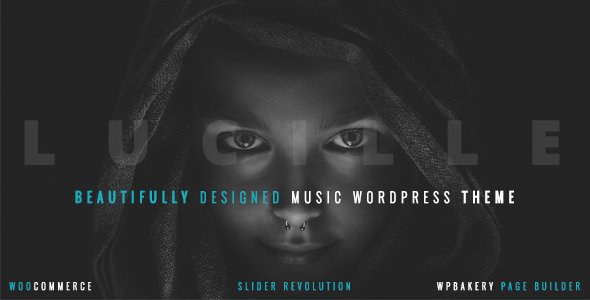
Stuck on your Lucille WordPress theme? Let's fix it.
No endless back-and-forth. Just send us the details and we'll get it done.
No obligation · Replies within 1 hour · Quote within 1 day
Setup · Customization · Bug fixes · WooCommerce integration
About Lucille WP Theme
Lucille is a WordPress theme by SmartWPress built for creative professionals, portfolio sites, and small agencies. It ships with a clean grid layout, smooth scroll behavior, and a block-based customization approach that works inside the native WordPress editor. The theme is lightweight by default, with minimal third-party dependencies and a focus on visual presentation over feature bloat.
SmartWPress has a consistent track record with their theme lineup, and Lucille follows that pattern: sensible defaults, well-structured template files, and predictable CSS. It supports full-site editing on compatible WordPress installs, making it a practical choice for designers who want control without touching code. WooCommerce compatibility is included out of the box.
Get matched with a Lucille developer in under one day
Tell us about your Lucille project. Small fixes, Lucille theme customization, or a full website build, whatever you need, we've got it covered.
We'll connect you to the right Lucille developers, define the scope, and get everything 100% clear.
You'll get one estimate, hire your preferred developer, and start collaborating.
Most Lucille customization work is straightforward for an experienced developer but time-consuming without the right context. FoxyConcept connects you with vetted Lucille developers through Codeable, a platform that screens WordPress specialists before they ever see a project. You describe the work, developers review it, and you get a fixed estimate before any commitment is made. No cold hiring, no guessing on rates, no junior developers learning on your project.
Pros
- Lightweight codebase with minimal unused CSS on load
- Full-site editing support works reliably across block-based WordPress installs
- WooCommerce styles are included and tested, not bolted on
- SmartWPress provides consistent theme updates with clear changelogs
- Grid and portfolio layouts are well-structured and easy to override with custom CSS
Cons
- Limited built-in mega menu options require a plugin or custom code
- Advanced typography controls need a third-party plugin for granular font management
- Documentation covers basics well but lacks examples for developer-level customizations
- Some design elements depend on JavaScript that can conflict with aggressive caching setups
- Customizer options are fewer than premium multi-purpose themes, which limits no-code flexibility
Who is Lucille for?
Photography Portfolio
Lucille’s grid layout and fullscreen image support make it a natural fit for photography portfolios. Galleries load cleanly, hover effects are subtle and professional, and the theme doesn’t add visual noise around your images. A Lucille developer can set up filterable portfolio categories, lightbox integration, and custom single-project templates that keep visitors focused on the work.
Freelance Design Studio
Freelance designers need a site that shows work without distracting from it. Lucille’s minimal default styling works well here. Case study pages, service listings, and contact forms all slot in without major restructuring. A Lucille specialist can tailor the layout to match your existing brand identity and make the site feel custom rather than template-based.
Small Creative Agency
Small agencies running three to ten people need a site that handles team pages, service descriptions, and a work archive without becoming a maintenance burden. Lucille handles this without requiring a page builder. With developer help, you can add custom post types for case studies and team profiles, keeping content structured and easy to update long-term.
WooCommerce Art Print Shop
Lucille’s built-in WooCommerce compatibility makes it practical for small product shops selling art prints, digital downloads, or handmade goods. The product grid is clean and scales well. A Lucille developer can customize the shop archive, single product pages, and checkout flow to match your brand without overriding core WooCommerce functionality.
Personal Brand or Resume Site
For consultants, speakers, or professionals building a personal brand, Lucille provides a clean structure for a bio, featured work, speaking topics, and contact. The theme avoids the over-engineered feel of multi-purpose themes while still offering enough flexibility. Custom header layouts and a tailored homepage make a significant difference here.

Customizing Lucille
Lucille gives you a solid starting point, but most real-world builds need more than default settings. Typography, spacing, color palettes, header layouts, and footer structure can all be adjusted through the Customizer or the Site Editor depending on your WordPress version. Global styles are cleanly scoped, which makes overrides straightforward without fighting specificity issues.
Beyond the basics, a Lucille expert can set up custom post type templates, modify loop layouts for portfolio or blog pages, and build out page templates that match your brand without leaving the theme’s structure behind. If you need WooCommerce restyled, custom category pages, or a unique homepage that goes past what the drag-and-drop controls allow, working with a Lucille specialist saves significant time and avoids technical debt.
Recommended plugins for Lucille
Lucille pairs well with performance-focused plugins, but each addition needs to be tested against the theme’s existing scripts and styles. Caching plugins, image optimization tools, and lazy loading configurations all interact with how Lucille renders pages. A poorly configured setup can break the scroll animations or grid layout. See our WordPress performance service for a structured approach.
On the SEO side, Lucille’s semantic markup gives you a clean foundation. Schema plugins, sitemap generators, and meta management tools integrate without major conflicts. If you want to push rankings further, our WordPress SEO optimisation service covers everything from structured data to Core Web Vitals.
Not sure which plugins to use? This WordPress plugins directory covers the most popular options with reviews and setup guides.
Lucille common issues
Lucille theme header not showing on mobile
The mobile header disappearing in Lucille is usually caused by a CSS conflict introduced by a plugin or a cached stylesheet that didn’t clear after an update. Open browser developer tools on a mobile viewport and check whether the header element exists in the DOM but is hidden, or whether it’s not rendering at all. Clear all caches, then disable plugins one by one to isolate the conflict. If the issue persists after troubleshooting, the WordPress bug fixing service can isolate it fast.
Lucille portfolio grid broken after WordPress update
Portfolio grid layout breaks after WordPress updates in Lucille typically come from a JavaScript error in the masonry or isotope script that handles the grid. Open the browser console and look for script errors. This can also happen when a caching plugin serves an outdated version of the theme’s JS files. Force-clear all caches, check for plugin conflicts, and confirm the theme is on its latest version. If the grid was working before a specific update, rolling back that change will confirm the source.
Lucille theme WooCommerce product images not displaying correctly
WooCommerce product image display issues in Lucille often come from thumbnail size settings not being regenerated after the theme was activated or after a WooCommerce update. Go to WooCommerce settings, check the image size configuration, and run a thumbnail regeneration using a plugin like Regenerate Thumbnails. Also confirm that your media upload settings match what Lucille expects for the shop archive and single product templates.
Lucille custom CSS not applying in Site Editor
Custom CSS added through the Site Editor in Lucille can fail to apply if the CSS is targeting class names that differ from what the block editor actually outputs. Use browser dev tools to inspect the exact class names on the element you’re targeting. Also check whether you’re editing global styles or a specific template, as the scope matters. Additional CSS added in the Customizer works independently and may be more reliable for site-wide overrides in some setups.
Lucille theme scroll animation not working
Lucille’s scroll animations rely on a JavaScript observer or lightweight animation library. When these stop working, the usual causes are a JavaScript error elsewhere on the page blocking execution, an aggressive performance plugin deferring or combining scripts incorrectly, or a caching plugin serving stale JS. Check the browser console for errors, then review your performance plugin settings to make sure Lucille’s scripts are excluded from deferral or combination rules.
Lucille footer widgets not showing
Footer widgets not appearing in Lucille usually means the footer widget area isn’t active or widgets haven’t been assigned to it. Go to Appearance > Widgets and check whether the Lucille footer sidebar is listed and has content. If you’re using a block theme version of Lucille, footer content is managed through the Site Editor rather than the widget screen. Also check whether a plugin override or custom template is replacing the default footer template file.
Lucille theme slow page load speed
Slow page load in Lucille is often tied to unoptimized images, render-blocking scripts, or a hosting environment that isn’t configured for WordPress. Start by running the site through PageSpeed Insights to identify the specific bottlenecks. Lucille itself is lightweight, so the issue is usually external. Image compression, proper caching configuration, and a CDN make the biggest differences. For a full audit, the WordPress bug fixing service can identify and resolve performance regressions.
Lucille menu items overlapping on tablet
Menu items overlapping on tablet viewports in Lucille point to a breakpoint issue in the theme’s responsive CSS. The mobile menu typically triggers at a specific pixel width, and tablets sitting between that breakpoint and desktop width can fall into a gap where neither layout works cleanly. Adding targeted CSS for the intermediate breakpoint via the Customizer or a child theme stylesheet usually resolves this without touching the theme’s core files.
Lucille theme missing featured image on blog posts
Missing featured images on Lucille blog posts usually means the featured image is set but the template isn’t calling it, the image wasn’t uploaded, or a plugin is suppressing output. Check the post editor to confirm the featured image is actually set. If it is, inspect the single post template in Lucille to confirm the featured image function is present. A plugin conflict or a customization that removed the template tag is the next place to look.
Lucille child theme styles not loading
Child theme styles not loading with Lucille is almost always an enqueue issue in the child theme’s functions.php file. The child theme needs to properly enqueue the parent theme’s stylesheet before its own, using wp_enqueue_scripts with the correct dependency declaration. Simply using @import in the child theme stylesheet is unreliable. Check the child theme’s functions.php and confirm the enqueue hook is set up correctly. If you’re unsure, a WordPress bug fix can resolve it quickly.
Lucille FAQ
Lucille by SmartWPress supports block-based editing and is compatible with Full Site Editing on WordPress installs running 5.9 and above. Whether it’s classified as a classic or block theme depends on the specific version. Check the theme’s style.css header for the Requires at least field and confirm with the SmartWPress changelog for the version you’re running.
Yes, Lucille includes WooCommerce support with styled templates for the shop archive, product pages, cart, and checkout. The integration is built in, not added through a separate plugin. Some advanced WooCommerce features like custom account pages or variable product display may need additional CSS or developer work to match your specific design.
Lucille works with Elementor and other page builders technically, but the theme is built around the native WordPress editor. Using a heavy page builder alongside it can create CSS conflicts and slow down page load. A Lucille developer can achieve most custom layouts using the block editor and theme templates without adding a builder to the stack.
Create a folder in wp-content/themes with a name like lucille-child. Add a style.css file with the standard child theme header including Template: lucille. Then add a functions.php file that enqueues both the parent and child stylesheets using wp_enqueue_scripts. Activate the child theme from Appearance > Themes. All customizations go into the child theme files from that point forward.
SmartWPress maintains Lucille with regular updates, and the theme is generally compatible with current WordPress releases. Always check the theme changelog before updating WordPress core to confirm compatibility. Running the update on a staging environment first is the safest approach, particularly if you have significant customizations built on top of the theme.
If your customizations are in a child theme, updating Lucille won’t overwrite them. If you’ve edited the parent theme files directly, those changes will be lost on update. Before any update, back up your current theme files and note which templates you’ve modified. Using a child theme from the start is the correct way to protect customizations across updates.
Lucille supports Google Fonts through the Customizer and respects font settings configured in the block editor’s global styles. For self-hosted fonts or advanced typography control, a plugin like Fonts Plugin or custom enqueue code in your child theme’s functions.php gives you full control. A Lucille specialist can set this up cleanly without introducing page speed issues.
Yes. FoxyConcept connects you with vetted Lucille developers through Codeable. Post your project, get a fixed estimate, and hire only when you’re ready. There’s no obligation after the estimate. Work ranges from single fixes to full custom builds. Get a free estimate to get started.
Lucille includes portfolio layout support either through built-in post types or through page templates depending on the version. You can assign portfolio items, set up category filtering, and configure the grid columns through theme settings. For a more structured setup with custom taxonomies and individual project templates, a Lucille developer can build this out properly using custom post types.
Lucille’s markup is clean and semantic, which gives you a solid SEO baseline. Heading structure, image alt attributes, and page speed all depend on how you build with it. The theme doesn’t create technical SEO problems out of the box. Pair it with a proper SEO plugin and clean content structure for best results. A Lucille specialist can audit the setup if you’re targeting competitive search terms.
Hire a Lucille WordPress Developer
Whether you need a Lucille expert for a one-time fix, a full custom build, or ongoing modifications, the process starts with a free estimate. Describe your project, get matched with a vetted WordPress developer familiar with SmartWPress themes, and only move forward when you’re comfortable. No obligation, no upfront payment. Get a free estimate and have a developer reviewing your project within 24 hours.
You'll need a free Codeable account so developers can ask questions and send their quotes.