CiyaShop WordPress Theme
by Potenzaglobalsolutions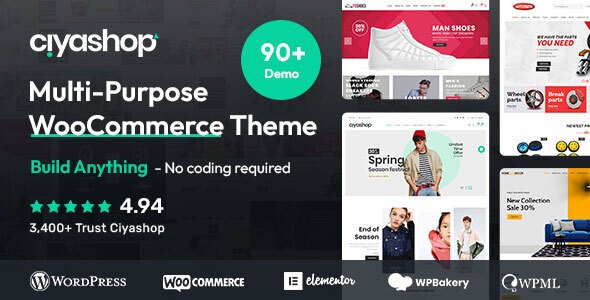
Stuck on your CiyaShop WordPress theme? Let's fix it.
No endless back-and-forth. Just send us the details and we'll get it done.
No obligation · Replies within 1 hour · Quote within 1 day
Setup · Customization · Bug fixes · WooCommerce integration
About CiyaShop WP Theme
CiyaShop is a WooCommerce theme built by Potenzaglobalsolutions, aimed at stores that need a large product catalog with flexible layout options. It ships with over 65 homepage demos, a drag-and-drop page builder, and deep WooCommerce integration including Ajax product filters, quick view, and wishlist functionality out of the box.
The theme supports multi-currency, RTL languages, and product comparison, making it a practical choice for stores targeting international buyers. Built on a custom framework, CiyaShop gives store owners a lot of control over headers, footers, product pages, and category layouts without writing code. Performance depends heavily on which demo you import and how many bundled plugins you activate.
Get matched with a CiyaShop developer in under one day
Tell us about your CiyaShop project. Small fixes, CiyaShop theme customization, or a full website build, whatever you need, we've got it covered.
We'll connect you to the right CiyaShop developers, define the scope, and get everything 100% clear.
You'll get one estimate, hire your preferred developer, and start collaborating.
CiyaShop ships with a lot of features, and that density creates complexity. Template conflicts, WooCommerce hook mismatches, and plugin compatibility issues are common without someone who knows the theme’s structure. A vetted CiyaShop developer on Codeable can handle custom builds, bug fixes, and performance work without trial and error. Codeable pre-screens every developer, so you are matched with someone who has proven WooCommerce and CiyaShop experience, not a generalist guessing their way through your store.
Pros
- 65+ prebuilt homepage demos cover most store niches without building from scratch
- Ajax product filters, quick view, wishlist, and comparison are included without extra plugins
- Multi-currency and RTL support built in, useful for stores with international audiences
- Deep WooCommerce integration with custom templates for single product, cart, and checkout pages
- Bundled Slider Revolution and WPBakery Page Builder reduce upfront plugin costs
Cons
- Theme framework is custom and non-standard, making some modifications harder to do cleanly
- Demo import loads a large number of plugins, many of which may not be needed
- Page load times on default setups can be heavy without deliberate performance optimization
- WPBakery shortcode lock-in makes switching page builders or themes difficult later
- Documentation is inconsistent in places, and support response times vary
Who is CiyaShop for?
Fashion and Apparel Stores
CiyaShop includes lookbook layouts, color and size variation swatches, and product zoom suited to fashion stores. A CiyaShop specialist can configure size guides, custom product badges, and collection-based category pages. The theme’s wishlist and quick-add cart work well for stores where browsing and impulse buying are central to the shopping experience.
Electronics and Tech Retail
Technical product pages benefit from CiyaShop’s comparison table and detailed specification layouts. A CiyaShop developer can set up attribute-based filtering so shoppers narrow down by specs like screen size, RAM, or connectivity. The multi-currency option is useful for electronics retailers targeting multiple regions with different pricing.
Home Decor and Furniture
CiyaShop’s masonry and grid layouts display lifestyle photography well, which matters for home decor stores where visual presentation drives purchases. A CiyaShop expert can configure room-style product galleries, bundle offers, and related product carousels. Mega menu setups work well for stores with deep category structures like furniture organized by room type.
Multi-Vendor Marketplaces
With WCFM or Dokan plugin integration, CiyaShop can support a marketplace model where multiple vendors list products under one storefront. A CiyaShop developer can configure vendor pages, product submission workflows, and commission tracking. The theme’s flexible header and category layout options make it easier to present a multi-vendor catalog without it feeling disorganized.
Health, Beauty, and Cosmetics
Beauty stores rely on strong visual layouts and product storytelling, both of which CiyaShop supports through full-width banners, ingredient-focused product descriptions, and video backgrounds. A CiyaShop specialist can configure subscription product options for consumables, loyalty integrations, and before-and-after image blocks commonly used in cosmetics marketing.

Customizing CiyaShop
CiyaShop customization covers a wide range, from tweaking the built-in Theme Options panel to modifying WooCommerce templates, custom header layouts, and product page structures. The theme uses WPBakery Page Builder and Elementor in some versions, which means layout changes are achievable without code, but anything beyond surface-level adjustments benefits from developer input.
A CiyaShop expert can help you set up custom product filters, adjust the Ajax cart behavior, restructure category pages, or override default templates cleanly using a child theme. Custom mega menus, homepage sliders, and product carousels often need fine-tuning to match a specific brand. Getting these details right without creating update conflicts is where hiring a CiyaShop specialist pays off.
Recommended plugins for CiyaShop
CiyaShop bundles several plugins at no extra cost, including Slider Revolution, WPBakery, YITH WooCommerce plugins, and Contact Form 7. These cover most store needs, but extending further is common.
Popular additions include advanced product filter plugins, subscription billing via WooCommerce Subscriptions, and booking tools. If your store depends on search traffic, pairing CiyaShop with proper WordPress SEO optimisation is essential. For stores with large catalogs, working on WordPress performance helps prevent the theme’s heavy asset load from slowing down your pages.
Not sure which plugins to use? This WordPress plugins directory covers the most popular options with reviews and setup guides.
CiyaShop common issues
CiyaShop Ajax filter not working after update
Ajax filter failures after a CiyaShop update are usually caused by a JavaScript conflict between the theme’s filter scripts and a recently updated plugin, or a permalink structure that got reset. Start by flushing permalinks under Settings > Permalinks. Then check the browser console for JS errors and identify the conflicting script. Disabling plugins one by one helps isolate the source. If the issue persists, a WordPress bug fixing specialist can trace the conflict through the theme’s filter hooks directly.
CiyaShop homepage slider not showing on mobile
Slider Revolution on mobile often hides slides due to visibility settings configured per layer inside the slider editor. Open each slide in the Slider Revolution plugin, check the device visibility toggles on each layer, and make sure the slider module itself is not set to hidden on mobile within CiyaShop’s Theme Options. Also confirm the slider dimensions are set to responsive, not fixed pixel width.
CiyaShop child theme not applying styles correctly
CiyaShop child theme style issues usually come from incorrect enqueue order. The child theme’s stylesheet must load after the parent theme’s stylesheet. In your child theme’s functions.php, enqueue the child style with a dependency on the parent style handle. Also check that the child theme’s style.css has the correct Template tag pointing to the exact parent theme folder name, which must match the installed theme directory.
CiyaShop product quick view showing blank popup
A blank quick view popup in CiyaShop typically points to a missing or conflicting WooCommerce template file. CiyaShop uses custom quick view templates that can become outdated after a WooCommerce update. Navigate to WooCommerce > Status > System Status and check for outdated templates. Updating them or having a developer reapply your customizations to the current template structure usually resolves it. A WordPress bug fixing service can do this without losing existing changes.
CiyaShop WooCommerce cart not updating without page refresh
CiyaShop’s Ajax cart relies on specific WooCommerce hooks and nonce verification. If the cart stops updating without a page refresh, check whether a caching plugin is serving a cached version of the cart fragment. Exclude the cart and checkout pages from caching, and make sure the woocommerce_cart_fragments script is loading. Some security plugins also block the Ajax request, so check your server error logs for blocked calls to admin-ajax.php.
CiyaShop demo import failing or stuck at 0%
Demo import failures in CiyaShop are almost always caused by PHP memory limits, execution time limits, or max upload size settings that are too low. Increase memory_limit to at least 256M, max_execution_time to 300, and upload_max_filesize to 64M in your php.ini or via wp-config.php. Some hosts also block external HTTP requests needed during import. Contact your host to confirm outbound requests are allowed, or import the demo XML manually via Tools > Import.
CiyaShop mega menu not displaying sub-items properly
CiyaShop mega menus require specific menu item settings to display correctly. Open Appearance > Menus, select the top-level item, and enable the mega menu option in the item’s expand panel. Sub-items must be set to the correct column count. If the mega menu still does not display, check whether a CSS conflict is hiding the submenu container. Inspect the element in your browser to see if display:none is being applied by another plugin or custom CSS.
CiyaShop product images not loading or showing broken
Broken product images in CiyaShop are usually caused by mismatched image sizes after switching themes or after changing the WooCommerce image dimensions. Use a plugin like Regenerate Thumbnails to rebuild image sizes to match CiyaShop’s registered dimensions. Also check that the upload directory has correct file permissions. If images upload but display blank, a server-level mod_security rule may be stripping the files on upload. Check error logs and contact your host.
CiyaShop checkout page layout broken after plugin update
Checkout layout breaks after a plugin update usually involve a conflict between CiyaShop’s checkout template override and an updated WooCommerce or payment gateway template. Check WooCommerce > Status for outdated template files inside CiyaShop’s woocommerce folder. If a payment plugin updated its checkout blocks, it may also conflict with classic template hooks CiyaShop uses. A WordPress bug fixing expert can reconcile the templates without disrupting the checkout flow.
CiyaShop mobile menu not opening or closing
CiyaShop mobile menu failures are almost always JavaScript-related. Open your browser’s developer console on mobile or using device simulation, and look for errors on the menu toggle event. Common causes include a jQuery conflict from a third-party plugin loading its own version of jQuery, or a minification issue introduced by a caching plugin. Disable JavaScript minification in your caching settings first, then test. If the issue appeared after adding a plugin, deactivate plugins one at a time to identify the conflict.
CiyaShop FAQ
CiyaShop handles large catalogs reasonably well when configured correctly. Its built-in Ajax filtering helps shoppers navigate big inventories. For stores with thousands of products, server-level caching, a CDN, and query optimization become necessary. A CiyaShop developer can audit your setup and ensure the theme’s scripts and queries do not create bottlenecks as the catalog grows.
Newer CiyaShop versions include Elementor support alongside WPBakery. Compatibility varies by version, so check the changelog for the specific release you are running. Some demo layouts are WPBakery-only and will not translate directly to Elementor. A CiyaShop specialist can rebuild specific layouts using Elementor widgets while preserving the original design intent.
Start by deactivating unused bundled plugins, enabling a caching plugin, and serving images via a CDN. CiyaShop loads several scripts by default that may not be needed on every page. A developer can conditionally load scripts, optimize the database, and configure server-side caching. Full details on improving load times are covered in our WordPress performance service.
Yes. CiyaShop is compatible with WCFM Marketplace and Dokan, two of the most widely used multi-vendor plugins for WooCommerce. The theme’s flexible layouts work well for vendor storefronts and product listings. A CiyaShop expert can configure the vendor dashboard, commission rules, and product submission pages to match your marketplace model.
Yes. CiyaShop includes a bundled Slider Revolution license, which covers use within the theme. You do not need to purchase Slider Revolution separately. The bundled version may lag behind the latest public release, so check for updates within the theme’s plugin update panel rather than from Envato directly.
Always use a child theme for any code changes before updating CiyaShop. Theme Options settings stored in the database are generally preserved during updates. Template overrides inside your child theme’s woocommerce folder may need reconciling if WooCommerce templates changed in the update. A CiyaShop developer can handle update management and template reconciliation without breaking your store.
CiyaShop declares WPML compatibility and works with the WPML multilingual plugin for translated storefronts. String translation for theme-specific text requires the WPML String Translation add-on. RTL language support is also built into the theme. Testing all translated pages after a theme update is recommended, as some string keys can change.
Yes, this is one of the most common requests for CiyaShop specialists. The theme provides a product page builder within Theme Options, but deeper changes such as reordering WooCommerce hooks, adding custom tabs, or modifying the add-to-cart area require template overrides. A CiyaShop developer can make these changes cleanly inside a child theme so updates do not overwrite them.
CiyaShop works alongside WooCommerce Subscriptions as a separate premium plugin. The theme does not include native subscription logic, but its product page templates are compatible with how Subscriptions renders pricing and billing options. Some custom product page layouts may need minor adjustments to display subscription pricing correctly, which a CiyaShop specialist can handle.
Migrating to CiyaShop means rebuilding page layouts since the theme uses WPBakery shortcodes that will not carry over from other builders. Product data, orders, and customer records stay intact in WooCommerce. The practical work is recreating homepage layouts, category pages, and custom widgets. Our WordPress migration service can manage the transition without downtime.
Hire a CiyaShop Developer
Whether you need a CiyaShop expert to build a store from scratch, fix a specific issue, or customize product pages and filters, getting a scoped estimate is the right first step. Describe your project, get matched with a specialist, and review the estimate before committing to anything. Get a Free Estimate and have a developer review your CiyaShop project with no obligation to hire.
You'll need a free Codeable account so developers can ask questions and send their quotes.