Tower WordPress Theme
by code-less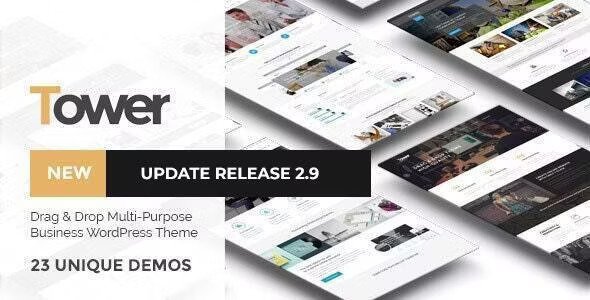
Stuck on your Tower WordPress theme? Let's fix it.
No endless back-and-forth. Just send us the details and we'll get it done.
No obligation · Replies within 1 hour · Quote within 1 day
Setup · Customization · Bug fixes · WooCommerce integration
About Tower WP Theme
Tower is a WordPress theme built by code-less, designed for creative agencies, portfolios, and business sites that need a clean, structured layout without unnecessary bulk. It ships with a drag-and-drop page builder, a solid set of pre-built demo templates, and customisation options that work well out of the box.
The theme leans on a modular design system, meaning sections can be swapped, reordered, and restyled without touching code. Typography controls, color schemes, and header layouts are all accessible from the WordPress Customizer. Tower also supports WooCommerce, making it a practical choice for businesses that want to combine content and commerce in a single site. It’s well-coded, loads reasonably fast on a default setup, and has clear documentation for most standard use cases.
Get matched with a Tower developer in under one day
Tell us about your Tower project. Small fixes, Tower theme customization, or a full website build, whatever you need, we've got it covered.
We'll connect you to the right Tower developers, define the scope, and get everything 100% clear.
You'll get one estimate, hire your preferred developer, and start collaborating.
Finding a reliable Tower developer isn’t straightforward. Codeable connects you with vetted WordPress specialists who have real experience with themes like Tower, not generalists who’ll figure it out as they go. Every project on Codeable starts with a free estimate, and you only move forward if the scope and price work for you. There’s no bidding war, no race to the bottom on price, and no risk. If you need a Tower specialist for a build, fix, or customisation, Codeable is the place to start.
Pros
- Clean, modular layout system that's easy to rearrange without code
- Comes with multiple pre-built demo templates covering common site types
- Full WooCommerce compatibility for combined content and shop builds
- Customizer-based settings reduce reliance on shortcodes
- Reasonably lightweight default setup with good baseline page speed scores
Cons
- Some advanced layout options require custom CSS or PHP to override
- Demo content import can be unreliable on slower or restricted hosting environments
- Limited built-in mega menu support without a third-party plugin
- Documentation covers basics but lacks depth for complex customisations
- Updates from code-less have been infrequent, which can raise long-term compatibility concerns
Who is Tower for?
Creative Agency Portfolio
Tower’s grid-based section layouts make it a practical choice for agencies that need to showcase case studies, team members, and service offerings in a structured way. A Tower developer can configure custom project archive pages and filter systems to let visitors browse work by category without extra plugins.
Small Business Website
Small businesses benefit from Tower’s pre-built service section templates and contact layouts. The theme handles the standard pages, about, services, contact, without requiring a custom build. A Tower specialist can tighten up the mobile experience and connect lead generation forms to CRM tools quickly.
Freelancer Portfolio
Freelancers who need a fast, credible online presence can use Tower to build a portfolio that stands out from generic templates. The typography controls and full-width section support make it easy to present work cleanly. A Tower expert can customise the layout to match a personal brand without starting from scratch.
WooCommerce Store
Tower’s WooCommerce support covers product pages, category archives, and checkout styling. It’s a solid base for small to mid-size shops that want a consistent design across content and commerce. A Tower developer can extend the default shop templates to match custom branding and improve conversion-focused layouts.
Corporate Brochure Site
Corporate sites need predictable, professional layouts across multiple departments or service lines. Tower’s section-based structure handles this without requiring a page builder plugin. A Tower specialist can build reusable templates for recurring page types, keeping the site consistent and easy to manage for non-technical staff.

Customizing Tower
Tower gives you a reasonable amount of control through its Customizer options, but deeper customisation usually requires someone who knows the theme’s structure. A Tower expert can go beyond the built-in settings to adjust spacing, modify section templates, create custom post type layouts, or integrate third-party plugins cleanly.
If you’re building a client site or a complex portfolio, having a Tower specialist handle the build means fewer hacks and cleaner code long-term. Custom CSS alone won’t cover everything, especially when you need consistent mobile behaviour, refined typography scaling, or non-standard header configurations. A Tower developer can also help extend the demo content into something that actually fits your brand rather than just replacing placeholder text.
Recommended plugins for Tower
Tower works well alongside performance plugins like WP Rocket or LiteSpeed Cache, but the gains depend on how the theme’s scripts and styles are loaded. A poorly configured stack can slow things down considerably. For sites targeting organic traffic, pairing Tower with a solid SEO setup matters. See our WordPress performance service for technical optimisation, or the WordPress SEO service for structured on-page work. WooCommerce, WPML, and advanced custom fields all integrate with Tower, but each adds complexity that’s worth planning before you build.
Not sure which plugins to use? This WordPress plugins directory covers the most popular options with reviews and setup guides.
Tower common issues
Tower theme header not showing on mobile
Mobile header issues in Tower usually come down to conflicting CSS from a child theme or plugin, or a misconfigured mobile breakpoint in the theme settings. Check the Customizer’s header section for mobile-specific options first. If the header collapses incorrectly or disappears entirely, inspect the element in browser dev tools to identify which rule is overriding the display. A sticky header plugin conflicting with Tower’s built-in header script is a common cause. If you can’t isolate it, the WordPress bug fixing service can diagnose and resolve it quickly.
Tower WordPress theme demo import failing
Demo import failures in Tower often come down to PHP memory limits, execution time caps, or missing required plugins that the demo depends on. Start by increasing memory to at least 256MB in your wp-config.php and setting max_execution_time to 300 in your PHP configuration. Make sure all required plugins listed in the theme documentation are installed and activated before importing. If the import stalls or returns an error, try importing content in sections rather than all at once. Hosting restrictions on some shared plans block large XML imports entirely.
Tower theme footer widgets not displaying
If Tower’s footer widgets aren’t showing, first check that the correct footer layout is selected in the Customizer. Tower sometimes defaults to a footer without widget areas depending on the template imported. Navigate to Appearance > Widgets and confirm the footer widget areas are registered and populated. A plugin conflict can also deregister widget areas. Deactivate plugins one by one in a staging environment to identify the culprit. If the widget area doesn’t appear at all, a child theme overriding footer.php may be stripping the widget call.
Tower theme homepage sections not loading correctly
Homepage sections failing to load in Tower are usually tied to a required plugin not being active, typically the theme’s bundled page builder or slider plugin. Open the page in the editor and check whether any shortcodes are rendering as plain text, which indicates the plugin that generates them is inactive. Also check whether the page template is set to the correct homepage template under Page Attributes. If sections load in the editor but not on the front end, a caching plugin serving a stale version is likely the cause. Clear all caches and test again.
Tower theme WooCommerce product images misaligned
WooCommerce product image misalignment in Tower usually comes from a mismatch between the image dimensions set in WooCommerce settings and the sizes Tower expects. Go to WooCommerce > Settings > Products and check the image dimensions. After changing them, run a thumbnail regeneration using a plugin like Regenerate Thumbnails. If images are still misaligned, the Tower product template may need a CSS fix targeting the product gallery wrapper. A Tower developer can sort this cleanly without affecting other image sizes across the site.
Tower theme custom fonts not applying
Custom fonts failing to apply in Tower usually means the font isn’t being enqueued correctly or a CSS specificity issue is overriding the font declaration. If you’re using Google Fonts via the Customizer, check whether your browser is blocking the external request due to a content security policy. For locally hosted fonts, confirm the @font-face declaration is in your child theme’s stylesheet and the file paths are correct. Use browser dev tools to check the computed font family on the affected element. If the theme’s built-in font control is overriding your choice, you may need a small CSS snippet to force the correct font stack.
Tower theme page builder layout broken after update
Broken layouts after a Tower update are often caused by changes to section structure or CSS class names that conflict with customisations in a child theme. Start by comparing your child theme’s overridden templates against the updated parent theme files. If you’re using custom CSS targeting old class names, those selectors will break when the HTML structure changes. Check the theme changelog for any template modifications flagged in the update. If the layout is significantly broken, the WordPress bug fixing service can rebuild the affected sections against the updated theme files.
Tower theme contact form not sending emails
Contact forms not sending in Tower is almost always a server-side email delivery issue rather than a theme problem. WordPress uses PHP mail by default, which most shared hosts either block or deprioritise. Install an SMTP plugin like WP Mail SMTP and connect it to a transactional email service such as Mailgun, SendGrid, or your email provider’s SMTP settings. Test the form again after configuring SMTP. If emails still don’t arrive, check your spam folder and review the SMTP plugin’s email log for bounce or authentication errors.
Tower theme slow loading on mobile devices
Slow mobile loading in Tower is often caused by large unoptimised images, render-blocking scripts, or the theme loading full desktop assets on mobile. Start by running the site through Google PageSpeed Insights to identify the biggest bottlenecks. Compress images using a plugin like ShortPixel, and enable lazy loading if Tower doesn’t do it by default. Check whether the theme loads multiple CSS and JS files that could be combined. For deeper performance work, see the WordPress performance service for a full technical audit.
Tower theme menu not working after WordPress update
A broken menu after a WordPress update in Tower is typically caused by a JavaScript conflict, often from a plugin that manipulates the DOM on page load. Open the browser console and look for JS errors tied to menu initialisation. If the mobile menu toggle stops working, the event listener may be failing because a script loaded in the wrong order or a dependency wasn’t found. Check whether the issue appeared immediately after updating a specific plugin rather than WordPress core itself. Deactivating plugins one by one on a staging site will usually isolate the conflict within a few minutes.
Tower FAQ
code-less has released Tower updates, but the pace has slowed compared to larger theme shops. Before building a production site on Tower, check the changelog on ThemeForest for the most recent update date. If long-term support is a concern, a Tower specialist can maintain and patch the theme independently, keeping it compatible with new WordPress releases even if the original developer’s updates slow further.
Tower has its own bundled page builder, and adding Elementor on top of it creates conflicts in most cases. The two systems load competing CSS and JS that interfere with each other’s layouts. Most Tower developers recommend sticking with the theme’s native builder or replacing it entirely with Elementor and removing Tower’s page builder from the stack to avoid bloat and layout conflicts.
To import Tower’s demo content, install and activate all required plugins listed in the theme documentation first. Then go to Appearance > Import Demo Data, select the demo you want, and run the import. Make sure your PHP memory limit is at least 256MB and max execution time is set to 300 seconds. On restricted hosting, the import may time out and need to be run in smaller batches.
Yes, Tower includes WooCommerce support covering shop pages, product archives, single product templates, and the cart and checkout flow. The default styling is clean but basic. A Tower developer can extend the WooCommerce templates to match your branding more closely, adjust product grid layouts, and improve the mobile checkout experience beyond what the default setup provides.
Technically yes, but Tower’s layouts are built around its bundled page builder, so removing it will leave most demo pages broken until you rebuild them with another tool or custom templates. If you want to use Tower without the bundled builder, a Tower specialist can help restructure the templates to use the native WordPress block editor instead, which is a cleaner long-term approach.
Create a child theme by making a new folder in wp-content/themes, adding a style.css file with a Template header pointing to the Tower parent theme, and a functions.php that enqueues the parent stylesheet. Activate the child theme from Appearance > Themes. Any template files you add to the child theme folder will override the parent. Keep all customisations in the child theme to survive Tower updates.
Tower is generally compatible with WPML, but full multilingual support requires checking that all theme strings are registered and translatable. Some theme-specific strings may need to be added to WPML’s String Translation module manually. A Tower specialist familiar with multilingual builds can audit the theme’s string output and configure WPML to cover all front-end text without missing sections.
Start by optimising images, enabling browser caching, and minifying CSS and JS. Tower’s bundled scripts can be heavy if not managed. Use a caching plugin and a CDN to reduce server load. Removing unused page builder assets on simpler pages also helps. For a full breakdown of what’s slowing your site down, the WordPress performance service covers technical audits and fixes specific to theme setups like Tower.
Yes, Tower sites can be migrated to a new host. Use a plugin like Duplicator or All-in-One WP Migration to export the full site including the database, theme files, and uploads. The Tower theme itself doesn’t have domain-locked licensing in most cases, but check your ThemeForest purchase terms. For a smooth move with no downtime, the WordPress migration service handles the full process.
Codeable is the most reliable place to find a vetted Tower WordPress developer. Developers on Codeable are screened and have demonstrated real project experience. You post your project, get matched with suitable Tower specialists, and receive a free estimate before committing. There’s no obligation to hire and no bidding process. It’s a straightforward way to find someone who knows what they’re doing with Tower.
Hire a Tower WordPress Developer
Whether you need a Tower expert to build from scratch, fix a layout issue, or extend the theme with custom functionality, working with a specialist saves time and avoids technical debt. Our developers know Tower inside out and deliver clean, maintainable work. Get a free estimate and describe your project. No obligation, no upfront cost, and you’ll hear back within 24 hours.
You'll need a free Codeable account so developers can ask questions and send their quotes.