Grand Tour WordPress Theme
by ThemeGoods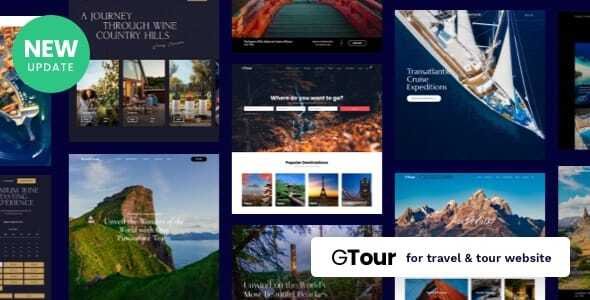
Stuck on your Grand Tour WordPress theme? Let's fix it.
No endless back-and-forth. Just send us the details and we'll get it done.
No obligation · Replies within 1 hour · Quote within 1 day
Setup · Customization · Bug fixes · WooCommerce integration
About Grand Tour WP Theme
Grand Tour is a travel-focused WordPress theme by ThemeGoods, built for travel bloggers, tour operators, and destination websites. It ships with a visual drag-and-drop page builder, multiple pre-built demo layouts, and a clean typographic system designed to showcase destinations, itineraries, and travel stories.
The theme integrates with WooCommerce for selling tour packages and supports popular plugins like WPML for multilingual travel sites. Designed with mobile travelers in mind, Grand Tour delivers fast-loading pages and responsive layouts that hold up across devices. ThemeGoods keeps the theme regularly updated, which helps with plugin compatibility and security patches. It sits in a competitive space but holds its own through well-structured templates and solid documentation.
Get matched with a Grand Tour developer in under one day
Tell us about your Grand Tour project. Small fixes, Grand Tour theme customization, or a full website build, whatever you need, we've got it covered.
We'll connect you to the right Grand Tour developers, define the scope, and get everything 100% clear.
You'll get one estimate, hire your preferred developer, and start collaborating.
Most Grand Tour issues come down to conflicts between the theme, plugins, and customizations that stacked up over time. A developer who has worked inside the theme before will spot those faster than trial and error. Through Codeable, you get matched with vetted WordPress developers who know travel themes and can handle anything from a quick fix to a full custom build. Every project starts with a free estimate and no obligation to proceed.
Pros
- Pre-built travel demo layouts reduce initial setup time significantly
- WooCommerce integration works well for selling packaged tours and experiences
- WPML compatible, making it viable for multilingual travel and tourism sites
- Responsive design handles large destination images without major layout issues
- ThemeGoods provides regular updates and maintains compatibility with current WordPress versions
Cons
- Bundled page builder creates shortcode lock-in that complicates theme switching later
- Demo import can be slow and occasionally fails on shared hosting environments
- Deep customization beyond the Customizer options requires child theme and PHP knowledge
- Limited native booking functionality, serious tour operators need a third-party plugin
- Documentation covers basics but skips advanced use cases like custom post type integration
Who is Grand Tour for?
Tour Operators
Grand Tour handles tour listing pages and package detail layouts well out of the box. Combined with a booking plugin like WooCommerce Bookings or Tourmaster, operators can list itineraries, set pricing tiers, and take deposits. A Grand Tour developer can wire up the booking flow so it matches your specific business logic rather than a generic demo setup.
Travel Bloggers
The theme’s editorial layout options suit content-heavy travel blogs. Large featured images, clean reading typography, and category archive pages work well for destination roundups and trip reports. A Grand Tour specialist can set up a custom homepage that balances blog content with destination pages without making either feel secondary.
Destination Marketing Sites
Regional tourism boards and destination marketing organizations need structured pages for attractions, accommodations, and events. Grand Tour’s flexible template system supports this with some configuration. Custom taxonomy archives and map integrations are common additions a Grand Tour developer can build into the theme without disrupting the base layout.
Adventure and Outdoor Experiences
Hiking guides, diving schools, and adventure tour companies need sites that convey energy and handle detailed itinerary content. Grand Tour’s visual-first design works for this audience. Adding gear lists, safety information sections, or difficulty ratings as custom fields is straightforward for a developer familiar with the theme’s structure.
Travel Agencies
Agencies selling multi-destination packages benefit from Grand Tour’s ability to organize content by region and trip type. The WooCommerce layer handles package pricing and checkout. For agencies needing CRM integration or custom quote request forms, a Grand Tour expert can extend the theme cleanly through a child theme without touching core files.

Customizing Grand Tour
Grand Tour gives you a decent amount of control through the WordPress Customizer, covering typography, colors, header styles, and footer layouts. The bundled page builder lets you stack sections visually without touching code, which works well for landing pages and tour listings.
Where things get more specific, like custom booking flows, unique destination archive layouts, or integrating a third-party tour management plugin, you will likely need a Grand Tour expert. A developer who knows the theme’s template hierarchy and hook system can extend it cleanly without breaking future updates. Custom child themes are strongly recommended before any code-level changes. If you want Grand Tour to behave exactly like your business needs rather than the demo, working with a Grand Tour specialist saves significant time.
Recommended plugins for Grand Tour
Grand Tour works well with a focused plugin stack. For performance, pairing it with a caching plugin and an image optimization tool matters, especially on pages with large destination photography. You can read more about keeping your site fast on the WordPress performance page.
For travel sites targeting organic search, schema markup for tours and destinations gives you an edge. A proper SEO setup covering meta titles, sitemaps, and structured data is worth doing early. See the WordPress SEO optimisation service for details. WooCommerce, WPML, and contact form plugins round out the typical Grand Tour stack.
Not sure which plugins to use? This WordPress plugins directory covers the most popular options with reviews and setup guides.
Grand Tour common issues
Grand Tour demo import not working
Demo import failures in Grand Tour are usually caused by server timeout limits, low PHP memory, or missing required plugins. First, confirm all required plugins listed by ThemeGoods are installed and activated. Increase max_execution_time and memory_limit in your php.ini or wp-config.php. On shared hosting, try importing the demo XML manually through Tools > Import instead of the one-click importer. If problems persist, a WordPress bug fixing service can diagnose the server configuration issue quickly.
Grand Tour header layout broken after update
Header layout breaks after a Grand Tour update usually point to a CSS conflict introduced by the update or a cached version of the old stylesheet. Clear your caching plugin and browser cache first. If you have customizations in the Customizer, check whether the update reset any saved values. For code-level header changes made directly in theme files rather than a child theme, those will have been overwritten. Always use a child theme to protect customizations across updates.
Grand Tour mobile menu not opening
A non-functional mobile menu in Grand Tour is typically caused by a JavaScript conflict with another plugin. Open your browser console and look for JS errors on mobile viewport. Common culprits include slider plugins, contact form scripts, and ad plugins loading conflicting jQuery versions. Deactivate plugins one by one to isolate the conflict. If the menu worked before a plugin update, that plugin is likely the source. Enqueue order adjustments in a child theme usually resolve this cleanly.
Grand Tour WooCommerce shop page not displaying correctly
WooCommerce shop page display issues in Grand Tour often come from the theme’s page templates conflicting with WooCommerce template overrides. Check whether your active template in Page Attributes is set correctly for the shop page. If Grand Tour ships with WooCommerce template files, check whether those are outdated relative to your WooCommerce version. Running the WooCommerce System Status check will flag outdated templates. A WordPress bug fixing specialist can reconcile theme and plugin templates without breaking either.
Grand Tour page builder content not showing on front end
When Grand Tour page builder content renders in the backend but not the front end, the most common cause is a plugin conflict preventing the builder’s scripts from loading, or shortcodes being stripped by a content filter. Check whether the content is visible when logged out. Also confirm the correct page template is assigned. If another page builder plugin is active alongside Grand Tour’s bundled builder, they can interfere with each other’s output rendering.
Grand Tour slider not loading images
Slider images failing to load in Grand Tour usually trace back to incorrect image attachment IDs after a migration, broken media library paths, or a lazy-loading plugin intercepting the slider’s own loading logic. Check the browser network tab for 404 errors on image requests. If the site was recently migrated, run a search-replace on the database to update old domain references. Also check whether a security plugin is blocking the slider script from executing.
Grand Tour custom fonts not applying
Custom fonts not applying in Grand Tour can happen when the Google Fonts API request is blocked, when a caching plugin serves a stale stylesheet without the font stack, or when a CSS specificity conflict overrides your font selection. Check the Customizer font settings and confirm they are saved. Purge all caches after saving. If you are using a custom font not in the Customizer list, you need to enqueue it via a child theme and add the CSS rule targeting the correct selectors.
Grand Tour WPML language switcher not appearing
The WPML language switcher not appearing in Grand Tour is usually a menu or widget placement issue rather than a WPML configuration problem. In WPML settings, confirm the language switcher is set to appear in the menu or a widget area. In Grand Tour, check that the relevant widget area is active and that the menu assigned to the primary navigation is the one WPML is targeting. Some header builder configurations in Grand Tour require a separate module to be added for the switcher to display correctly.
Grand Tour footer widgets not saving
Footer widgets not saving in Grand Tour typically come down to a theme options conflict, a nonce expiry on slow connections, or a JavaScript error preventing the Customizer save request from completing. Open the browser console while saving and check for errors. If you are running a security plugin with nonce length restrictions, that can interfere. Try saving in a different browser. If the issue is persistent, a WordPress bug fixing service can trace the exact failure point in the save request.
Grand Tour child theme not inheriting parent styles
A Grand Tour child theme not inheriting parent styles is almost always caused by incorrect stylesheet enqueuing. The child theme’s functions.php must enqueue the parent stylesheet using wp_enqueue_style with the parent as a dependency. Simply using @import in the child theme’s CSS is unreliable. Also confirm the child theme’s style.css header contains the correct Template: grand-tour line matching the parent theme’s folder name exactly.
Grand Tour FAQ
Grand Tour works well for tour operators handling itinerary listings and package pages. It lacks a built-in booking system, so you will need a plugin like WooCommerce Bookings or Tourmaster for reservations. A Grand Tour developer can integrate your chosen booking plugin cleanly into the theme’s existing templates so the result looks designed rather than bolted on.
Yes, Grand Tour is WooCommerce compatible. The theme includes styled WooCommerce templates for shop, product, and cart pages. For straightforward tour package sales it works well. More complex setups, like variable pricing by season or group size, need WooCommerce add-ons and some developer configuration to work correctly within the Grand Tour layout.
Grand Tour handles travel blog content well. It offers post layouts, category archive pages, and large featured image support suited to destination content. The theme works best as a hybrid site combining blog posts with destination or tour pages. Pure blogging use cases will find the theme feature-heavy for what they need, but it functions fine.
Create a new folder in /wp-content/themes/ named something like grand-tour-child. Add a style.css with the required header including Template: grand-tour. Add a functions.php that enqueues the parent stylesheet using wp_enqueue_style. Activate the child theme in Appearance > Themes. All your custom CSS and template overrides go in the child theme from that point.
Grand Tour is WPML compatible. ThemeGoods lists WPML support in the theme documentation. You can translate pages, posts, and theme strings through WPML’s String Translation module. The language switcher placement depends on your header configuration. Some Grand Tour header layouts require a specific widget or menu module to display the switcher correctly in the navigation.
Grand Tour ships with a bundled drag-and-drop page builder from ThemeGoods. It is not Elementor or WPBakery but a proprietary builder specific to the theme. This means your page layouts are tied to the theme. If you want to switch to Elementor later, you will need to rebuild pages. Factor this in when deciding how heavily to use the bundled builder.
Use a child theme before updating. Any customizations made in the parent theme’s files will be overwritten during an update. If you are using the Customizer for color and font changes, those persist through updates. Back up the site before every update. After updating, clear all caches and check key pages visually for layout regressions before declaring the update clean.
Yes, Grand Tour supports Google Fonts through the Customizer. You can select fonts for headings and body text from the available list. If you need a font not included in the theme’s selector, a developer can enqueue it manually through a child theme and apply it via CSS. Performance-wise, limit yourself to two font families to keep page load times reasonable.
Through Codeable, you can post your Grand Tour project and get matched with a vetted developer within 24 hours. Every project includes a free estimate with no obligation to hire. This is the most reliable way to find a Grand Tour specialist rather than a generalist who will spend billable time getting familiar with the theme’s structure.
Yes, Grand Tour supports multilingual sites through WPML. You can translate all front-end strings, page content, and navigation items. For right-to-left language support, you may need additional CSS adjustments depending on the layout. A Grand Tour developer familiar with WPML can configure the multilingual setup correctly from the start, avoiding common string translation oversights.
Hire a Grand Tour Developer for Your Travel Site
Whether you need a Grand Tour expert to build a tour operator site from scratch, fix a layout that broke after an update, or extend the theme with custom functionality, working with the right developer makes the difference. Post your project and get matched with a specialist within 24 hours. Get a Free Estimate with no obligation to hire.
You'll need a free Codeable account so developers can ask questions and send their quotes.